here!
here!
I’m your shopping assistant for PC builds, upgrades, and everything tech.
Got questions? Ask away!
Start a conversation
here!
I’m your shopping assistant for PC builds, upgrades, and everything tech.
Got questions? Ask away!
Start a conversation



Any questions? Ask CelesteSM will help you find out quickly.
Why is charging speed slower than expected?
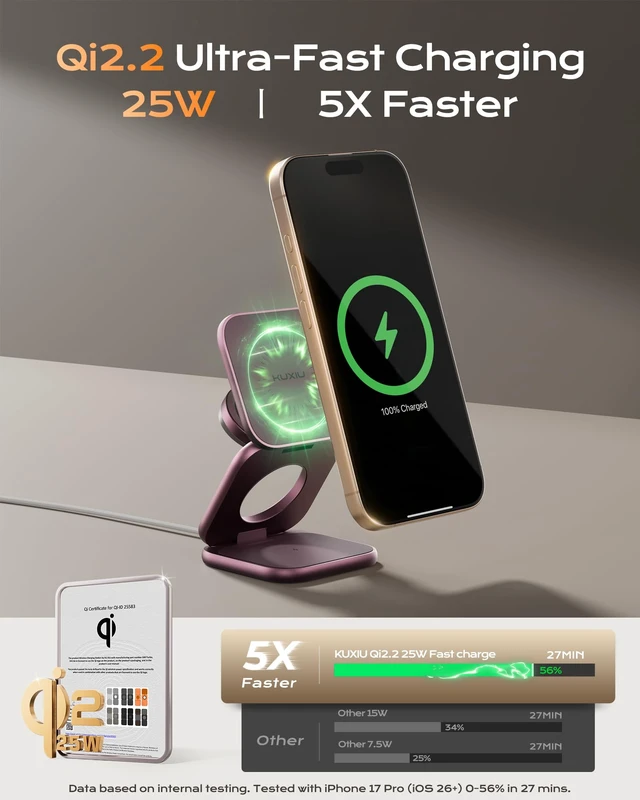
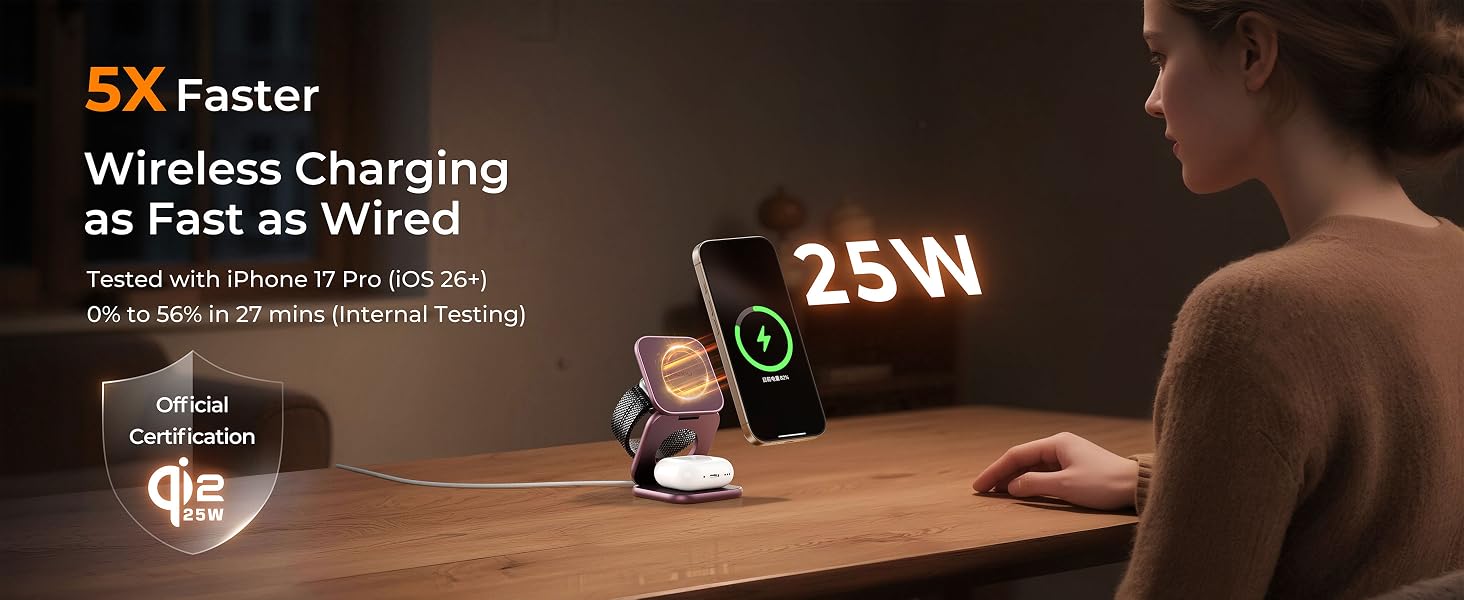
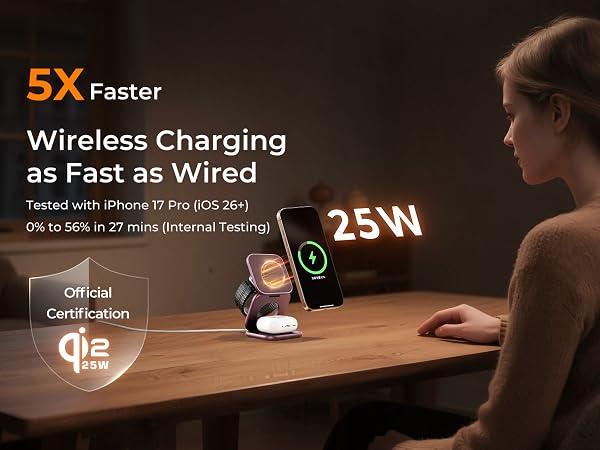
Wireless charging follows a charging curve—faster at low battery & gradually slowing as it fills to protect battery health. iPhone17 Pro lab test (0%): 0–56% in 27 mins. Results apply to this model/condition; actual speed varies by device and usage.
Is my device compatible and what speed can I expect?
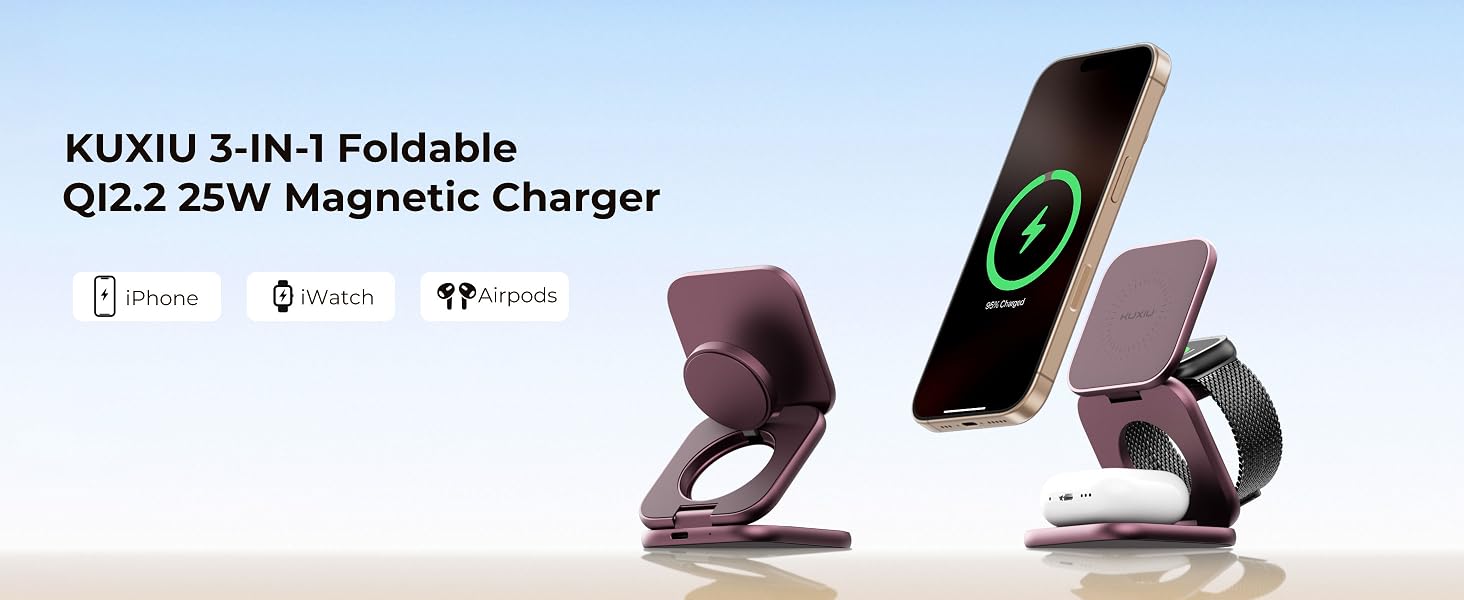
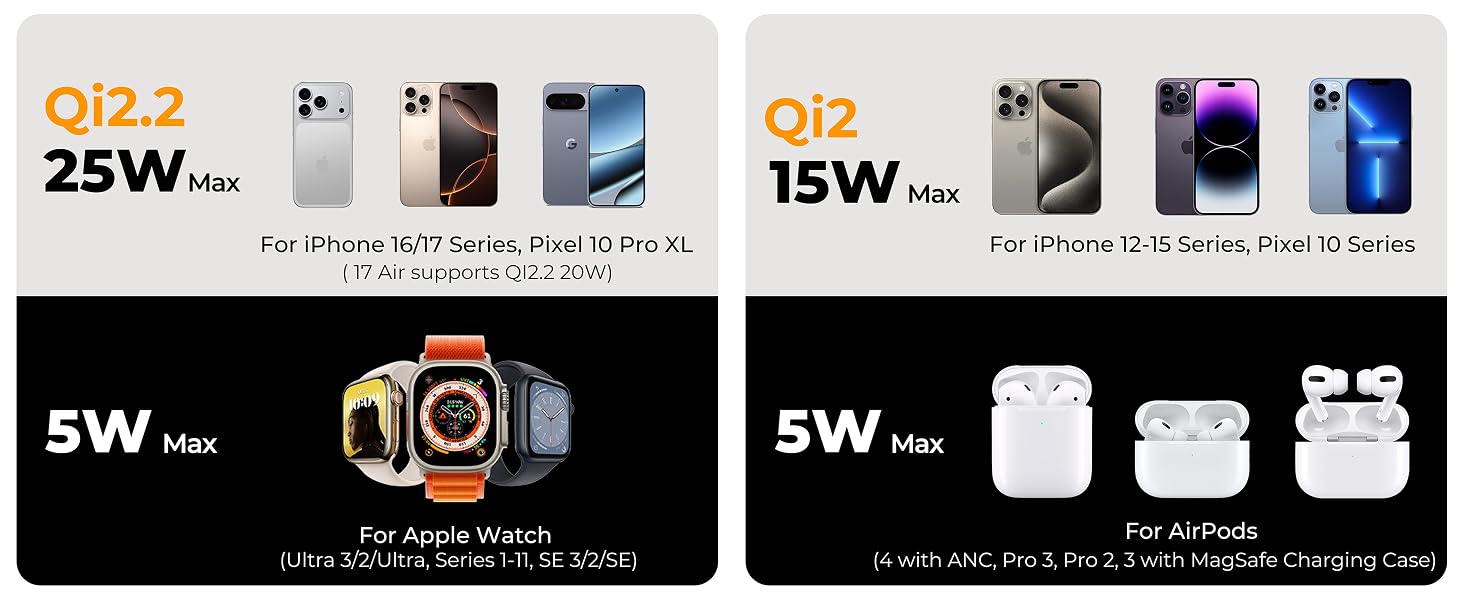
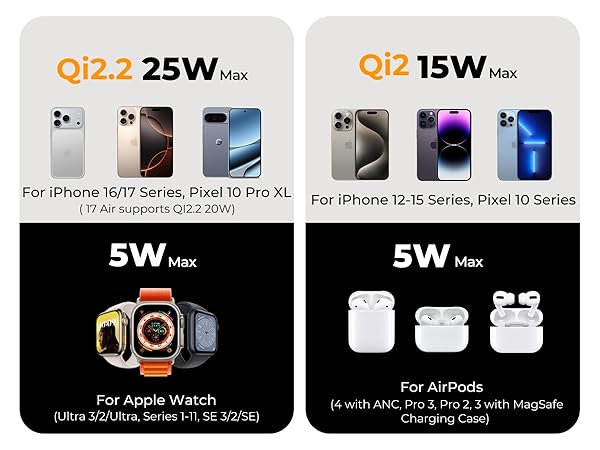
Qi2.2 25W (Must iOS 26+): iPhone 17/16 (20W: iPhone 17 Air); Qi2 15W: iPhone 12–15/17e; 5W: Apple Watch with Wireless Charging Case & AirPods. Note: iPhone 12–15 remain limited to 15W even after iOS updating. Not Compatible with iPhone 16E
What should I do if my phone won't charge?
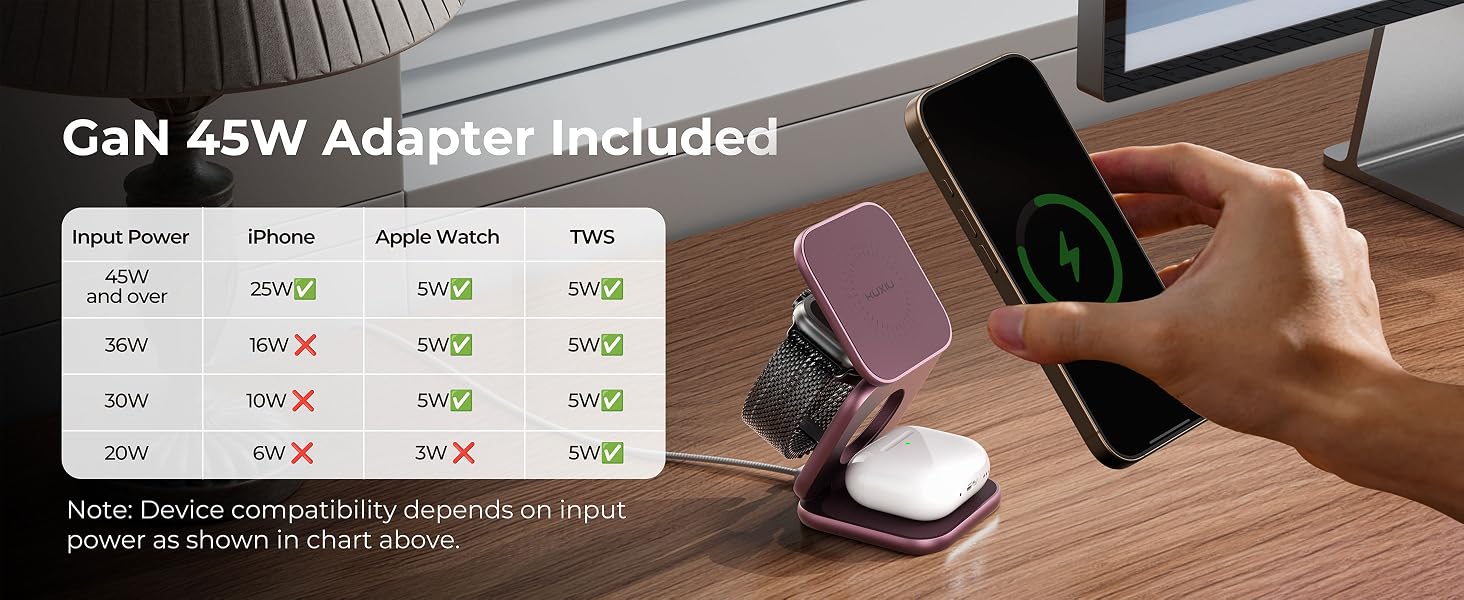
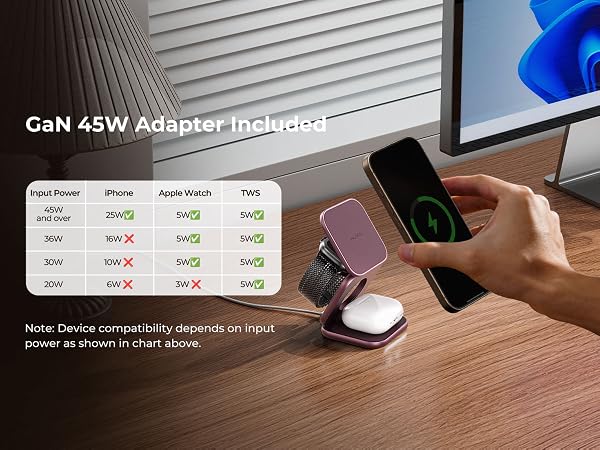
Remove phone cases, align with the phone charging area, and use the included 45W adapter plugged directly into a wall outlet. Ensure cable is fully inserted. If needed, restart device or try another cable or adapter.
Why aren't my AirPods charging?
Place AirPods within the marked charging zone (non-magnetic). If not charging, reconnect the cable or reposition the case to ensure proper alignment.
Does using a phone case or charging multiple devices affect performance?
Yes. Thick cases may reduce magnetism and charging efficiency. Use a bare phone or MagSafe-compatible case. And power is shared when charging multiple devices. Use the included 45W adapter for best performance.
Why is charging speed slower than expected?
Wireless charging follows a charging curve—faster at low battery & gradually slowing as it fills to protect battery health. iPhone17 Pro lab test (0%): 0–56% in 27 mins. Results apply to this model/condition; actual speed varies by device and usage.
Is my device compatible and what speed can I expect?
Qi2.2 25W (Must iOS 26+): iPhone 17/16 (20W: iPhone 17 Air); Qi2 15W: iPhone 12–15/17e; 5W: Apple Watch with Wireless Charging Case & AirPods. Note: iPhone 12–15 remain limited to 15W even after iOS updating. Not Compatible with iPhone 16E
What should I do if my phone won't charge?
Remove phone cases, align with the phone charging area, and use the included 45W adapter plugged directly into a wall outlet. Ensure cable is fully inserted. If needed, restart device or try another cable or adapter.
Why aren't my AirPods charging?
Place AirPods within the marked charging zone (non-magnetic). If not charging, reconnect the cable or reposition the case to ensure proper alignment.
Does using a phone case or charging multiple devices affect performance?
Yes. Thick cases may reduce magnetism and charging efficiency. Use a bare phone or MagSafe-compatible case. And power is shared when charging multiple devices. Use the included 45W adapter for best performance.
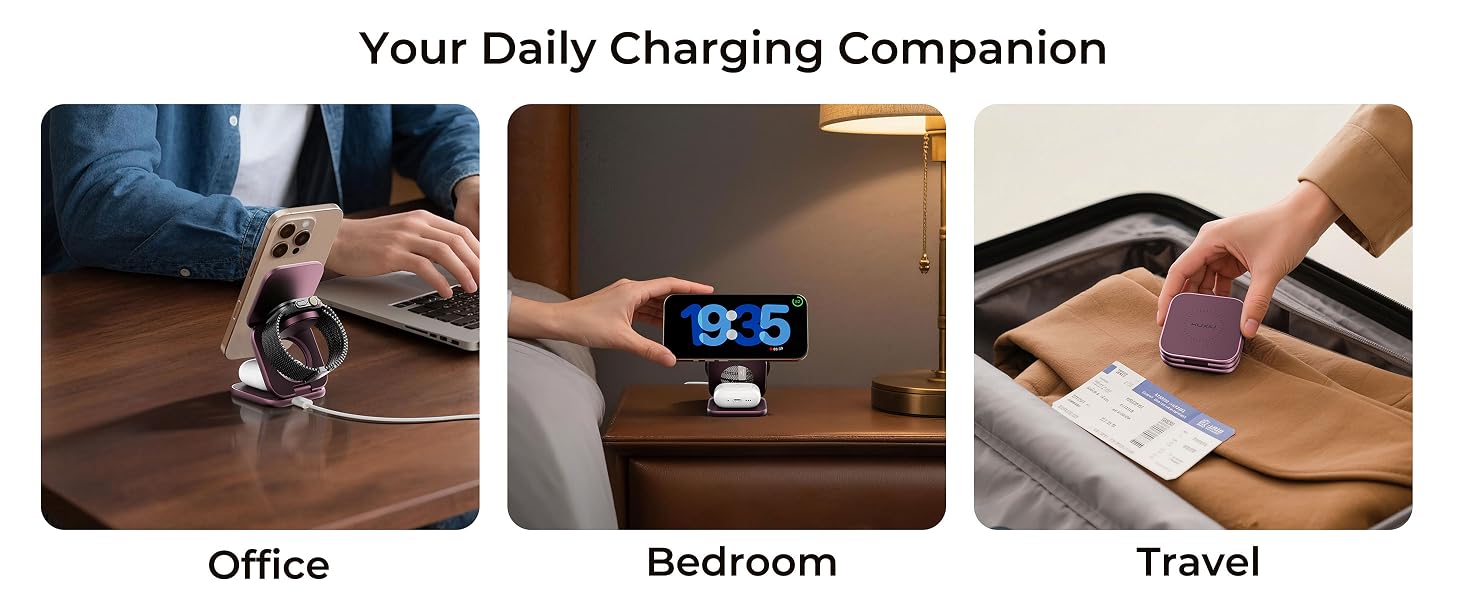
compatible with apple charging station 3 in 1 charging station for apple iphone charging station for multiple devices magnetic charger stand compatible with iphone 17 pro max charger for iphone 17 air charging station iphone 16 charger iphone 15 14 13 12 pro max plus charger wireless charger iphone for apple watch charger wireless charging station iphone wireless charger wireless phone charger iphone travel charger for multiple devices charging station for multiple devices phone and watch charger station for iphone and watch charging station 3 in 1 wireless charging station 3 in one charging station foldable iphone charger 3 in 1 foldable charger 3 in 1 iphone charging stand iphone charger stand travel charging station iphone and watch charger iphone and airpod charging station iphone 16 pro max charging station iphone 16 charging station 3 in 1 charger 3 in 1 travel charger 3 in 1 travel charging station kuxiu charger 3 in 1 X40 turbo qi2.2 wireless charger 25w qi2 25w wireless charger for Pixel 10 Pro XL, 10, 10 Pro, 10 Pro Fold wireless charger compatible with Apple Watch Ultra 2 charger journey charger 3in1 for iphone 17 16 15 14 13 12 pro max charger fast charging iphone nightstand charger bedside phone charger station iphone desk charger night stand phone charger station iphone bedside charging station 3 in 1 charging station bedside iphone nightstand charging station
| Brand | KU XIU |
| Connector Type | USB Type C |
| Compatible Devices | Qi2.2 25W for iPhone 17/16 Series, Pixel 10 Pro XL; 20W for iPhone Air; Qi2 15W for iPhone 12-15, Pixel 10 Series and more; Max 5W for Apple Watch Ultra 3/2/Ultra, Series 11-1, SE 3/2/SE & AirPods 4 ANC/Pro 3/Pro 2/Pro/3rd/2nd (Wireless Charging Case); Not Compatible with iPhone 16E |
| Compatible Phone Models | For iPhone 17-12 Series / iPhone Air / Pixel 10 Pro XL & Pixel 10 & 10 Pro; Not Compatible with iPhone 16e |
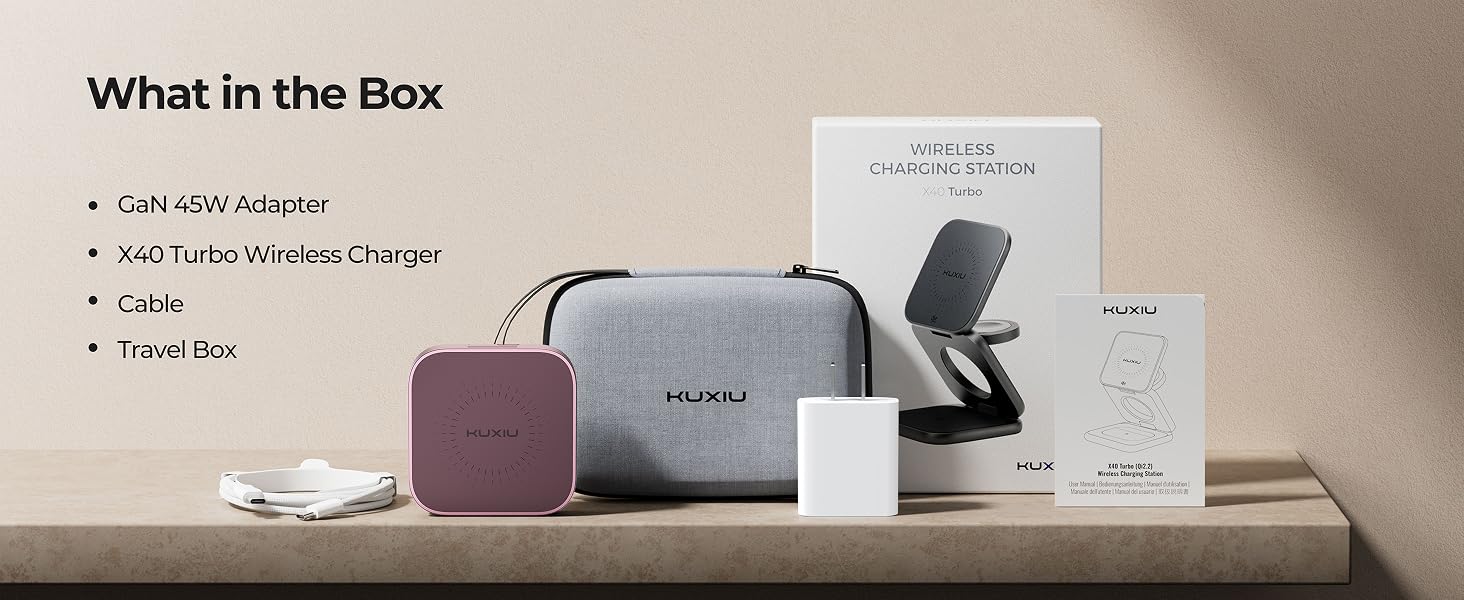
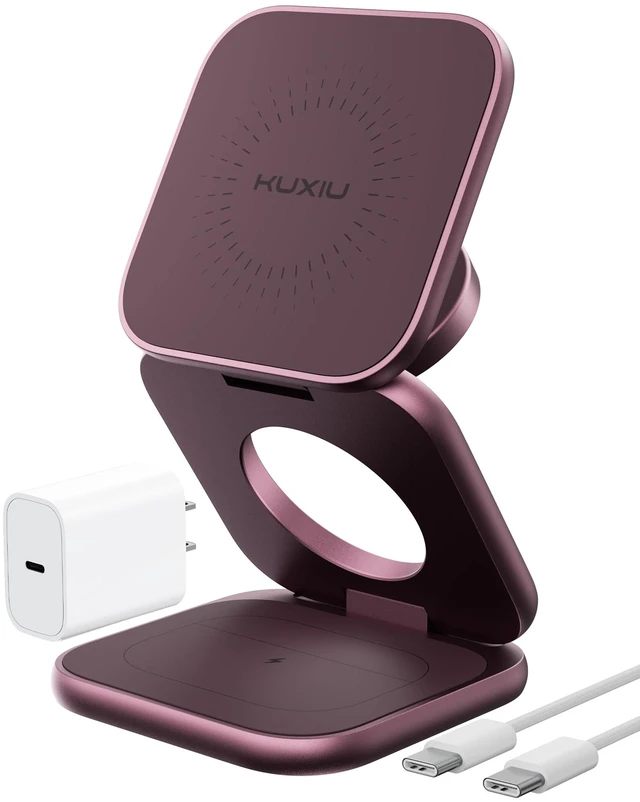
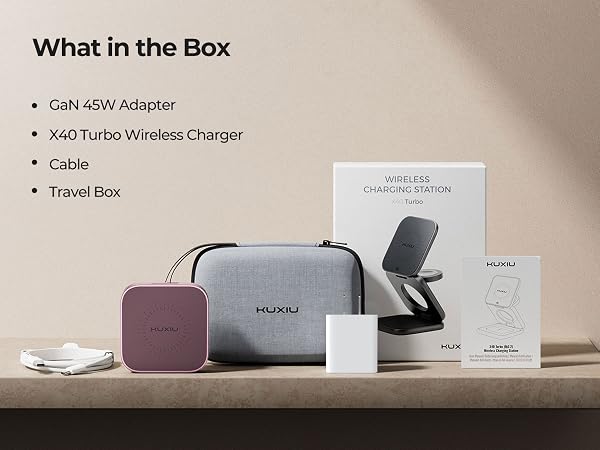
| Included Components | 1 * X40 Turbo QI2.2 25W 3-in-1 Charging Station, 1 * 45W USB-C GaN Adapter, 1 * USB-C Cable, 1 * Travel Storage Case, and User Manual |
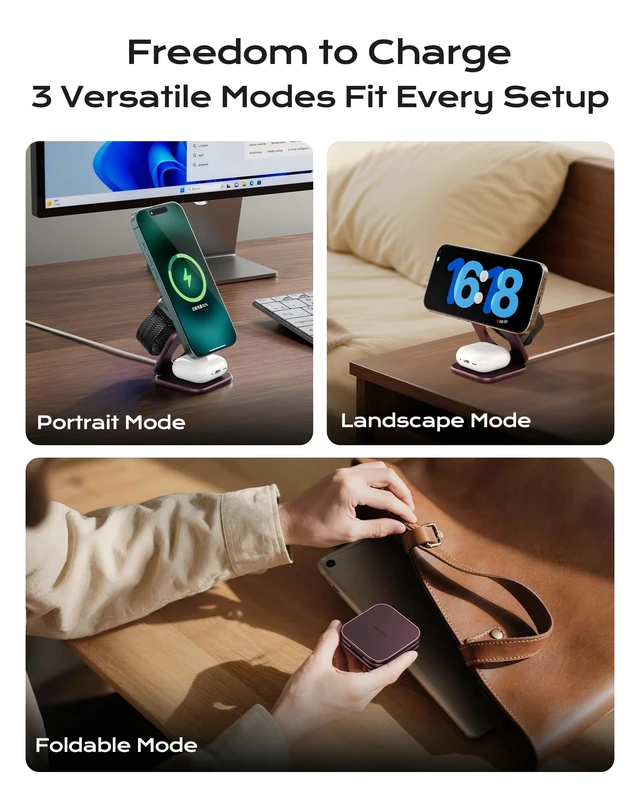
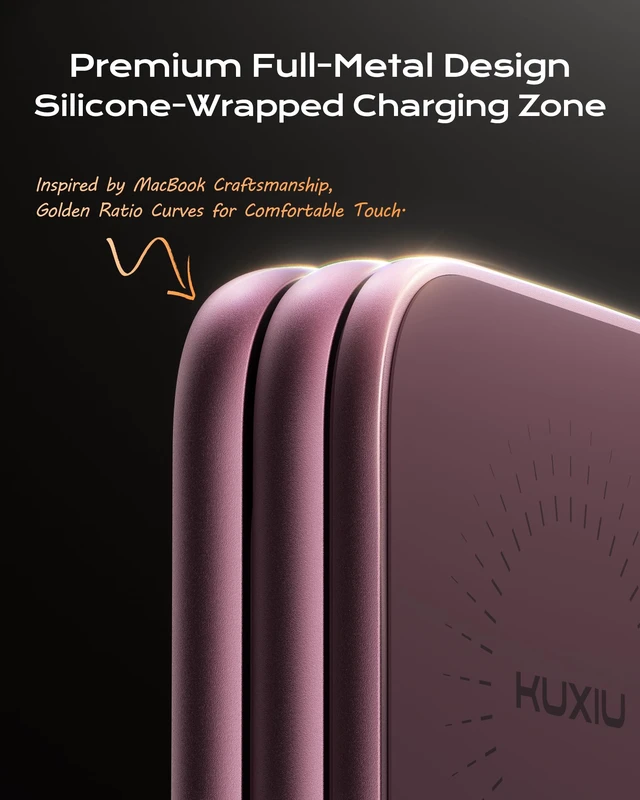
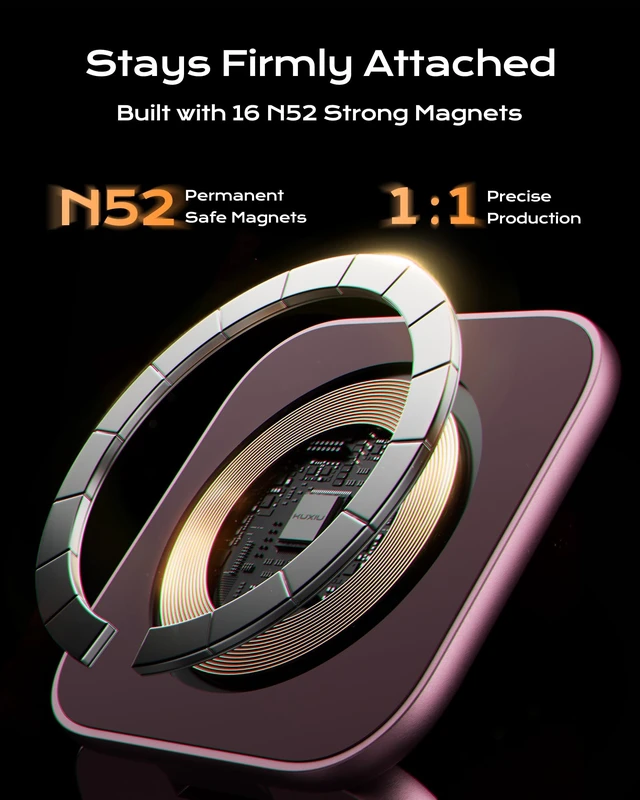
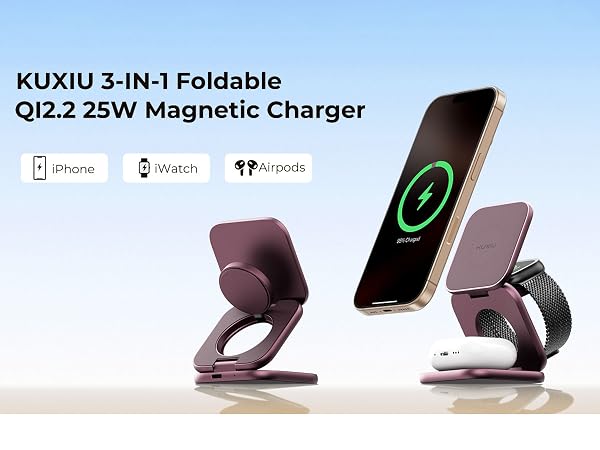
| Special Feature | QI2.2 25W, Fast Charging, Foldable for Travel, Magnetic, Aluminum Alloy, 45W GaN Adapter Included, Wireless Charger |
| Color | Burgundy |
| Input Voltage | 15 volts |
| Amperage | 3 A |
| Wattage | 25 watts |
| Special Features | QI2.2 25W, Fast Charging, Foldable for Travel, Magnetic, Aluminum Alloy, 45W GaN Adapter Included, Wireless Charger |
| Output Current | 3 A |
| Output Voltage | 3 volts |
| Number of Items | 1 |
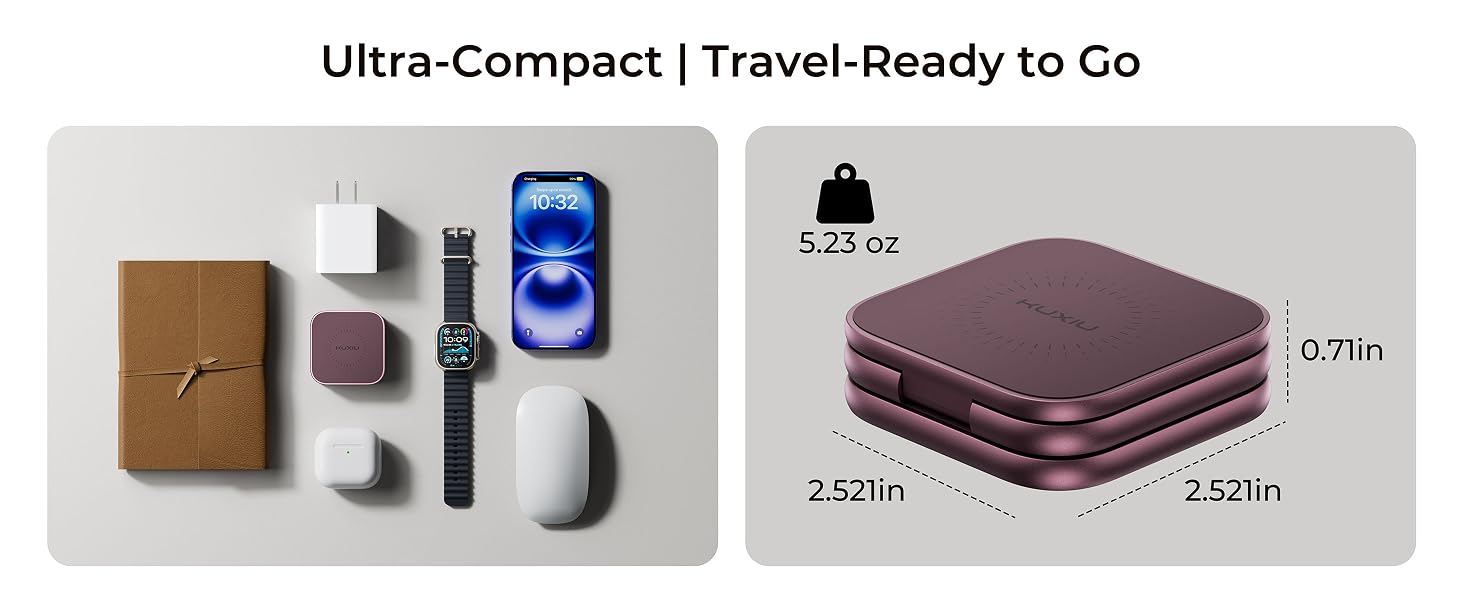
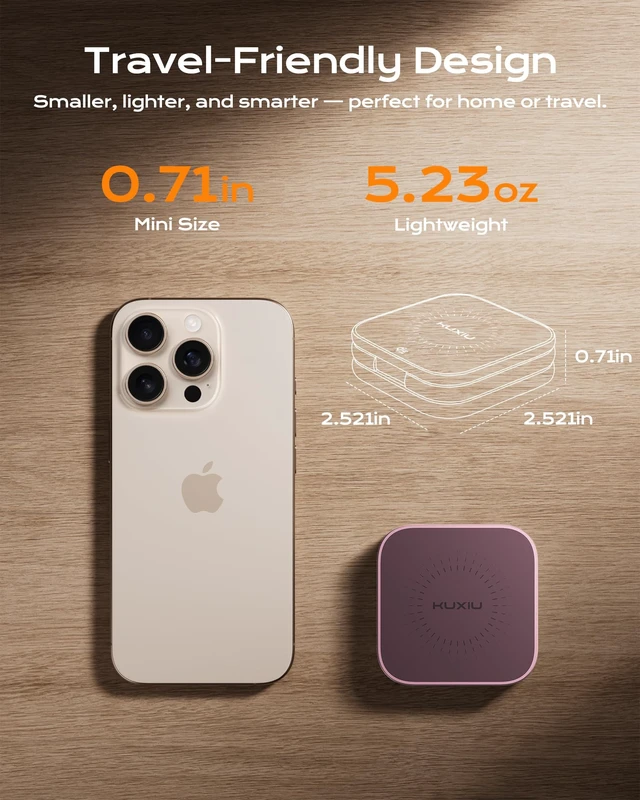
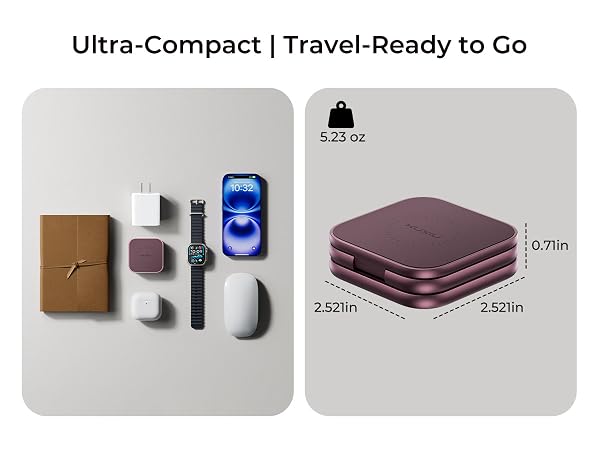
| Item Weight | 5.23 ounces |
| Unit Count | 1 Count |
| Built-In Media | 1 * X40 Turbo QI2.2 25W 3-in-1 Charging Station, 1 * 45W USB-C GaN Adapter, 1 * USB-C Cable, 1 * Travel Storage Case, and User Manual |
| Model Number | X40 Turbo |
| Model Name | X40 Turbo |
| Mfr Part Number | X40 Turbo |
| Manufacturer | Shenzhen Kuxiu Communication Co.Ltd |
| Warranty Description | 2 Year Warranty |
| Enclosure Material | Aluminum |