




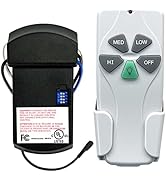
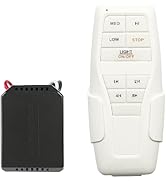
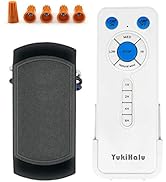
Universal Ceiling Fan Remote
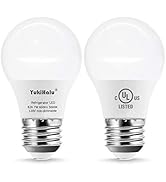
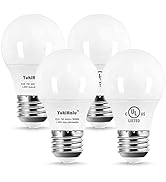
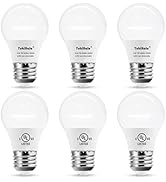
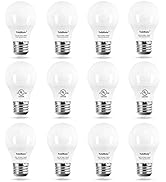
Ceiling Fan Light Bulb
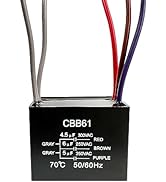
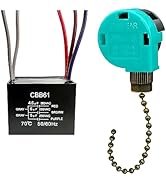
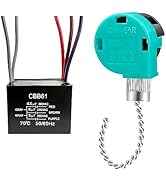
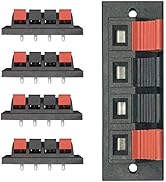
Ceiling fan capacitor + switch
How did we get our start?
YukiHalu was founded in 2012, It is expert for fan motor control, remote control and lighting appliance.
Why do we love what we do?
We use the latest technology in fan control, such as RF, smart WiFi, bluetooth, voice control and intelligent frequency conversion technology. We make the fan controller smaller, smarter, easier to use, and more reliable. We want our customers to have an economical and reliable product with replacement parts.
What problem are we solving?
Designing reliable products and manufacturing high quality products

YukiHalu was founded in 2012, It is expert for fan motor control, remote control and lighting appliance.
Our remote accessories can be used in most ceiling fans on the market. It can be used as a replacement for the original remote control kit, or to upgrade a conventional fan to a remote control fan.

Cautions:
- This device only support 2.4GHz WiFi, don't support 5GHz. Please switch your wifi to 2.4GHz
- Check the dimension of receiver carefully to make sure there is enough space in the canopy of your fan although the receiver is really small size
What can we do?
- Upgrade your ceiling fan from traditional one to Smart WiFi remote controllable one.
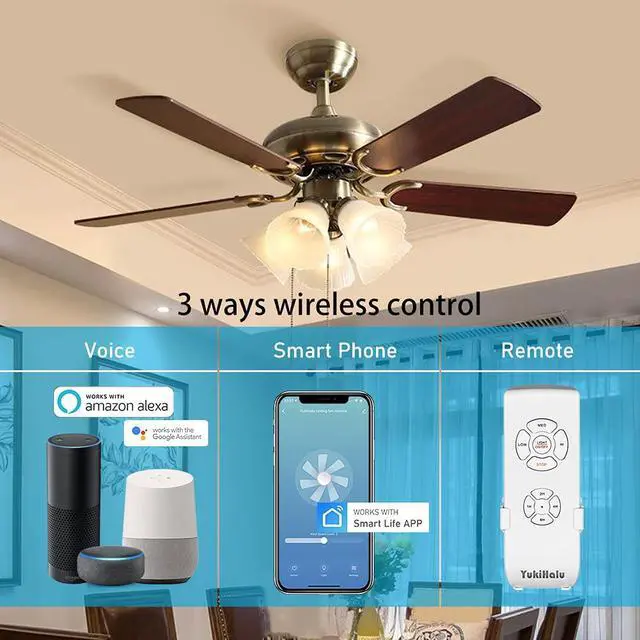
- Control the ceiling fan through remote / mobile phone / voice, control your fan from anywhere anytime.
Does the wireless remote control kit fit my ceiling fan perfectly?
- Yes, YUKIHALU ceiling fan remote control kit is universal version, and works well with most of ceiling fans in market.
- Small size, Fit for your mini fans.
I have 2 ceiling fans in adjacent rooms. If I buy 2 of these remote controls, will they interfere with each other?
- No. Each remote and receiver kit had been paired before delivery in factory, it means 1 remote can only control 1 fan, if you need to use 1 remote to control more fans, please re-program the remote. Not require selecting pin codes in multi-fans application thanks for the advanced RF technology.
Can i use 1 remote to control 2 fans ?
- Yes, after re-program remote, you can use 1 remote to control multi-fans. Please note that 1 remote can only control 1 fan in default setting.
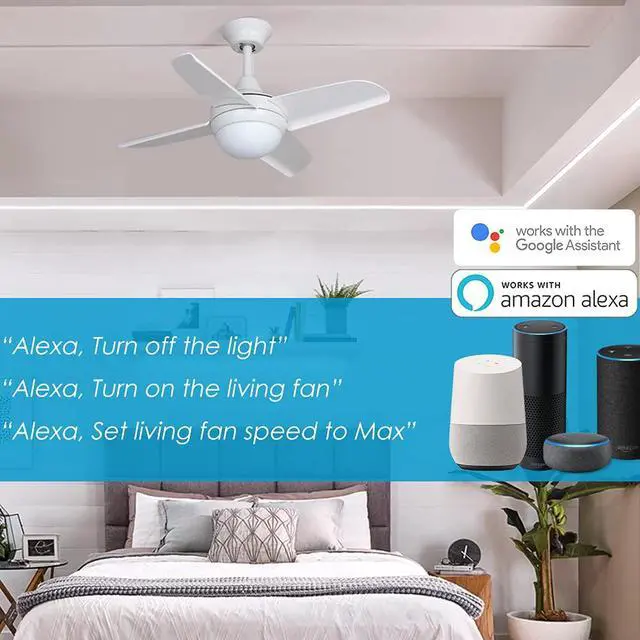
Voice command for Alexa: For example: the fan name is "living fan" and the light name is "arm light"
- "Alexa, turn on/off arm light",
- "Alexa, turn on/off living fan"
- "Alexa, set living fan speed to min",
- "Alexa, set living fan speed to max"
- "Alexa, increae living fan speed",
- "Alexa, decrease living fan speed"


Package List:
Thanks for advanced technology, The ceiling fan remote control kit can be designed as small size, high reliability, long life and wide replacement.
- YukiHalu Ceiling fan remote *1
- YukiHalu Ceiling fan receiver *1
- Wall holder *1
- Screws *2
- wire nuts *5
- Instruction *1
Smart, Universal and Wide Replacement
- Smart WiFi: 3-ways to control the fan, Remote / APP / Voice. Support 2.4GHz WiFi (not 5GHz), Compatible with alexa, google assistant and smart life app
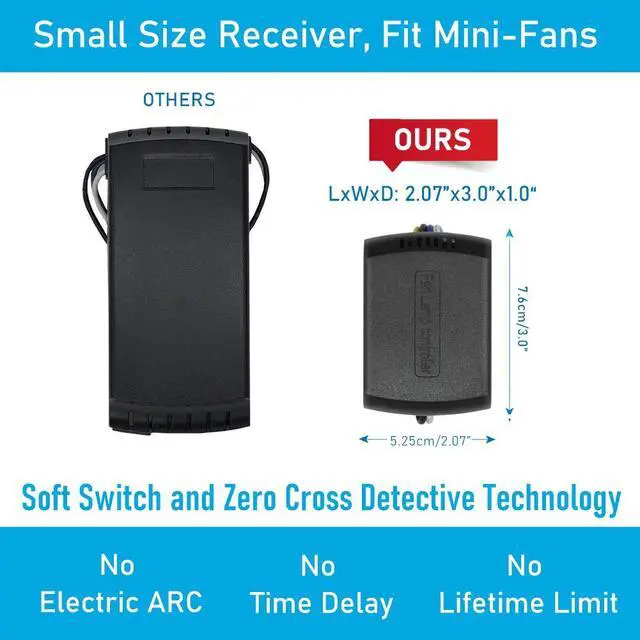
- Advanced technology, soft switch and zero cross detection technology limit the surge current, Large improve the reliability
- RF technology. Not require selecting pin codes in multi-fans application, remote and receiver had been paired in factory
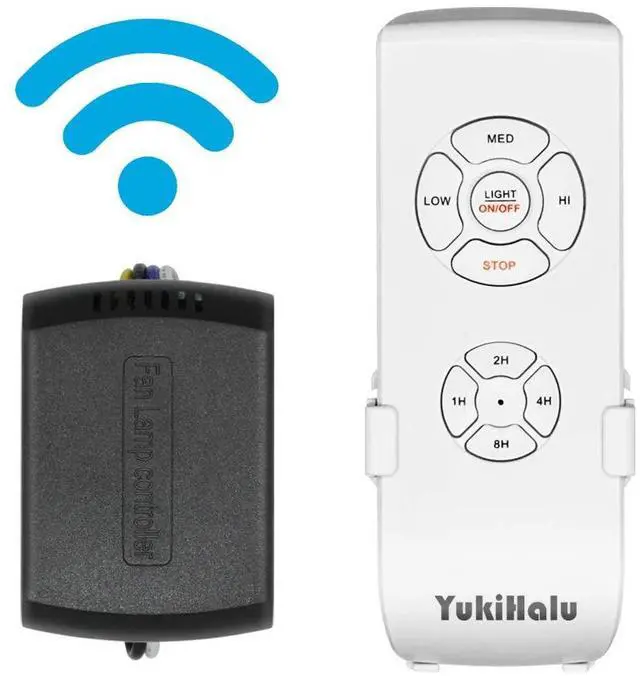
- Press and hold "8H" button to turn on/off the beep
- Universal version. Compatible with most of ceiling fans
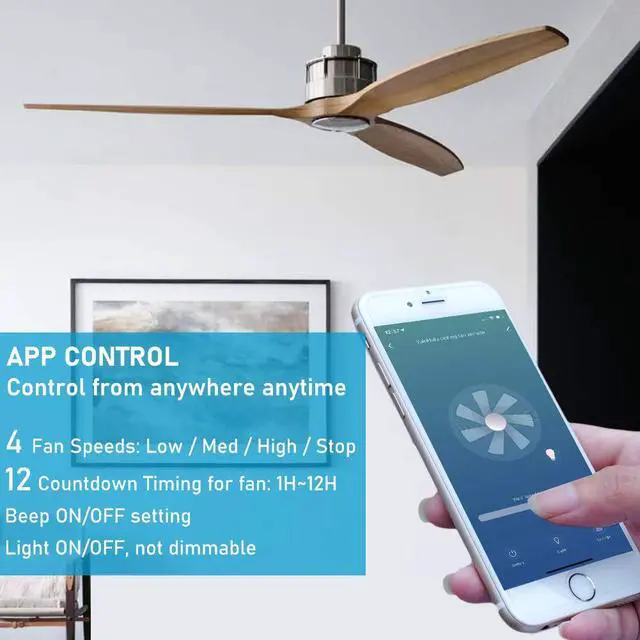
- wireless control: 12 Timing / 4 Speeds / Light on and off (not dimmable)
- No Surge Current, No Electric ARC, No Time Delay, Instant on
- Small size, can install it into small fans

Controlled by APP, Voice, Remote
- Only support 2.4G WiFi
- Compatible with smart life APP
- Compatible with alexa and google assistant
- Works with remote. Wireless Transmission for remote: RF 433MHz

Small Size, Mini receiver
- Choose this kit If your fan is mini size and just have narrow room in canopy.
- Mini receiver fit for your mini fan
- Check the dimension of receiver carefully to make sure there is enough space in the canopy of your fan before order

4 Speeds, 12 Timing, light and beep on/off
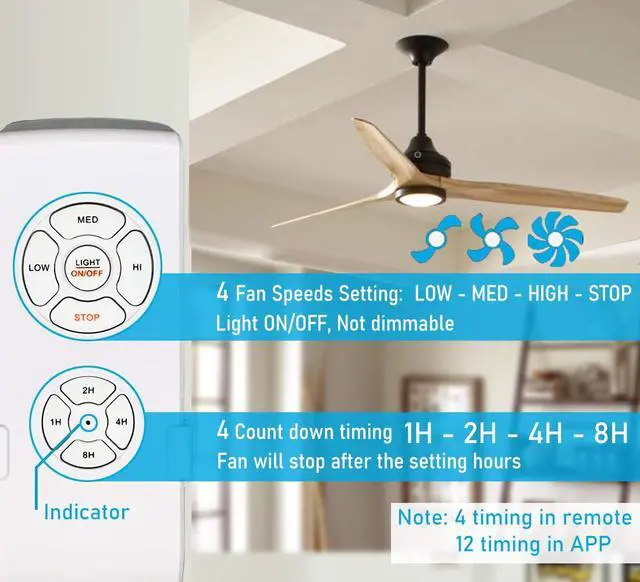
- 4 Fan Speeds: high/med/low/off
- 12 Timing by APP, from 1H to 12H.
- 4 Timing by remote,1H/2H/4H/8H
- Light on/off, not dimmable
- The beep can be turned on/off through remote or APP.

How to connect the fan to APP and Alexa?
How to connect the fan to APP?
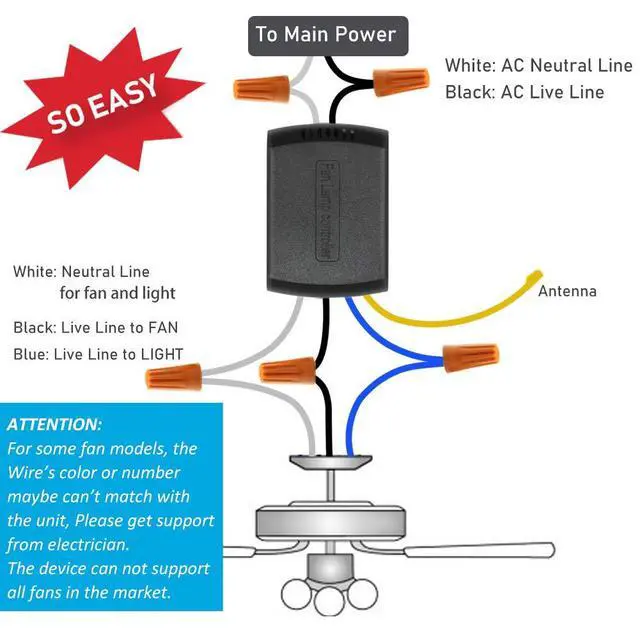
- 1, Complete the wire connection, test the function by remote. Go to next step if the fan can be controlled by remote successfully.
- 2, Download Smart Life app, Login in
- 3, Tap the icon "+" on the top right corner of home page, select "Small Home Appliances", then select "fan", and then connect to 2.4G WIFI network.
- 4, There are 2 network pairing modes: EZ and AP,
- A, Select "EZ mode" (default mode)
- B, Turn on the ceiling fan power. Press and hold "8H" button in remote for more than 3 seconds and waite. You will hear a single beep " B....." from receiver, then next step.
- C, Skip the message 'Reset the device first', Tap "Confirm indicator rapidly blink" directly, and tap "Next"
- If you failed to connect fan to APP with default mode, please try to select "AP mode", Please follow the steps in instruction.
- 5, Adding device, please wait for connection.
How to control the fan through Alexa?
- 1, Login in ALEXA app, Tap on "Skills & Games" in the Alexa app menu.
- 2, Search for "Smart Life". Tap "Enable" to enable the Skill.
- 3, Enter the Smart Life APP account and password, then tap "Link Now" to complete the account linking.
- 4, After successfully account linking, ask alexa to discover devices. After around 20 seconds, alexa will show all the discovered devices. Now you can control your smart fan and light via alexa.
 Smart WiFi universal ceiling fan remote control kit |  Small size universal ceiling fan remote control kit |  Beep off option universal ceiling fan remote control kit |  Natural wind option universal ceiling fan remote control kit | |
|---|---|---|---|---|
| Customer Reviews | — | — | — | — |
| Price | — no data | — | — no data | — no data |
| Input Voltage | 85-264V | 85-264V | 85-264V | 100-130V |
| Control method | REMOTE / APP / VOICE (alexa and google assistant) | REMOTE | REMOTE | REMOTE |
| Wireless Transmission | RF 433MHz (remote) and 2.4GHz WiFi (APP/voice) | RF 433MHz | RF 433MHz | RF 433MHz |
| Max Power for fan | 145W | 100W | 145W | 150W |
| Max Power for Light | 500W(incandescent) / 150W(LED) / Support CFL | 200W(incandescent) / 100W(LED) | 500W(incandescent) / 150W(LED) / Support CFL | 350W(incandescent) / 150W(LED)/ SUPPORT CFL |
| Beep OFF option | ? | ? | ? | ? |
| Fan speed | High / Med / Low / Stop | High / Med / Low / Stop | High / Med / Low / Stop | High / Med / Low / Stop |
| Countdown Timing | by APP: 1H/2H/3H/4H/5H/6H/7H/8H/9H/10H/11H/12H | 1H / 2H / 4H / 8H | 1H / 2H / 4H / 8H | 1H / 2H / 4H / 8H |
| Fan Spin Reverse | NO | NO | NO | NO |
| Accessories | Wall holder / Wire nuts / instruction | Wall holder / Wire nuts / instruction | Wall holder / Wire nuts / instruction | Wall holder / Wire nuts / instruction |
Cautions:
- This device only support 2.4GHz WiFi, don't support 5GHz. Please switch your wifi to 2.4GHz
- Check the dimension of receiver carefully to make sure there is enough space in the canopy of your fan although the receiver is really small size
What can we do?
- Upgrade your ceiling fan from traditional one to Smart WiFi remote controllable one.
- Control the ceiling fan through remote / mobile phone / voice, control your fan from anywhere anytime.
Does the wireless remote control kit fit my ceiling fan perfectly?
- Yes, YUKIHALU ceiling fan remote control kit is universal version, and works well with most of ceiling fans in market.
- Small size, Fit for your mini fans.
I have 2 ceiling fans in adjacent rooms. If I buy 2 of these remote controls, will they interfere with each other?
- No. Each remote and receiver kit had been paired before delivery in factory, it means 1 remote can only control 1 fan, if you need to use 1 remote to control more fans, please re-program the remote. Not require selecting pin codes in multi-fans application thanks for the advanced RF technology.
Can i use 1 remote to control 2 fans ?
- Yes, after re-program remote, you can use 1 remote to control multi-fans. Please note that 1 remote can only control 1 fan in default setting.
Voice command for Alexa: For example: the fan name is "living fan" and the light name is "arm light"
- "Alexa, turn on/off arm light",
- "Alexa, turn on/off living fan"
- "Alexa, set living fan speed to min",
- "Alexa, set living fan speed to max"
- "Alexa, increae living fan speed",
- "Alexa, decrease living fan speed"
Smart, Universal and Wide Replacement
Package List:
Thanks for advanced technology, The ceiling fan remote control kit can be designed as small size, high reliability, long life and wide replacement.
- YukiHalu Ceiling fan remote *1
- YukiHalu Ceiling fan receiver *1
- Wall holder *1
- Screws *2
- wire nuts *5
- Instruction *1
- Smart WiFi: 3-ways to control the fan, Remote / APP / Voice. Support 2.4GHz WiFi (not 5GHz), Compatible with alexa, google assistant and smart life app
- Advanced technology, soft switch and zero cross detection technology limit the surge current, Large improve the reliability
- RF technology. Not require selecting pin codes in multi-fans application, remote and receiver had been paired in factory
- Press and hold "8H" button to turn on/off the beep
- Universal version. Compatible with most of ceiling fans
- wireless control: 12 Timing / 4 Speeds / Light on and off (not dimmable)
- No Surge Current, No Electric ARC, No Time Delay, Instant on
- Small size, can install it into small fans
Controlled by APP, Voice, Remote
- Only support 2.4G WiFi
- Compatible with smart life APP
- Compatible with alexa and google assistant
- Works with remote. Wireless Transmission for remote: RF 433MHz
Small Size, Mini receiver
- Choose this kit If your fan is mini size and just have narrow room in canopy.
- Mini receiver fit for your mini fan
- Check the dimension of receiver carefully to make sure there is enough space in the canopy of your fan before order
4 Speeds, 12 Timing, light and beep on/off
- 4 Fan Speeds: high/med/low/off
- 12 Timing by APP, from 1H to 12H.
- 4 Timing by remote,1H/2H/4H/8H
- Light on/off, not dimmable
- The beep can be turned on/off through remote or APP.
How to connect the fan to APP and Alexa?
How to connect the fan to APP?
- 1, Complete the wire connection, test the function by remote. Go to next step if the fan can be controlled by remote successfully.
- 2, Download Smart Life app, Login in
- 3, Tap the icon "+" on the top right corner of home page, select "Small Home Appliances", then select "fan", and then connect to 2.4G WIFI network.
- 4, There are 2 network pairing modes: EZ and AP,
- A, Select "EZ mode" (default mode)
- B, Turn on the ceiling fan power. Press and hold "8H" button in remote for more than 3 seconds and waite. You will hear a single beep " B....." from receiver, then next step.
- C, Skip the message 'Reset the device first', Tap "Confirm indicator rapidly blink" directly, and tap "Next"
- If you failed to connect fan to APP with default mode, please try to select "AP mode", Please follow the steps in instruction.
- 5, Adding device, please wait for connection.
How to control the fan through Alexa?
- 1, Login in ALEXA app, Tap on "Skills & Games" in the Alexa app menu.
- 2, Search for "Smart Life". Tap "Enable" to enable the Skill.
- 3, Enter the Smart Life APP account and password, then tap "Link Now" to complete the account linking.
- 4, After successfully account linking, ask alexa to discover devices. After around 20 seconds, alexa will show all the discovered devices. Now you can control your smart fan and light via alexa.
Smart WiFi universal ceiling fan remote control kit | Small size universal ceiling fan remote control kit | Beep off option universal ceiling fan remote control kit | Natural wind option universal ceiling fan remote control kit | |
|---|---|---|---|---|
| Customer Reviews | — | — | — | — |
| Price | — no data | — | — no data | — no data |
| Input Voltage | 85-264V | 85-264V | 85-264V | 100-130V |
| Control method | REMOTE / APP / VOICE (alexa and google assistant) | REMOTE | REMOTE | REMOTE |
| Wireless Transmission | RF 433MHz (remote) and 2.4GHz WiFi (APP/voice) | RF 433MHz | RF 433MHz | RF 433MHz |
| Max Power for fan | 145W | 100W | 145W | 150W |
| Max Power for Light | 500W(incandescent) / 150W(LED) / Support CFL | 200W(incandescent) / 100W(LED) | 500W(incandescent) / 150W(LED) / Support CFL | 350W(incandescent) / 150W(LED)/ SUPPORT CFL |
| Beep OFF option | ? | ? | ? | ? |
| Fan speed | High / Med / Low / Stop | High / Med / Low / Stop | High / Med / Low / Stop | High / Med / Low / Stop |
| Countdown Timing | by APP: 1H/2H/3H/4H/5H/6H/7H/8H/9H/10H/11H/12H | 1H / 2H / 4H / 8H | 1H / 2H / 4H / 8H | 1H / 2H / 4H / 8H |
| Fan Spin Reverse | NO | NO | NO | NO |
| Accessories | Wall holder / Wire nuts / instruction | Wall holder / Wire nuts / instruction | Wall holder / Wire nuts / instruction | Wall holder / Wire nuts / instruction |
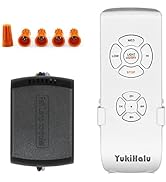
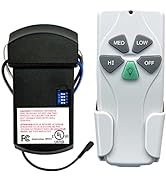
Universal Ceiling Fan Remote
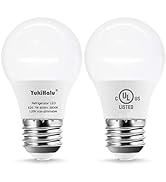
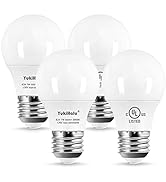
Ceiling Fan Light Bulb
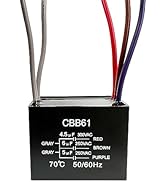
Ceiling fan capacitor + switch
How did we get our start?
YukiHalu was founded in 2012, It is expert for fan motor control, remote control and lighting appliance.
Why do we love what we do?
We use the latest technology in fan control, such as RF, smart WiFi, bluetooth, voice control and intelligent frequency conversion technology. We make the fan controller smaller, smarter, easier to use, and more reliable. We want our customers to have an economical and reliable product with replacement parts.
What problem are we solving?
Designing reliable products and manufacturing high quality products
YukiHalu was founded in 2012, It is expert for fan motor control, remote control and lighting appliance.
Our remote accessories can be used in most ceiling fans on the market. It can be used as a replacement for the original remote control kit, or to upgrade a conventional fan to a remote control fan.
