• $41.89
  • Free 30-day Returns
  • Ships from China.
    Price alert
    Shop it at NeweggBusiness.

    Meet Your Seller

    Hard Drive Reader IDE SATA to USB 3.0 Adapter, USB + Type C External Hard Drive Data Ultra Recovery Converter Kit with Power for 2.5 3.5 HDD ssd Disk 5.25 Inch DVD/CD-ROM Optical Drive

    Limited time offer, ends 01/15 By Electronics store

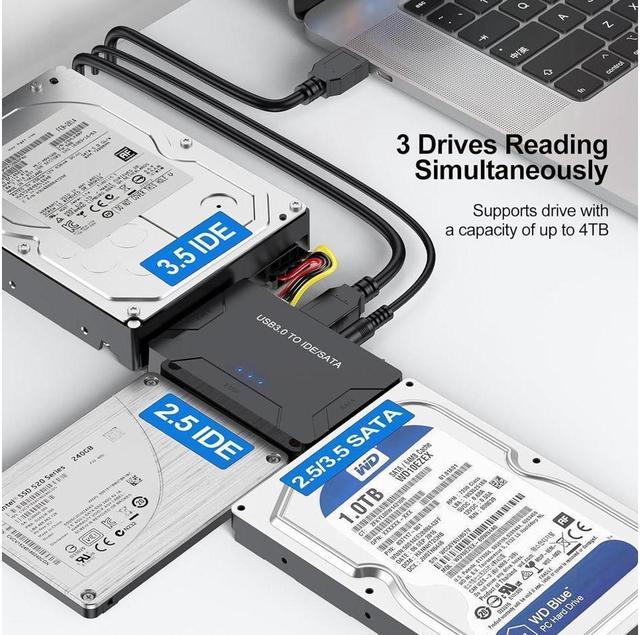
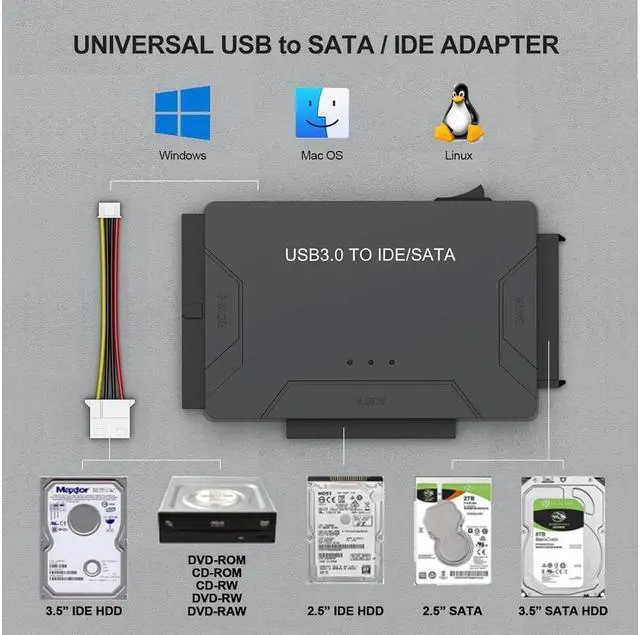
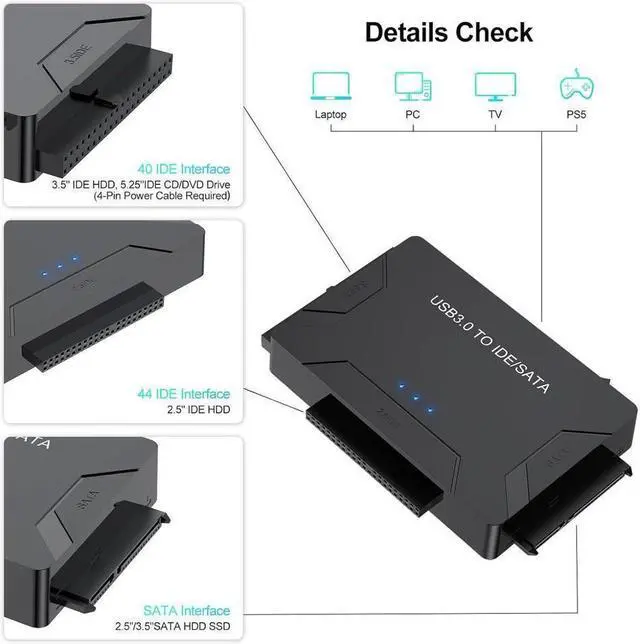
    • Universal USB Hard Drive Adapter: Sata and ide to usb 3.0 adapter supports 2.5"/3.5" HDD/SSD, 2.5"/3.5" IDE, 5.25" DVD-ROM, CD-ROM, CD-RW, DVD-RW, DVD + RW Optical Drive; Hard drive converter is retrieve old files, backup, cloning and data recovery device tools. This converter allowing connect to 3 hard disk drives simultaneously.
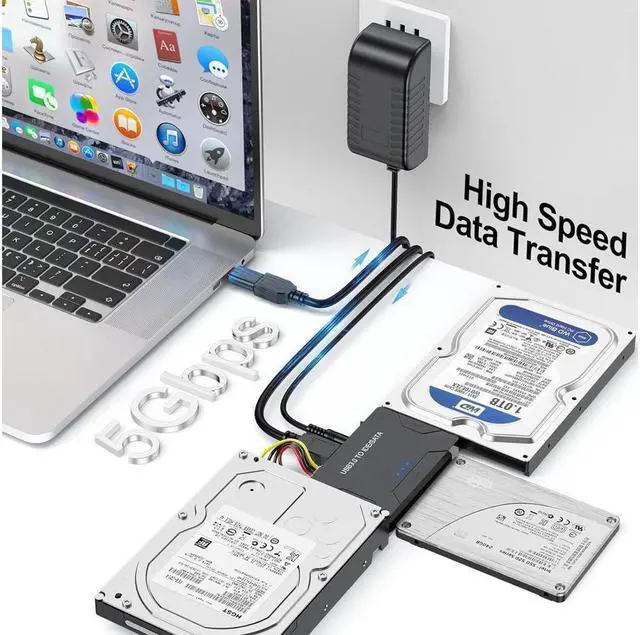
    • 5Gbps High Speed Transfer: Supports super speed USB 3.0 enables data transfer rates of up to 5Gbps, data transfer is super simple and easy, backward compatible with USB 2.0 / USB 1.1. External hdd hard drive reader support Windows XP/Vista/7/ 8.1/ 8/10, Mac OS 10 or higher, Linux, etc.
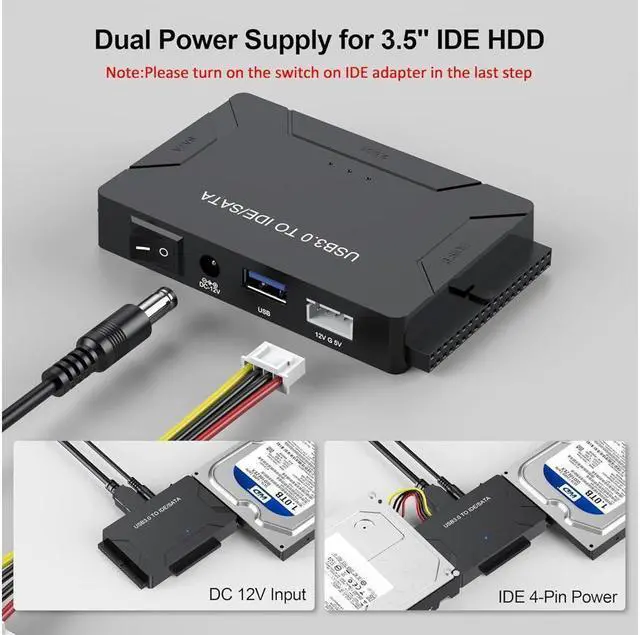
    • Protective Design: LED indicator light shows Power and activity status. On/Off power Switch for Hard drives protection. For 3.5" IDE drivers and old SATA HDD, you need to connect 12V/2A power adapter and 4-pin power cable provided.
    • OTG Adapter: This ide hard drive reader comes with a usb c adapter, the USB-C to USB adapter that plugs into the USB C port to match your laptop.
    +
    +
    Overview
    Specs
    Reviews
    avatar

    Any questions? Our AI beta will help you find out quickly.

    1

    The sata and ide to usb 3.0 adapter supports 2.5"/3.5" HDD/SSD, 2.5"/3.5" IDE, 5.25" DVD-ROM, CD-ROM, CD-RW, DVD-RW, DVD + RW Optical Drive; Hard drive converter is retrieve old files, backup, cloning and data recovery device tools. This converter allowing connect to three hard disk drives simultaneously.

    2

    Notice


    1. For 3.5" IDE drivers and old SATA HDD, you need to connect 12V 2A power adapter and 4-pin power cable provided. Attention please turn on the switch on IDE adapter in the last step.

    2. Please try to use the 1 meter USB 3.0 data cable provided instead of the other long data cable.

    3. If the device cannot be read, try connecting the data cable to your computer's rear USB port.

    3
    4
    5
    7
    1

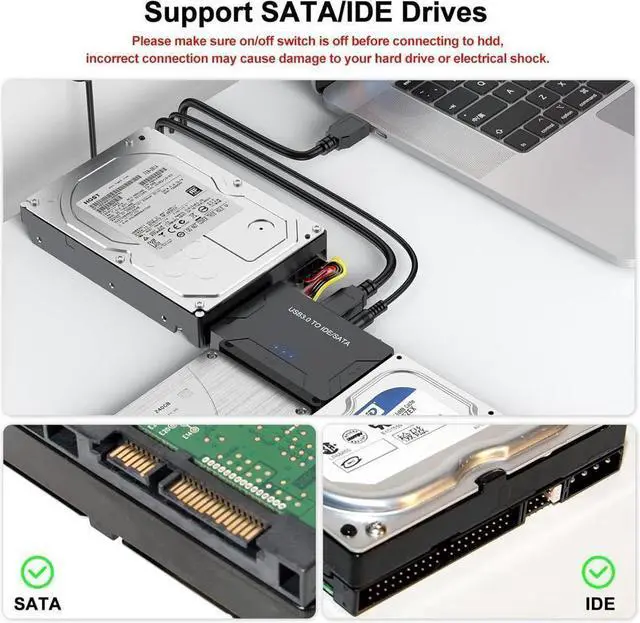
    For 2.5"/3.5"/5.25" SATA Device

    1. Please make sure on/off switch is off before connecting to HDD,incorrect connection may cause damage to your hard drive or electrical shock.
    2. No external power required for 2.5" SATA HDD.


    2

    For 3.5"/5.25" PATA(IDE) Device

    1. Built-in IDE power connector,for easy access of 3.5" or 5.25" IDE Driver.
    2. Plug IDE power connector to the IDE hard drive.
    3. Set drive jumper to master single drive mode.
    4. For jumper settings,please refer to your hard drive manufacturer's documentation.


    For 2.5"PATA(IDE) Device

    1. External power is not required for most 2.5"IDE HDD.


    You Will Get


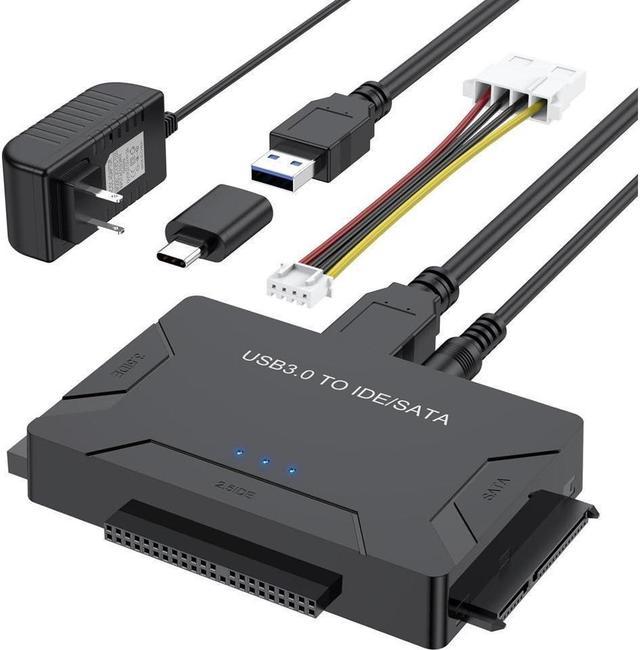
    • USB Cable*1
    • USB C Adapter*1
    • 12V/2A Power Adapter*1
    • 4-Pin Power Cable*1
    • Manual*1
    Universal USB Hard Drive Adapter: Sata and ide to usb 3.0 adapter supports 2.5" / 3.5" HDD/SSD, 2.5" / 3.5" IDE, 5.25" DVD-ROM, CD-ROM, CD-RW, DVD-RW, DVD + RW Optical Drive; Hard drive converter is retrieve old files, backup, cloning and data recovery device tools. This converter allowing connect to 3 hard disk drives simultaneously.
    5Gbps High Speed Transfer: Supports super speed USB 3.0 enables data transfer rates of up to 5Gbps, data transfer is super simple and easy, backward compatible with USB 2.0 / USB 1.1. External hdd hard drive reader support Windows XP/Vista/7/ 8.1 / 8/10, Mac OS 10 or higher, Linux, etc.
    Protective Design: LED indicator light shows Power and activity status. On/Off power Switch for Hard drives protection. For 3.5" IDE drivers and old SATA HDD, you need to connect 12V/2A power adapter and 4-pin power cable provided.
    OTG Adapter: This ide hard drive reader comes with a usb c adapter, the USB-C to USB adapter that plugs into the USB C port to match your laptop.

    Warranty & Returns

    Warranty, Returns, And Additional Information

    Warranty

    • Please contact the Seller directly for warranty information. Warranty information may also be found on the Manufacturer's website.
    • CONTACT

    Return Policies

    Manufacturer Contact Info

    LOADING...