

Your Browsing History
- Free 30-day Returns
$29.99
Ships from China.


Meet Your Seller

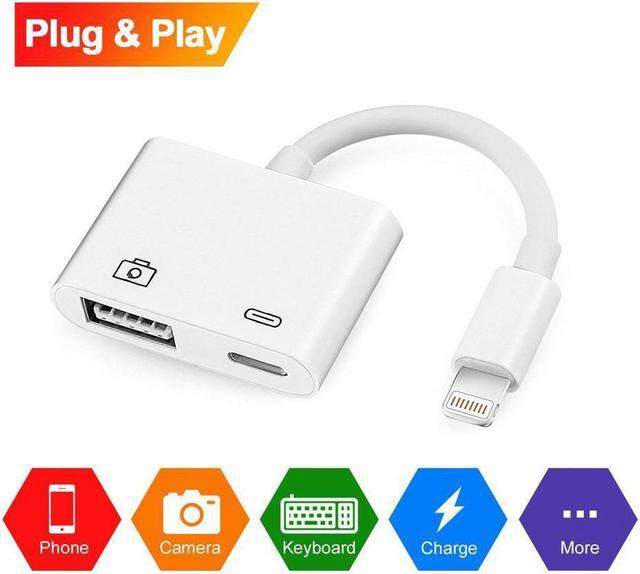


Lightning to USB Camera Adapter Lightning to USB 3.0 Female Cable iPad iPhone
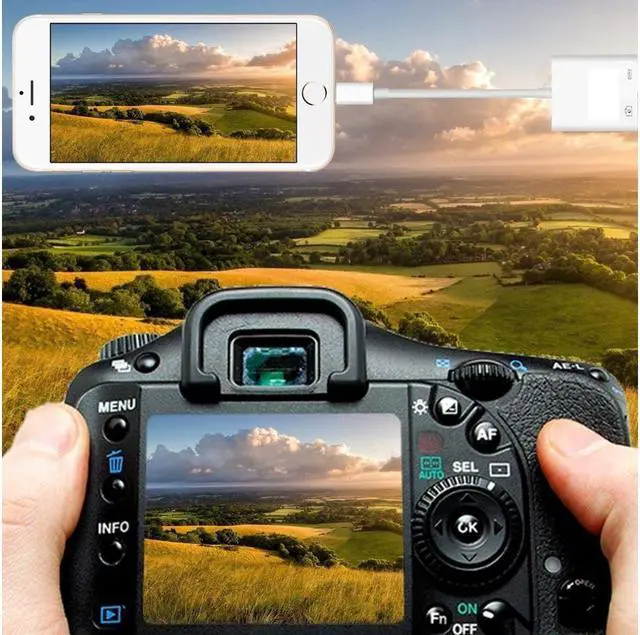
- Plug & Play, NO APP NEEDED - The upgraded iPhone OTG adapter is much easier to transfer photos or videos from your camera to your iphone or ipad.
+
+
Overview
Specs
Reviews

Any questions? Our AI mode will help you find out quickly.
Try me now
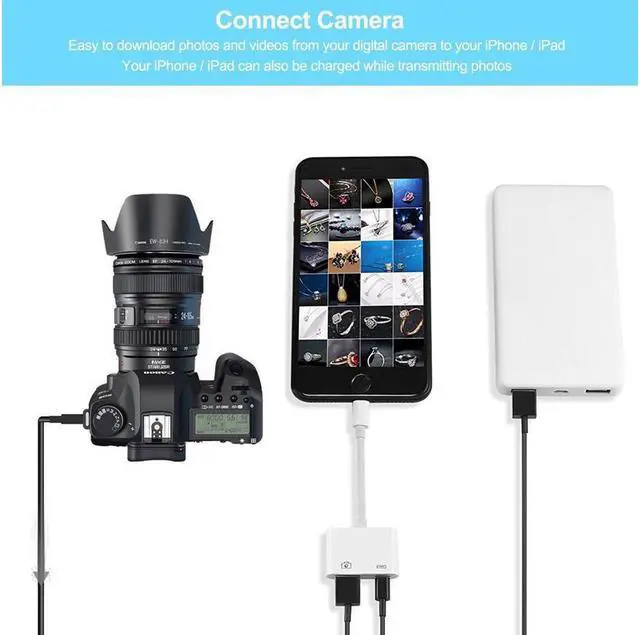
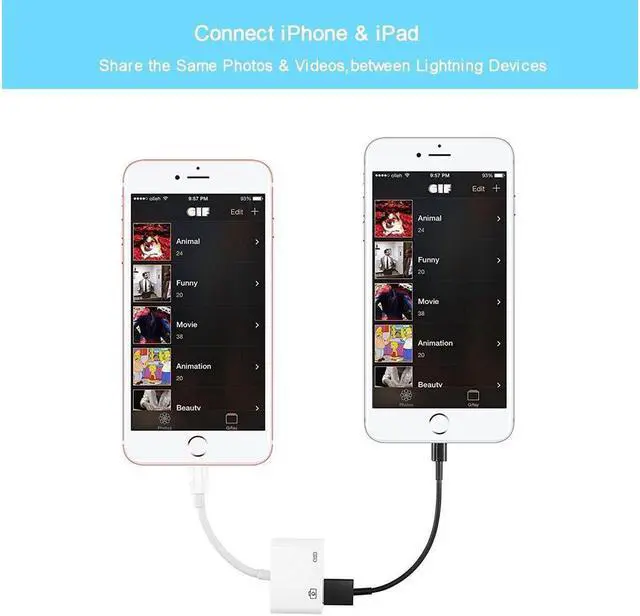
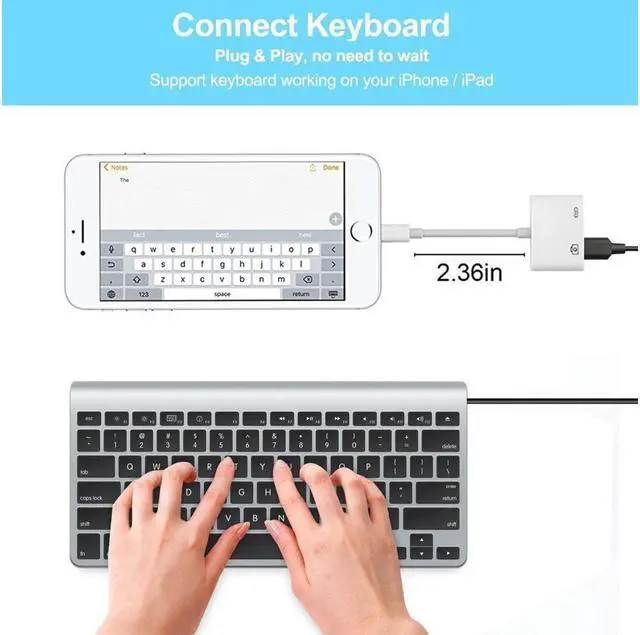
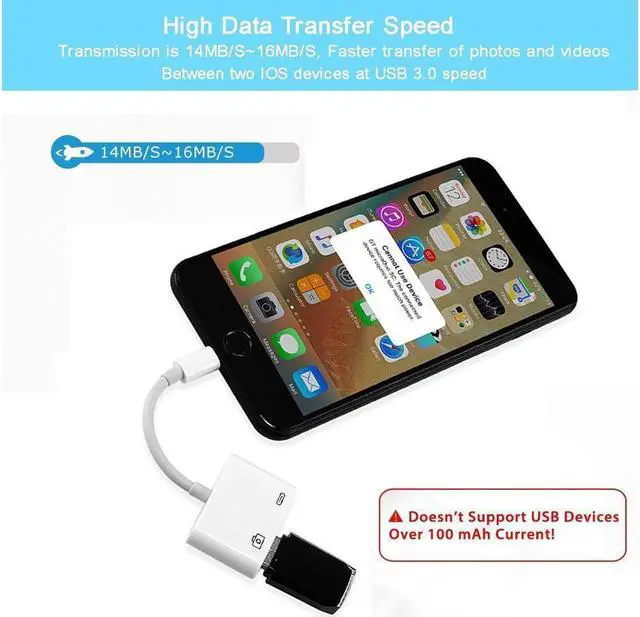
Highlights: Plug & Play, NO APP NEEDED - The upgraded iPhone OTG adapter is much easier to transfer photos or videos from your camera to your iphone or ipad. Easy to use, plug and play, NO APP NEEDED. Your ipad or iphone will open the photos app automatically by connecting this adapter, and you could choose photos or videos you like to import. Multi-function Camera Reader - Connect the lightning USB 3.0 adapter to the keyboard to enjoy the faster typing speed as a computer when chatting or typing with your iPhone or iPad, and can charge your iPhone at the same time! High Data Transfer Speed - Transmission is 14MB/S~16MB/S, Faster transfer of photos and videos between two iOS devices at USB 3.0 speed, A great choice for copying photos or videos to camera in a short period of time. Support photo& video formats - The Lightning to USB 3.0 Camera Adapter supports standard photo formats, including JPEG and RAW, along with SD and HD video formats, including H. 264 and MPEG-4.
NOTE: the adapter does not support iPhone X. NOTE & 12 Months Warranty - This adapter only support transfer of photos and videos, We promise a 45-days Money Back Guarantee and 12 months Warranty. If you have any issue with your product, Please contact us and our team will respond to you within 24 hours.
) NOTE: 1. When connecting with USB device, you Can't put photos in the U disk directly, Must create a new file named "DCIM" (Most camera have this file). Then send photos to this file, insert the usb to OTG, after 3-7 seconds, iPAD will automatically pop-up the picture window 2. This adapter NOT support USB devices over 100mA, please check your devices current. First, you should download "Chip
Genius" software on your computer. Then insert U disk into the computer, use "Chip
Genius" to detect the U disk information 3. Support transfer of photos and videos only 4. Support iOS 9.3 or later only
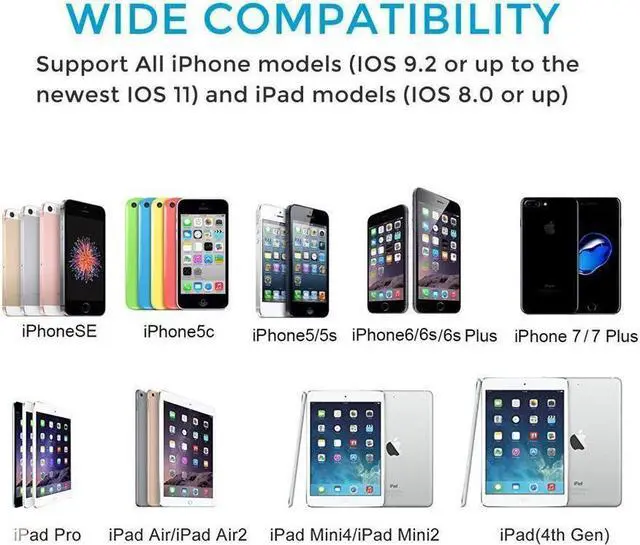
Compatible Models: Requires iOS 9.3 or later
For iPhone: iPhone 8, iPhone 8 Plus, iPhone 7, iPhone 7 Plus, iPhone 6s, iPhone 6s Plus, iPhone 6, iPhone 6 Plus, iPhone SE, iPhone 5s, iPhone 5c, iPhone 5
For iPad: iPad Pro 10.5 -inch, iPad Pro 12.9 -inch (2nd Generation), iPad Pro 12.9 -inch (1st Generation), iPad Pro 9.7 -inch, iPad mini 4, iPad mini 3; iPad mini 2, iPad mini, iPad Air 2, iPad Air, iPad with Retina display How To Transfer Photos and Videos from your Camera 1. Turn on your iPhone or iPad and connect the Lightning to USB Camera Adapter to the Lighting port 2. Turn on your camera and connect it to the adapter using the USB cable that came with your camera
3. Your ipad or iphone will open the photos app automatically 3-7 seconds after connecting this adapter, and then you can choose photos or videos you like to import
Package: 1 x Lightning to USB Camera Adapter 1 x Instruction book
NOTE: the adapter does not support iPhone X. NOTE & 12 Months Warranty - This adapter only support transfer of photos and videos, We promise a 45-days Money Back Guarantee and 12 months Warranty. If you have any issue with your product, Please contact us and our team will respond to you within 24 hours.
) NOTE: 1. When connecting with USB device, you Can't put photos in the U disk directly, Must create a new file named "DCIM" (Most camera have this file). Then send photos to this file, insert the usb to OTG, after 3-7 seconds, iPAD will automatically pop-up the picture window 2. This adapter NOT support USB devices over 100mA, please check your devices current. First, you should download "Chip
Genius" software on your computer. Then insert U disk into the computer, use "Chip
Genius" to detect the U disk information 3. Support transfer of photos and videos only 4. Support iOS 9.3 or later only
Compatible Models: Requires iOS 9.3 or later
For iPhone: iPhone 8, iPhone 8 Plus, iPhone 7, iPhone 7 Plus, iPhone 6s, iPhone 6s Plus, iPhone 6, iPhone 6 Plus, iPhone SE, iPhone 5s, iPhone 5c, iPhone 5
For iPad: iPad Pro 10.5 -inch, iPad Pro 12.9 -inch (2nd Generation), iPad Pro 12.9 -inch (1st Generation), iPad Pro 9.7 -inch, iPad mini 4, iPad mini 3; iPad mini 2, iPad mini, iPad Air 2, iPad Air, iPad with Retina display How To Transfer Photos and Videos from your Camera 1. Turn on your iPhone or iPad and connect the Lightning to USB Camera Adapter to the Lighting port 2. Turn on your camera and connect it to the adapter using the USB cable that came with your camera
3. Your ipad or iphone will open the photos app automatically 3-7 seconds after connecting this adapter, and then you can choose photos or videos you like to import
Package: 1 x Lightning to USB Camera Adapter 1 x Instruction book
Warranty & Returns
Warranty, Returns, And Additional Information
Warranty
- Please contact the Seller directly for warranty information. Warranty information may also be found on the Manufacturer's website.
- CONTACT
Return Policies
- Return for refund within: 30 days
- Return for replacement within: non-replaceable
- This item is covered by BEYOND Return Policy
Manufacturer Contact Info
- For a directory of all our manufacturers, please click below.
- Manufacturers Directory
LOADING...