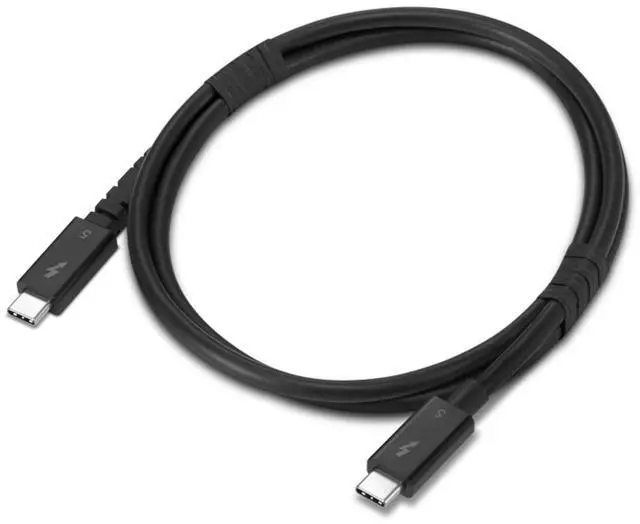
The Lenovo Thunderbolt 5 USB-C-to-USB-C Cable (4X91U94411) is a 1-meter cable for connecting compatible Thunderbolt 5 devices, with data transfer up to 80Gbps and charging up to 240W; it suits users connecting a Thunderbolt 5 dock or powering a compatible high-power device.
Recommended For
- Laptop users connecting to a Thunderbolt 5 dock who need a 1 m replacement cable for a single-cable desk setup.
- People moving large files to or from compatible high-speed external storage who need Thunderbolt 5 data bandwidth.
- Users building a compatible high-bandwidth display setup who want one cable rated for Thunderbolt 5 and supported 8K video workflows.
- Owners of compatible laptops or other high-power devices who need a USB-C cable rated for charging up to 240 W.
Real-World Use Scenarios
- At a Thunderbolt 5 desk setup, connect a compatible laptop to a dock with this cable to bring the dock’s displays and peripherals together through one cable; the laptop’s ports and dock determine which features are available.
- For a compatible Thunderbolt 5 laptop-and-dock setup with multiple high-resolution or high-refresh displays, use the cable as the host link; the actual display count and refresh rate depend on the laptop, dock, and monitors.
- When moving large project or media files between a compatible computer and a Thunderbolt external SSD, use this cable for the connection; transfer speed depends on the computer, drive, and workload.
- At a desk, replace a damaged or missing host cable between a compatible Thunderbolt 5 dock and laptop; a standard USB-C plug fits the connection, while the dock and laptop still need to support the functions you want.
- For a compatible laptop and dock that support USB Power Delivery, use the cable for a single-cable desk connection that can also charge the laptop; charging depends on the power adapter and the devices’ supported power levels.




 here!