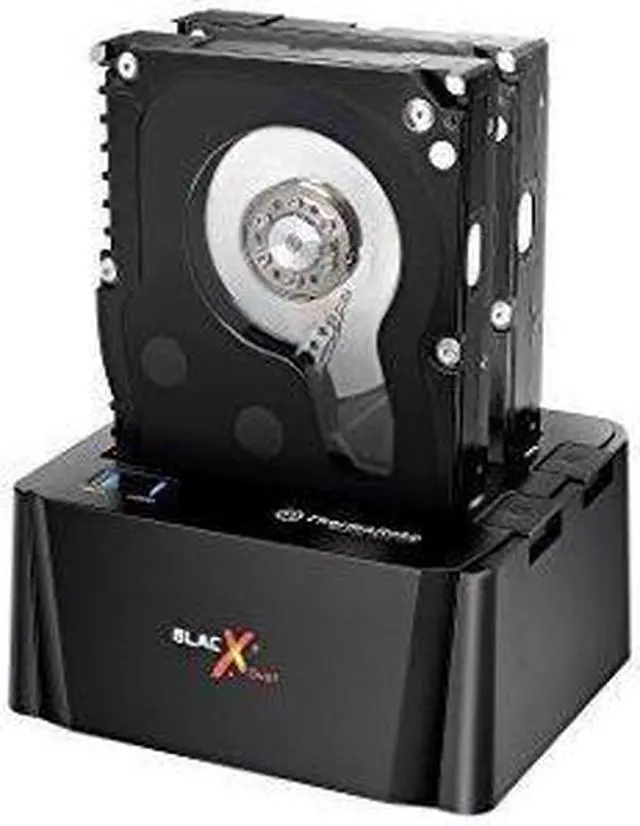
The Thermaltake ST0014U-C BlacX Duet is a USB 3.0 docking station for 2.5-inch and 3.5-inch SATA I/II/III drives, suited to users who want to connect compatible drives externally.
Recommended For
- Desktop users who periodically access or swap bare 2.5-inch and 3.5-inch SATA drives can use the two bays to read or write both drives without installing them inside a computer.
- PC maintainers moving files between old SATA drives can dock two drives at once and access them through the computer; file transfers are managed by the host system, not by a standalone cloning function.
- Users with a compatible legacy eSATA setup can use the dock for two-drive access at once; the computer’s eSATA controller must support port multiplication for both drives to appear.
- Home technicians checking or recovering files from non-failing spare SATA drives can benefit from quick, tool-free drive access, provided they do not need a dedicated forensic or recovery system.
Real-World Use Scenarios
- When someone needs files from an old 2.5-inch or 3.5-inch SATA drive, they can place it in the dock and access it from a computer without installing it inside the case; this is suited to occasional retrieval and browsing.
- When comparing files or moving data between two bare SATA drives, users can dock both and copy through the computer; the dock provides access to the drives but does not clone them by itself.
- For routine maintenance or occasional file transfers, a user can swap drives in and out instead of keeping each one installed; before removing a drive, they should safely eject it and wait for transfers to finish.
- When checking a healthy drive or recovering ordinary files from an older computer, users can connect the drive externally and inspect it from their current system; this is not a substitute for specialist recovery of a failing or damaged drive.
- On a compatible older desktop with eSATA, users can use that connection for drive access and larger transfers; on USB 2.0, transfers may take longer, so this model is better suited to occasional access than frequent large backups.




 here!