




 here!
here!
I’m your shopping assistant for PC builds, upgrades, and everything tech.
Got questions? Ask away!
Start a conversation
here!
I’m your shopping assistant for PC builds, upgrades, and everything tech.
Got questions? Ask away!
Start a conversationShipped by Hebei XG Technology Co., Ltd.





Any questions? Ask CelesteSM will help you find out quickly.
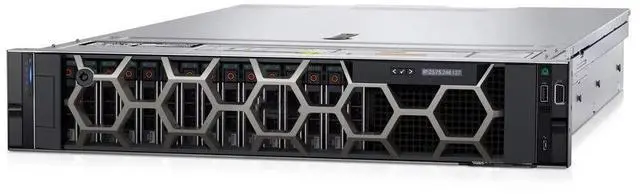
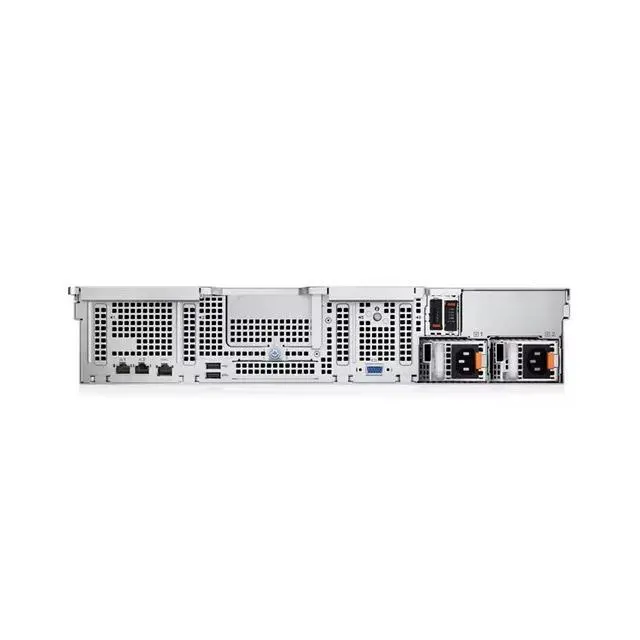
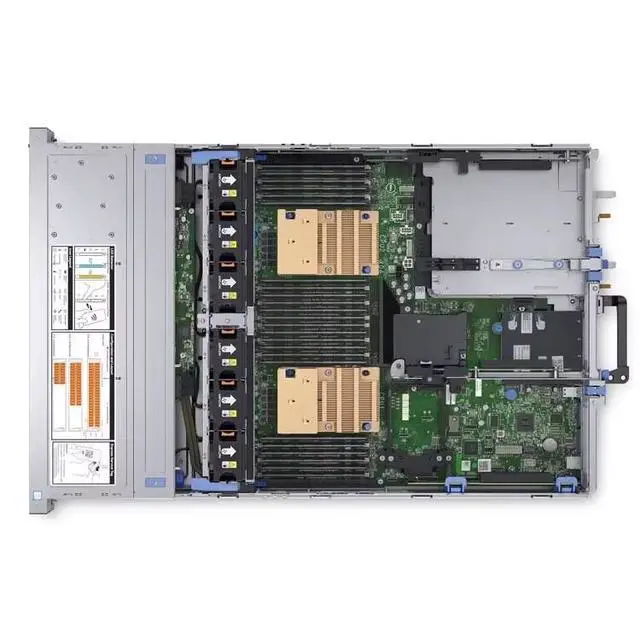
The Dell PowerEdge R550 2U barebone with eight 3.5-inch drive bays is a server chassis for IT teams, system integrators, and businesses building a custom rack server from selected CPUs, storage, power, and expansion components.
| Attribute | Value |
|---|---|
| Best For | System builders and datacenter technicians who need a customizable 2U rack chassis for storage-focused or general-purpose server builds that will be populated with customer-selected CPUs, power supplies, drives, and expansion cards |
| Chassis And Drive Bays | 2U rack-mounted barebone chassis that accepts eight 3.5-inch drives for higher-density 3.5-inch HDD configurations |
| Included Components And What’s Missing | Ships as a barebone: no CPU, no internal components, no preinstalled disks, no expansion cards, and no power supply — requires user-supplied components to complete the system |
| Form Factor And Rack Fit | 2U rackmount chassis intended for standard 19-inch racks and rack deployments |
| Model Identifiers | Dell R550 barebone chassis (2U, 3.5-inch 8-bay) — use this identifier when confirming compatibility and ordering parts |
Q: Should I choose this Dell PowerEdge R550 barebone or a PowerEdge R450 barebone?
A: Choose the PowerEdge R550 if you want a 2U platform with more front storage flexibility, especially an 8 x 3.5-inch drive layout for bulk storage, backup, or virtualization with larger local capacity. Choose the PowerEdge R450 if rack density matters more and your build fits a 1U server with fewer drive bays. Dell positions the R450 as value and density-focused, while the R550 is positioned as a more versatile, value-optimized general-purpose platform.
Q: Is the Dell PowerEdge R550 a better fit than the PowerEdge R650 for a custom server build?
A: Choose the PowerEdge R550 when you want a lower-complexity 2U build centered on standard server tasks, moderate VM density, and larger front drive capacity in a cost-conscious chassis. Choose the PowerEdge R650 when your build needs higher compute density, much larger memory ceilings, NVMe support, or accelerator support. Dell positions the R650 for higher-scalability and performance-oriented mixed workloads, while the R550 is aimed at versatile general-purpose IT.
Q: For storage-heavy use, should I get this 8-bay 3.5-inch R550 barebone or a 2.5-inch server chassis?
A: Choose this 8-bay 3.5-inch R550 barebone if your priority is larger-capacity HDD storage, backup targets, archive data, or general-purpose virtualization with more economical per-terabyte scaling. Choose a 2.5-inch-focused chassis if you are planning a denser SSD build, smaller drive form factors, or a footprint optimized around faster flash storage layouts. The main trade-off is capacity-per-bay and storage cost efficiency versus flash-oriented density.
Q: Should I buy this barebone R550 or a preconfigured R550 server?
A: Choose this barebone R550 if you already have a deployment plan for CPUs, memory, storage, RAID, networking, and power supplies, or if you need tighter control over component selection. Choose a preconfigured R550 if you want a faster path to deployment and clearer validation of a complete server build. The barebone option is better for customization, while a preconfigured system is better for simpler procurement and integration.
Q: Is this Dell PowerEdge R550 barebone a better upgrade path than an older 14th Gen Dell rack server?
A: Choose the R550 if you want a newer 15th Gen PowerEdge platform with Dell's current-era management and security stack, plus support for 3rd Gen Intel Xeon Scalable processors and PCIe Gen4 expansion. An older 14th Gen system can still make sense when budget is the main constraint, but the R550 is the cleaner choice for longer lifecycle planning and newer platform capabilities. Community discussions around newer Dell platforms also commonly frame them as a meaningful step up for consolidation and refresh projects.
Q: Who is this barebone Dell R550 best suited for?
A: This chassis is best for IT teams, system integrators, and experienced buyers who want to build a rack server from the chassis up. It is not a ready-to-run server: the listing says it has no CPU, no internal components, no disks, no cards, and no power supply, so it only makes sense if you already plan the full parts list and assembly.
Q: Can I use this server chassis immediately after purchase?
A: No. This barebone R550 is not usable as a complete server out of the box. The product listing explicitly says there is no CPU, no internal components, no disks, no cards, and no power supply. A repeated theme in barebone retail Q&A is that buyers often expect basic functionality, but barebone products generally need core hardware added before they can power on and be deployed.
Q: What do I need to add to make this Dell R550 usable?
A: You should expect to add the essential server components yourself, including compatible processors, memory, storage drives, power supplies, and any required controller or expansion cards. Dell's R550 documentation also shows that the platform supports up to two Intel Xeon Scalable processors, up to 8 front 3.5-inch SAS/SATA drives in this bay layout, and redundant hot-swap PSU options, which helps define the build path.
Q: Is this a good choice if I want maximum flexibility in a custom server build?
A: Yes, if your goal is customization rather than convenience. This listing is essentially an empty 2U, 8-bay 3.5-inch R550 chassis, so it gives you freedom to choose the compute, storage, and power configuration. The trade-off is higher complexity, compatibility planning, and a longer path to deployment than a preconfigured server.
Q: Is this barebone R550 a practical option for first-time server buyers?
A: Usually no. For a first-time buyer, this product has a high setup burden because it does not include the core parts needed for operation. It is more practical for buyers who already understand rack server compatibility, power requirements, storage planning, and assembly, rather than someone looking for a simple plug-and-play server.
Q: Who is a Dell R550 barebone chassis actually suitable for?
A: This barebone is mainly suitable for experienced server builders, IT teams, or homelab users who already plan to source their own CPU, memory, storage, RAID/network cards, and power supplies. It is not a ready-to-run server. If you want a fast, low-friction deployment, a complete R550 or a preconfigured used PowerEdge is usually a better fit.
Q: Is this barebone worth buying instead of a complete used server?
A: It is worth considering only if you specifically want a newer R550 platform and already have a parts plan. As a barebone, the real cost depends on adding CPUs, RAM, storage, controller cards, rails, and power supplies. For buyers focused on lowest total cost, community discussions often compare newer barebones against older complete PowerEdge systems that can be cheaper to deploy immediately.
Q: What are the main trade-offs of buying this R550 barebone?
A: The main trade-off is flexibility versus completeness. You get an 8-bay 3.5-inch 2U chassis that can be customized, but nothing essential is included: no CPU, no internal components, no disks, no cards, and no power supply. That makes it useful for custom builds, but it also adds compatibility work, sourcing effort, and setup time before the server can be used.
Q: Is this a good choice for a storage-heavy NAS or homelab build?
A: It can be a reasonable choice if your priority is an 8 x 3.5-inch rackmount platform and you want to choose all internals yourself. That said, it is better for users who value enterprise server features and expansion planning than for buyers seeking the cheapest home storage solution. If simple NAS value is the goal, many community discussions also consider older or more complete systems first.
Q: Should a beginner buy this barebone as a first server?
A: Usually no. A beginner will typically have an easier time with a complete server because the barebone requires separate decisions on CPU compatibility, memory population, storage layout, RAID or HBA choice, and power supplies. This chassis makes more sense when you already know the target build and want control over each component.


