




 here!
here!
I’m your shopping assistant for PC builds, upgrades, and everything tech.
Got questions? Ask away!
Start a conversation
here!
I’m your shopping assistant for PC builds, upgrades, and everything tech.
Got questions? Ask away!
Start a conversationShipped by Hebei XG Technology Co., Ltd.





Any questions? Ask CelesteSM will help you find out quickly.
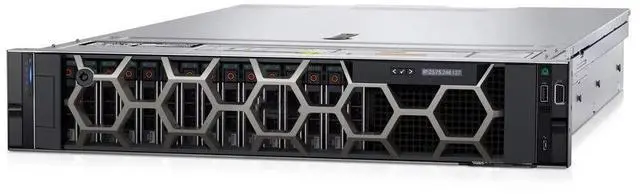
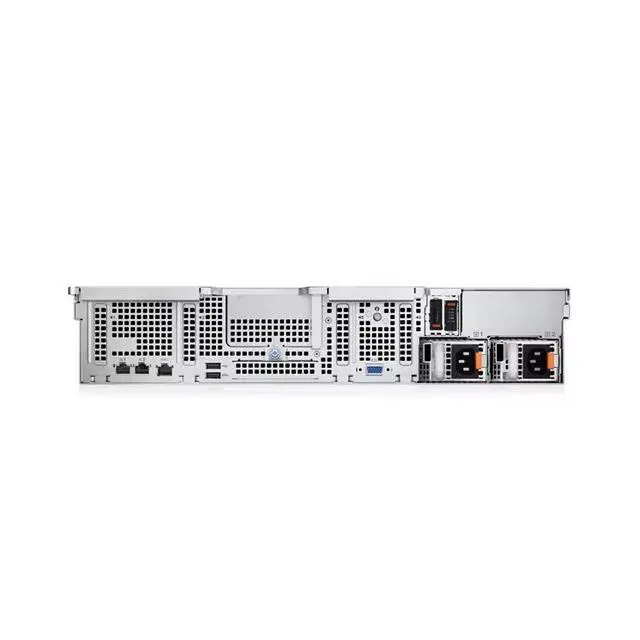
The Dell PowerEdge R550 2U barebone chassis with 16 front 2.5-inch drive bays is designed for IT teams, system integrators, and businesses building a custom rack server from the ground up with their own CPU, storage, cards, and power configuration.
| Attribute | Value |
|---|---|
| Best For | System builders and IT teams assembling 2U rack servers that require a barebone Dell R550 chassis with sixteen 2.5-inch drive bays and who will supply CPU, memory, storage, expansion cards, and a power supply |
| Chassis And Drive Bays | 2U Dell R550 barebone chassis configured for up to sixteen 2.5-inch drive bays; no drives included |
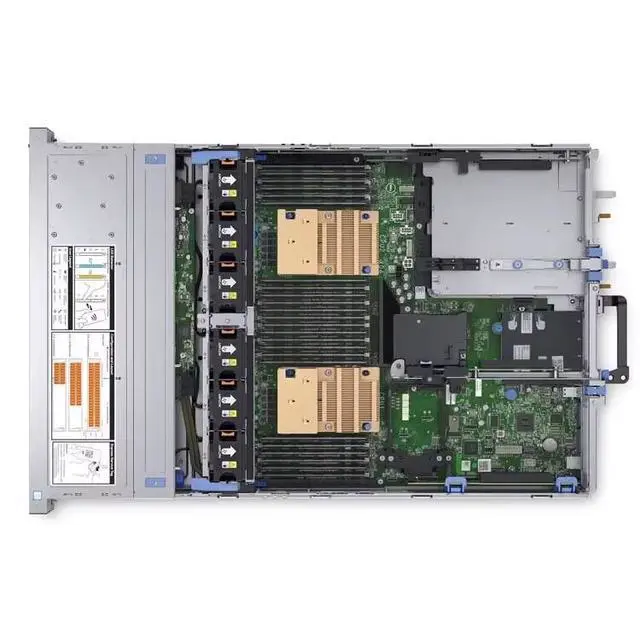
| Included Components (What Ships) | Ships as a barebone — does not include CPU, internal components, disks, PCIe cards, or power supply |
| Configuration And Expansion | Blank-slate design for custom hardware choices, enabling selection of compatible processors, memory, storage, and expansion cards to meet specific deployment needs |
| Model Identifiers | Dell R550, 2U barebone (2.5-inch / 16-disk bay) |
Q: Should I choose the Dell PowerEdge R550 16-bay 2.5-inch chassis or the PowerEdge R450?
A: Choose the R550 when you want a 2U platform with more front storage flexibility and more room for expansion. Dell positions the R450 as a value- and density-focused 1U server for small IT and light virtualization, while the R550 is positioned as a versatile, value-optimized 2U system for general-purpose IT and light VM density. In practice, the R550 16-bay 2.5-inch chassis is the better fit when your build needs more drive bays and easier internal expandability. The R450 is the better fit when rack density matters more than storage capacity.
Q: Is the Dell PowerEdge R550 a better choice than the PowerEdge R650 for a custom build?
A: Choose the R550 if your priority is a lower-cost, general-purpose 2U build with up to 16 front 2.5-inch bays and no need for NVMe or accelerator-heavy configurations. Choose the R650 if your workload needs higher compute density, more memory capacity, NVMe support, or GPU and accelerator options. Dell positions the R650 for mixed workloads, databases, analytics, VDI, HPC, AI, and ML, while the R550 is aimed at general-purpose IT and light virtualization. For a barebone chassis build, that means the R550 fits storage-focused or balanced infrastructure builds, and the R650 fits performance-first builds.
Q: How does the PowerEdge R550 compare with the older PowerEdge R540?
A: Choose the R550 if you want a newer PowerEdge generation for a fresh custom deployment. Compared with the R540, the R550 moves to Dell's newer platform generation and is commonly referenced with newer controller options and PCIe Gen 4-era platform support. The R540 remains relevant when compatibility with an existing older deployment matters, especially if you are standardizing around previous-generation parts. For most new barebone builds, the R550 is the more forward-looking option; the R540 is the better fit only when legacy fleet consistency is the main goal.
Q: Should I pick this 16-bay 2.5-inch R550 chassis or move up to a higher-tier 2U platform like the PowerEdge R750?
A: Choose the R550 when you need a practical 2U chassis for standard enterprise workloads without planning for GPU-heavy or very high-memory configurations. Choose the R750 when your roadmap includes more memory headroom, more PCIe expansion, NVMe-heavy storage, or accelerator support. Dell positions the R750 for demanding workloads such as analytics, HPC, VDI, AI, and ML, while the R550 is positioned for general-purpose IT and light virtualization. In short, the R550 is the better match for balanced infrastructure builds, while the R750 is the better match for performance scaling.
Q: Who is this barebone server best suited for?
A: This chassis is best for IT teams, system integrators, and experienced buyers who want to build a Dell PowerEdge R550 from the ground up. It is not a ready-to-run server. Because it ships without CPU, power supply, storage, cards, or other internal components, it fits buyers who already know their target hardware configuration and want to source parts separately.
Q: Can I use this server right away after delivery?
A: No. This is a barebone chassis, not a complete server. You will need to add at minimum compatible processor hardware, power supply hardware, memory, storage, and other required internal parts before it can function. Buyers looking for plug-and-play deployment should not expect this unit to be usable out of the box.
Q: Is this a good choice for a custom server build?
A: Yes, if your goal is a custom rack server build and you want control over CPU, storage, and expansion choices. The trade-off is that lower upfront chassis cost usually comes with more planning, parts sourcing, compatibility checking, and assembly work. This is a practical option for controlled enterprise or lab builds, but not for buyers who want a finished configuration.
Q: What is the main trade-off of buying this barebone instead of a complete server?
A: The main trade-off is flexibility versus convenience. This barebone gives you a 2U Dell R550 chassis with 16 front 2.5-inch drive bays, but it shifts the burden of completion to the buyer. You gain configuration control, but you also take on the risk of extra cost, missing parts, and compatibility mistakes if you are not already familiar with enterprise server builds.
Q: Is this barebone suitable for small business or light virtualization use?
A: Potentially yes, but only after it is fully configured with compatible components. The R550 platform is positioned for general-purpose IT and lighter virtualization scenarios, so the chassis can be a suitable starting point for those workloads. The decision depends less on the empty chassis itself and more on the CPU, memory, storage, networking, and power configuration you plan to install.
Q: Who is this Dell R550 barebone chassis suitable for?
A: It is best for buyers who already plan to source their own server parts and want a 2U Dell platform with 16 front 2.5-inch bays. It suits IT teams, refurbishers, and experienced homelab users more than first-time buyers, because this listing does not include CPUs, power supplies, drives, cards, or other internal components.
Q: Is this a good buy if I want a ready-to-use server?
A: No. This listing is a barebone chassis only, so it is not the right choice if you need a working server out of the box. It makes more sense if your goal is a custom build and you are prepared to buy compatible CPUs, memory, storage, RAID or network cards, and power supplies separately.
Q: What are the main trade-offs of buying this barebone R550?
A: The main advantage is configuration freedom: you can choose your own processors, storage, and expansion. The trade-off is higher build complexity, added parts cost, and compatibility work. Because the chassis is 16-bay 2.5-inch, it favors higher drive count and SSD-focused builds more than low-cost large-capacity 3.5-inch HDD builds.
Q: Is this chassis a good fit for storage-dense or virtualization builds?
A: Yes, potentially, if you intend to populate it properly. The 16 front 2.5-inch bays make it more suitable for multi-drive SSD or SAS/SATA storage layouts than simpler low-bay servers. It can also make sense for virtualization if you add the needed CPUs, RDIMM memory, boot media, and controller hardware, but the barebone listing itself provides none of that.
Q: Is this a cost-effective option for a homelab or upgrade project?
A: It can be cost-effective only if you already have a parts plan or access to compatible components at good prices. If you must buy CPUs, memory, drives, RAID, networking, rails, and power supplies separately, the total build cost can rise quickly. For many buyers, a more complete used server may be the simpler value option.


