




 here!
here!
I’m your shopping assistant for PC builds, upgrades, and everything tech.
Got questions? Ask away!
Start a conversation
here!
I’m your shopping assistant for PC builds, upgrades, and everything tech.
Got questions? Ask away!
Start a conversationShipped by Hebei XG Technology Co., Ltd.





Any questions? Ask CelesteSM will help you find out quickly.
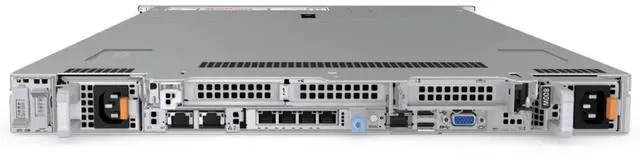
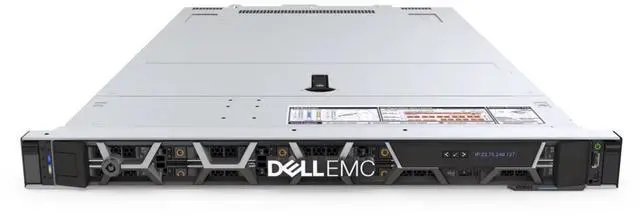
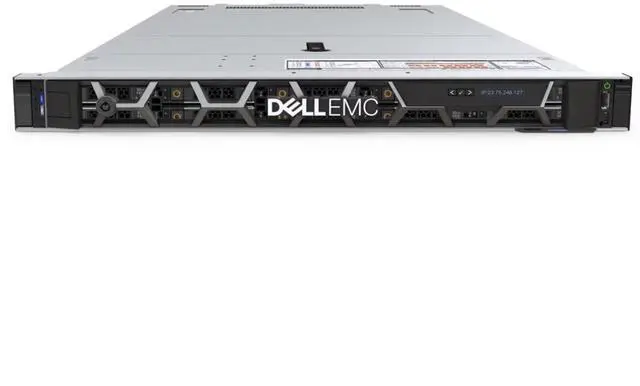
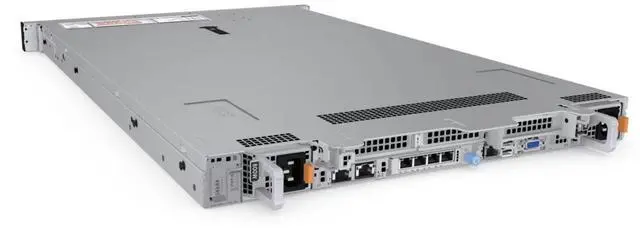
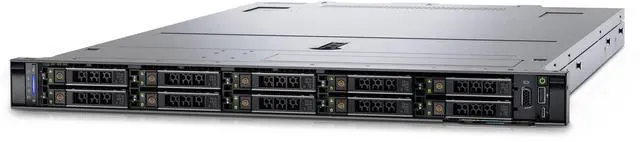
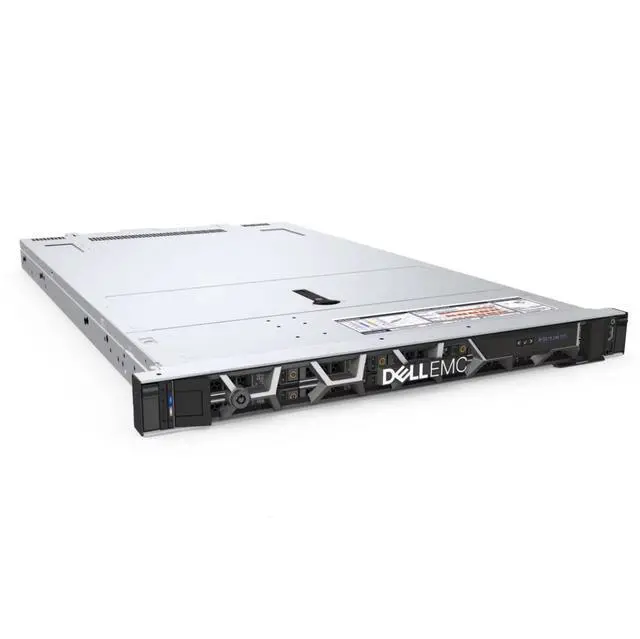
The Dell PowerEdge R650xs barebone is a 1U server chassis with eight 2.5-inch drive bays, designed for IT teams, system integrators, and businesses that want to build a custom rack server from the chassis up using their own CPU, storage, cards, and power configuration.
| Attribute | Value |
|---|---|
| Best For | System integrators and IT teams building custom 1U rack servers who need a barebone Dell R650xs chassis with eight 2.5-inch drive bays; requires separate purchase of CPU, memory, storage, expansion cards, and power supply |
| Chassis And Drive Bays | 1U rackmount barebone chassis with eight 2.5-inch drive bays (2.5-inch/8-disk configuration) for custom storage and compute builds |
| Included And Excluded Components | Sold as a barebone: does not include CPU, internal components, disks, PCIe cards, or power supply |
| Form Factor | 1U rack chassis suitable for standard server racks |
| Configuration Notes | Blank-slate design intended for personalized hardware configurations; customers must supply compatible processors, drives, cards, and power supply |
| Model Identifiers | Dell R650xs (2.5 - inch/8 - disks) barebone |
Q: Dell PowerEdge R650xs vs R650: which one should I choose for a custom 1U build?
A: Choose the R650xs when you want a 1U dual-socket platform with a simpler, value-focused design for virtualization, cloud, or scale-out workloads and you plan to supply your own CPU, memory, storage, and power configuration. Choose the R650 when you need more headroom inside the same 1U class, especially higher CPU and memory ceilings and broader accelerator support. For a barebone chassis purchase, the R650xs is the better fit when cost control and straightforward configuration matter more than maximum expandability.
Q: Dell PowerEdge R650xs vs R750xs: is 1U density or 2U expansion the better choice?
A: Choose the R650xs if rack density is the priority and you want a compact 1U server for scale-out compute or virtualization. Choose the R750xs if you expect to need more drive bays, more PCIe expansion, and easier growth over time in a 2U chassis. Both are positioned by Dell as value-oriented dual-socket platforms, so the practical decision is usually space efficiency versus expansion capacity.
Q: Is the R650xs a better upgrade than an older Dell R640 for modern virtualization?
A: Yes, the R650xs is usually the stronger upgrade path if you want newer platform support, 3rd Gen Intel Xeon Scalable compatibility, PCIe Gen4-era expansion, and newer storage options such as higher NVMe flexibility. An R640 can still make sense for lower-cost used deployments, but the R650xs is the more current platform if you are building fresh around newer CPUs and I/O. For buyers starting from a barebone chassis, the R650xs is the more forward-looking choice.
Q: Should I buy this R650xs barebone or a lower-tier general-purpose Dell server barebone?
A: Choose the R650xs barebone when you specifically want a dual-socket 1U platform for denser compute, virtualization, or scale-out roles and you intend to customize the internal hardware yourself. A lower-tier Dell server is the better fit when the workload is lighter and budget, simplicity, or lower component requirements matter more than compute density. The R650xs is the better choice when your plan already assumes enterprise CPUs, RDIMM memory, and a more performance-oriented build.
Q: Is the R650xs better for compact rack deployment or should I move to a larger platform for maximum performance growth?
A: The R650xs is the better choice when you want strong compute density in a compact rack footprint and your build can stay within the platform's value-focused limits. A larger platform is the better choice when long-term growth depends on more PCIe cards, more storage bays, or accelerator support. In practice, the R650xs fits performance-first 1U deployments, while larger systems fit expansion-first planning.
Q: Does this barebone server include any core hardware, or is it just the chassis?
A: It is essentially a chassis-level starting point, not a ready-to-run server. Based on the product data, it does not include a CPU, storage drives, add-in cards, internal components, or a power supply. Buyers should expect to source the required compatible hardware separately before deployment.
Q: Who is this server barebone suitable for?
A: This product is best suited to IT professionals, system integrators, labs, and businesses that already know the exact hardware they want to install. It is a practical choice for custom server builds where buyers want control over processor, storage, and expansion decisions. It is not ideal for buyers looking for a plug-and-play server.
Q: Is this a good choice if I want a server that works out of the box?
A: No. This barebone is not intended for immediate use because the essential operating hardware is missing. It makes sense only if you plan to assemble and validate the system yourself or through an integrator. If you need fast deployment with minimal setup risk, a fully configured server is usually the better fit.
Q: What are the main trade-offs of buying this barebone instead of a preconfigured server?
A: The main benefit is control: you can choose the CPU, storage, and other components to match a specific workload or budget. The trade-offs are extra build time, compatibility planning, higher setup complexity, and the need to procure missing parts such as power, compute, and storage components. This makes it better for deliberate custom builds than for convenience-focused purchases.
Q: Is this model mainly for storage-heavy use, or for custom compute setups?
A: It is better viewed as a custom compute-and-storage platform rather than a storage-first appliance. The listing highlights an 8-bay 2.5-inch 1U chassis, but because no disks or internal components are included, its real value is in letting experienced buyers design the final balance of compute, storage, and expansion around their own requirements.
Q: Who is this Dell R650xs barebone actually suitable for?
A: This barebone is mainly suitable for buyers who already have a clear server build plan and can source all missing parts separately. It makes the most sense for IT teams, refurbishers, or experienced homelab users who specifically want a 1U Dell platform and are comfortable selecting compatible CPUs, memory, storage, RAID/network cards, and power supplies. It is not a good fit for buyers expecting a ready-to-run server.
Q: Is this barebone worth buying if I want a low-cost server build?
A: Usually only if you already own compatible parts or have access to low-cost components. The chassis itself may look inexpensive, but this listing includes no CPU, no internal components, no disks, no cards, and no power supply. Community discussion around the R650xs also points out that newer-generation Dell server parts can be expensive, so the final build cost can rise quickly.
Q: What are the main trade-offs of buying this barebone instead of a more complete server?
A: The main trade-off is flexibility versus total effort and cost. This barebone gives you full control over CPU, memory, storage, and add-in cards, but it also means more compatibility work, more parts sourcing, and a higher risk that the final system costs more than expected. Compared with a more complete used server, it is a better fit for targeted custom builds than for quick deployment.
Q: Is this a good choice for a first homelab or first server purchase?
A: Generally no, unless you already understand Dell server parts and compatibility. For a first server, a barebone without CPU, PSU, storage, or cards adds setup complexity and more decision points. Community discussions around server builds often steer newer buyers toward more complete systems because they are easier to price, assemble, and validate.
Q: Is this barebone a practical replacement for a complete enterprise server?
A: No, not by itself. This listing is only a chassis platform for a custom build, not a direct drop-in replacement for a deployed enterprise server. It can become one after adding compatible processors, memory, storage, networking, and power supplies, but buyers should treat it as a starting point rather than a finished replacement unit.


