




 here!
here!
I’m your shopping assistant for PC builds, upgrades, and everything tech.
Got questions? Ask away!
Start a conversation
here!
I’m your shopping assistant for PC builds, upgrades, and everything tech.
Got questions? Ask away!
Start a conversationShipped by Hebei XG Technology Co., Ltd.





Any questions? Ask CelesteSM will help you find out quickly.
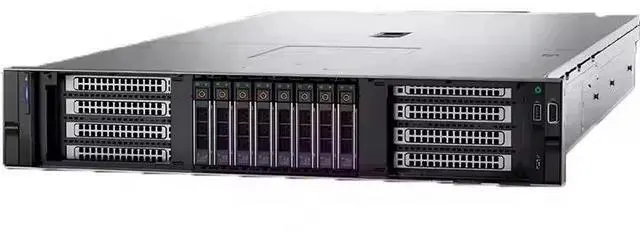
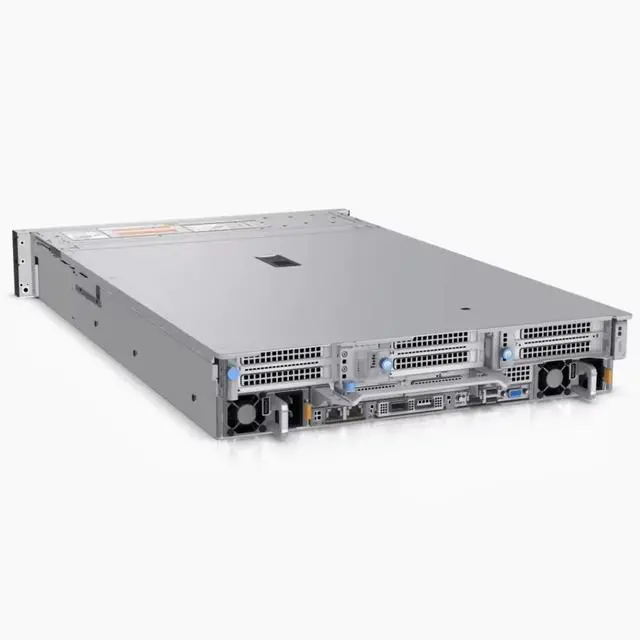
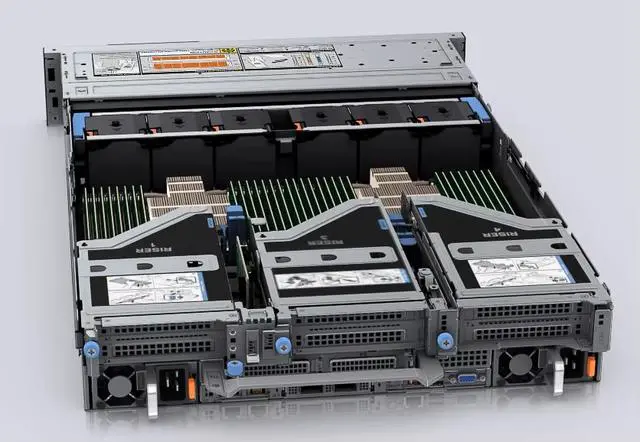
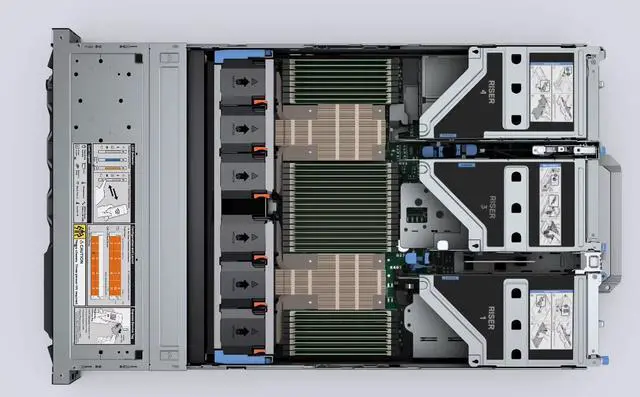
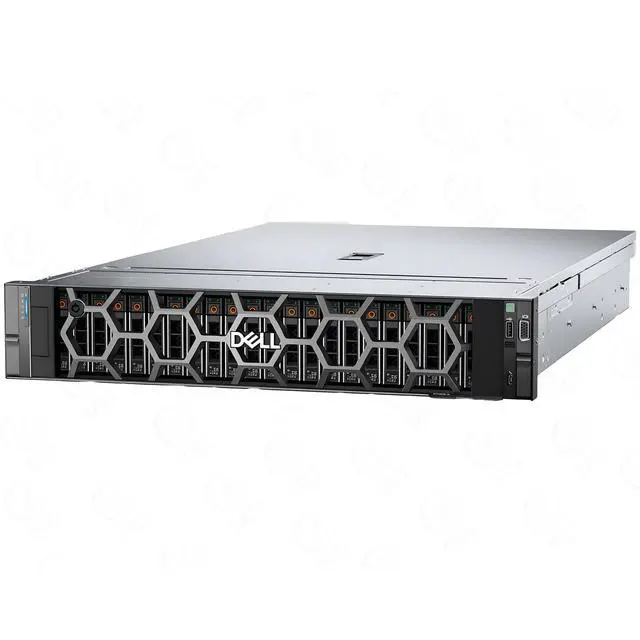
The Dell PowerEdge R750XS 2U barebone with 12 front 3.5-inch drive bays is a customizable server chassis for IT teams, system integrators, and lab builders who want to choose their own CPUs, storage, cards, and power configuration for a tailored deployment.
| Attribute | Value |
|---|---|
| Best For | System integrators and datacenter builders who need a 2U barebone chassis to assemble custom servers with user‑selected CPUs, memory, expansion cards, power supplies and up to twelve 3.5-inch drives |
| Chassis And Drive Bays | 2U rack-mount barebone chassis with twelve 3.5-inch drive bays — suited for high-capacity HDD deployments or 3.5-inch storage solutions |
| Included Components | Ships as a barebone: does not include CPU, internal components, disks, expansion cards, or a power supply — requires customer-supplied parts to complete the system |
| Form Factor | 2U rack-mount server chassis designed for standard 19-inch racks |
| Model Identifiers | Dell R750XS — 3.5-inch / 12-bay 2U barebone |
| Product Classification | DELL — Server Barebones (bare chassis for custom hardware configurations) |
Q: Should I choose the Dell PowerEdge R750xs barebone or the standard PowerEdge R750?
A: Choose the R750xs barebone when you want a lower-complexity 2U platform for scale-out virtualization, VDI, or storage-heavy builds and you plan to select your own CPUs, drives, RAID, NICs, and power supplies. Choose the standard R750 when you need a fuller-featured platform with higher ceiling for memory, PCIe, NVMe, and accelerator support. Dell positions the R750xs for growing scale-out solutions, while the R750 is positioned for more demanding and feature-intensive workloads.
Q: Is the R750xs a better fit than the R650xs for virtualization or general server use?
A: Choose the R750xs when you want a 2U chassis with more front-drive flexibility, including up to 12 x 3.5-inch bays in this chassis style, and more PCIe expansion than the 1U R650xs. Choose the R650xs when rack density matters more and your deployment fits a 1U scale-out design. Both are positioned by Dell as value-oriented 'xs' servers for medium-duty workloads, but the R750xs is the more practical choice for users prioritizing storage capacity and expansion over rack density.
Q: Should I buy this R750xs barebone or an older PowerEdge R740xd?
A: Choose the R750xs barebone when you want a newer platform with 3rd Gen Intel Xeon Scalable support, PCIe Gen4 capability, and a fresh custom build path. Choose the R740xd when you specifically want the older generation's established used-market ecosystem or a known configuration that may already include components. For a new custom deployment, the R750xs is the cleaner upgrade path; for budget-conscious secondary-market builds, the R740xd can still make sense if its included hardware matches your needs.
Q: Is this 12-bay 3.5-inch R750xs barebone better than a smaller or preconfigured server for bulk storage builds?
A: Yes, if your priority is a custom bulk-storage or backup server with room for large-capacity 3.5-inch drives. This 12-bay 3.5-inch R750xs chassis is better suited to capacity-focused builds than smaller 1U systems or fixed prebuilt configurations because it gives you more flexibility to choose the exact CPU, storage, networking, and power setup. A preconfigured server is the easier path when you want faster deployment with fewer component decisions.
Q: Is this a complete server I can power on right away?
A: No. This listing is a barebone 2U chassis, not a ready-to-run server. Based on the product data, it ships without CPU, internal components, disks, cards, or power supply, so it requires major hardware before it can be used.
Q: Who is this server barebone suitable for?
A: It is best for IT teams, system integrators, and experienced buyers who already plan to choose and install their own server parts. It is not a simple plug-and-play option for general office users or first-time server buyers.
Q: Is this a good choice if I want full control over the build?
A: Yes, if your goal is a custom server build. The empty chassis approach lets you choose the processors, storage, cards, and power supplies yourself, which is useful when you need a specific configuration rather than a prebuilt system.
Q: What is the main trade-off of buying this barebone version?
A: The main trade-off is flexibility versus convenience. You get control over the hardware configuration, but you also need to source compatible parts, complete the assembly, and handle setup yourself. That adds time, compatibility planning, and total build cost.
Q: Is this a good fit for storage-heavy server use?
A: Yes, if you want a large-drive rack server foundation. This version is the 3.5-inch, 12-disk-bay 2U chassis, so it is better suited to buyers planning a storage-dense build than to buyers looking for a compact, minimal-capacity setup.
Q: Who is this barebone R750XS actually suitable for?
A: This chassis is mainly suitable for IT buyers, labs, and system builders who already plan to source CPUs, memory, storage, RAID or HBA cards, and power supplies separately. It is not a ready-to-use server. The value is in getting a 2U 12-bay Dell platform for a custom build, but only if you are comfortable validating part compatibility and completing the full configuration yourself.
Q: Is this a good buy if I want a server that works out of the box?
A: No. This listing is a barebone chassis with no CPU, no internal components, no disks, no cards, and no power supply. It only makes sense if your goal is a custom build. If you need a server that can be powered on and deployed quickly, a complete configured R750XS or another fully populated server is the better fit.
Q: What are the main trade-offs of buying this barebone instead of a complete server?
A: The main trade-off is flexibility versus time, cost, and complexity. A barebone lets you choose your own CPUs, storage layout, and add-in cards, which is useful for specialized deployments. The downside is that key parts are missing, so total cost can rise quickly and deployment takes more work. It is a better fit for planned infrastructure builds than for buyers looking for the simplest path.
Q: Is this chassis a sensible choice for storage-heavy or virtualization builds?
A: Yes, potentially. The 2U 12-bay 3.5-inch layout makes it more suitable for storage-focused builds than many compute-dense server configurations, and R750XS discussions often center on RAID, Proxmox, PCIe expansion, and file-server use. That said, suitability depends on the rest of the bill of materials, because this listing does not include the compute, storage, or power hardware needed to realize that use case.
Q: Is this a good fit for home lab buyers trying to save money?
A: Usually only if you already have compatible enterprise parts or a clear build plan. Barebone enterprise servers can look inexpensive at first, but once you add CPUs, memory, storage, risers or cards, and power supplies, the real build cost can increase substantially. For many home lab buyers, a complete used server may be the simpler and more predictable purchase.


