




 here!
here!
I’m your shopping assistant for PC builds, upgrades, and everything tech.
Got questions? Ask away!
Start a conversation
here!
I’m your shopping assistant for PC builds, upgrades, and everything tech.
Got questions? Ask away!
Start a conversationShipped by Hebei XG Technology Co., Ltd.





Any questions? Ask CelesteSM will help you find out quickly.
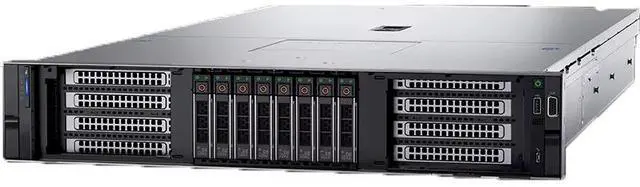
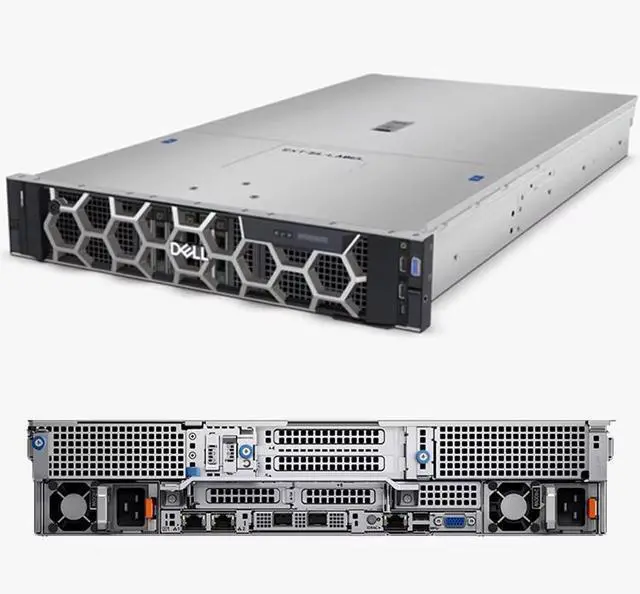
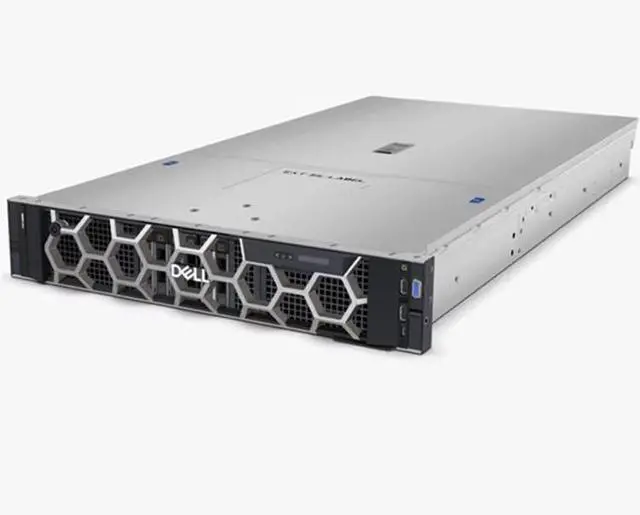
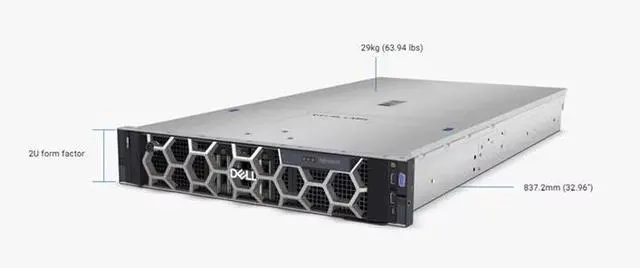
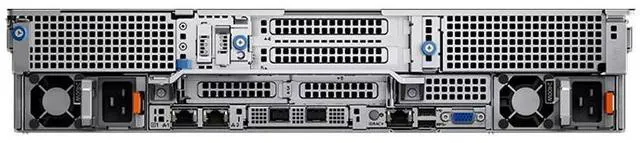
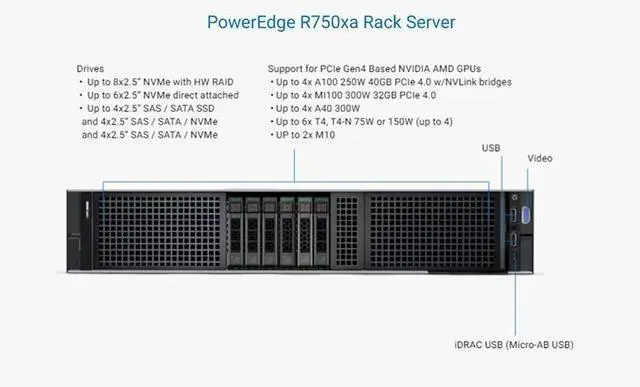
The Dell R750XA 2U barebone chassis with eight 2.5-inch drive bays is best for IT teams, system integrators, and data center builders who want a configurable server platform for custom enterprise deployments.
| Attribute | Value |
|---|---|
| Best For | System builders and datacenter technicians who need a 2U barebone chassis that supports eight 2.5-inch drives and requires user-supplied CPU, memory, storage, expansion cards, and a power supply |
| Chassis And Drive Bays | 2U rack-mount barebone chassis with eight 2.5-inch drive bays for dense 2.5" storage deployments |
| Included Components | Barebone configuration — no CPU, no internal components, no disks, no expansion cards, and no power supply; core components must be provided separately |
| Form Factor | 2U rack chassis |
| Model Identifiers | R750XA (2.5-inch / 8-disk) barebone |
| Availability | First listed on Newegg January 31, 2026 |
Q: Should I choose the Dell PowerEdge R750xa barebone or a standard PowerEdge R750 for a custom 2U build?
A: Choose the R750xa barebone when your build is centered on accelerators, higher GPU power draw, and airflow designed for AI, ML, inferencing, or GPU-heavy virtualization. Choose a standard R750 when you want a more general-purpose 2U server with broader storage-oriented configurations, including up to 24 x 2.5-inch drives, and only moderate GPU needs. In short: R750xa fits accelerator-first designs, while R750 fits balanced compute-and-storage builds.
Q: Is the R750xa barebone a better fit than the lower-tier R750xs for a custom server?
A: Yes, if you plan to add GPUs or need stronger expansion and thermal headroom. The R750xa platform supports substantially more accelerator capability than the R750xs and is positioned by Dell for intensive GPU workloads. The R750xs is the better fit when the goal is a cost-conscious scale-out or virtualization server without accelerator requirements. For an 8-bay barebone meant to be customized around GPUs, the R750xa is the more appropriate starting point.
Q: Should I buy this R750xa barebone or move up to a newer PowerEdge R760xa?
A: Move up to the R760xa if you want a newer accelerator platform with 4th Gen Intel Xeon support, DDR5 memory, and newer expansion options. Choose the R750xa barebone if you want the same 2U accelerator-focused design direction at a potentially lower platform cost, or if you already plan around 3rd Gen Xeon and DDR4 parts. The practical decision is platform generation: R760xa for newer memory and CPU ecosystem, R750xa for a lower-cost entry into Dell's GPU-optimized 2U class.
Q: Is the R750xa barebone worth choosing over an older R740-era GPU server?
A: Yes, if you want a newer platform for modern accelerator builds. The R750xa moves to 3rd Gen Intel Xeon and PCIe Gen4, and Dell positions it specifically for AI and acceleration workloads. Older R740-generation systems can still make sense for budget refreshes, but the R750xa is the more suitable choice when you want current-era GPU compatibility, newer I/O bandwidth, and a platform designed around accelerator density rather than adapting a prior-generation chassis.
Q: For a storage-focused 2U build, should I pick this 8-bay R750xa barebone or a higher-drive server platform?
A: Pick the R750xa barebone when GPU support and accelerator thermals matter more than maximum front-drive count. Pick a higher-drive platform such as a standard R750 configuration when local storage density is the priority, because the R750 family offers configurations with far more front bays than this 8-bay R750xa chassis. The trade-off is straightforward: this R750xa barebone is optimized for accelerator-first builds, not for maximum storage expansion.
Q: Who is this barebone server suitable for?
A: This chassis is suitable for IT teams, system integrators, and experienced buyers who want to build a custom 2U server from the ground up. It is not a ready-to-run system. Because it includes no CPU, no power supply, no storage, and no internal components, it fits buyers who already plan the full parts list and compatibility path before purchase.
Q: Does this server come with the parts needed to power on and run?
A: No. This is a chassis-only barebone listing. It does not include a CPU, internal components, disks, add-in cards, or a power supply, so it is not usable until the required hardware is installed. Buyers should treat it as a starting frame for a custom server build, not as a complete server.
Q: Is this a good choice if I want maximum hardware flexibility?
A: Yes, if your goal is customization. The main advantage of this barebone unit is that it leaves processor, storage, cards, and power configuration up to the buyer. The trade-off is complexity: you must source all major components yourself and confirm fit, compatibility, thermals, and power planning before deployment.
Q: Is this a good option for buyers who want a simple, quick deployment?
A: No. This product is a poor fit for quick deployment because it ships without the core parts needed for operation. It is better suited to planned infrastructure builds than to buyers who want minimal setup time, straightforward installation, or immediate out-of-box use.
Q: What is the main trade-off of buying this barebone server?
A: The main trade-off is flexibility versus completeness. You gain control over processor, storage, expansion, and power choices, but you also take on full responsibility for component selection, assembly, and validation. For buyers who do not already know their required hardware stack, that added effort can outweigh the benefit of a blank chassis.
Q: Who is this R750XA barebone actually suitable for?
A: This barebone is best for experienced server buyers who already plan to source the CPU, memory, storage, cards, and power supply separately. Reddit and YouTube discussions around the PowerEdge R750xa repeatedly frame it as a specialized platform for custom builds, especially GPU or high-performance server deployments, rather than a ready-to-run general-purpose server.
Q: Is this a good buy if I want a cheap server that works out of the box?
A: No. This listing is only a barebone 2U chassis with 8 front 2.5-inch bays and no CPU, no internal components, no disks, no cards, and no power supply. Community discussion around barebone servers often treats them as cost-efficient only when the buyer already has compatible parts or a clear parts plan. If you need a working server immediately, a more complete configuration is usually the safer choice.
Q: What are the main trade-offs of buying this barebone instead of a complete server?
A: The trade-off is flexibility versus build complexity. You get freedom to choose the processor, storage, and expansion hardware, but you also take on compatibility checks, sourcing cost, and assembly risk. Reddit discussions about barebone server purchases commonly focus on missing essentials such as PSUs, controllers, and other platform-specific parts, which can reduce the value if you have to buy everything separately.
Q: Is this a good fit for GPU or accelerator-focused server builds?
A: Potentially yes, but only if you are intentionally building around that use case and understand the full parts requirement. Discussion around the PowerEdge R750xa consistently associates it with GPU-accelerated workloads, but this specific listing does not include the internal components needed to make that happen. It is better viewed as a starting chassis for a planned build, not as a turnkey AI or GPU server.


