




 here!
here!
I’m your shopping assistant for PC builds, upgrades, and everything tech.
Got questions? Ask away!
Start a conversation
here!
I’m your shopping assistant for PC builds, upgrades, and everything tech.
Got questions? Ask away!
Start a conversationShipped by Hebei XG Technology Co., Ltd.





Any questions? Ask CelesteSM will help you find out quickly.
1. Customization Freedom:Without pre - installed CPU, disk, and power supply, users can freely pick components to tailor the server for specific business needs, be it small - business daily tasks or data - intensive projects.
2. E2414 Option Benefit:The E2414 option offers reliable computing power for the server, meeting diverse workload demands while balancing performance and cost effectively.
3. Brand - New and Readily Available:Being brand - new and in stock, it enables users to start server deployment right away without long waits, thus accelerating business operations.
4. Storage Flexibility:With no pre - installed disk, users can choose from various storage devices in terms of type and capacity, like high - capacity HDDs or high - speed SSDs, to match different data storage and access - speed requirements.
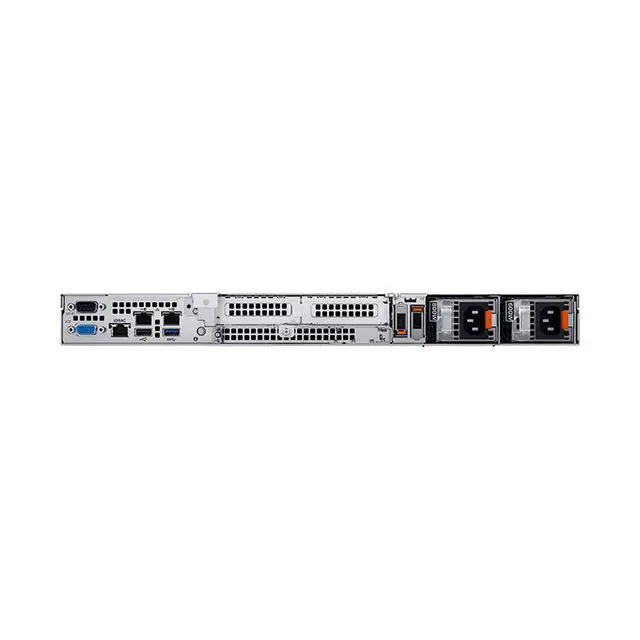
5. Power Supply Choice:Lacking a pre - installed power supply allows users to select an appropriate one based on the server's actual power consumption and the data - center power architecture, ensuring efficient power delivery and compatibility.
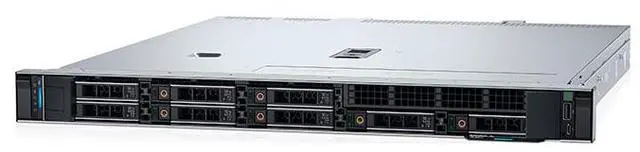
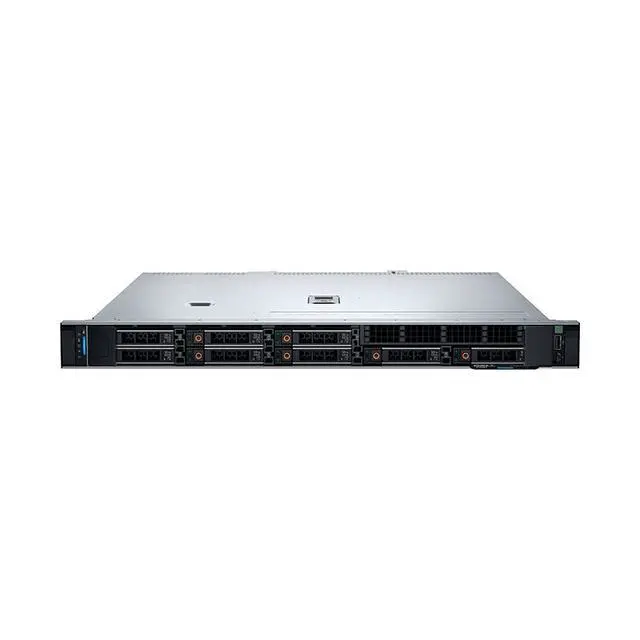
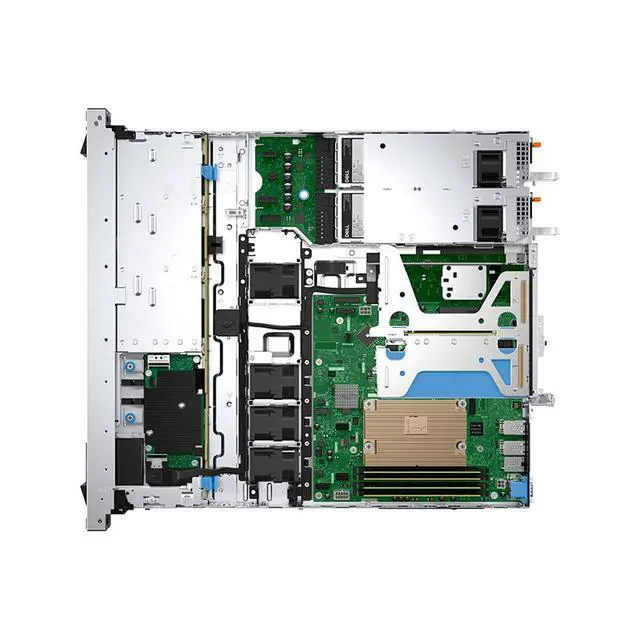
The Dell R360 Server barebones is a new 8-bay 2.5-inch Dell server chassis with the E2414 option, sold without a CPU, storage, or power supply, making it suitable for IT teams, resellers, and businesses that want to configure a server around specific workload, storage, and power requirements.
| Attribute | Value |
|---|---|
| Best For | IT teams and system builders who want a Dell R360 barebones chassis (E2414 option) with 8 x 2.5" drive bays and the freedom to choose CPU, storage, and power to match small-business or data-focused workloads |
| Configuration And Components | Ships as a barebones unit with no CPU, no disk drives, and no power supply — users must provide CPU, storage, and PSU |
| Chassis And Storage Bays | 8 × 2.5-inch drive bays; no drives preinstalled |
| Customization And Power | Design intended for user-selected CPU, choice of HDD or SSD types/capacities, and a power supply chosen to match the server's power needs and data-center architecture |
| Availability And Condition | Brand new and in stock; first listed on Newegg June 11, 2026 |
| Model Identifiers | Dell R360, E2414 option |
Q: Should I choose the Dell PowerEdge R360 or the PowerEdge R260 for a small rack deployment?
A: Choose the PowerEdge R360 when you want more chassis flexibility, more drive options, and room for a fuller 1U build. Dell positions the R360 as a mainstream 1U single-socket server, and Dell’s current configurator shows 8x 2.5-inch drive options and configurations with 2 NVMe bays. By contrast, professional review coverage describes the R260 as a short-depth platform aimed at near-edge and SMB use. In testing from StorageReview, the R260 was sometimes faster than the R360 with similar CPUs, so the decision is usually about form factor and expansion priorities rather than assuming the R360 is always faster. For this barebones 8-bay 2.5-inch listing, the R360 is the better fit if your priority is storage layout flexibility and a more conventional rack-server footprint.
Q: Is this barebones Dell R360 a better choice than buying a preconfigured R360?
A: Choose this barebones R360 if you already have a deployment plan for CPU, storage, RAID, and power, or if you need to match existing parts standards across multiple servers. The main advantage is control: Dell offers the R360 in several storage and controller layouts, and this Newegg listing starts without CPU, disks, or power supplies, which can make sense for integrators and IT teams building to a precise spec. A preconfigured R360 is the better choice when you want validated compatibility, faster rollout, and less parts sourcing. The practical trade-off is flexibility versus deployment convenience.
Q: Should I buy this 8-bay 2.5-inch R360 or a 4-bay R360 configuration?
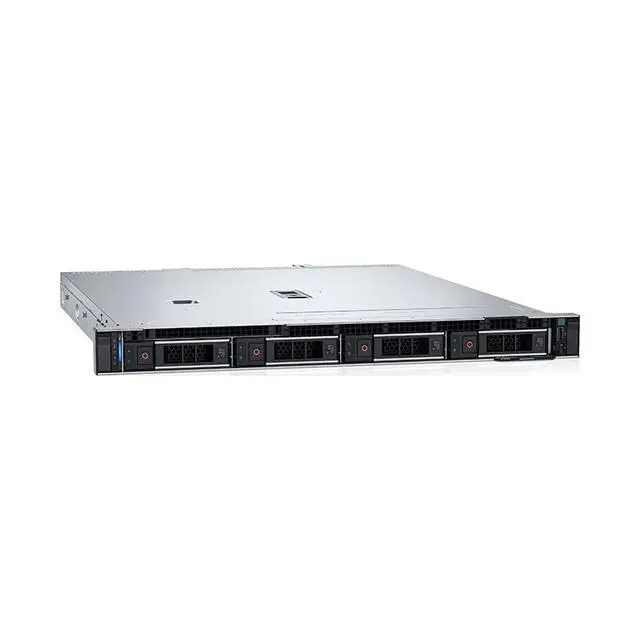
A: Choose the 8-bay 2.5-inch R360 when you want higher drive-count density, more RAID layout options, or a build that favors SSD-heavy storage. Dell’s official configurator shows both 4-bay 3.5-inch and 8-bay 2.5-inch chassis options for the R360, so the decision depends on storage strategy more than CPU capability. A 4-bay version is the better fit when you prefer fewer, larger-capacity drives and a simpler storage plan. This Newegg unit is better aligned with virtualization, fast shared storage, or mixed SSD deployments where bay count matters.
Q: Should I choose the Dell PowerEdge R360 or move up to a higher-tier dual-socket rack server?
A: Choose the R360 when your workloads fit a single-socket server and your buying priority is lower platform complexity, lower power draw, and simpler branch-office or SMB deployment. Dell and review coverage position the R360 around SMB and edge-style workloads rather than heavy consolidation. Move up to a higher-tier dual-socket platform if you expect materially higher VM density, larger memory footprints, or more aggressive long-term scaling. The trade-off is straightforward: the R360 is better for focused infrastructure roles, while higher-tier servers are better for broader consolidation and expansion headroom.
Q: Who is this barebones server suitable for?
A: This barebones Dell R360 is best for IT buyers, system integrators, and businesses that already know which CPU, storage, and power configuration they need. It is less suitable for buyers who want a ready-to-run server, because CPU, disks, and power supplies are not included and must be sourced separately.
Q: Do I need to buy additional parts before this server can be used?
A: Yes. Based on the product listing, this unit does not include a CPU, disks, or power supply, so it is not operational as sold. Buyers should plan for a compatible processor, memory, storage drives, power supply hardware, and likely an operating system and deployment setup before putting it into service.
Q: Is this a good choice if I want maximum configuration flexibility?
A: Yes, if customization is the priority. A barebones server like this gives buyers more control over processor choice, storage type and capacity, and power configuration. The trade-off is more planning, compatibility checking, and setup work than with a preconfigured server.
Q: Is this server a good fit for simple office use or first-time server buyers?
A: Usually no. This product is better suited to planned server deployments than basic office computing. Because key components are missing, first-time buyers may face extra complexity around parts selection, assembly, firmware compatibility, and installation.
Q: What is the main trade-off of buying this Dell R360 in barebones form?
A: The main trade-off is control versus convenience. You get more freedom to tailor the server to a workload, but you also take on responsibility for sourcing compatible parts, verifying the final power and storage design, and completing installation before the system is usable.
Q: Who is this Dell R360 barebones server a good fit for?
A: This configuration is best for buyers who already know the exact CPU, storage, and power setup they want. Because it ships without a CPU, disks, or power supply, it makes the most sense for IT teams, integrators, or experienced homelab users who want to control cost and component choice. It is a weaker fit for buyers who want a ready-to-deploy server with validated parts included.
Q: Is buying the R360 without disks a good idea?
A: It can be a good decision if you want to avoid high OEM storage pricing and choose your own drive mix. The trade-off is that you take on compatibility checking, installation, and some support risk depending on the drives you use. For buyers who value lower upfront storage cost and flexibility, a diskless R360 can make sense; for buyers who want the simplest support path, a preconfigured system is safer.
Q: What are the main trade-offs of choosing this barebones R360 instead of a complete server?
A: The main advantage is flexibility: you can choose the CPU, storage, and power supply around your workload and budget. The main trade-offs are more planning, more setup work, and a higher chance of configuration mistakes. In practice, buyers may also need to think carefully about RAID versus HBA needs, operating system support, and whether their chosen parts match the intended software stack.
Q: Is this a good choice for virtualization or Linux server use?
A: Potentially yes, but only if you plan the storage controller and OS stack carefully. Reddit discussion around the R360 shows that controller mode and driver support can affect whether the system is a clean fit for Linux, ZFS-style storage, or non-server operating systems. As a result, this barebones listing is more suitable for buyers who are comfortable validating RAID, HBA, and OS compatibility before purchase.
Q: Is the Dell R360 a good fit for sustained heavy compute workloads?
A: It can handle business and edge workloads, but buyers expecting sustained maximum CPU performance should verify the final cooling and power configuration. Community discussion includes concern about CPU frequency dropping under heavy stress on an R360, so this listing is a better fit for balanced server tasks than for buyers who plan to run continuous all-core compute loads without carefully sizing the final build.


