


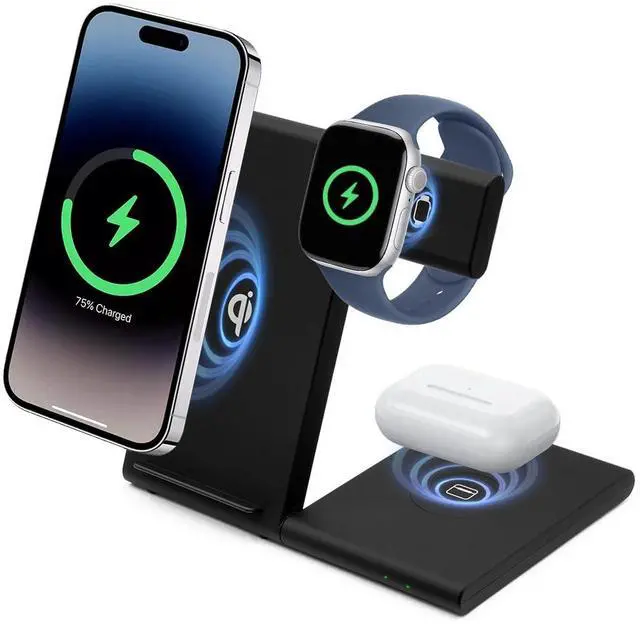
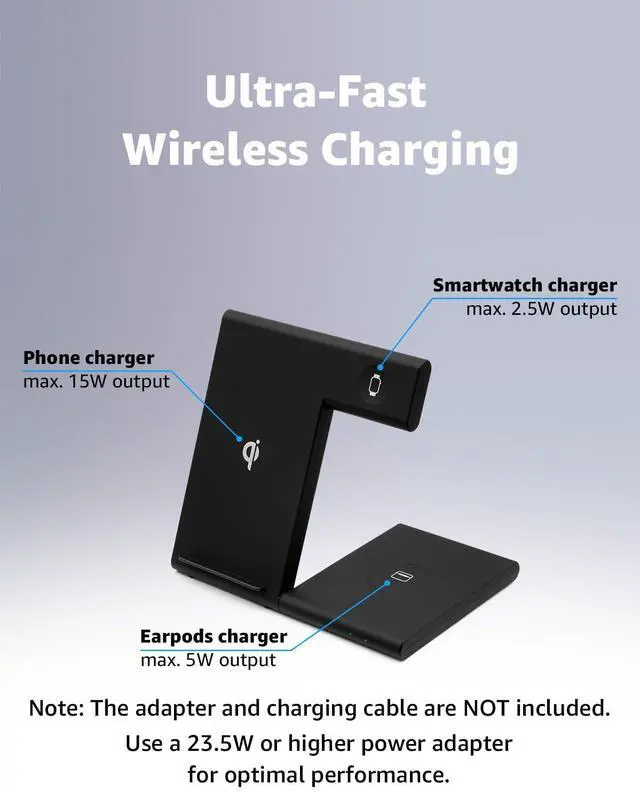
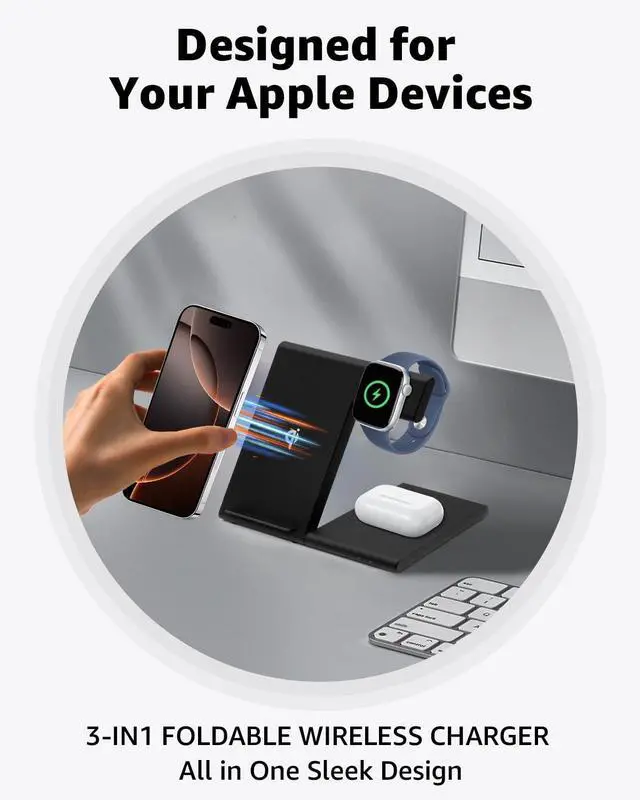
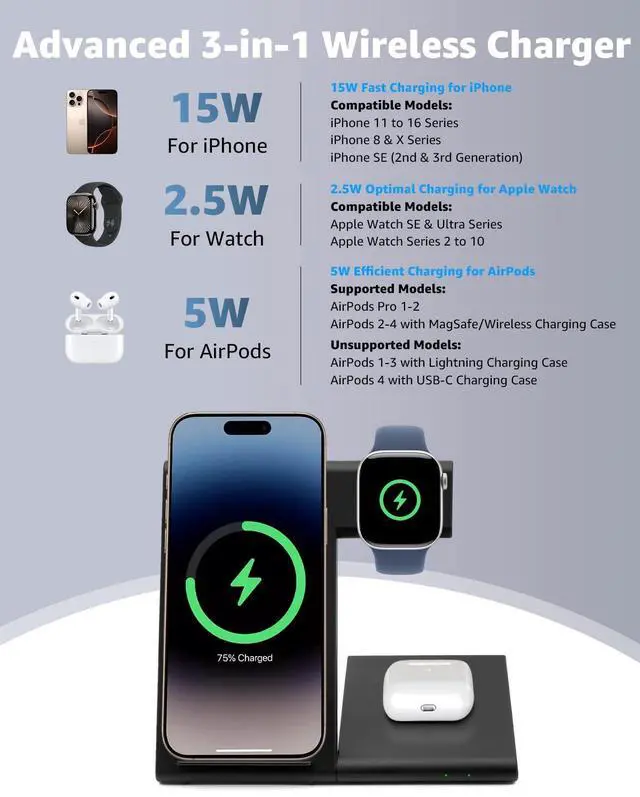


What if my iPhone, Apple Watch, or AirPods get warm while charging?
It’s normal for devices to warm slightly when using this 3-in-1 charging station. To prevent overheating:
1. Use a protective case thinner than 4 mm/0.15 in.
2. Keep metal accessories, credit cards, and pop sockets away from the charger.
Why is charging slow on my iPhone and Watch Charging Station?
For multi-device chargers:
1. It usually takes 3–4 hours to fully charge devices on the charging pad.
2. Make sure no metal objects are blocking the charger, as they can cause overheating and slow charging.
What if my phone is not charging on the wireless charger?
1. Make sure your phone supports wireless charging.
2. Remove thick cases, metal objects, or uneven attachments.
3. Reposition the phone to align with the charging area.
4. Try unplugging and reconnecting the adapter after a few seconds.
What if my AirPods are not charging on the 3-in-1 this charging station?
1. Make sure your AirPods support wireless charging.
2. AirPods 3rd Gen and AirPods Pro with MagSafe cases are compatible.
3. AirPods 4 with ANC also support wireless charging.
Note: AirPods 1st/2nd/3rd Gen with Lightning cases are not compatible.
What if my Apple Watch won’t charge on the charger stand?
1. Try resetting the charging station by unplugging and reconnecting it.
2. Make sure your Apple Watch software is up to date via the Watch app on your iPhone: Watch App > General > Software Update.



What if my iPhone, Apple Watch, or AirPods get warm while charging?
It’s normal for devices to warm slightly when using this 3-in-1 charging station. To prevent overheating:
1. Use a protective case thinner than 4 mm/0.15 in.
2. Keep metal accessories, credit cards, and pop sockets away from the charger.
Why is charging slow on my iPhone and Watch Charging Station?
For multi-device chargers:
1. It usually takes 3–4 hours to fully charge devices on the charging pad.
2. Make sure no metal objects are blocking the charger, as they can cause overheating and slow charging.
What if my phone is not charging on the wireless charger?
1. Make sure your phone supports wireless charging.
2. Remove thick cases, metal objects, or uneven attachments.
3. Reposition the phone to align with the charging area.
4. Try unplugging and reconnecting the adapter after a few seconds.
What if my AirPods are not charging on the 3-in-1 this charging station?
1. Make sure your AirPods support wireless charging.
2. AirPods 3rd Gen and AirPods Pro with MagSafe cases are compatible.
3. AirPods 4 with ANC also support wireless charging.
Note: AirPods 1st/2nd/3rd Gen with Lightning cases are not compatible.
What if my Apple Watch won’t charge on the charger stand?
1. Try resetting the charging station by unplugging and reconnecting it.
2. Make sure your Apple Watch software is up to date via the Watch app on your iPhone: Watch App > General > Software Update.
Charge Elegantly
Timeless Classic