








aplus content video
Next Generation iPhone VR and MR Headset
Meet Zapbox
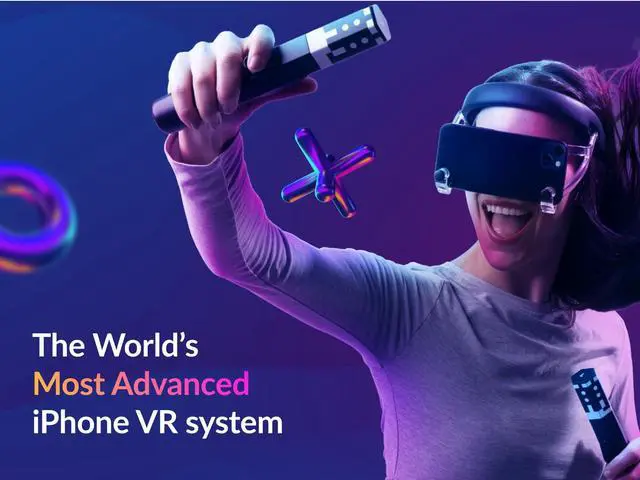
Give your iPhone a Virtual Reality and Mixed Reality makeover! Secure your device in the lightweight, comfortable headset and experience a whole new way to interact with the Zapbox motion controllers.
We've always been firm believers that phone-based headsets could be capable of so much more than simple 360-degree content. Zapbox is the result of years of continuous development of both hardware and software to bring that dream to life.
Welcome to Zapbox!
Reinvented Design for Unique Experiences
Immersion without Isolation
Lightweight and Comfortable Headset
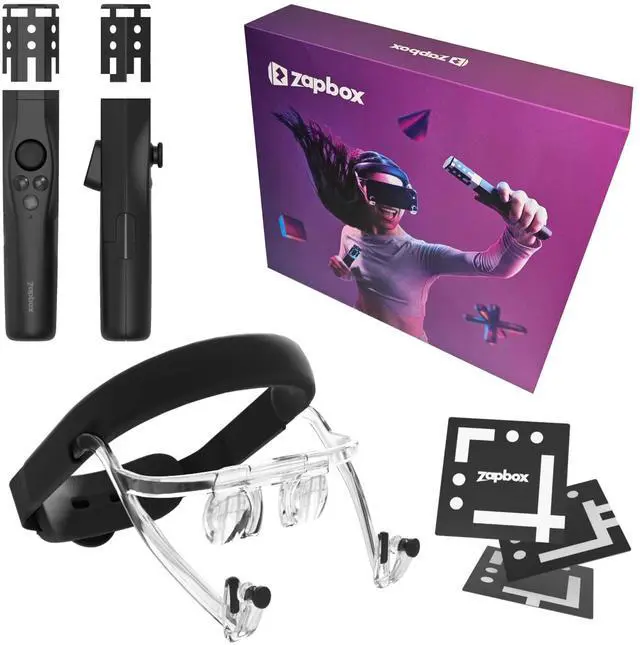
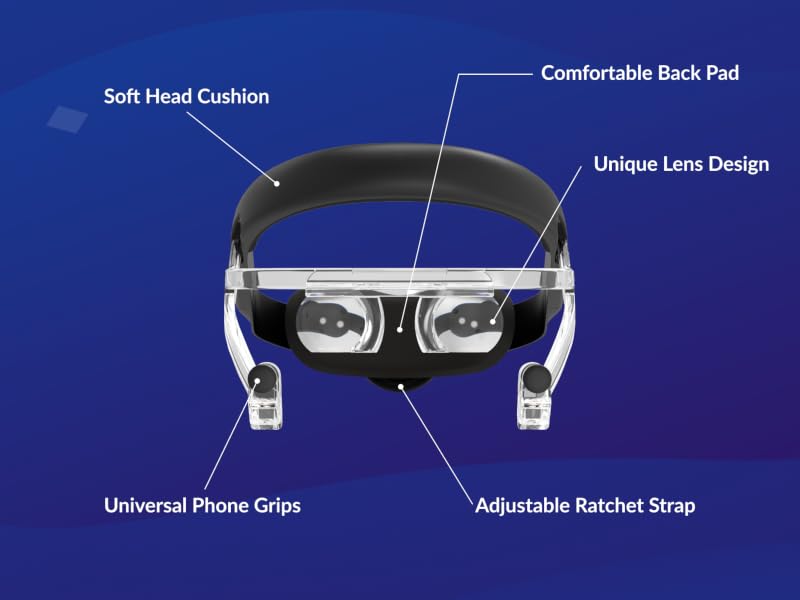
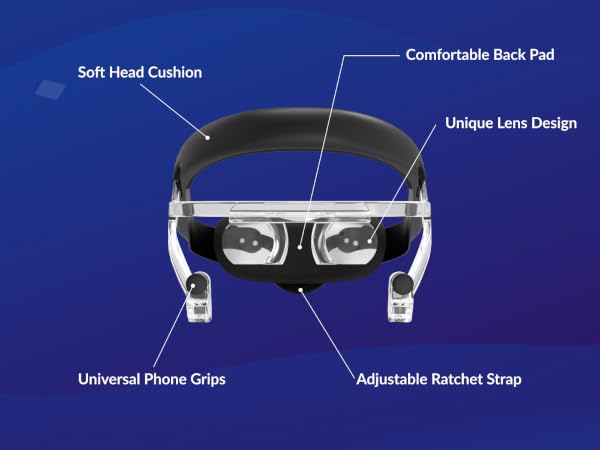
The Zapbox headset is lightweight, with comfortable padding at the front and back, and a ratchet system to easily adjust the size of the headband for a perfect fit. The adjustable phone grips securely fit all iPhone models (including most cases).
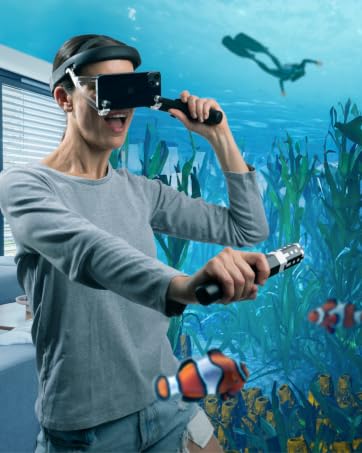
The open design means content appears to float directly in the world without any visible edges. It's truly magical for Mixed Reality, and for Virtual Reality offers great immersion but with the comfort and safety of real-world awareness.
A New Way to Interact
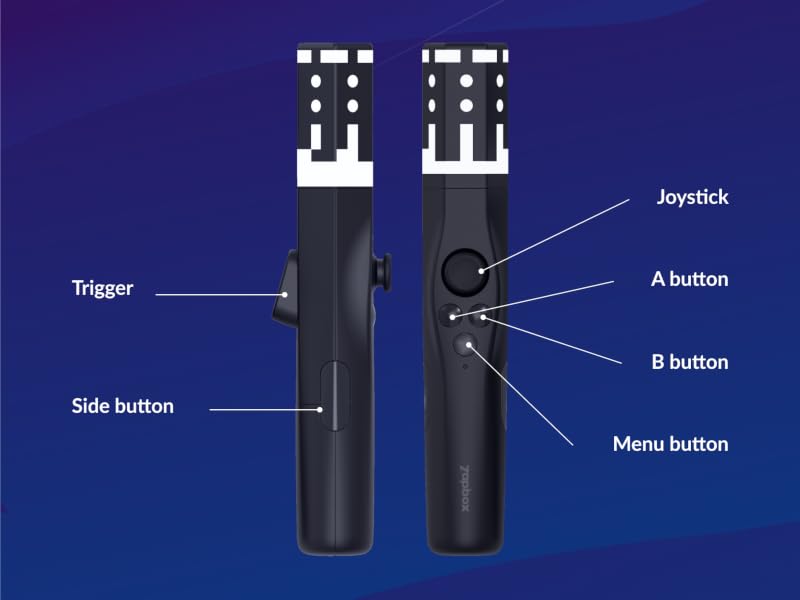
Two Zapbox Motion Controllers
The Zapbox Motion Controllers offer full positional tracking thanks to the advanced Zapbox software. Containing precision motion sensors and 6 additional inputs, they bring fully-featured VR controllers to phone headsets for the first time.
2x AAA batteries are required for each controller.
More Content Possibilities than Other Phone Headsets
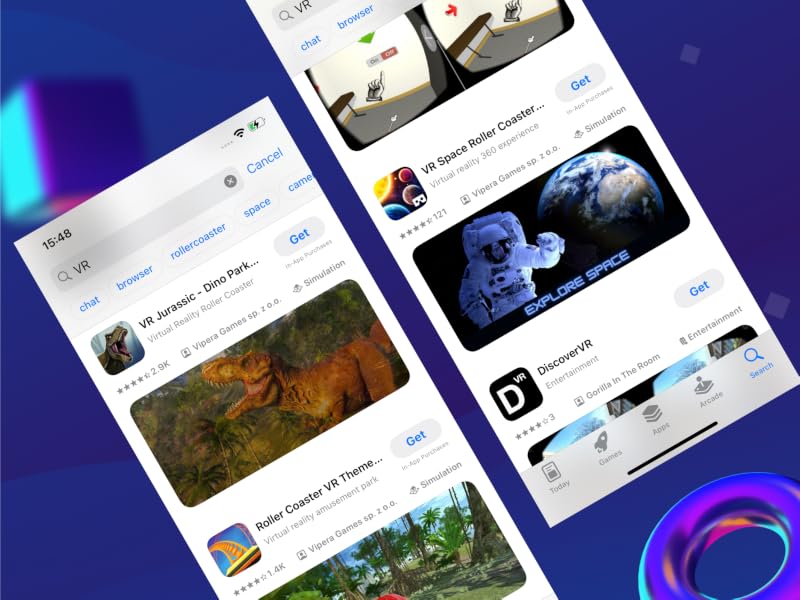
Supports Existing Phone VR Apps
Other Phone VR Apps
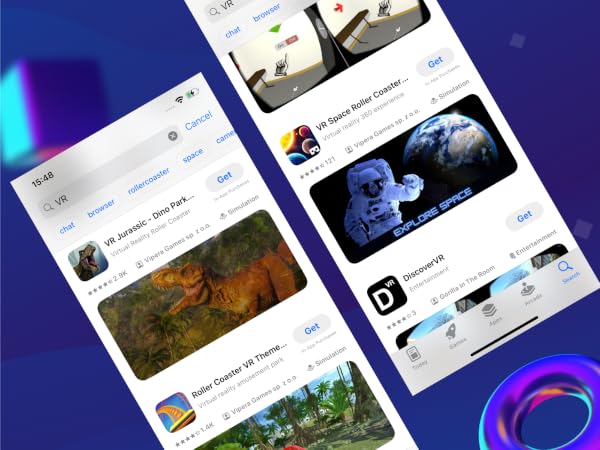
Other third-party VR apps (which often feature basic 360-degree content) can be used with the Zapbox headset too - you can find a large selection by searching for "VR" in the App Store.
These apps won't support the Zapbox controllers but you can look around and tap the screen to interact.
The open design of the Zapbox headset makes these experiences feel more comfortable and social than with enclosed headsets.
aplus content video
Fully-featured PC VR with Controllers
Stream PC VR with Zapbox Link
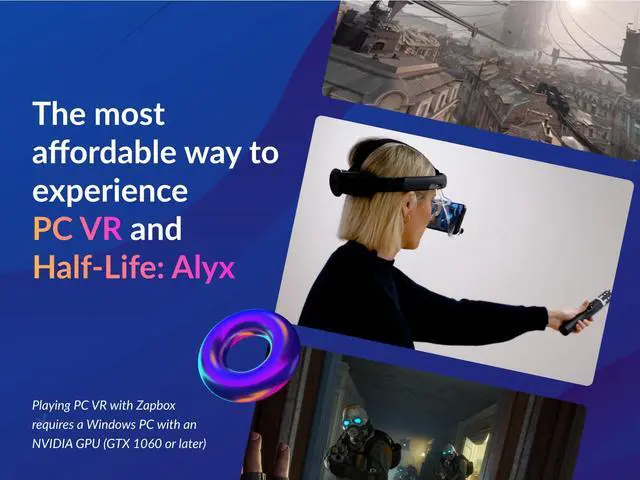
The free Zapbox Link app allows you to stream PC VR content from Steam VR on your PC straight to Zapbox. PC VR streaming requires a Windows PC with an NVIDIA GPU, GTX 1060 or later.
The Zapbox controllers are treated as Meta Quest controllers on the PC, which means a wide range of PC VR content can be used with Zapbox. From free apps like VRChat, The Lab, and Google Earth to AAA games like Half Life: Alyx, Zapbox makes trying out PC VR more affordable than ever before!
What's the FOV of the headset?
The horizontal FOV is similar to most phone headsets at around 100 degrees. This offers a good balance between the size of the content and the clarity of the image.
Are the apps still actively supported?
Absolutely, we'll be continuing to deliver improvements to the existing apps and adding more unique content for Zapbox into 2025 and beyond.
Can the lenses be moved?
The front section of the headset can slide in and out, allowing it to be worn over glasses.
The distance between the lenses is fixed at 64mm - this ensures content is always perfectly aligned and offers clear vision for most adults and children (8+).
Can I develop my own content?
Zapbox is a great headset for developers. You can choose between our Unity XR Plugin for developing native iOS apps, or building for WebXR that will allow you to publish once on the web and support both Zapbox and full-featured dedicated headsets.
What about Android phones?
We're working to bring the full set of Zapbox features and apps to Android phones in 2025.
For now, you can still use the Zapbox headset with existing VR apps on Android and tap the screen to interact. The open design works great for those apps.
Simple Setup and Friendly Support
It's really easy to get started with Zapbox - there's no account setup or sign in needed. Simply download a Zapbox app from the App Store and follow the instructions to connect the controllers, and you're good to go. Don't forget to place the world markers found in the inner box, and note that Zapbox works best in bright indoor environments.
See the Quick Start guide (scan the QR code in the box) or watch the unboxing and setup video on this page for more helpful hints and tips on how to get the most out of your Zapbox. If you need any more help then our friendly Zapbox team in the UK are on hand to answer your questions, we'll get back to you within 24 hours.
Happy Zapboxing!
aplus content video
Next Generation iPhone VR and MR Headset
Meet Zapbox
Give your iPhone a Virtual Reality and Mixed Reality makeover! Secure your device in the lightweight, comfortable headset and experience a whole new way to interact with the Zapbox motion controllers.
We've always been firm believers that phone-based headsets could be capable of so much more than simple 360-degree content. Zapbox is the result of years of continuous development of both hardware and software to bring that dream to life.
Welcome to Zapbox!
Reinvented Design for Unique Experiences
Immersion without Isolation
Lightweight and Comfortable Headset
The Zapbox headset is lightweight, with comfortable padding at the front and back, and a ratchet system to easily adjust the size of the headband for a perfect fit. The adjustable phone grips securely fit all iPhone models (including most cases).
The open design means content appears to float directly in the world without any visible edges. It's truly magical for Mixed Reality, and for Virtual Reality offers great immersion but with the comfort and safety of real-world awareness.
A New Way to Interact
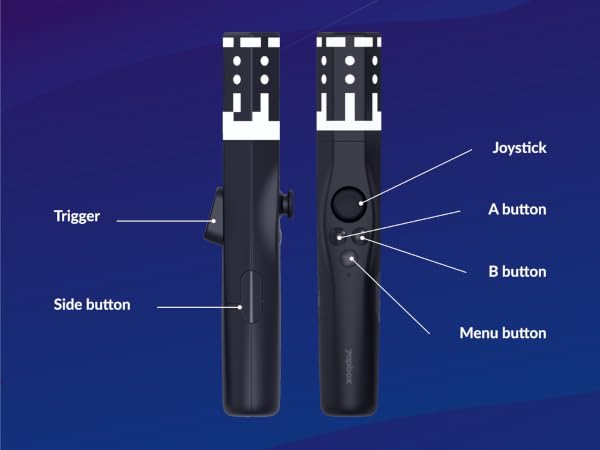
Two Zapbox Motion Controllers
The Zapbox Motion Controllers offer full positional tracking thanks to the advanced Zapbox software. Containing precision motion sensors and 6 additional inputs, they bring fully-featured VR controllers to phone headsets for the first time.
2x AAA batteries are required for each controller.
More Content Possibilities than Other Phone Headsets
First Time on Phone Headset
Paint in 3D with Open Brush
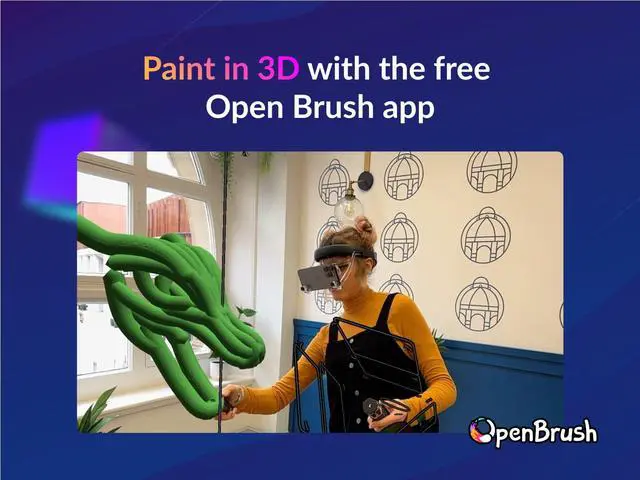
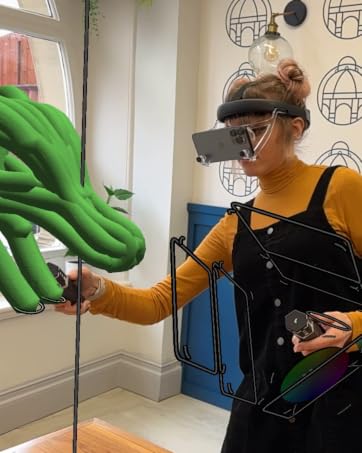
Open Brush, a fully-featured 3D VR and MR painting app, comes to a phone headset for the first time thanks to the unique features of Zapbox.
In the right hands it's possible to create beautiful works of art, but if all you want to do is write your name in 3D with a fancy neon pulse effect, that's fine too!
Free and Exclusive Apps
Zapbox Exclusive Apps
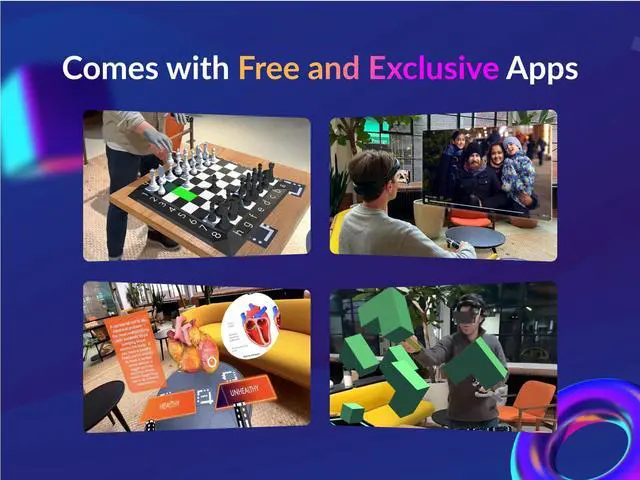
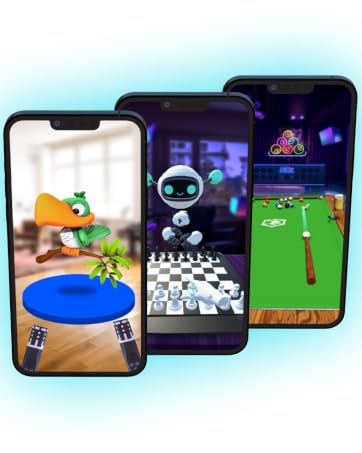
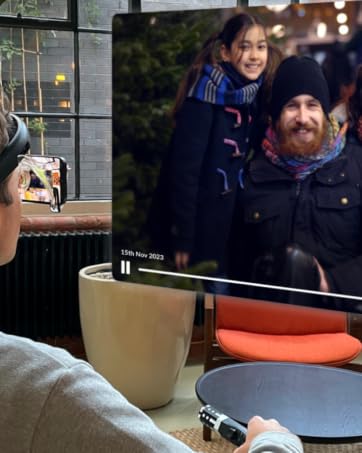
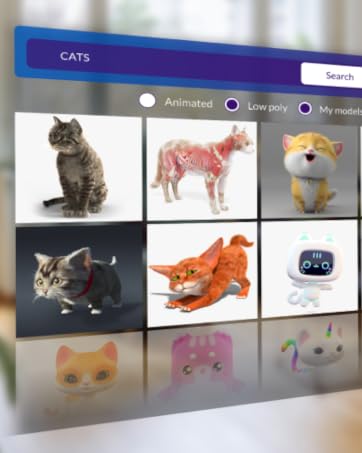
Play games, view your photos and videos (including spatial videos) on a giant floating screen, explore 3D models and experience other exclusive spatial apps, only on Zapbox. Built specifically to take advantage of the unique Zapbox hardware including full support for the Zapbox controllers.
Next-level WebXR Experiences
Zapbox Browser
Zapbox Browser raises the bar for web-based experiences on phone headsets. No longer limited to basic 360-degree content, Zapbox Browser offers positional tracking and full controller support, along with the same low-latency camera passthrough as the dedicated Zapbox apps.
Fully-featured WebXR content built for dedicated VR headsets can now be enjoyed on a phone headset for the first time with Zapbox.
Supports Existing Phone VR Apps
Other Phone VR Apps
Other third-party VR apps (which often feature basic 360-degree content) can be used with the Zapbox headset too - you can find a large selection by searching for "VR" in the App Store.
These apps won't support the Zapbox controllers but you can look around and tap the screen to interact.
The open design of the Zapbox headset makes these experiences feel more comfortable and social than with enclosed headsets.
aplus content video
Fully-featured PC VR with Controllers
Stream PC VR with Zapbox Link
The free Zapbox Link app allows you to stream PC VR content from Steam VR on your PC straight to Zapbox. PC VR streaming requires a Windows PC with an NVIDIA GPU, GTX 1060 or later.
The Zapbox controllers are treated as Meta Quest controllers on the PC, which means a wide range of PC VR content can be used with Zapbox. From free apps like VRChat, The Lab, and Google Earth to AAA games like Half Life: Alyx, Zapbox makes trying out PC VR more affordable than ever before!
What's the FOV of the headset?
The horizontal FOV is similar to most phone headsets at around 100 degrees. This offers a good balance between the size of the content and the clarity of the image.
Are the apps still actively supported?
Absolutely, we'll be continuing to deliver improvements to the existing apps and adding more unique content for Zapbox into 2025 and beyond.
Can the lenses be moved?
The front section of the headset can slide in and out, allowing it to be worn over glasses.
The distance between the lenses is fixed at 64mm - this ensures content is always perfectly aligned and offers clear vision for most adults and children (8+).
Can I develop my own content?
Zapbox is a great headset for developers. You can choose between our Unity XR Plugin for developing native iOS apps, or building for WebXR that will allow you to publish once on the web and support both Zapbox and full-featured dedicated headsets.
What about Android phones?
We're working to bring the full set of Zapbox features and apps to Android phones in 2025.
For now, you can still use the Zapbox headset with existing VR apps on Android and tap the screen to interact. The open design works great for those apps.
Simple Setup and Friendly Support
It's really easy to get started with Zapbox - there's no account setup or sign in needed. Simply download a Zapbox app from the App Store and follow the instructions to connect the controllers, and you're good to go. Don't forget to place the world markers found in the inner box, and note that Zapbox works best in bright indoor environments.
See the Quick Start guide (scan the QR code in the box) or watch the unboxing and setup video on this page for more helpful hints and tips on how to get the most out of your Zapbox. If you need any more help then our friendly Zapbox team in the UK are on hand to answer your questions, we'll get back to you within 24 hours.
Happy Zapboxing!
Free and Exclusive Apps
Paint in 3D
Watch Spatial & 360 Videos
View 3D Models
Stream PC VR Content
Try XR today!