Your Browsing History
Meet Your Seller
PCIE to M.2 E Key Adapter HAT+ Board, Compatible with PCIe x1/x4/x8/x16 Slots, Supports M.2 E-Key WiFi Bluetooth Modules, for Desktop/Industrial Motherboards
- Accurate Interface Definition: PCIE to M.2 E Key adapter, converts PCIe slot to M.2 E-Key interface. Not for M-Key NVMe SSDs. Designed for E-Key WiFi/Bluetooth cards only.; Wide Compatibility: Works with standard PCIe x1/x4/x8/x16 desktop or industrial motherboards. Requires available PCIe slot and system BIOS supporting E-Key devices.; Stable Signal and Power: Gold-plated connectors ensure reliable data transmission. Onboard voltage regulation ensures stable power for E-Key wireless modules.; Easy Installation: Plug and play design. Install vertically or horizontally depending on case space. Refer to included manual and online Wiki for step-by-step guide.; Easy Installation: Plug and play design. Install vertically or horizontally depending on case space. Refer to included manual and online Wiki for step-by-step guide.
+
+
Overview
Specs
Reviews
Any questions? Our AI mode will help you find out quickly.
Try me now
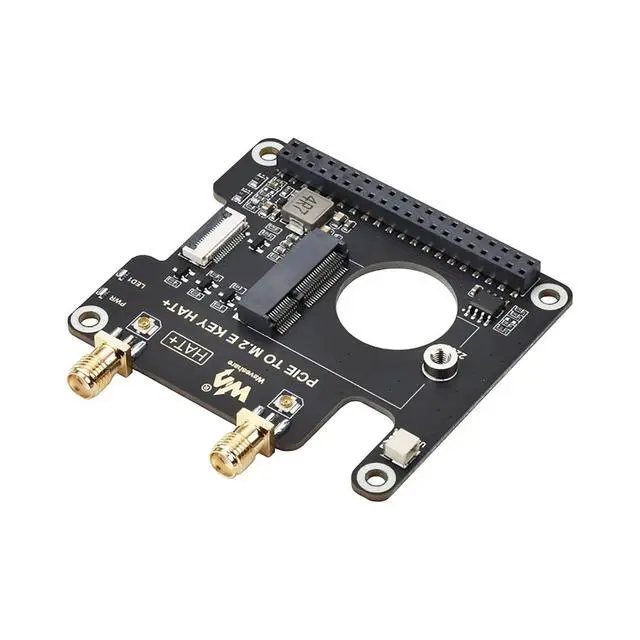
Overview The PCIE to M. 2 E Key HAT+ is an adapter board designed to connect M. 2 E-Key WiFi or Bluetooth modules to desktop or industrial motherboards via a PCIe slot.
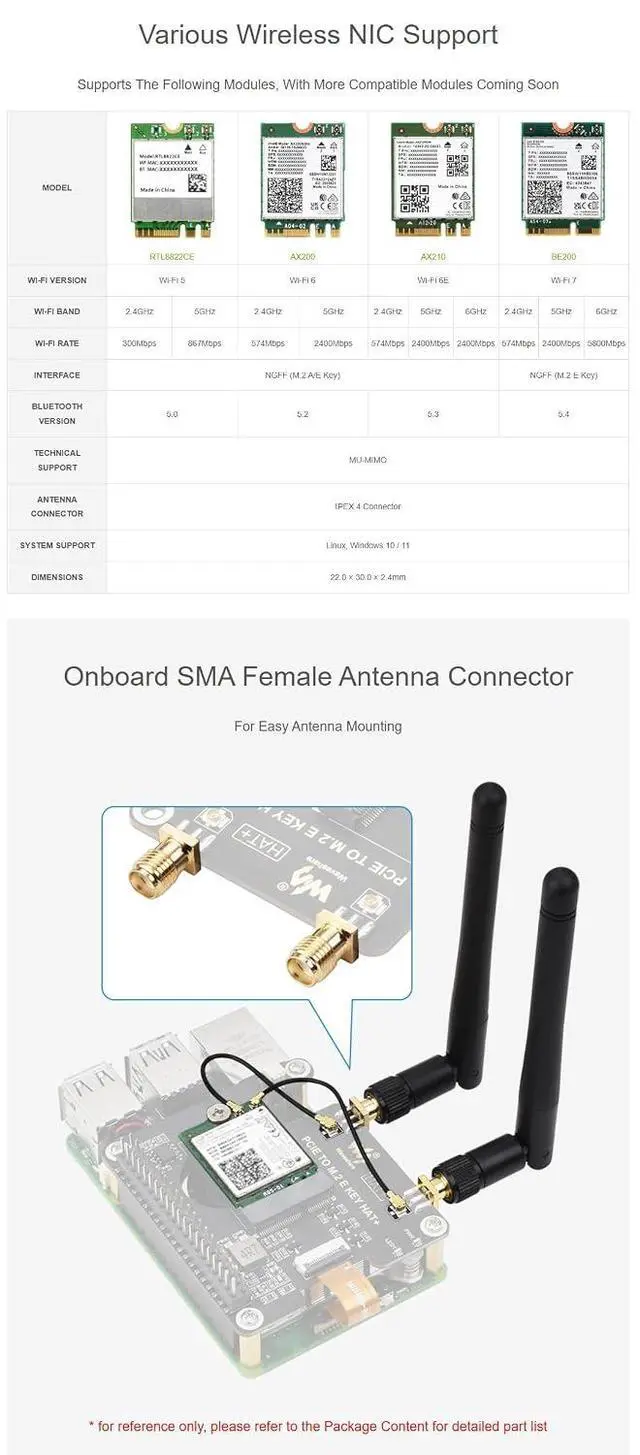
Functionality: Converts PCIe x1/x4/x8/x16 slot to M. 2 E-Key interface. Supports E-Key modules such as WiFi, Bluetooth, and AI accelerators. Not compatible with M-Key or B-Key NVMe SSDs.
Compatibility Requirements: Ensure your motherboard BIOS supports PCIe E-Key devices. For best results, install the latest BIOS version and check PCIe lane allocation.
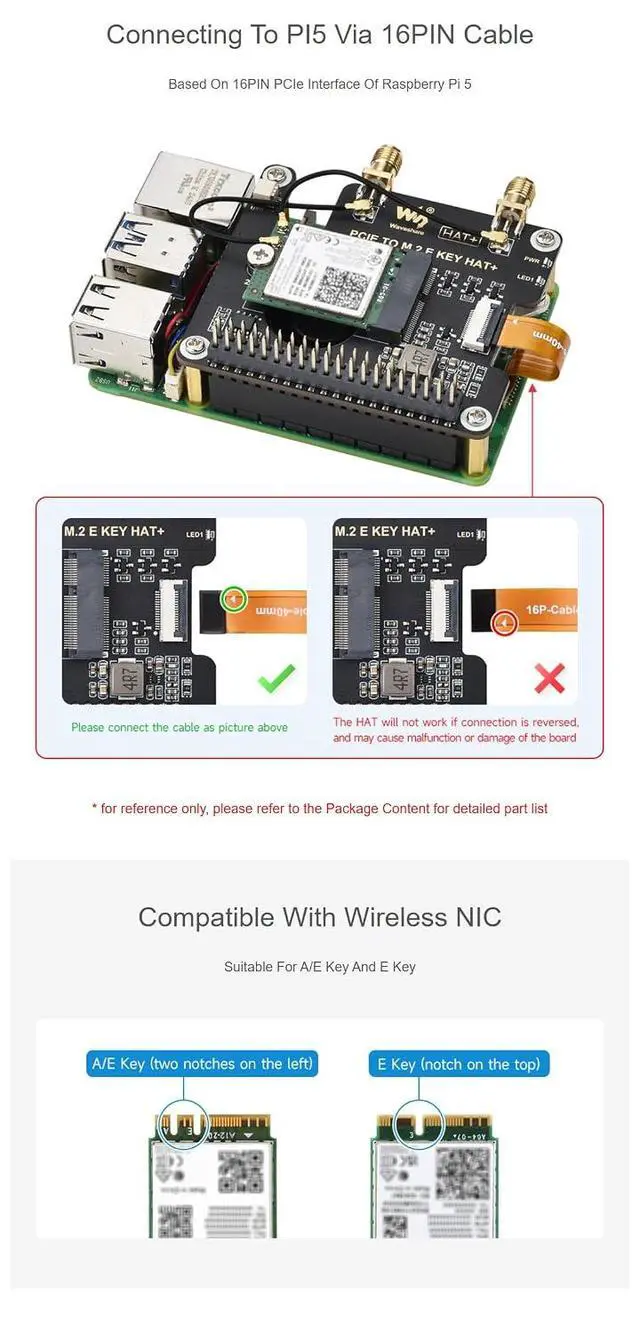
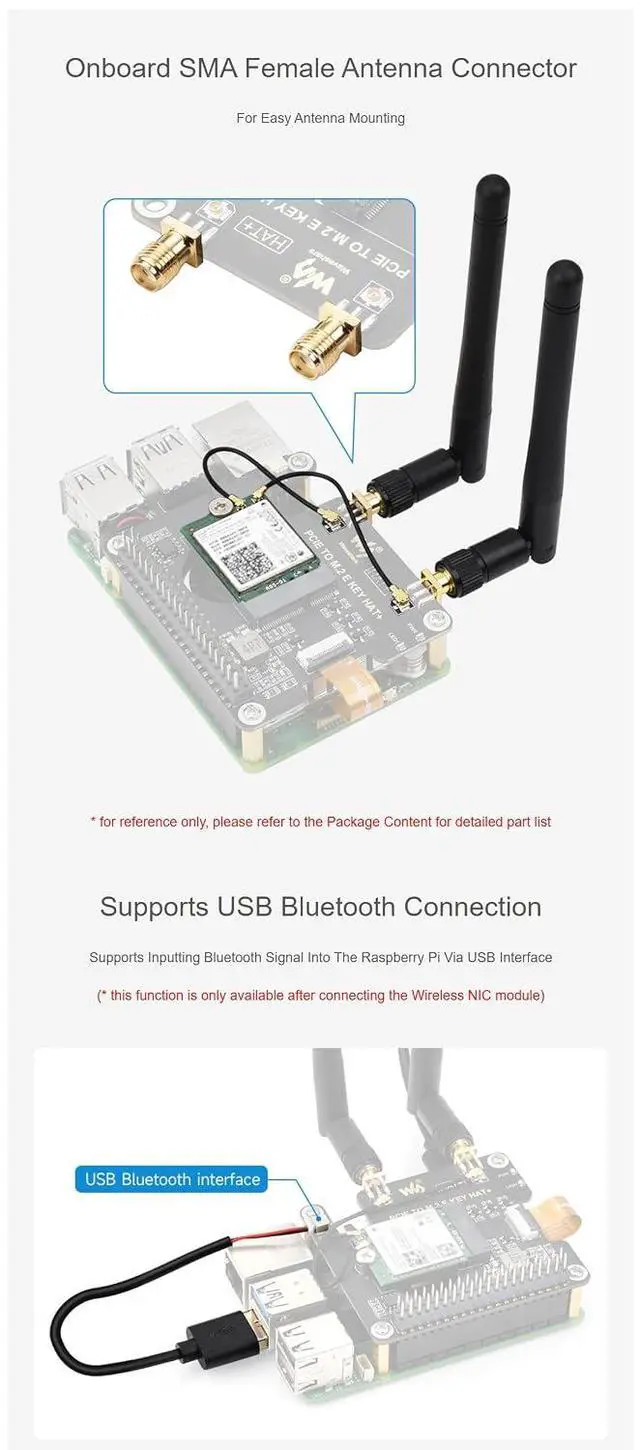
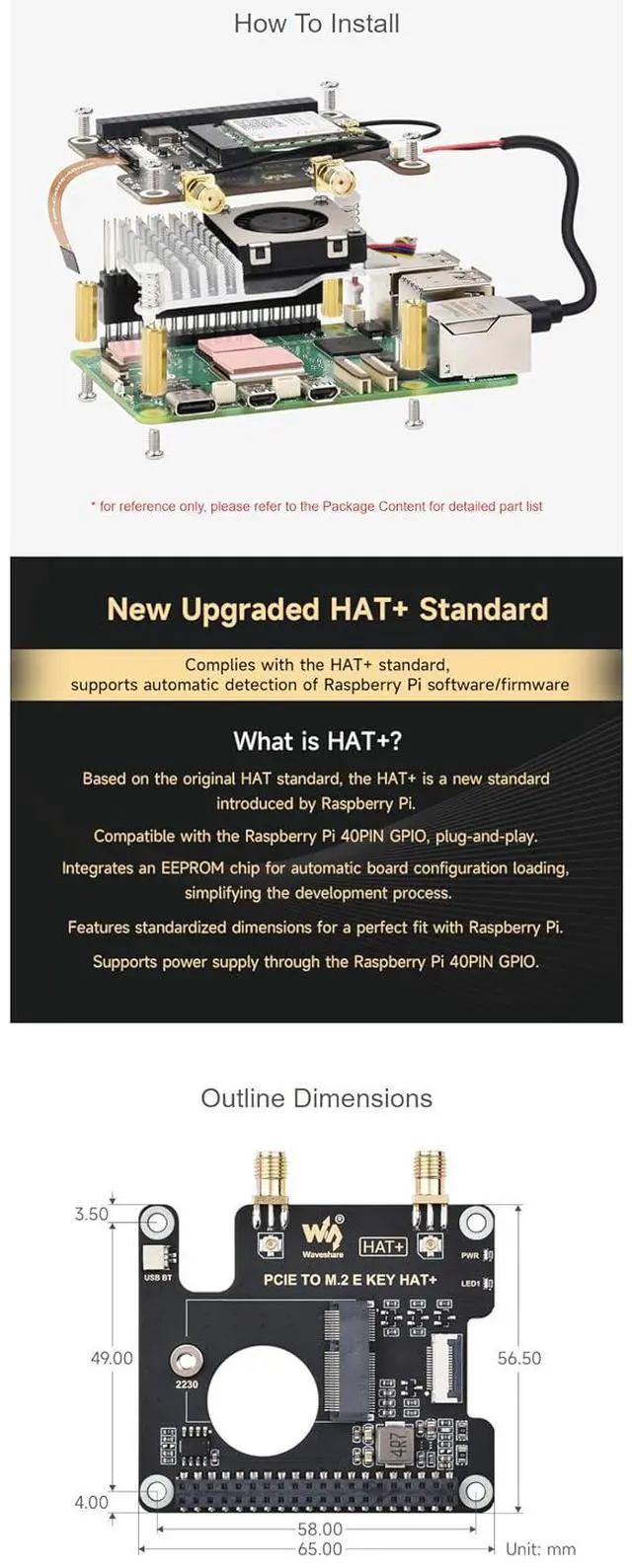
Installation Guide: Insert the adapter into a compatible PCIe slot. Mount the E-Key module using the provided screws. Connect antenna cables as needed. Reboot system to detect new module.
Resources: For full installation steps and troubleshooting, please refer to the official
Wiki page:
https: //www. waveshare. com/wiki/PCIE_TO_M.
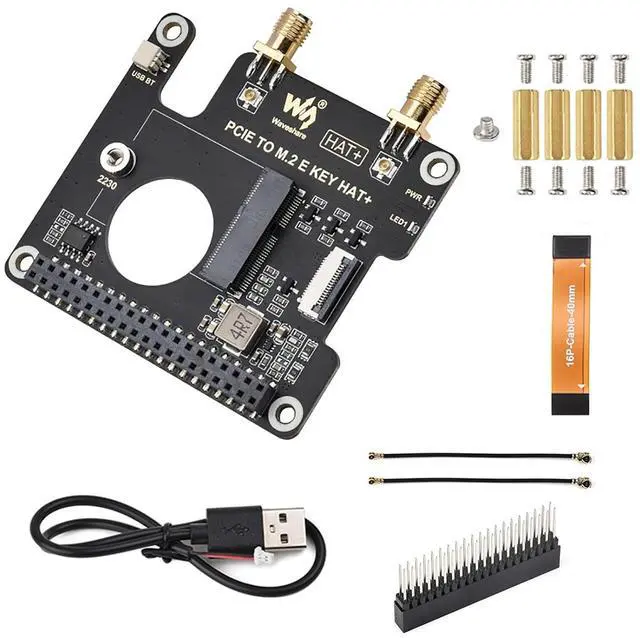
2_E_KEY_HAT+ Quality Assurance: Each adapter board is tested before shipment. The product is fully functional when used correctly. Any non-display or no-signal issue usually results from BIOS settings or unsupported modules, not from a defect. Package include 1. PCIE TO M. 2 E KEY HAT+ x1 2. 2*20 Pin header x1 3. IPEX 1 to IPEX 4 adapter cable ~6cm (2pcs) x1
4. Type-A to SH 1.0 2Pin cable x1 5. 16P-Cable-40mm x1
6. Screws pack x1

Functionality: Converts PCIe x1/x4/x8/x16 slot to M. 2 E-Key interface. Supports E-Key modules such as WiFi, Bluetooth, and AI accelerators. Not compatible with M-Key or B-Key NVMe SSDs.
Compatibility Requirements: Ensure your motherboard BIOS supports PCIe E-Key devices. For best results, install the latest BIOS version and check PCIe lane allocation.
Installation Guide: Insert the adapter into a compatible PCIe slot. Mount the E-Key module using the provided screws. Connect antenna cables as needed. Reboot system to detect new module.
Resources: For full installation steps and troubleshooting, please refer to the official
Wiki page:
https: //www. waveshare. com/wiki/PCIE_TO_M.
2_E_KEY_HAT+ Quality Assurance: Each adapter board is tested before shipment. The product is fully functional when used correctly. Any non-display or no-signal issue usually results from BIOS settings or unsupported modules, not from a defect. Package include 1. PCIE TO M. 2 E KEY HAT+ x1 2. 2*20 Pin header x1 3. IPEX 1 to IPEX 4 adapter cable ~6cm (2pcs) x1
4. Type-A to SH 1.0 2Pin cable x1 5. 16P-Cable-40mm x1
6. Screws pack x1
Warranty & Returns
Warranty, Returns, And Additional Information
Warranty
- Please contact the Seller directly for warranty information. Warranty information may also be found on the Manufacturer's website.
- CONTACT
Return Policies
- Return for refund within: 30 days
- Return for replacement within: 30 days
- This item is covered by GearZap Return Policy
Manufacturer Contact Info
- For a directory of all our manufacturers, please click below.
- Manufacturers Directory
LOADING...