

Your Browsing History

Meet Your Seller

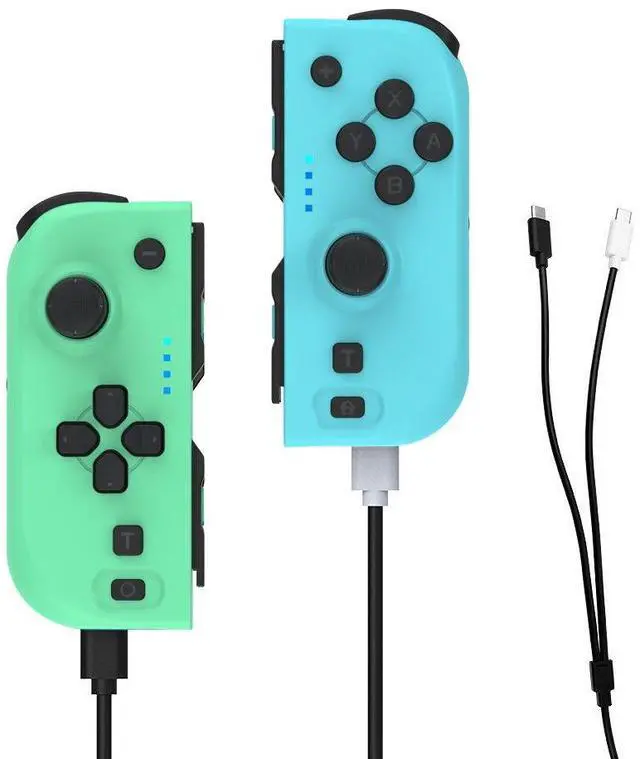

Dobe TNS-0163 GREEN&BLUE N-Switch JOY-PAD, Support Bluetooth and Switch Host Platform Wireless Connection, Bluetooth 5.0 Protocol (Green+Blue)
- First press the 3D press button of the handle for a long time, wait until the indicator on the handle is on until all the lights are off, then release the hand, then insert the USB to connect the computer and click the upgrade tool to load the corresponding program for upgrade (the method of the left and right handle is the same); Only the black TYPE-C terminal can be used for the upgrade cable, and the white TYPE-C terminal is used only for charging
+
+
Overview
Specs
Reviews

Any questions? Our AI mode will help you find out quickly.
Try me now
Support Bluetooth and Switch host platform wireless connection, Bluetooth 5.0 protocol
Warranty & Returns
Warranty, Returns, And Additional Information
Warranty
- Please contact the Seller directly for warranty information. Warranty information may also be found on the Manufacturer's website.
- CONTACT
Return Policies
- Return for refund within: 30 days
- Return for replacement within: non-replaceable
- This item is covered by FlashDeal Return Policy
Manufacturer Contact Info
- For a directory of all our manufacturers, please click below.
- Manufacturers Directory
LOADING...