1, Change your laptop power plan settings, and choose the power saver plan. Then Change advanced power settings, and scroll down to find processor power management. Click the On-battery option and reduce the processor state to 20%.
2, Always keep your laptop neat and clean. The dust easily enters the hardware through the vents which are meant to release the heat generated from various computer components.
3, Close Wi-Fi, Bluetooth, and other settings. This can help your computer save precious battery life.
1. Could be caused by battery loss. Please re-install the battery and make sure that the battery cable and the motherboard interface are tightly inserted.
2. Maybe due to conductive material damage which the laptop motherboard and battery anode and cathode contact position, you can try to confirm it with your original battery.
3. Check whether the battery drive is in normal condition, if not, download the corresponding driver software to update.
1.New battery: For use a new battery, youd better try a few cycles of discharging to 5%. then charging up to 95%. So that it can be activated completely.
2.Overuse: Do not always run out of a battery to 0%, this would make it damaged or usage life shortened.
3.Charging sequence: when charging, first install the battery, then turn on the power, when fully charged, first cut off the power, then pull the power plug.
4.Long-term storage:Please store the unused battery fully charged.(Charge it once a month) Do not store at low power to prevent reduce the lifespan of a battery.
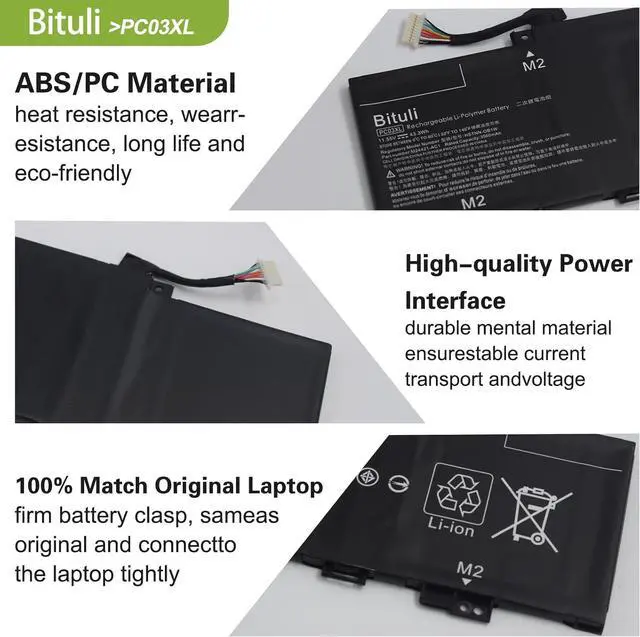
High quality materials and circuit boards are used to ensure durability and performance.
Class A batteries can be recharged up to 600 times during the battery life.
All products built-in circuit protection, to ensure safety and stability.
Ensure low power consumption and fast charging.
100% New from Manufacturer.
Same as OEM, Safe to Use.
Easy to install.
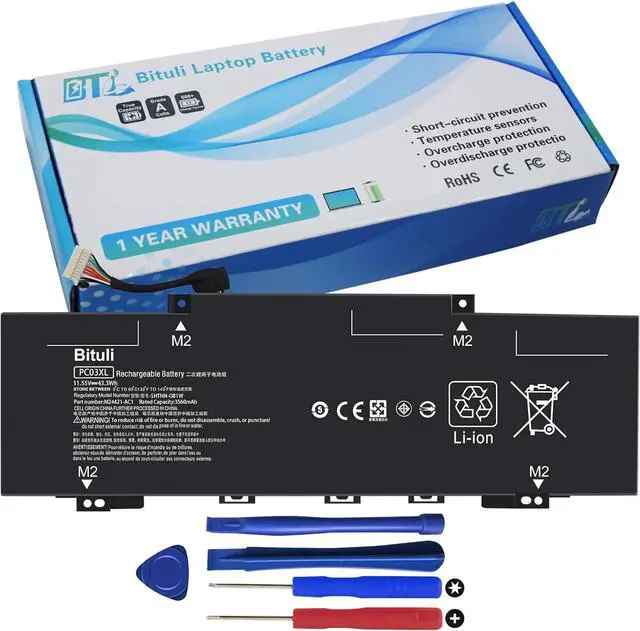
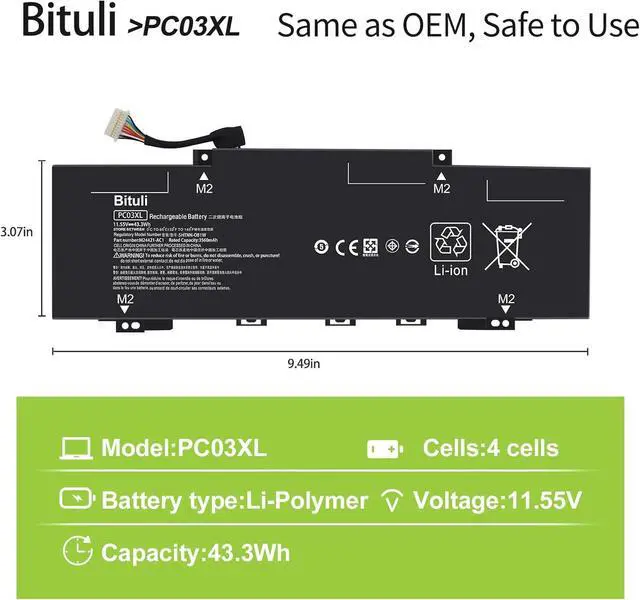
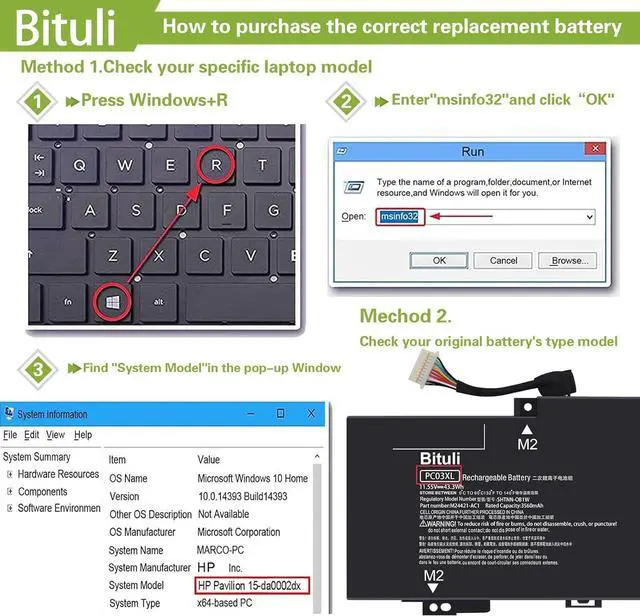
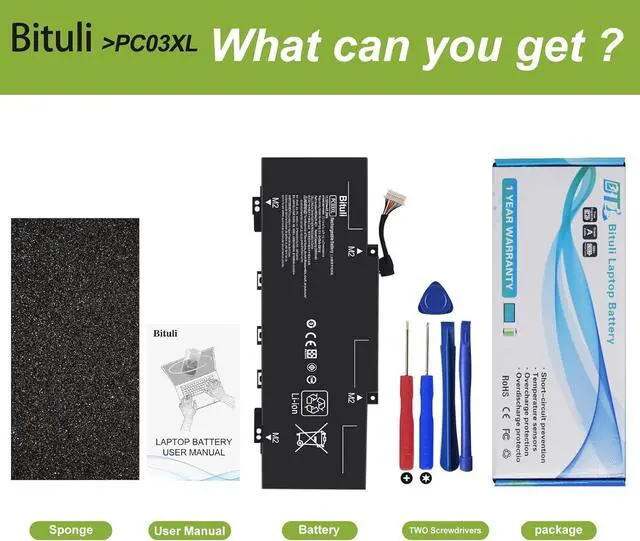
Compatible Part NumberPC03XL HSTNN-OB1W M24421-271 M24421-AC1 M24648-005 PC03043XL TPN-DB0E PCO3XL 3ICP5/68/73Compatible with Laptop ModelsHP Pavilion x360 14 series;HP Pavilion x360 15 series;HP Pavilion X360 14-DY seriesCompatible with Laptop Models14-DY0016NA 14-DY0018NF 14-DY0008NF 14-DY0157NG 14-DY0243NG 14-DY0732NG 14-DY0002NH 14-DY0005NH 14-DY0003NS 14-DY0026T 14-DY0018TU 14-DY0113TUHP Pavilion X360 14-DH series14-DH1937ND 14-DH1153NG 14-DH1007NL 14-DH2075NR 14-DH0525SA 14-DH1177TU 14-DH1178TU 14-DH0006TX 14-DH1062TX 14-DH1038TX 14-DH2051WMHP Pavilion Aero 13-be series 13-be0141AU/ 13-be0052ur/ 13-be0037AU/ 13-be0755ng/ 13-be0026ua/ 13-be0021nq/ 13-be0015nq/ 13-be0754nz/ 13-be0011nh/ 13-be0533nd/ 13-be0007ni/ 13-be0221nw/ 13-be0004nk/ 13-be0192AU/ 13-be0158AU/ 13-be0001ur/ 13-be0089nf/ 13-be0044ur/ 13-be0030AU/ 13-be1007AU/ 13-be0047AU/ 13-be0023AU/ 13-be0017nt/ 13-be0900nc/ 13-be0013dx/ 13-be0629nz/ 13-be0008nq/ 13-be0304nw/ 13-be0005nq/ 13-be0202AU/ 13-be0002nu/ 13-be0168AU/ 13-be0000ns/ 13-be0148AU/ 13 be0097nr/ 13-be0131AU/ 13-be0051AU/ 13-BE0190AU/Pavilion x360 Convertible14-dy14-dy0603nc/ 14-dy1010TU/ 14-dy0033na/ 14-dy0001sl/ 14-dy0505sa/ 14-dy1004ns/ 14-dy0027ur/ 14-dy0000nh/ 14-dy0335ng/ 14-dy0997nz/ 14-dy0023ns/ 14-dy0207nd/ 14-dy0020ns/ 14-dy0175ng/ 14-dy0015np/ 14-dy0157nz/ Pavilion X360 14-CD0081TU/ 14-dy0013nia/ 14-dy0132TU/ 14m-dy0023dx/ 14-dy0107nz/ 14-dy0009ns/ 14-dy0061nia/ 14-dy0007ne/ 14-dy0808nz/ 14-dy1031ns/ 14-dy0047TU/ 14-dy0005ni/ 14-dy0655ng/ 14-dy10 14ns/ 14-dy0035no/ 14-dy0002ur/ 14-dy0518sa/ 14-dy1007ca/ 14-dy0030nm/ 14-dy0000sl/Pavilion x360 Convertible14-dy14-dy0413no/ 14-dy1001ne/ 14-dy0025nx/ 14-dy0222ng/ 14-dy0900ng/ 14-dy0022nb/ 14-dy0190TU/ 14-dy0017na/ 14-dy0165nia/ 14-dy0014nia/ 14-dy0 146ne/ 14-dy0011no/ 14-dy0116TU/ 14-dy0010nj/ 14-dy0094TU/ 14-dy0009nk/ 14-dy0074TU/ 14-dy0008nj/ 14-dy1702nd/ 14-dy0051TU/ 14-dy0006nh/ 14-dy0738nd/ 14-dy1022ns/ 14-dy0077TU/ 14-dy0008ns/ 14-dy1800nz/ 14-dy0052nia/ 14-dy0006nj/ 14-dy0750nz/ 14-dy1024TU/ 14-d