

Your Browsing History
- Free 30-day Returns
$107.99
Login to Make an Offer


Meet Your Seller


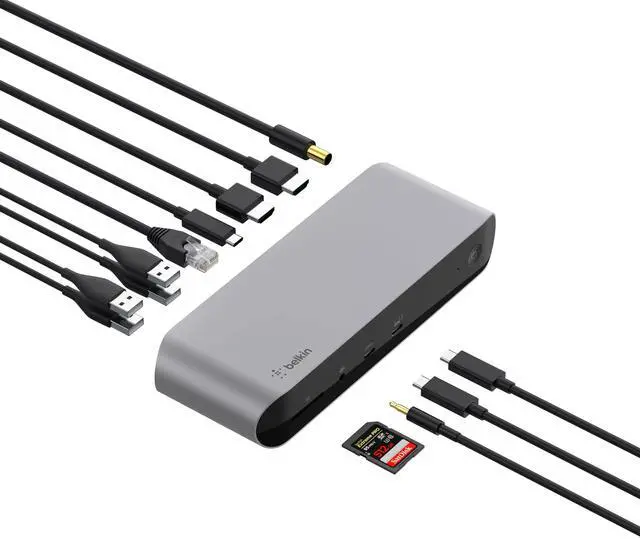



Belkin Thunderbolt 3 Dock Pro w/ Thunderbolt 3 Cable - USB-C Hub - USB-C Docking Station for MacOS & Windows, Dual 4K @60Hz, 40Gbps Transfer Speed, 85W Upstream Charging, w/ Ethernet, SD & Audio Ports
- ROOM FOR ALL YOUR PERIPHERALS: Enjoy easy access to monitors, networks, power, and peripherals with multiple ports available. This windows and mac docking station has 12 ports including Thunderbolt, USB-A, USB-C, Ethernet, SD and Audio ports - all through a single cable.
- POWER TO SHARE: This charging dock is the perfect way to keep your laptop powered up and ready to go. With its included 170W power supply unit, the Thunderbolt 3 Dock Pro can provide up to 85W of power for a connected laptop. Also known as "upstream charging," this keeps your laptop charged while in use, without a separate power cable.
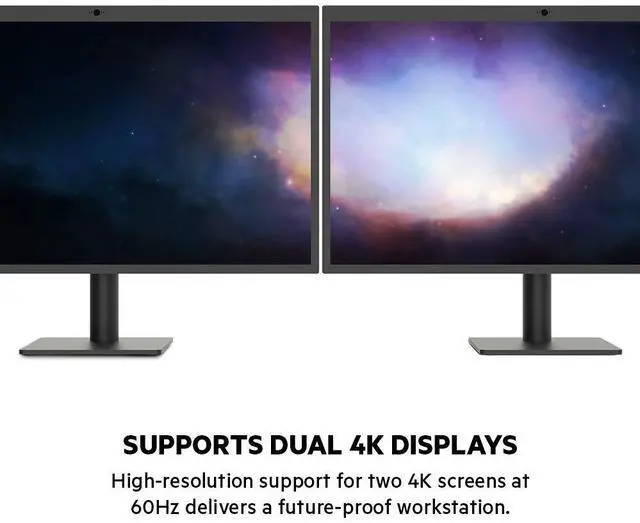
- ULTRA-HIGH DEFINITION MONITOR SUPPORT: Enjoy ultra-high definition 4K dual monitor support to create a versatile working station. This Belkin docking station makes it easy to connect and use two monitors at once, while also charging your device at the same time.
- THUNDERBOLT CABLE INCLUDED: The dock also includes a thunderbolt cable, which is 2.6ft / 0.8m long. This all
+
+
Overview
Specs
Reviews

Any questions? Our AI mode will help you find out quickly.
Try me now
Introducing the Thunderbolt 3 Dock Pro - the ultimate docking solution for your Mac or Windows laptop. This smart, fast, and streamlined dock offers innovative solutions designed to suit both professional and at-home users. Enjoy super-fast data transfer speeds of up to 40 Gbps*, high-definition dual monitor support, and 85W upstream charging to power your connected laptop. It also features multiple ports to connect your peripherals and networks via USB-A, USB-C, Ethernet, SD, and more. Connect multiple devices to your laptop through a single dock, including monitors, hard drives, drawing tablet, mouse, keyboard, internet, and more.
The best part is that you can connect all this to your Thunderbolt 3 or USB-C-enabled laptop by connecting a single cable, or disconnecting just as easily. A 0.8M / 2.6 ft. Thunderbolt 3 cable is included to create your perfect workstation setup. The SD (secure digital) card slot supports Ultra-High-Speed II (UHS-II), to transfer data quickly at up to 312 MB/s bus speed. Supporting standard SD cards, SDHC (High-Capacity) cards and SDXC (Extended-Capacity) cards, UHS-II can transfer a full day's camera footage three times faster than UHS-I. Enjoy easy access to monitors, networks, power
and peripherals:
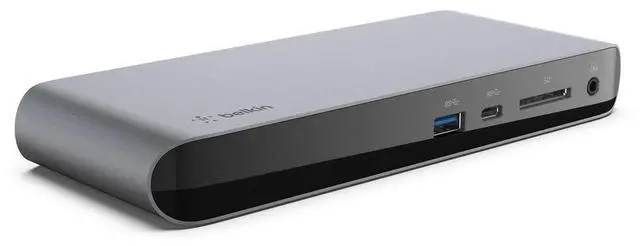
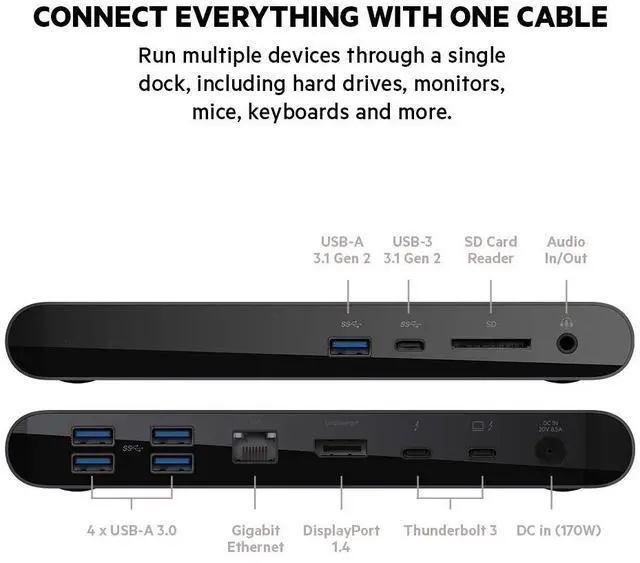
FRONT: 1 x USB-A 3.1 port, 1 x USB-C 3.1 port, SD card reader, Audio in/out
BACK: 170W PSU (Power Supply Unit), Thunderbolt 3 port, Thunderbolt 3/USB-C peripherals, DisplayPort, Gb Ethernet, 4 x USB-A 3.0 ports
Note: The new M1-based MacBooks does not support dual "Extended" displays through their Thunderbolt 3 ports. This means that when using any M1-based MacBooks, users cannot extend their desktop over two displays via the Thunderbolt 3 Port. All other functions of the dock will operate as normal.
The best part is that you can connect all this to your Thunderbolt 3 or USB-C-enabled laptop by connecting a single cable, or disconnecting just as easily. A 0.8M / 2.6 ft. Thunderbolt 3 cable is included to create your perfect workstation setup. The SD (secure digital) card slot supports Ultra-High-Speed II (UHS-II), to transfer data quickly at up to 312 MB/s bus speed. Supporting standard SD cards, SDHC (High-Capacity) cards and SDXC (Extended-Capacity) cards, UHS-II can transfer a full day's camera footage three times faster than UHS-I. Enjoy easy access to monitors, networks, power
and peripherals:
FRONT: 1 x USB-A 3.1 port, 1 x USB-C 3.1 port, SD card reader, Audio in/out
BACK: 170W PSU (Power Supply Unit), Thunderbolt 3 port, Thunderbolt 3/USB-C peripherals, DisplayPort, Gb Ethernet, 4 x USB-A 3.0 ports
Note: The new M1-based MacBooks does not support dual "Extended" displays through their Thunderbolt 3 ports. This means that when using any M1-based MacBooks, users cannot extend their desktop over two displays via the Thunderbolt 3 Port. All other functions of the dock will operate as normal.
Warranty & Returns
Warranty, Returns, And Additional Information
Warranty
- Please contact the Seller directly for warranty information. Warranty information may also be found on the Manufacturer's website.
- CONTACT
Return Policies
- Return for refund within: 30 days
- Return for replacement within: 30 days
- This item is covered by Fastparts Return Policy
Manufacturer Contact Info
- For a directory of all our manufacturers, please click below.
- Manufacturers Directory
LOADING...