Weather Alert: Severe winter storms may impact delivery times in some regions. We appreciate your patience as carriers work to deliver orders as quickly as possible. UPS Service Alerts.
  • $67.99
  • Free 30-day Returns
  • Price alert
    Shop it at NeweggBusiness.

    Meet Your Seller

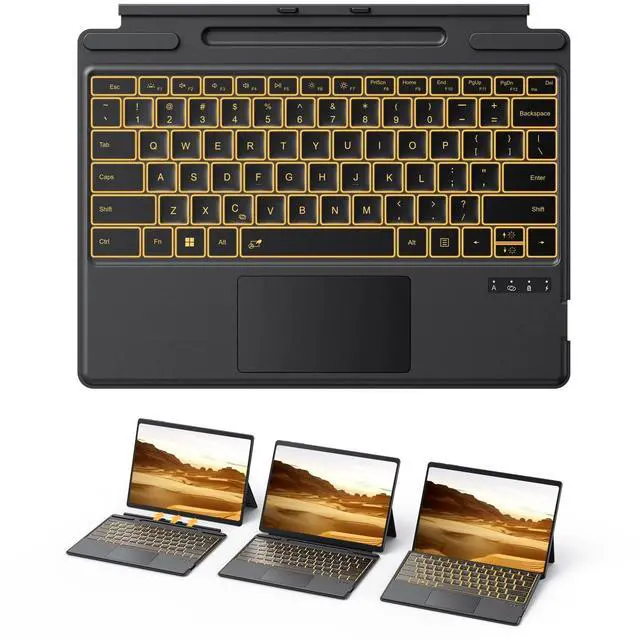
    TECURS Bluetooth Keyboard for Microsoft Surface Pro 11/10/9/8/X (13") - Charging Via Type-C Cable(Included), 7-Color Backlit, Trackpad, Pencil Slot, Bluetooth Manual Pairing Type Cover Keyboard

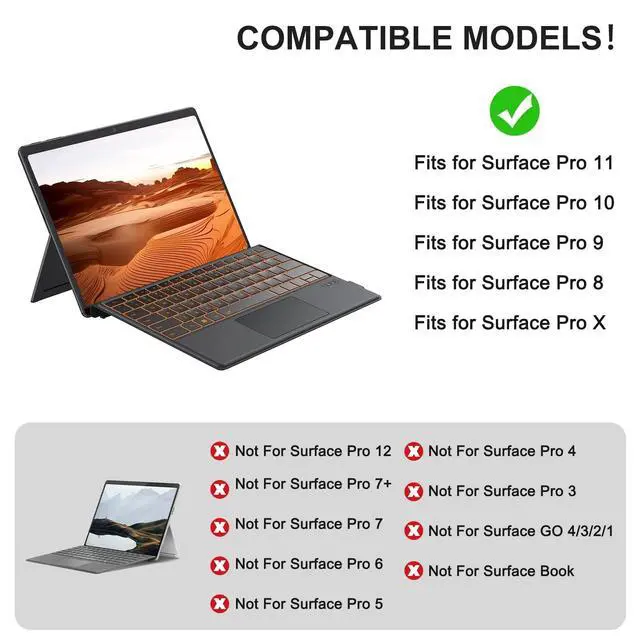
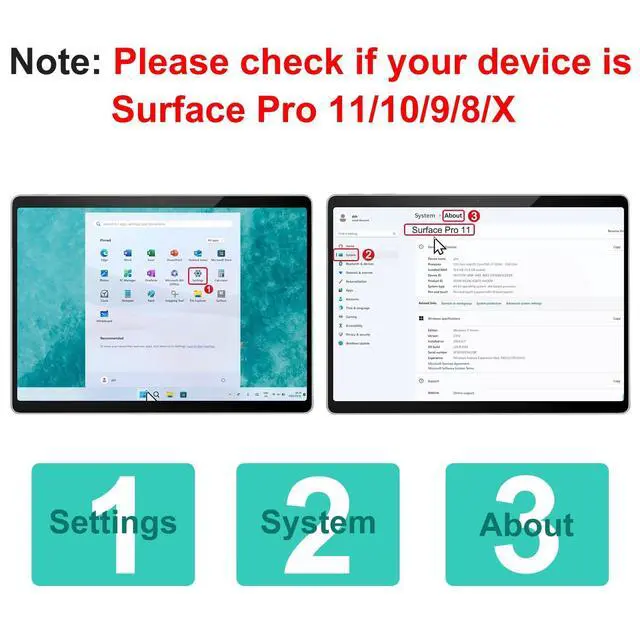
    • IMPORTANTCheck Compatibility Before Purchase! Confirm your model in Settings > System > About. This Bluetooth keyboard ONLY compatible with Microsoft Surface Pro 11/ Surface Pro 10 / Surface Pro 9 / Surface Pro 8 / Surface Pro X(13Inch), not work with other models
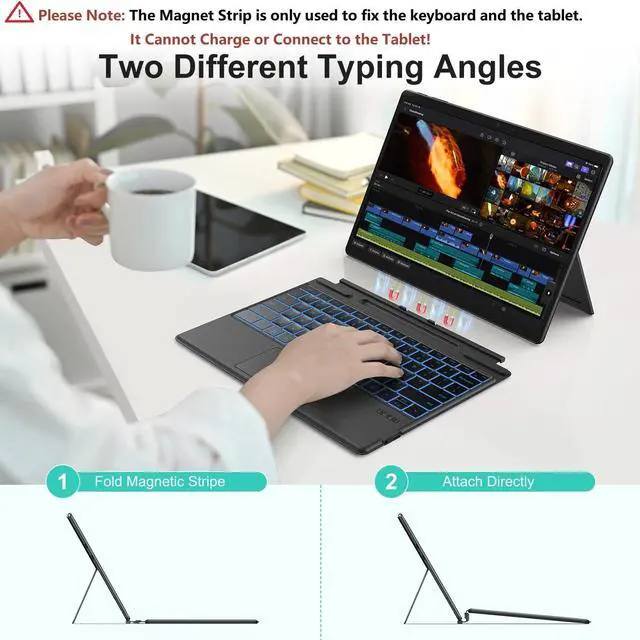
    • Charging via CableThe included charging cable delivers a full charge in just 2-3 hours, providing exceptional 50-hour continuous operation. (Please note that the device cannot be charged via a magnetic strip and must be charged using the provided cable.)
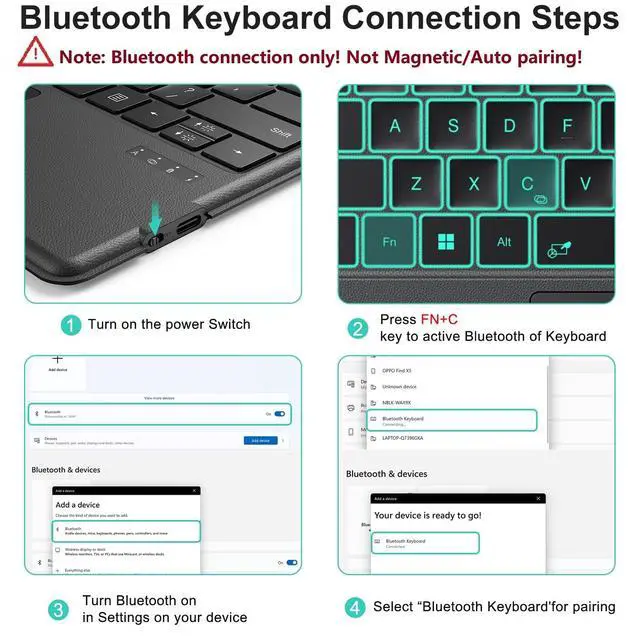
    • Manual Pairing MUSTIt only supports Bluetooth manual pairing. How to connect: Press F+C keys to active Bluetooth of Keyboard >Turn Bluetooth on in Settings on your device >Select"Bluetooth Keyboard"for pairing(Note: Magnetic automatic connection is not supported)
    • Precision Touchpad & Media ShortcutsEnjoy effortless navigation with our responsive touchpad, featuring smooth multi-touch gesture support and adjustable cursor sensitivity (Settings > Bluetooth & devices >
    +
    +
    Overview
    Specs
    Reviews
    avatar

    Any questions? Our AI beta will help you find out quickly.

    IMPORTANTCheck Compatibility Before Purchase! Confirm your model in Settings > System > About. This Bluetooth keyboard ONLY compatible with Microsoft Surface Pro 11/ Surface Pro 10 / Surface Pro 9 / Surface Pro 8 / Surface Pro X (13Inch), not work with other models ^^ Charging via CableThe included charging cable delivers a full charge in just 2-3 hours, providing exceptional 50-hour continuous operation. (Please note that the device cannot be charged via a magnetic strip and must be charged using the provided cable. ) ^^ Manual Pairing MUSTIt only supports Bluetooth manual pairing.

    How to connect: Press F+C keys to active Bluetooth of Keyboard >Turn Bluetooth on in Settings on your device >Select"Bluetooth
    Keyboard"for pairing(Note: Magnetic automatic connection is not supported) ^^ Precision Touchpad & Media ShortcutsEnjoy effortless navigation with our responsive touchpad, featuring smooth multi-touch gesture support and adjustable cursor sensitivity (Settings > Bluetooth & devices > Touchpad > Cursor speed). While customizable hotkeys let you adjust volume, media playback, and brightness without interrupting your workflow ^^ Adjustable Backlight Choose from 7 colors and 3 brightness levels for comfortable typing in any lighting, day or night ^^
    Friendly reminder: Please note that the first key on the bottom left of the keyboard is the FN key, not the Ctrl key. When using Ctrl + C for copying, please take care to press the correct combination to avoid triggering FN + C by mistake, which triggers a Bluetooth reconnection and cause the keyboard to disconnect

    Warranty & Returns

    Warranty, Returns, And Additional Information

    Warranty

    • Please contact the Seller directly for warranty information. Warranty information may also be found on the Manufacturer's website.
    • CONTACT

    Return Policies

    Manufacturer Contact Info

    LOADING...