

Your Browsing History
- Free 30-day Returns
$138.99

Meet Your Seller



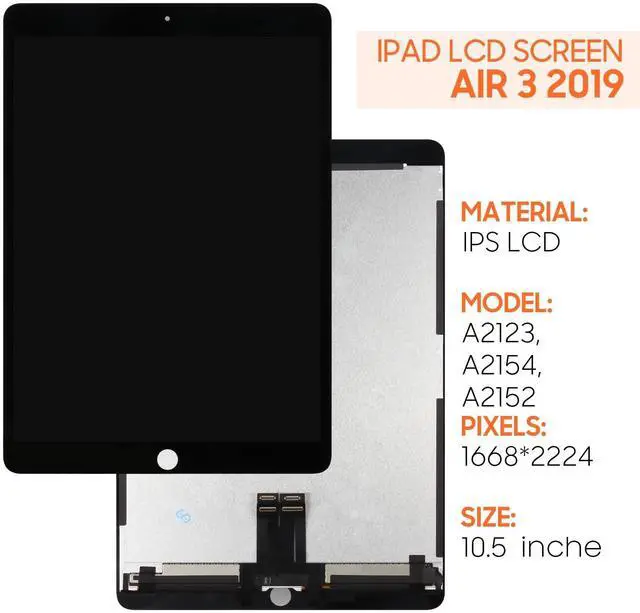


for iPad Air 3 2019 Screen Replacement 10.5 inch for iPad Air 2019 A2153 A2123 A2154 A2152 LCD Display Digitizer Assembly with Screen Protector+Tools (Black)
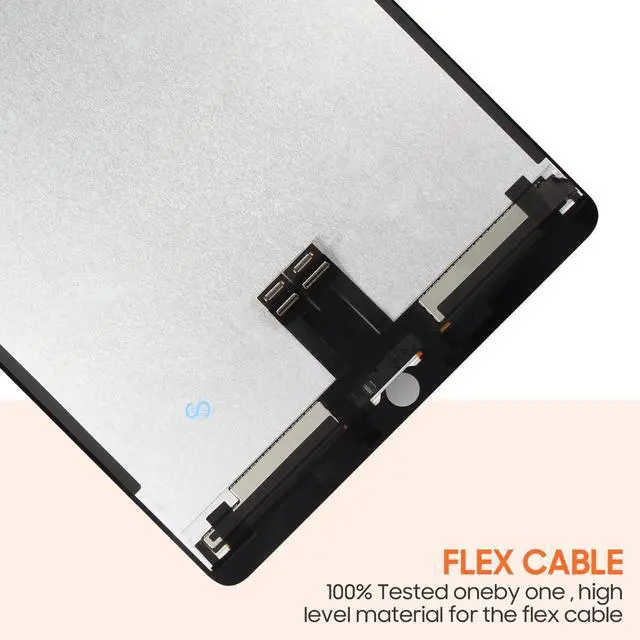
- [Compatible Model]Suitable for iPad Air 3 2019 10.5 inch A2153 A2123 A2154 A2152 screen replacement.Please make sure you have the correct model number you need before purchasing. If you are not sure of your model, you can provide us with a picture of the flex cable on the back of the screen.We are not responsible for the cost when returning the wrong parcel purchased because of the buyer's reason.
+
+
Overview
Specs
Reviews

Any questions? Our AI mode will help you find out quickly.
Try me now
Packing List 1*lcd screen display 1*Screwdriver Tool Set 1*Flat Crowbar 1*Triangle Opening Pick 1*Ejection Pin + Suction Cup 1*Double-sided adhesive 1*Dusting StickersInstallation NotesWe do not provide paper installation instructions. You can search on
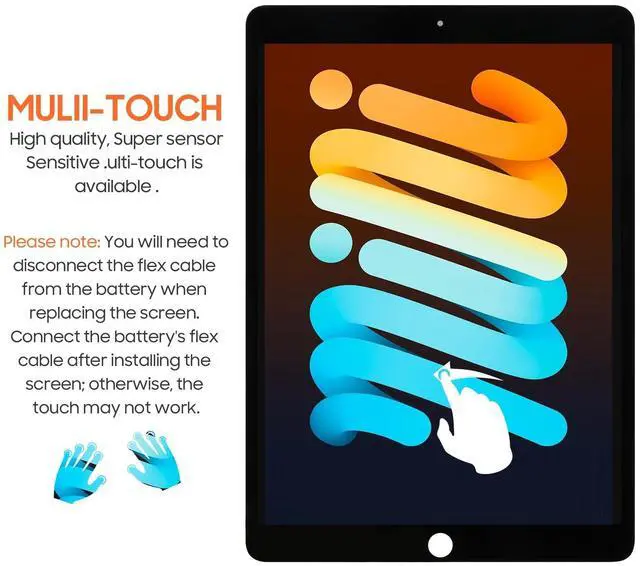
YouTube: "For iPad Air 3 2019 LCD Screen Replacement". Videos are easier to understand than paper instructions. If you don't find the right installation instructions, you can always contact us. We will help you to solve the problem. Screen installation requires professional maintenance experience. If you do not have professional repair experience, please buy with caution! We are not responsible for any damage to the screen or device caused by installation errors! Always disconnect the flex cable from the battery before installing the screen. Wait until the screen's flex cable is connected before connecting the battery's flex cable, otherwise the touch function may be abnormal or unusable. You need to perform a screen test before installing the screen. Please do not remove any protective film or label during the test.
Steps for testing: (1) Separate your own mobile phone first, disconnect the battery flex cable (2) Connect the replacement parts for reception test, then connect the battery flex cable, power on and test. If the test is successful, please install. If it is faulty, please contact us at the first time. And please do not force it to be installed in the mobile phone. Once the screen is installed, we will not be responsible.
YouTube: "For iPad Air 3 2019 LCD Screen Replacement". Videos are easier to understand than paper instructions. If you don't find the right installation instructions, you can always contact us. We will help you to solve the problem. Screen installation requires professional maintenance experience. If you do not have professional repair experience, please buy with caution! We are not responsible for any damage to the screen or device caused by installation errors! Always disconnect the flex cable from the battery before installing the screen. Wait until the screen's flex cable is connected before connecting the battery's flex cable, otherwise the touch function may be abnormal or unusable. You need to perform a screen test before installing the screen. Please do not remove any protective film or label during the test.
Steps for testing: (1) Separate your own mobile phone first, disconnect the battery flex cable (2) Connect the replacement parts for reception test, then connect the battery flex cable, power on and test. If the test is successful, please install. If it is faulty, please contact us at the first time. And please do not force it to be installed in the mobile phone. Once the screen is installed, we will not be responsible.
Warranty & Returns
Warranty, Returns, And Additional Information
Warranty
- Please contact the Seller directly for warranty information. Warranty information may also be found on the Manufacturer's website.
- CONTACT
Return Policies
- Return for refund within: 30 days
- Return for replacement within: 30 days
- This item is covered by DuronTechnologies Return Policy
Manufacturer Contact Info
- For a directory of all our manufacturers, please click below.
- Manufacturers Directory
LOADING...