

Your Browsing History
- Free 30-day Returns
- $5.99 Shipping ()
$81.99
Most customers receive within 5-9 days.

Meet Your Seller

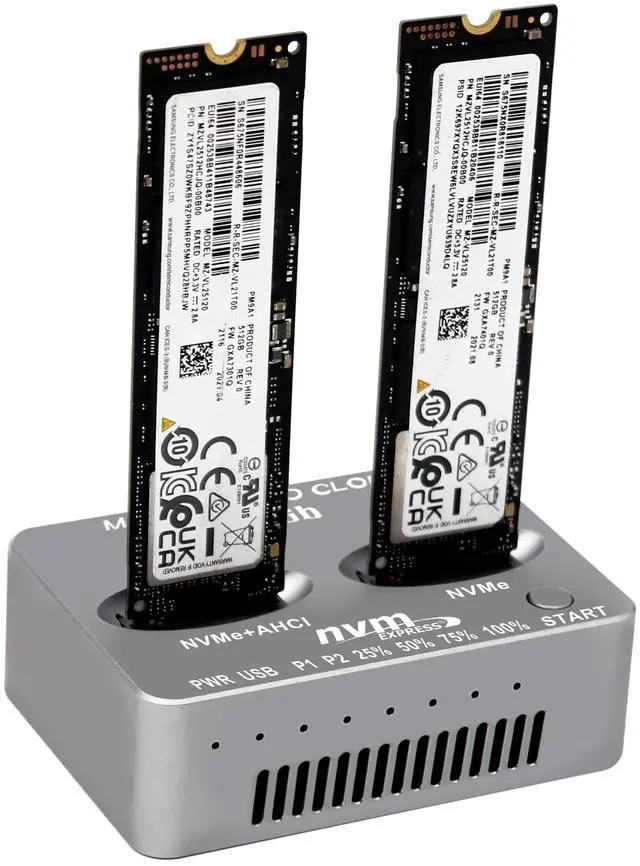
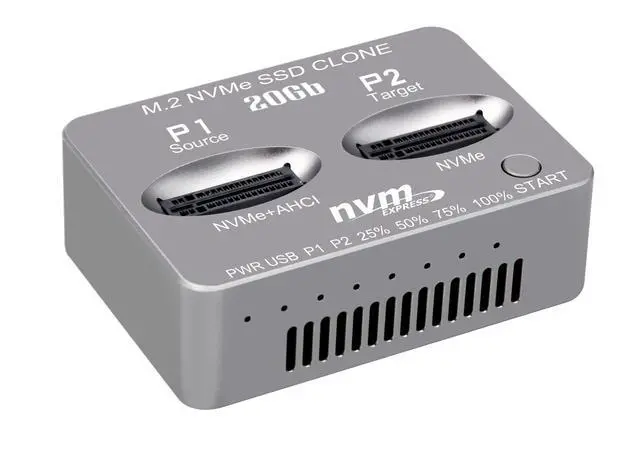
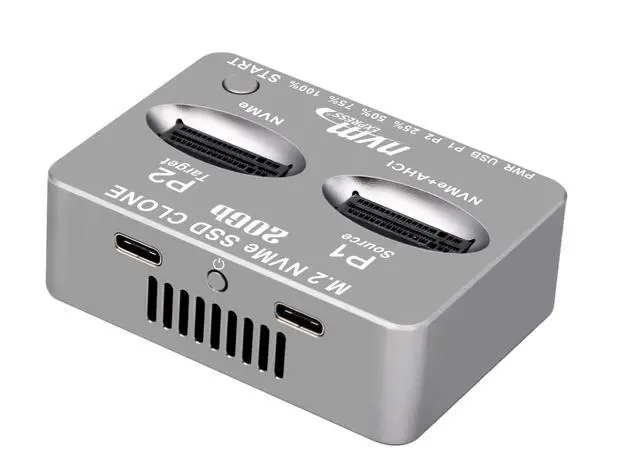
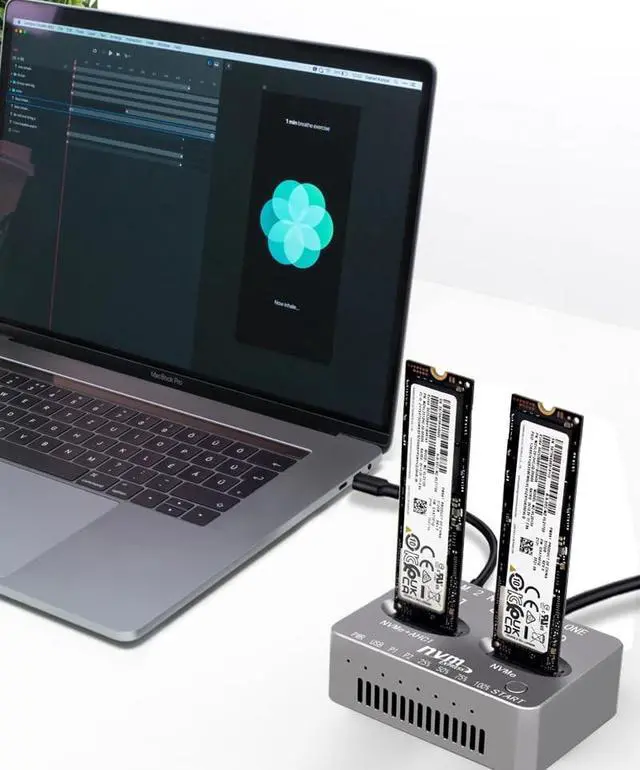


Sintech M2 NVMe Duplicator,nVME Dual-Bay Offline Cloner, USB C to M.2 20Gbps Docking Station,M.2 PCIe Achi SSD Reader for Both (M Key, B+M Key) NGFF SSD Enclosure(Need Extra AC/PD Power)
- M.2 Dual-Bay Duplicator can not only be used as general external SSD Reader/Writer, but also as an Offline M.2 PCIe Achi/NVMe Duplicator to clone data between Two SSDs by one-click without a computer
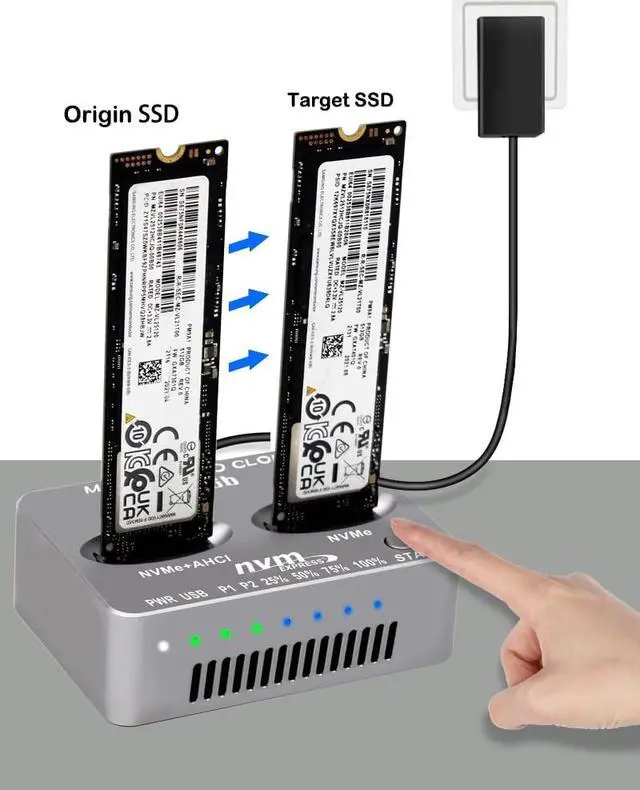
- One Clip Offline Cloner is easily operated. Steps: 1.Connect the AC/PD Power Adapter after source SSD (into left P1 bay) and Target SSD ( into right P2 bay) Inserted, 2. Press power on button, P1 P2 indicators shows that dual SSD are recognized. 3. Press "Start" Button for about 5 seconds till all of the "Percent Progress Indicators" flash simultaneously, release the Botton. 4. Then re-click the Botton at once again, the percent process indicators flash sequentially, Clone will start 5. after all four progress indicators on, Clone is completed
- [Cooling Design for Stable Performance]: Designed with aluminium Case and side ventilation cooling Fan cutouts which can make SSD cloning kit enhances airflow to mitigate heat buildup during prolonged cloning tasks.
- Please Note: 1. The Tempe
+
+
Overview
Specs
Reviews

Any questions? Our AI mode will help you find out quickly.
Try me now
M. 2 Dual-Bay Duplicator can not only be used as general external SSD Reader/Writer, but also as an Offline M. 2 PCIe Achi/NVMe Duplicator to clone data between Two SSDs by one-click without a computer ^^ One Clip Offline Cloner is easily operated.
Steps: 1. Connect the AC/PD Power Adapter after source SSD (into left P1 bay) and Target SSD ( into right P2 bay) Inserted, 2. Press power on button, P1 P2 indicators shows that dual SSD are recognized. 3. Press "Start" Button for about 5 seconds till all of the "Percent Progress Indicators" flash simultaneously, release the Botton. 4. Then re-click the Botton at once again, the percent process indicators flash sequentially, Clone will start 5. after all four progress indicators on, Clone is completed ^^ [Cooling Design for
Stable Performance]: Designed with aluminium Case and side ventilation cooling Fan cutouts which can make SSD cloning kit enhances airflow to mitigate heat buildup during prolonged cloning tasks.
^^ Please Note: 1. The Temperature of the entire Operating SSD may exceed 60 C. Please do not touch the SSD. 2. It can NOT support "Hot-Plugging". Please don't exchange the SSDs when connecting 3. Please make sure the capacity of source SSD is same or less than Target SSD 4. If Clone is interrupted, please clone again ^^
Notice: It comes without AC/PD type C power supply, you must prepare extra power supply yourself.
Steps: 1. Connect the AC/PD Power Adapter after source SSD (into left P1 bay) and Target SSD ( into right P2 bay) Inserted, 2. Press power on button, P1 P2 indicators shows that dual SSD are recognized. 3. Press "Start" Button for about 5 seconds till all of the "Percent Progress Indicators" flash simultaneously, release the Botton. 4. Then re-click the Botton at once again, the percent process indicators flash sequentially, Clone will start 5. after all four progress indicators on, Clone is completed ^^ [Cooling Design for
Stable Performance]: Designed with aluminium Case and side ventilation cooling Fan cutouts which can make SSD cloning kit enhances airflow to mitigate heat buildup during prolonged cloning tasks.
^^ Please Note: 1. The Temperature of the entire Operating SSD may exceed 60 C. Please do not touch the SSD. 2. It can NOT support "Hot-Plugging". Please don't exchange the SSDs when connecting 3. Please make sure the capacity of source SSD is same or less than Target SSD 4. If Clone is interrupted, please clone again ^^
Notice: It comes without AC/PD type C power supply, you must prepare extra power supply yourself.
Warranty & Returns
Warranty, Returns, And Additional Information
Warranty
- Please contact the Seller directly for warranty information. Warranty information may also be found on the Manufacturer's website.
- CONTACT
Return Policies
- Return for refund within: 30 days
- Return for replacement within: non-replaceable
- This item is covered by Aptly Tech Return Policy
Manufacturer Contact Info
- For a directory of all our manufacturers, please click below.
- Manufacturers Directory
LOADING...