

Your Browsing History

Meet Your Seller

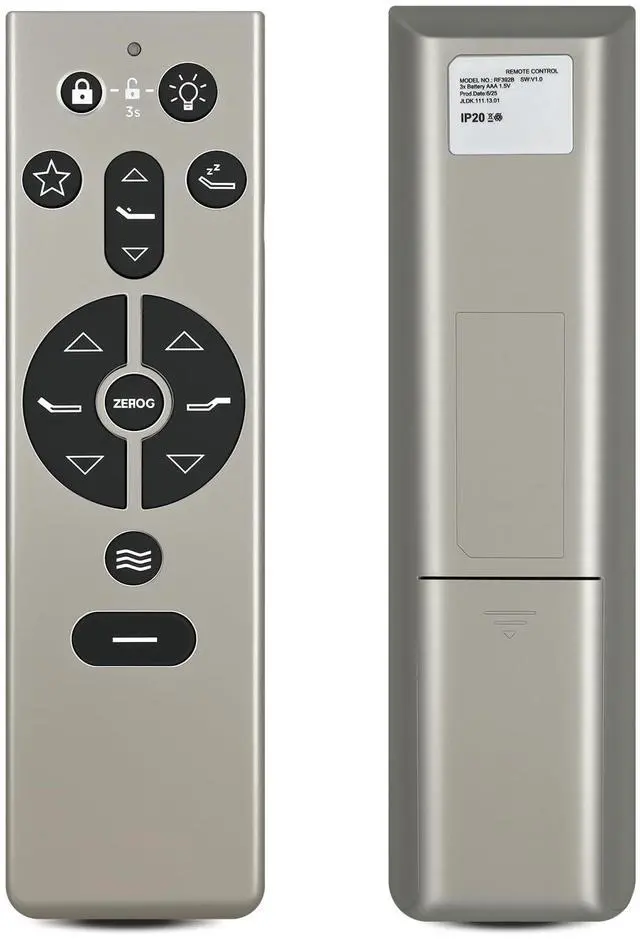
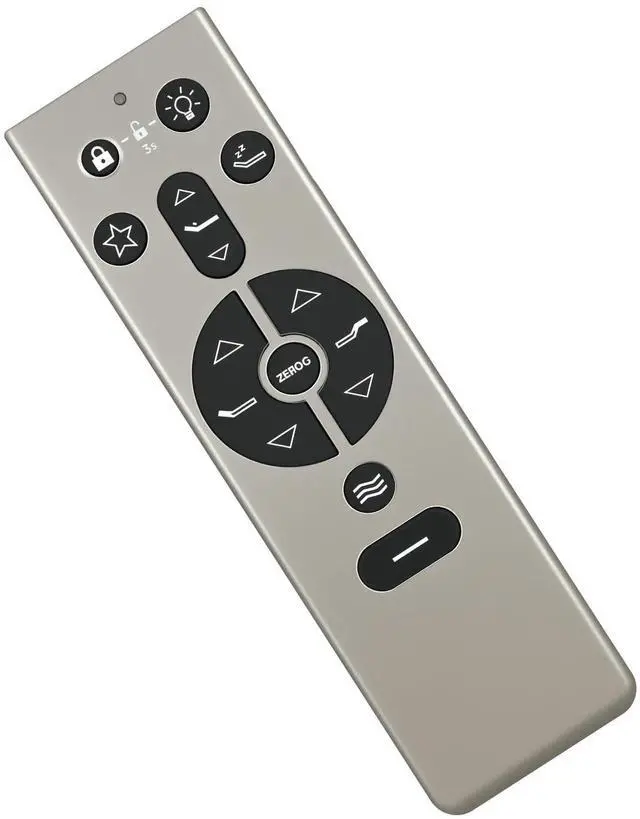
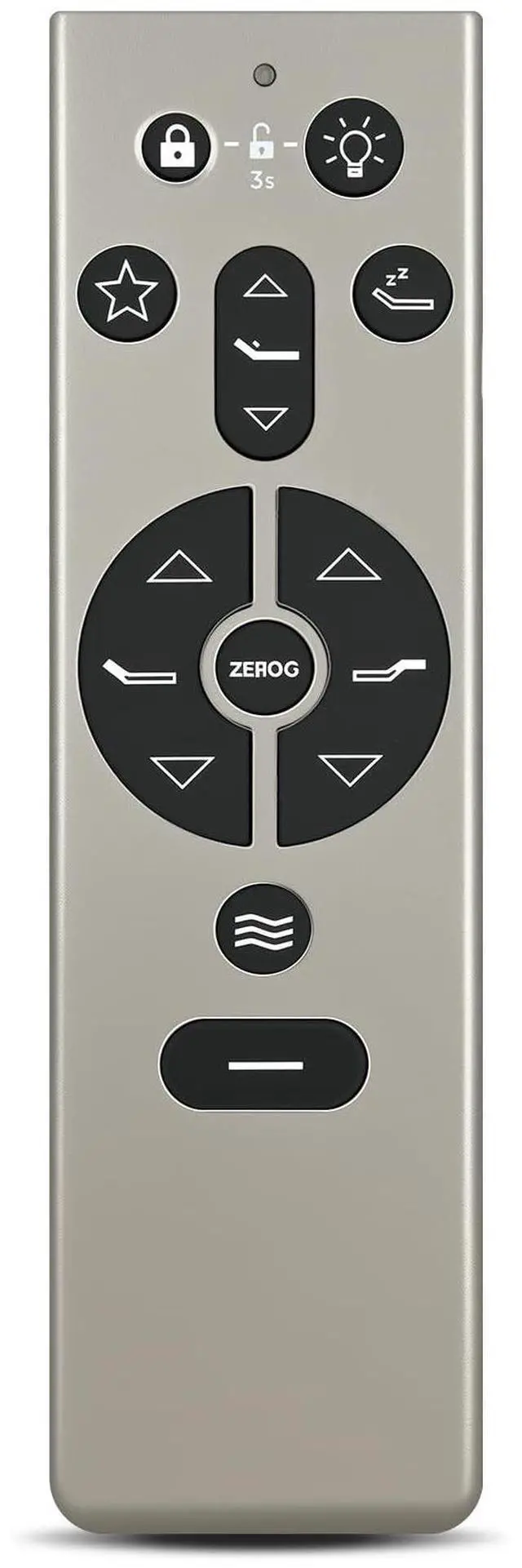


WKOLF RF396B Adjustable Bed Remote for Tempur-Pedic Tempur Ergo Power Base 3.0 Keeson JLDK.111.13.01 Replacement
- Compatible ModelsRF396B Adjustable Bed Remote for Tempur-Pedic Tempur Ergo Power Base 3.0 Keeson JLDK.111.13.01 Replacement
- Setting Programmable PositionsArticulate the head, lumbar and foot to your desired position. Next, press and hold one of the programmable preset positions for 5 seconds. The position is now saved. NOTE: To restore the preset buttons back to their original factory settings, hold FLAT and ZERO-G simultaneously for at least 5 seconds. The original preset will be restored.
- How to Pair1) Unplug the Power Cord from your power outlet. Wait 1 minute, then plug it back in to your power outlet. Perform Step 2 within 10 seconds, while the control box light is flashing. 2) Press and hold the PAIR button on the back of the remote. The PAIR button will illuminate and start to flash. When the PAIR button stops flashing, the LED light on the control box will stop flashing. Release the PAIR button. 3) Test all remote functions.
- Clear Icon DesignThis remote control is very
+
+
Overview
Specs
Reviews

Any questions? Our AI mode will help you find out quickly.
Try me now
Compatible ModelsRF396B Adjustable Bed Remote for Tempur-Pedic Tempur Ergo Power Base 3.0 Keeson JLDK. 111.13. 01 Replacement ^^ Setting Programmable PositionsArticulate the head, lumbar and foot to your desired position. Next, press and hold one of the programmable preset positions for 5 seconds. The position is now saved.
NOTE: To restore the preset buttons back to their original factory settings, hold FLAT and ZERO-G simultaneously for at least 5 seconds. The original preset will be restored. ^^ How to Pair1) Unplug the Power Cord from your power outlet. Wait 1 minute, then plug it back in to your power outlet. Perform Step 2 within 10 seconds, while the control box light is flashing. 2) Press and hold the PAIR button on the back of the remote. The PAIR button will illuminate and start to flash. When the PAIR button stops flashing, the LED light on the control box will stop flashing. Release the PAIR button. 3) Test all remote functions. ^^ Clear Icon DesignThis remote control is very user-friendly. Clear icons on the wireless remote control make operation simple. ^^
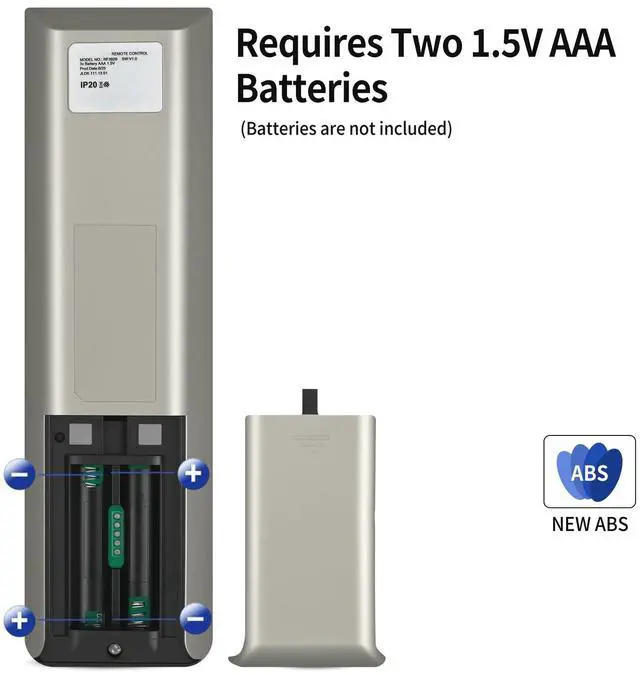
Quality Assurance & SupportPackage Contains: 1x Remote Control, 1x Manual (2xAAA batteries are not included). Enjoy peace of mind with our comprehensive after-sales service. Contact us via email for any assistance, we'll get back to you within 12 hours on weekdays.
NOTE: To restore the preset buttons back to their original factory settings, hold FLAT and ZERO-G simultaneously for at least 5 seconds. The original preset will be restored. ^^ How to Pair1) Unplug the Power Cord from your power outlet. Wait 1 minute, then plug it back in to your power outlet. Perform Step 2 within 10 seconds, while the control box light is flashing. 2) Press and hold the PAIR button on the back of the remote. The PAIR button will illuminate and start to flash. When the PAIR button stops flashing, the LED light on the control box will stop flashing. Release the PAIR button. 3) Test all remote functions. ^^ Clear Icon DesignThis remote control is very user-friendly. Clear icons on the wireless remote control make operation simple. ^^
Quality Assurance & SupportPackage Contains: 1x Remote Control, 1x Manual (2xAAA batteries are not included). Enjoy peace of mind with our comprehensive after-sales service. Contact us via email for any assistance, we'll get back to you within 12 hours on weekdays.
Warranty & Returns
Warranty, Returns, And Additional Information
Warranty
- Please contact the Seller directly for warranty information. Warranty information may also be found on the Manufacturer's website.
- CONTACT
Return Policies
- Return for refund within: 30 days
- Return for replacement within: non-replaceable
- This item is covered by VersaCom Return Policy
Manufacturer Contact Info
- For a directory of all our manufacturers, please click below.
- Manufacturers Directory
LOADING...