

Your Browsing History

Meet Your Seller

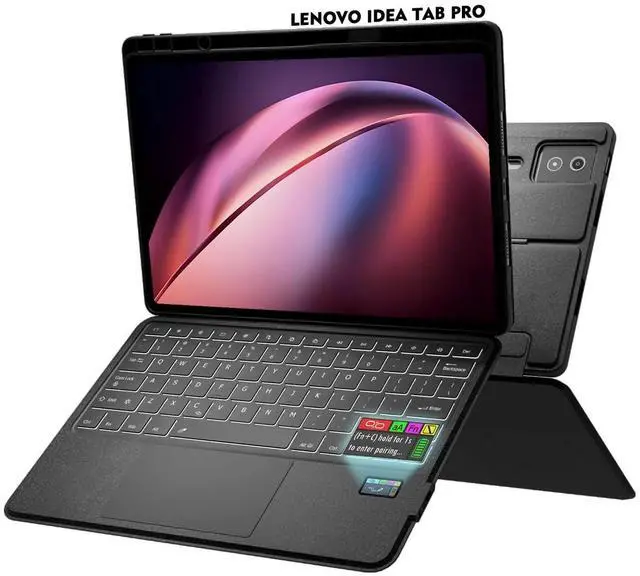


Doohoeek New Keyboard Folio w/Status Screen for Lenovo Idea Tab Pro 12.7" 2025, Idea Tab Pro 12.7 Inch Keyboard Bluetooth with Trackpad & Any-Angle Stand & Backlit Keyboard
- Bluetooth Connection & Reset Guide: If your keyboard does not connect or disconnects unexpectedly, please follow these simple steps: 1. Turn on the keyboard; 2. Press and hold the first and last key at the top row on the keyboard for 5 seconds until the all indicators flash; 3. On your device, go to Bluetooth settings, find "Wireless keyboard", and tap Forget This Device. 4. Press "Fn" and "C" for 3s to reconnect the keyboard.
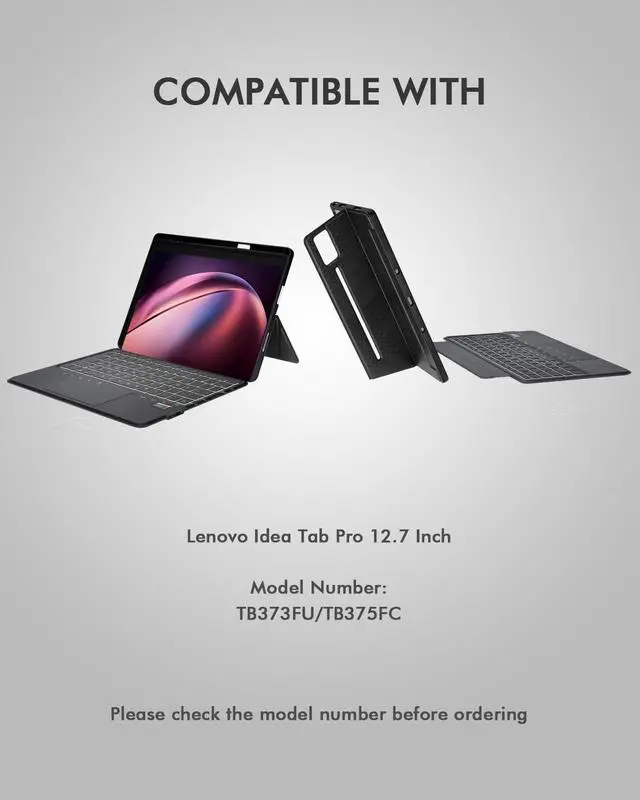
- Compatible with Lenovo Idea Tab Pro 12.7" 2025: The case is only compatible with Lenovo Idea Tab Pro 12.7-inch 2025 (model: TB373FU/TB375FC). You may get confused about your tablet model, please tap Settings (System settings) > System (All settings) > System > About tablet to get its model number.
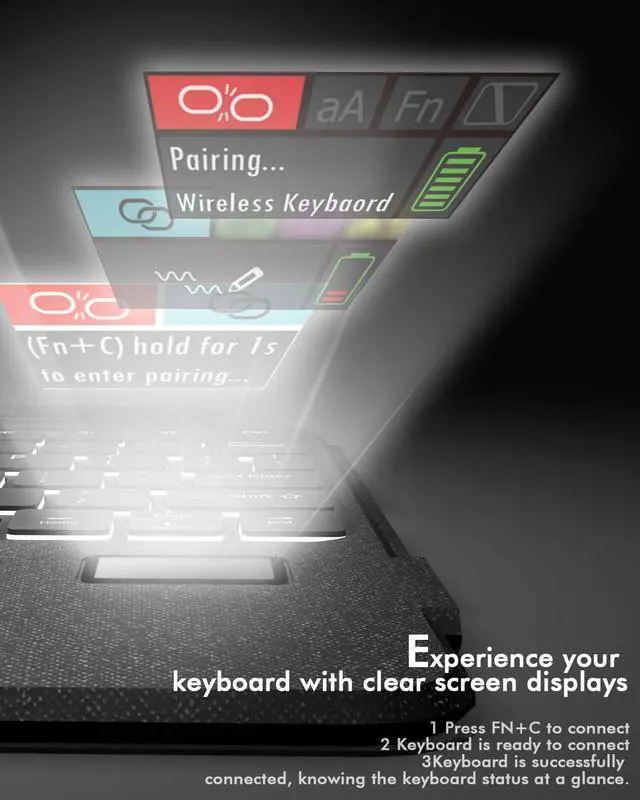
- New! Status Display Screen: The screen shows real-time battery, connection or charging, knowing the keyboard status at a glance.
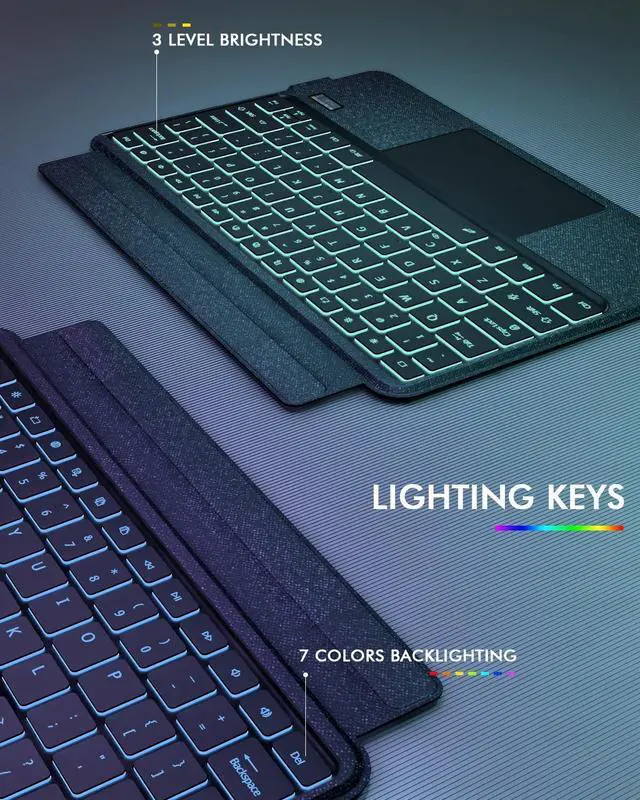
- Type Like A Pro in Any Light: 7 colors & 3 brightness levels light up keys in dim cafes or red-eye flights. No more
+
+
Overview
Specs
Reviews

Any questions? Our AI mode will help you find out quickly.
Try me now
Bluetooth Connection & Reset Guide: If your keyboard does not connect or disconnects unexpectedly, please
follow these simple steps:
1. Turn on the keyboard;
2. Press and hold the first and last key at the top row on the keyboard for 5 seconds until the all indicators flash;
3. On your device, go to Bluetooth settings, find "Wireless keyboard", and tap Forget This Device.
4. Press "Fn" and "C" for 3s to reconnect the keyboard. ^^ Compatible with Lenovo Idea Tab Pro 12.7" 2025: The case is only compatible with Lenovo Idea Tab Pro 12.7 -inch 2025 (model: TB373FU/TB375FC). You may get confused about your tablet model, please tap Settings (System settings) > System (All settings) > System > About tablet to get its model number. ^^ New!
Status Display Screen: The screen shows real-time battery, connection or charging, knowing the keyboard status at a glance. ^^ Type Like A Pro in
Any Light: 7 colors & 3 brightness levels light up keys in dim cafes or red-eye flights. No more finger-pecking! The scissor-switch keys give laptop-like tactile feedback (and wont annoy seatmates). ^^ Flawless Viewing Any Way You Tilt: With any-angle kickstand, you can flip it horizontal-smoothly adjust angles (from upright Zoom calls to lazy-bed movie); Snap vertical perfect angle for recipes or e-books.
^^ Mag-Snap Freedom Keyboard: Strong magnets let you rip off the keyboard to read or sketch with fingers. No flimsy clips! It snaps back securely - even if your coffee-shop table wobbles.
follow these simple steps:
1. Turn on the keyboard;
2. Press and hold the first and last key at the top row on the keyboard for 5 seconds until the all indicators flash;
3. On your device, go to Bluetooth settings, find "Wireless keyboard", and tap Forget This Device.
4. Press "Fn" and "C" for 3s to reconnect the keyboard. ^^ Compatible with Lenovo Idea Tab Pro 12.7" 2025: The case is only compatible with Lenovo Idea Tab Pro 12.7 -inch 2025 (model: TB373FU/TB375FC). You may get confused about your tablet model, please tap Settings (System settings) > System (All settings) > System > About tablet to get its model number. ^^ New!
Status Display Screen: The screen shows real-time battery, connection or charging, knowing the keyboard status at a glance. ^^ Type Like A Pro in
Any Light: 7 colors & 3 brightness levels light up keys in dim cafes or red-eye flights. No more finger-pecking! The scissor-switch keys give laptop-like tactile feedback (and wont annoy seatmates). ^^ Flawless Viewing Any Way You Tilt: With any-angle kickstand, you can flip it horizontal-smoothly adjust angles (from upright Zoom calls to lazy-bed movie); Snap vertical perfect angle for recipes or e-books.
^^ Mag-Snap Freedom Keyboard: Strong magnets let you rip off the keyboard to read or sketch with fingers. No flimsy clips! It snaps back securely - even if your coffee-shop table wobbles.
Warranty & Returns
Warranty, Returns, And Additional Information
Warranty
- Please contact the Seller directly for warranty information. Warranty information may also be found on the Manufacturer's website.
- CONTACT
Return Policies
- Return for refund within: 30 days
- Return for replacement within: non-replaceable
- This item is covered by Ankelay shop Return Policy
Manufacturer Contact Info
- For a directory of all our manufacturers, please click below.
- Manufacturers Directory
LOADING...
LOADING...