Your Browsing History
- Free 30-day Returns
$102.99
Meet Your Seller
Adjustable Bed Remote Control Richmat HJH55 Replacement, Only Replace HJH55 Hand Control with Serial Number C121480H550044
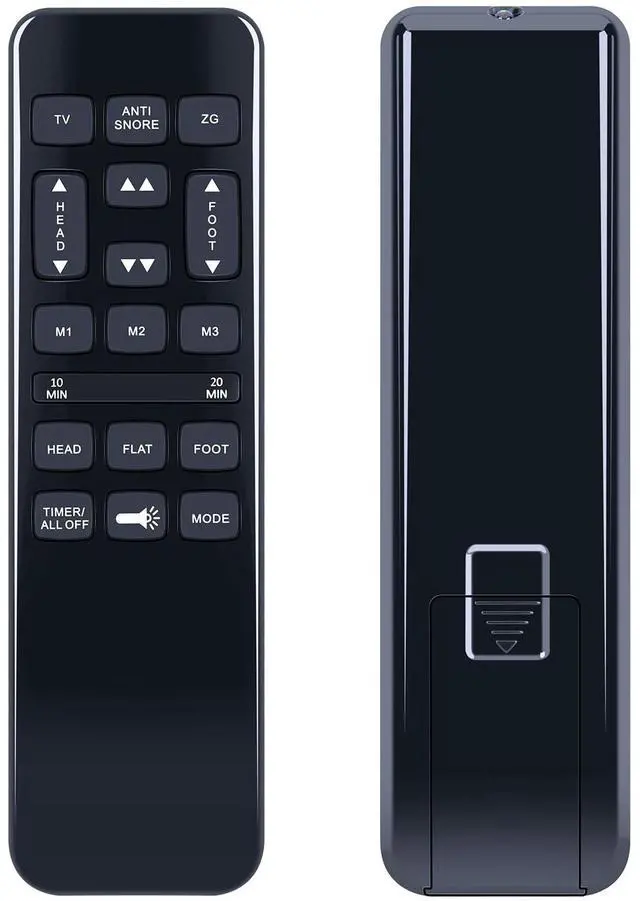
- CompatiblityThis HJH55 Replacement Remote Control is suitable for the Richmat HJH55, Mattress Firm 600 3000, Mlily, Bed Tech or Classic Brand Innova with the NU203CB note on the processor box adjustable base and is perfectly compatible with the Richmat base HJC9G dual mass control system. NOTE: Please check the serial number under the barcode carefully. Our remote version serial number is HJH55 C121480H550044. Alternatively, check if the buttons and text match your old remote.Note: HJH55 121480H550044 is different from HJH55 C132080H550002 and HJH55 C127780H550015,the three version remotes cannot be replaced with each other.
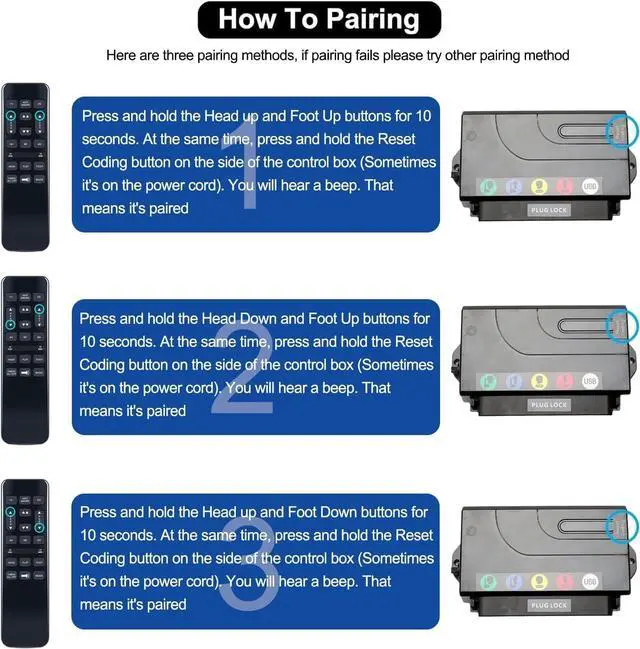
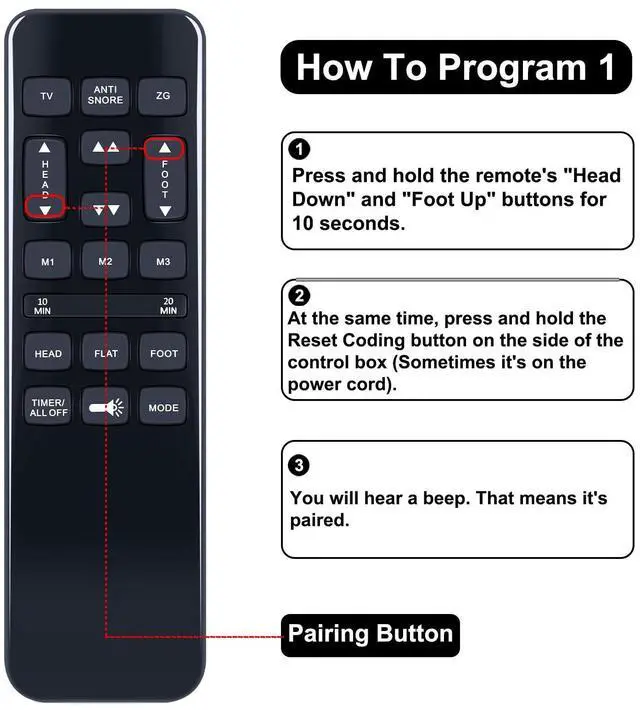
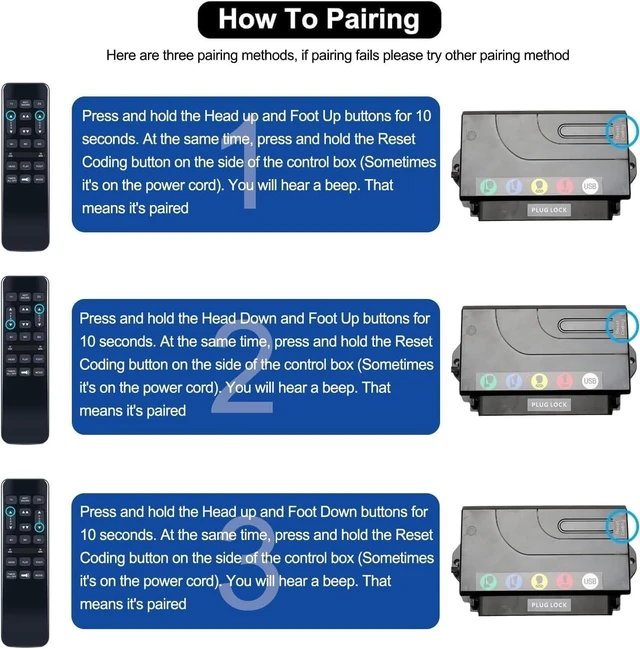
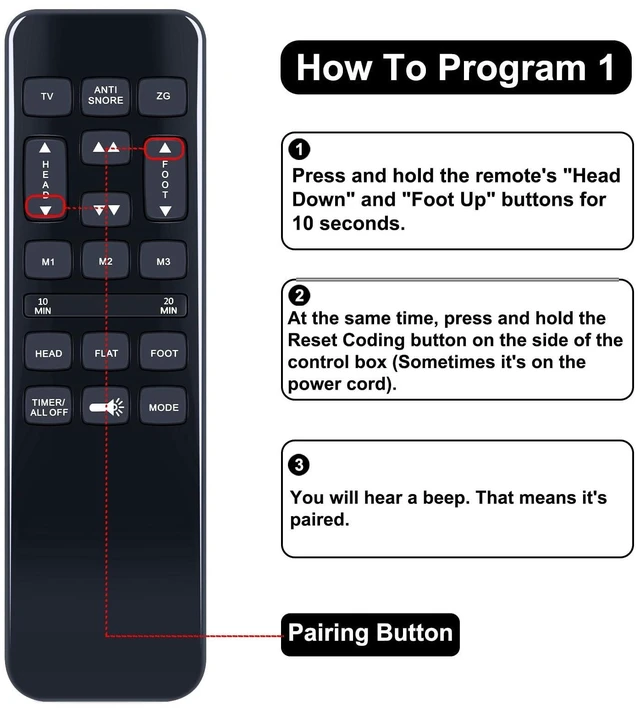
- How To Program 1Press and hold the remote's "Head Down" and "Foot Up" buttons for 10 seconds, At the same time, press and hold the Reset Coding button on the side of the control box (Sometimes it's on the power cord). You will hear a beep. That means it's paired.
- How To Program 2Press and hold the remote's "Head Up" and "Foot Up" for 10 seconds, At the same t
+
+
Overview
Specs
Reviews
Any questions? Our AI mode will help you find out quickly.
Try me now
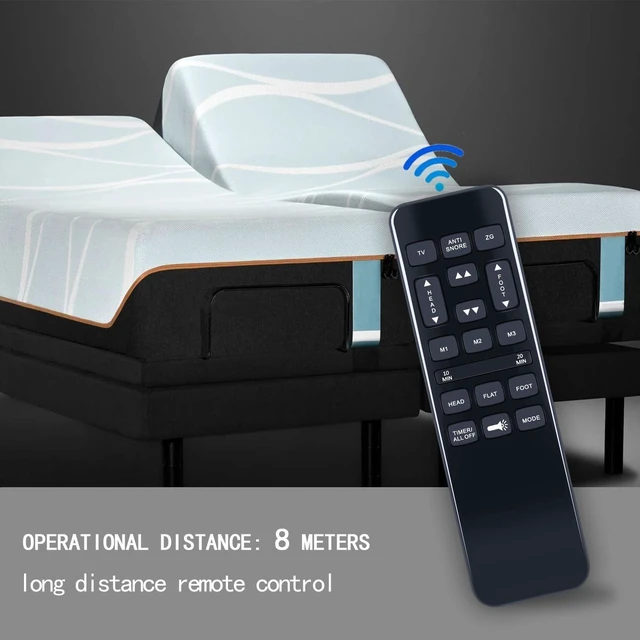
CompatiblityThis HJH55 Replacement Remote Control is suitable for the Richmat HJH55, Mattress Firm 600 3000, Mlily, Bed Tech or Classic Brand Innova with the NU203CB note on the processor box adjustable base and is perfectly compatible with the Richmat base HJC9G dual mass control system.
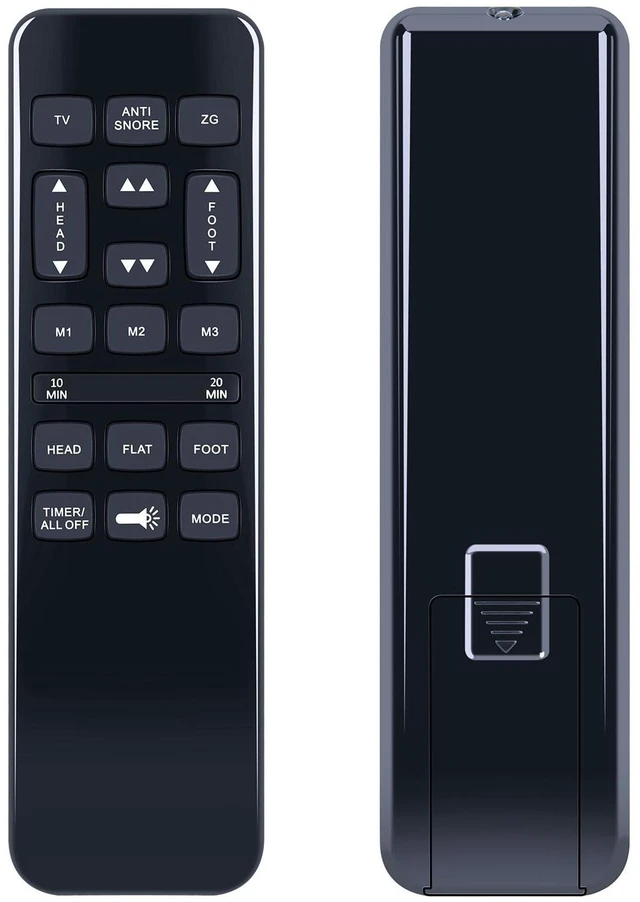
NOTE: Please check the serial number under the barcode carefully. Our remote version serial number is HJH55 C121480H550044. Alternatively, check if the buttons and text match your old remote.
Note: HJH55 121480H550044 is different from HJH55 C132080H550002 and HJH55 C127780H550015, the three version remotes cannot be replaced with each other. ^^ How To Program 1Press and hold the remote's "Head Down" and "Foot Up" buttons for 10 seconds, At the same time, press and hold the Reset Coding button on the side of the control box (Sometimes it's on the power cord). You will hear a beep. That means it's paired. ^^ How To Program 2Press and hold the remote's "Head Up" and "Foot Up" for 10 seconds, At the same time, press and hold the Reset Coding button on the side of the control box (Sometimes it's on the power cord). You will hear a beep. That means it's paired. ^^ How To Program 3Press and hold the remote's "Head Up" and "Foot Down buttons for 10 seconds, At the same time, press and hold the Reset Coding button on the side of the control box (Sometimes it's on the power cord). You will hear a beep. That means it's paired. ^^ What Inside of Box1* Replacement Remote Control for Adjustable Bed Case.
(Note: 2xAAA batteries and manual are not included)

NOTE: Please check the serial number under the barcode carefully. Our remote version serial number is HJH55 C121480H550044. Alternatively, check if the buttons and text match your old remote.
Note: HJH55 121480H550044 is different from HJH55 C132080H550002 and HJH55 C127780H550015, the three version remotes cannot be replaced with each other. ^^ How To Program 1Press and hold the remote's "Head Down" and "Foot Up" buttons for 10 seconds, At the same time, press and hold the Reset Coding button on the side of the control box (Sometimes it's on the power cord). You will hear a beep. That means it's paired. ^^ How To Program 2Press and hold the remote's "Head Up" and "Foot Up" for 10 seconds, At the same time, press and hold the Reset Coding button on the side of the control box (Sometimes it's on the power cord). You will hear a beep. That means it's paired. ^^ How To Program 3Press and hold the remote's "Head Up" and "Foot Down buttons for 10 seconds, At the same time, press and hold the Reset Coding button on the side of the control box (Sometimes it's on the power cord). You will hear a beep. That means it's paired. ^^ What Inside of Box1* Replacement Remote Control for Adjustable Bed Case.
(Note: 2xAAA batteries and manual are not included)
Warranty & Returns
Warranty, Returns, And Additional Information
Warranty
- Please contact the Seller directly for warranty information. Warranty information may also be found on the Manufacturer's website.
- CONTACT
Return Policies
- Return for refund within: 30 days
- Return for replacement within: 30 days
- This item is covered by To the Internet media Return Policy
Manufacturer Contact Info
- For a directory of all our manufacturers, please click below.
- Manufacturers Directory
LOADING...