

Your Browsing History

- Free 30-day Returns
$143.99

Meet Your Seller


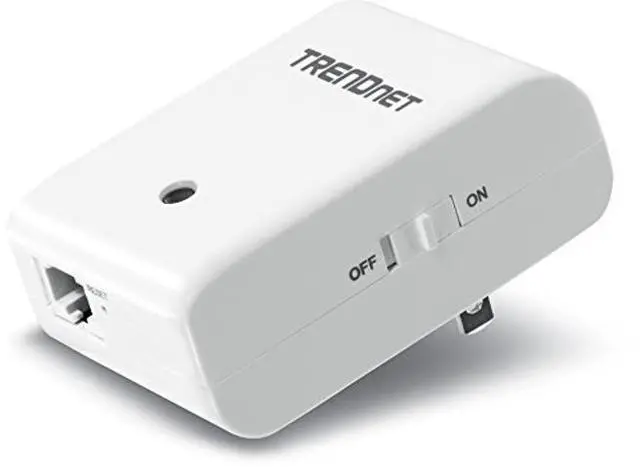
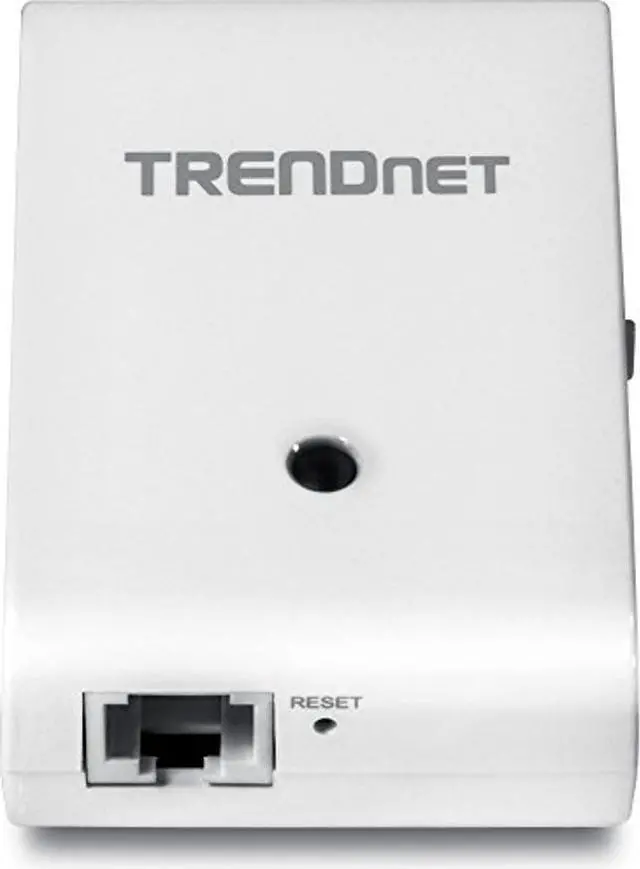
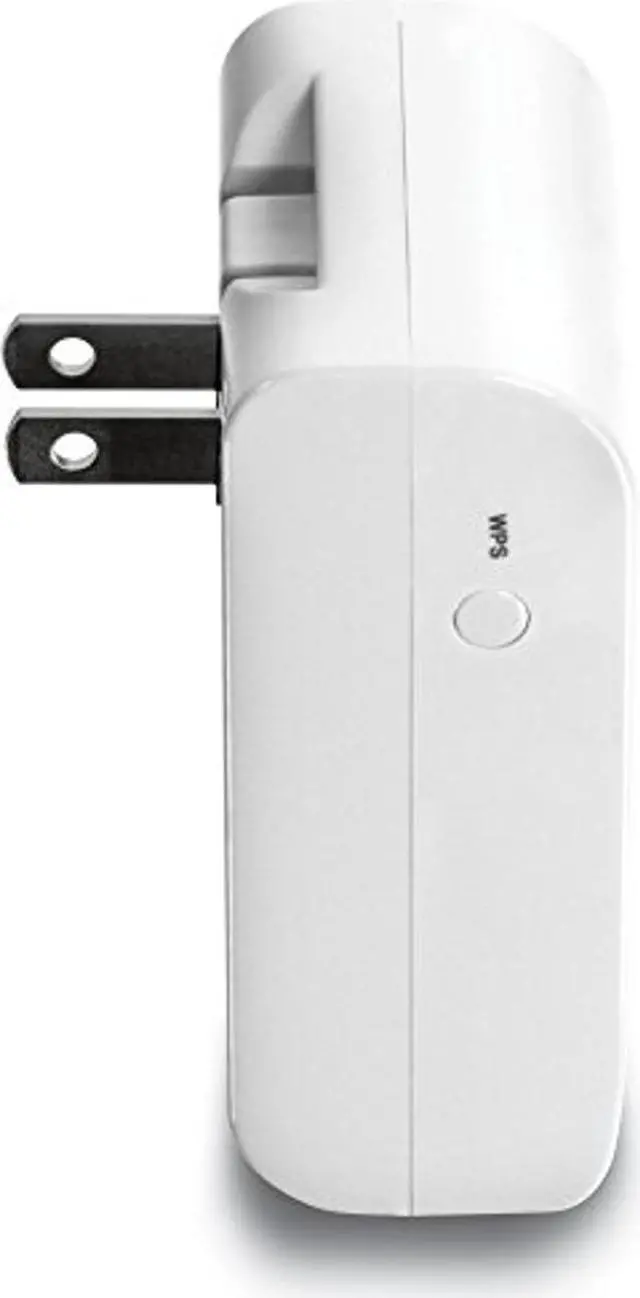
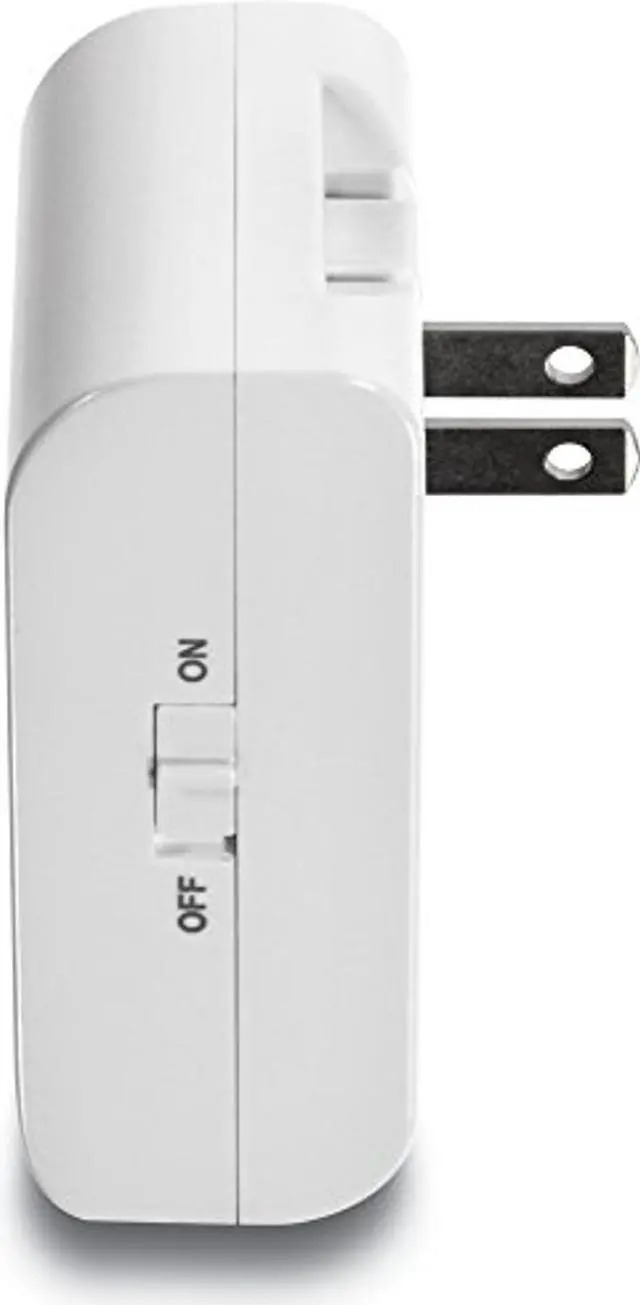


TRENDnet Wireless N 150 Mbps Easy-N-Range Wall-Plug-in Universal Wi-Fi Network Range Extender Repeater, TEW-713RE
- Helps eliminate wireless dead spots
- Compact white housing plugs directly into an electrical outlet
- Extends the range of your existing wireless network
- One-touch wireless connection using the Wi-Fi Protected Setup (WPS) button
- Advanced wireless encryption protects your data
- Low interference and high susceptibility deliver reliable performance
- Supports up to WPA2-PSK wireless encryption
- 3-year limited warranty
+
+
Overview
Specs
Reviews

Any questions? Our AI mode will help you find out quickly.
Try me now
TEW-713RE N150 Easy-N-Range Extender
TRENDnet's compact N150 Easy-N-Range Extender, model TEW-713RE, extends the coverage of your existing wireless n network. Setup is easy with no drivers to install. Simply press the Wi-Fi Protected Setup (WPS) button on your router or access point, then on the TEW-713RE and you're done-the N150 Easy-N-Range Extender is now extending your wireless N network over a large area.
The compact TEW-713RE conveniently plugs directly into an electrical outlet and the off white housing blends into the environment. An on / off switch is located on the side of the adapter and a LED indicator confirms wireless activity. Hardwire a computer, NAS drive, or printer to the LAN port on the bottom of the extender. The latest wireless encryption protects your network. Overview - TEW-713RE Helps eliminate wireless dead spots Compact white housing plugs directly into an electrical outlet Extends the range of your existing wireless network One touch wireless setup using the WPS button Advanced wireless encryption protects your data
Standards: IEEE 802.11 n IEEE 802.11 b IEEE 802.11 g IEEE 802.3 u and 802.3
Wireless Specs:
Ethernet: UTP/STP Cat. 3, 4, 5 up to 100m
Fast Ethernet: UTP/STP Cat. 5, 5e up to 100m Networking Solution view larger
TRENDnet Access Point Comparison Chart Model TEW-637AP TEW-638APB TEW-638PAP TEW-713RE TEW-736RE Product Title N300 Wireless Easy-N-Upgrader N300 Wireless Access Point N300 Wireless PoE Access Point N150 Easy-N-Range Extender N300 Easy-N-Range Extender FeaturesWi-Fi Bands 2.4GH z 2.4GH z 2.4GH z 2.4GH z 2.4GH z Data Rate (max. ) 300Mbps 300Mbps 300Mbps 150Mbps 300Mbps PoE - - - - Detachable Antenna - - Additional SSIDs (up to) 4 4 4 N/A N/A LAN 1 x 10/100Mbps 1 x 10/100Mbps 1 x 10/100Mbps 1 x 10/100Mbps 1 x 10/100Mbps External Wi-Fi Protected
Setup (WPS) Button WMM Wireless Security (up to) WPA2+RADIUS WPA2+RADIUS WPA2+RADIUS WPA2+PSK WPA2+PSK WDS - - GREENnet - AP Client Mode - - -
Package Contents: TEW-713RE Multi-Language Quick Installation Guide CD-ROM (Utility and User's Guide)
TRENDnet's compact N150 Easy-N-Range Extender, model TEW-713RE, extends the coverage of your existing wireless n network. Setup is easy with no drivers to install. Simply press the Wi-Fi Protected Setup (WPS) button on your router or access point, then on the TEW-713RE and you're done-the N150 Easy-N-Range Extender is now extending your wireless N network over a large area.
The compact TEW-713RE conveniently plugs directly into an electrical outlet and the off white housing blends into the environment. An on / off switch is located on the side of the adapter and a LED indicator confirms wireless activity. Hardwire a computer, NAS drive, or printer to the LAN port on the bottom of the extender. The latest wireless encryption protects your network. Overview - TEW-713RE Helps eliminate wireless dead spots Compact white housing plugs directly into an electrical outlet Extends the range of your existing wireless network One touch wireless setup using the WPS button Advanced wireless encryption protects your data
Standards: IEEE 802.11 n IEEE 802.11 b IEEE 802.11 g IEEE 802.3 u and 802.3
Wireless Specs:
Ethernet: UTP/STP Cat. 3, 4, 5 up to 100m
Fast Ethernet: UTP/STP Cat. 5, 5e up to 100m Networking Solution view larger
TRENDnet Access Point Comparison Chart Model TEW-637AP TEW-638APB TEW-638PAP TEW-713RE TEW-736RE Product Title N300 Wireless Easy-N-Upgrader N300 Wireless Access Point N300 Wireless PoE Access Point N150 Easy-N-Range Extender N300 Easy-N-Range Extender FeaturesWi-Fi Bands 2.4GH z 2.4GH z 2.4GH z 2.4GH z 2.4GH z Data Rate (max. ) 300Mbps 300Mbps 300Mbps 150Mbps 300Mbps PoE - - - - Detachable Antenna - - Additional SSIDs (up to) 4 4 4 N/A N/A LAN 1 x 10/100Mbps 1 x 10/100Mbps 1 x 10/100Mbps 1 x 10/100Mbps 1 x 10/100Mbps External Wi-Fi Protected
Setup (WPS) Button WMM Wireless Security (up to) WPA2+RADIUS WPA2+RADIUS WPA2+RADIUS WPA2+PSK WPA2+PSK WDS - - GREENnet - AP Client Mode - - -
Package Contents: TEW-713RE Multi-Language Quick Installation Guide CD-ROM (Utility and User's Guide)
Warranty & Returns
Warranty, Returns, And Additional Information
Warranty
- Please contact the Seller directly for warranty information. Warranty information may also be found on the Manufacturer's website.
- CONTACT
Return Policies
- Return for refund within: 30 days
- Return for replacement within: 30 days
- This item is covered by JMDesign Return Policy
Manufacturer Contact Info
- For a directory of all our manufacturers, please click below.
- Manufacturers Directory
LOADING...