Your Browsing History
Meet Your Seller
Sponsored Products
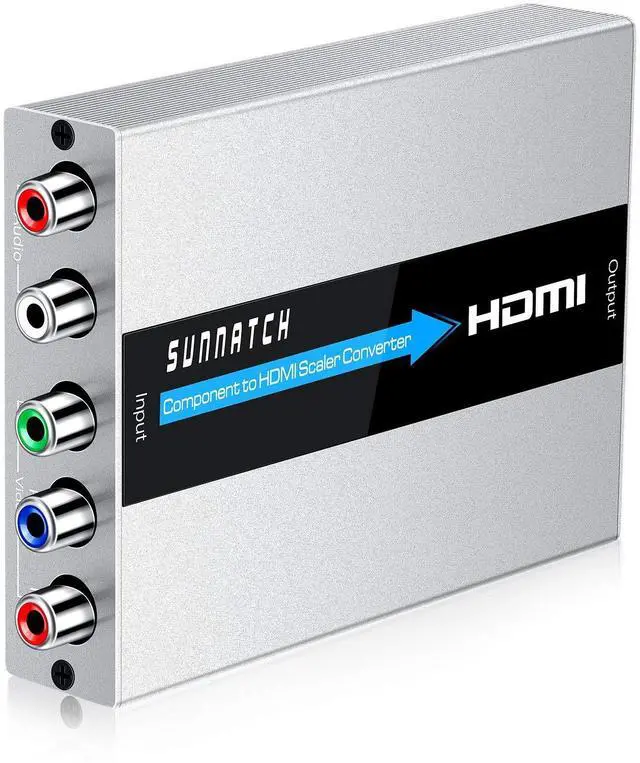
SUNNATCH Component to HDMI Converter with Scaler Function, RGB to HDMI, 5RCA YPbPr to HDMI Converter Adapter, Component in HDMI Out Converter(1080P, Aluminum)
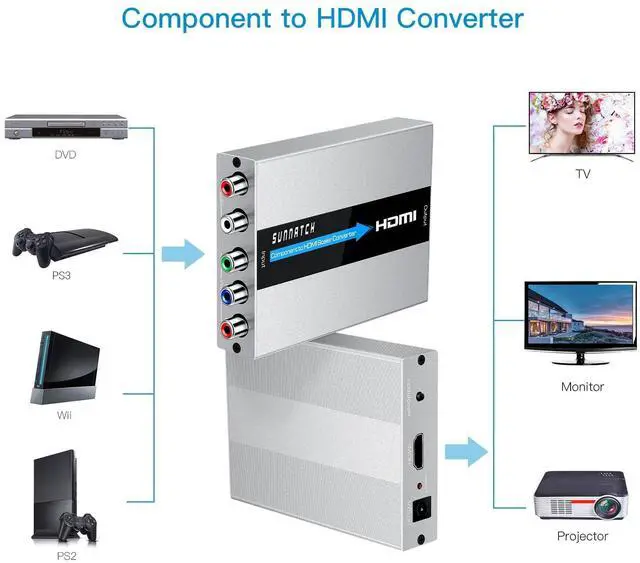
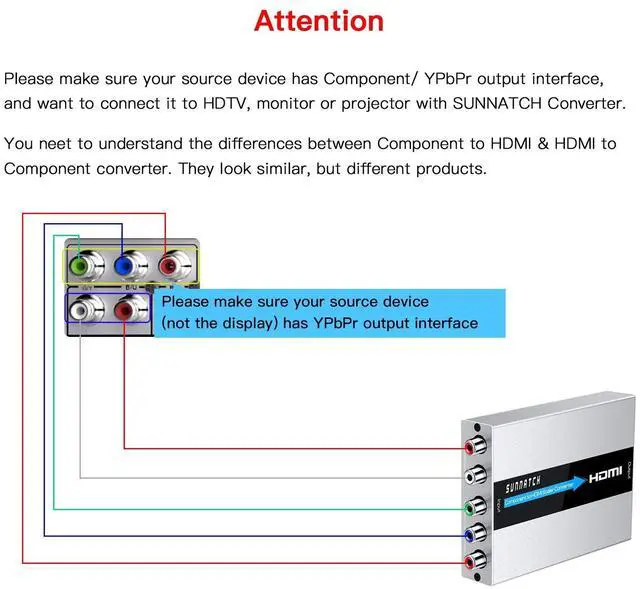
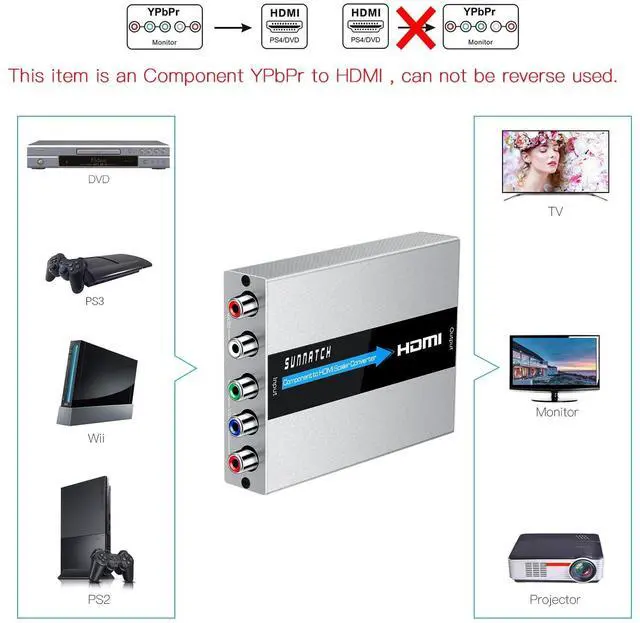
- This Component to HDMI converter is used to connect component source devices(such as DVD, PSP, PS2, ect) to HDMI displays(such as HDTV, monitor, projector, ect). Please make sure your signal device has Component output.
- With the built-in scaler engine, this RGB to HDMI converter can solve many compatibility issues on some devices. Such as: 1. No video; 2. Black & white pictures; 3. Distorted image; 4. Image cuts in and out; 5. On some DVDs, it shows the DVD menu, but once the movie starts playing, no signal on TVs...ect.
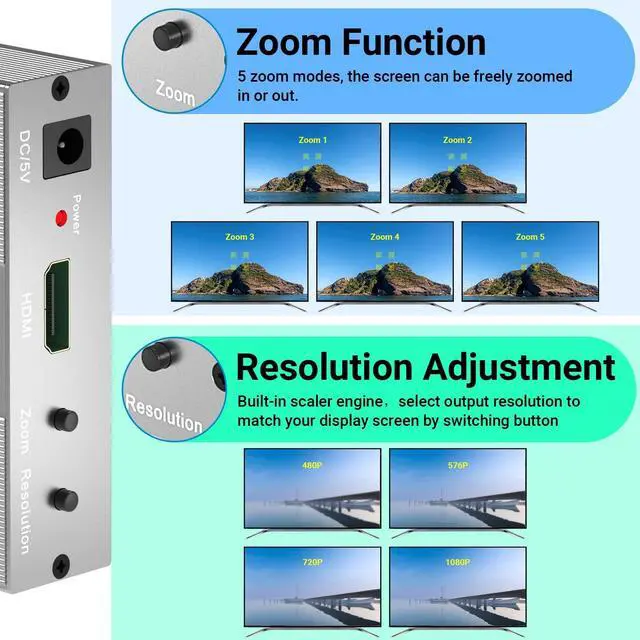
- This YPbPr to HDMI converter supports multiple HDMI resolutions output: 800 x 600@60Hz, 1024 x 768@60Hz, 1280 x 1024@60Hz, 720P@60Hz, 1080P@60Hz. You can select the output resolutions by pressing the switch button on the converter.
- Component in HDMI out, easy installation & operation, no software needed.
+
+
Overview
Specs
Reviews
Any questions? Our AI beta will help you find out quickly.
Try me now
This Component to HDMI converter is used to connect component source devices(such as DVD, PSP, PS2, ect) to HDMI displays(such as HDTV, monitor, projector, ect). Please make sure your signal device has Component output. ^^ With the built-in scaler engine, this RGB to HDMI converter can solve many compatibility issues on some devices.
Such as: 1. No video; 2. Black & white pictures; 3. Distorted image; 4. Image cuts in and out; 5. On some DVDs, it shows the DVD menu, but once the movie starts playing, no signal on TVs... ect. ^^ This YPbPr to HDMI converter supports multiple
HDMI resolutions output: 800 x 600@60Hz, 1024 x 768@60Hz, 1280 x 1024@60Hz, 720P@60Hz, 1080P@60Hz. You can select the output resolutions by pressing the switch button on the converter. ^^ Component in HDMI out, easy installation & operation, no software needed.

Such as: 1. No video; 2. Black & white pictures; 3. Distorted image; 4. Image cuts in and out; 5. On some DVDs, it shows the DVD menu, but once the movie starts playing, no signal on TVs... ect. ^^ This YPbPr to HDMI converter supports multiple
HDMI resolutions output: 800 x 600@60Hz, 1024 x 768@60Hz, 1280 x 1024@60Hz, 720P@60Hz, 1080P@60Hz. You can select the output resolutions by pressing the switch button on the converter. ^^ Component in HDMI out, easy installation & operation, no software needed.
Warranty & Returns
Warranty, Returns, And Additional Information
Warranty
- Please contact the Seller directly for warranty information. Warranty information may also be found on the Manufacturer's website.
- CONTACT
Return Policies
- Return for refund within: 30 days
- Return for replacement within: 30 days
- This item is covered by LingGo Return Policy
Manufacturer Contact Info
- For a directory of all our manufacturers, please click below.
- Manufacturers Directory
LOADING...