

Your Browsing History


Meet Your Seller


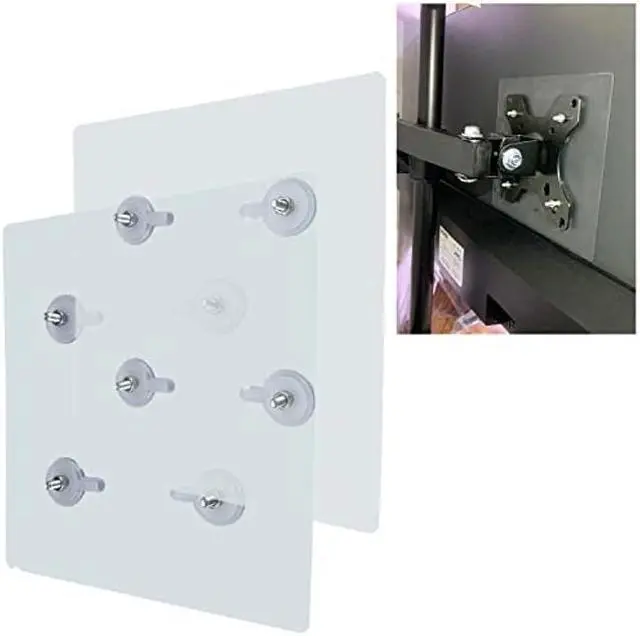
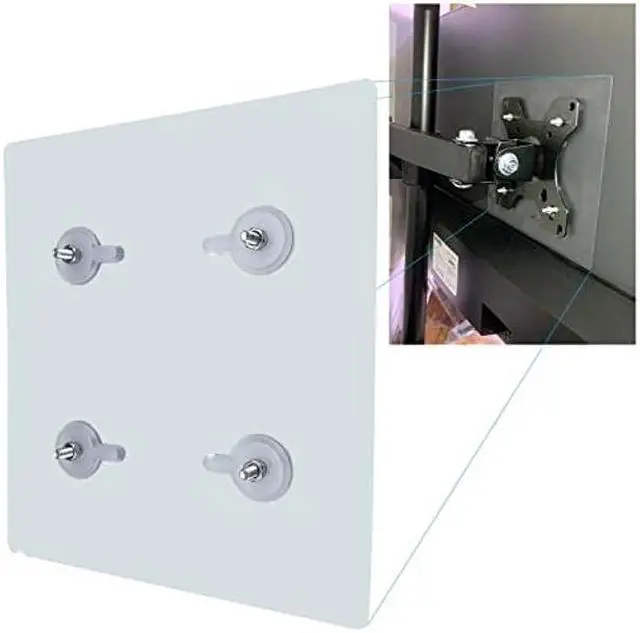
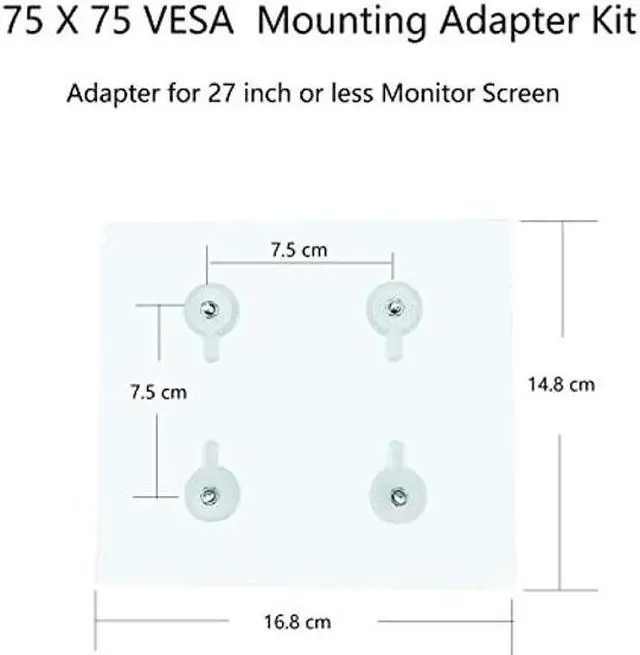
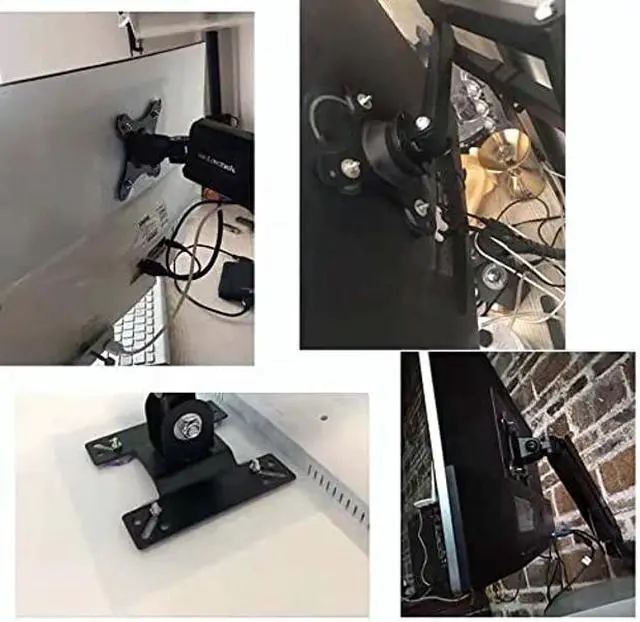


NOBER VESA Mount Adapter Bracket Kit Non-VESA Mounting Universal for 75 VESA Monitor Arm Compatible 2 Pack
- [(VESA Converter Kit)] - This adapter easily convert and make non-VESA monitors fit 75mm x 75mm VESA mount.
- [(Compatibility)] - most 13" to 27" monitors weigh 16 lbs or less and the back is flat
- [(Super simple design)] -designed with split type and one-piece type, it can be placed in many positions to adapt to displays of various sizes and shapes. This non-VESA adapter mounting kit can be easily adjusted to different displays.
- [(Easy to assemble)] -including related screws and parts, easy to install. The installation can be completed in a few minutes, so you can spend more time doing what you like. Please install the adapter correctly according to the manua
- [(Reliability)] -Our VESA adapter is made of high-strength nano-adhesive, sturdy and durable.
![AOACE Gaming PC AMD Ryzen 7 5700X [8-Core 4.6GHz], RTX 5060 8GB GDDR7, DLSS 4, VR Ready, WiFi 6E, 32GB DDR4, 1TB PCIe4 NVMe, 6 ARGB, Win11 Home](https://c1.neweggimages.com/ProductImageCompressAll100/C545S2607150J6GDT09.jpg "AOACE Gaming PC AMD Ryzen 7 5700X [8-Core 4.6GHz], RTX 5060 8GB GDDR7, DLSS 4, VR Ready, WiFi 6E, 32GB DDR4, 1TB PCIe4 NVMe, 6 ARGB, Win11 Home")

+
+
Overview
Specs
Reviews

Any questions? Our AI mode will help you find out quickly.
Try me now
The monitor can be installed on the stand by lightly pasting to free up desk space. It is suitable for most 13-inch to 27-inch wide-screen flat/curved displays. Each display is a nano-strong adhesive, and its super adhesion ability can solve your worries.
Super self-adhesive label, without screw hole adapter, you can easily solve the trouble of installing screw holes on the old-fashioned monitor without one-click, and make your work easy.
Almost all monitor stands on the market can only be used with monitors with VESA mounting holes, but not all monitors have VESA mounting holes. It seems that monitors without VESA mounting holes cannot enjoy the advantages of a wall-mounted/desktop monitor stand.
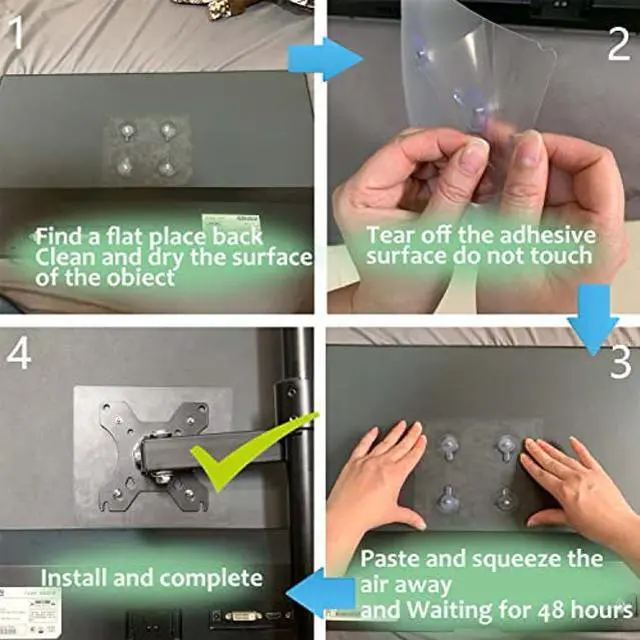
The installation steps are as follows:
1. Wipe the dust and grease on the monitor with a clean soft cloth and let it dry completely.
2. Find the location of the paste film, and then paste the paste horizontally on the display.
3. Smooth the patch from the inside to the outside, and then press each area to exhaust the air in the patch.
4. Waiting for 48 hours.
5. Finish installation.
Notes:
1. Please note that avoid using it on uneven surfaces, the smoother the display, the better the effect.
2. We recommend keeping the weight no more than 25lb for a long time.
Super self-adhesive label, without screw hole adapter, you can easily solve the trouble of installing screw holes on the old-fashioned monitor without one-click, and make your work easy.
Almost all monitor stands on the market can only be used with monitors with VESA mounting holes, but not all monitors have VESA mounting holes. It seems that monitors without VESA mounting holes cannot enjoy the advantages of a wall-mounted/desktop monitor stand.
The installation steps are as follows:
1. Wipe the dust and grease on the monitor with a clean soft cloth and let it dry completely.
2. Find the location of the paste film, and then paste the paste horizontally on the display.
3. Smooth the patch from the inside to the outside, and then press each area to exhaust the air in the patch.
4. Waiting for 48 hours.
5. Finish installation.
Notes:
1. Please note that avoid using it on uneven surfaces, the smoother the display, the better the effect.
2. We recommend keeping the weight no more than 25lb for a long time.
Warranty & Returns
Warranty, Returns, And Additional Information
Warranty
- Please contact the Seller directly for warranty information. Warranty information may also be found on the Manufacturer's website.
- CONTACT
Return Policies
- Return for refund within: 30 days
- Return for replacement within: 30 days
- This item is covered by JMDesign Return Policy
Manufacturer Contact Info
- For a directory of all our manufacturers, please click below.
- Manufacturers Directory
LOADING...