• $140.99
  • Free 30-day Returns
  • Ships from China.
    Sold by Glovibe Tech

    Shipped by Glovibe Tech

    Price alert
    Shop it at NeweggBusiness.

    Meet Your Seller

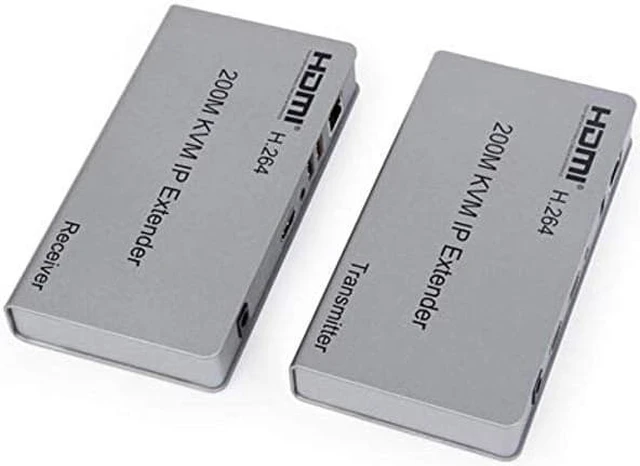
    Optimal Shop 656ft/200m HDMI USB Extender RJ45 IP Network KVM Over IP Extender Over Cat5e Cat6 HDMI KVM Extender with Wide IR by TCP/IPm for PC HDTV Display

    • HDMI 200M Extender over IP is based on TCP/IP standard. It transmits your HD display with the high resolution up to 200 meters away from your DVD or computer source by using one CAT5e/6 cable.
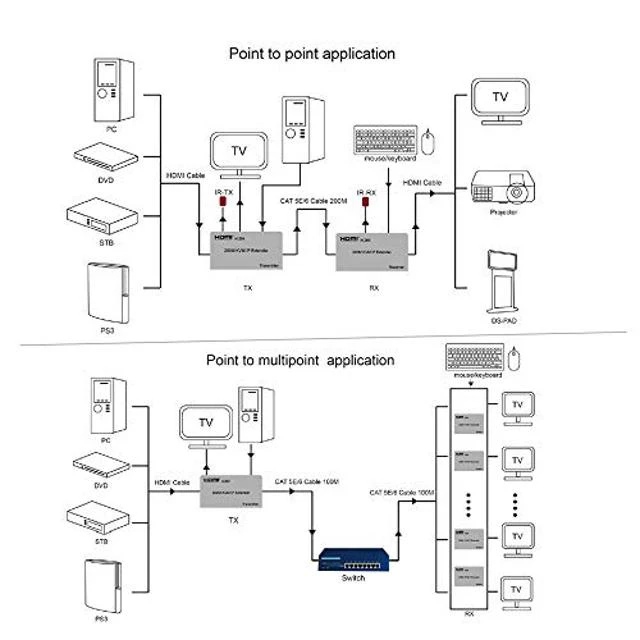
    • At the same time, it's convenient to transmit HDMI audio and video source by point-to-point mode, one point-to-many mode and cascade connection mode.
    • Widely used in the office, game studio, teaching, entertainment, military, information platform and so on.
    • The design of pure hardware, plug and play,no need for additional software.
    +
    +
    Overview
    Specs
    Reviews

    Any questions? Ask CelesteSM will help you find out quickly.

    Features:
    Support HDMI 1.3
    Support point-to-point mode, one point-to-multi point mode and cascade connection mode.
    802.3 Ethernet standard.
    Support IR remote control
    Support USB mouse and keyboard extension.
    The design of pure hardware, plug and play, no need for additional software.


    Specifications

    :
    Resolutions: 480p, 720p, 1080p
    Audio: Sample
    rate: 32kHz, 44.1 kHz and 48kHz code
    IR remote control: 38 KHz; NEC
    HDMI version: HDMI 1.3
    Power adapter: DC: 5V/1A
    Power consumption HDMI sender: 3W HDMI receiver: 3W
    Connection and operation:
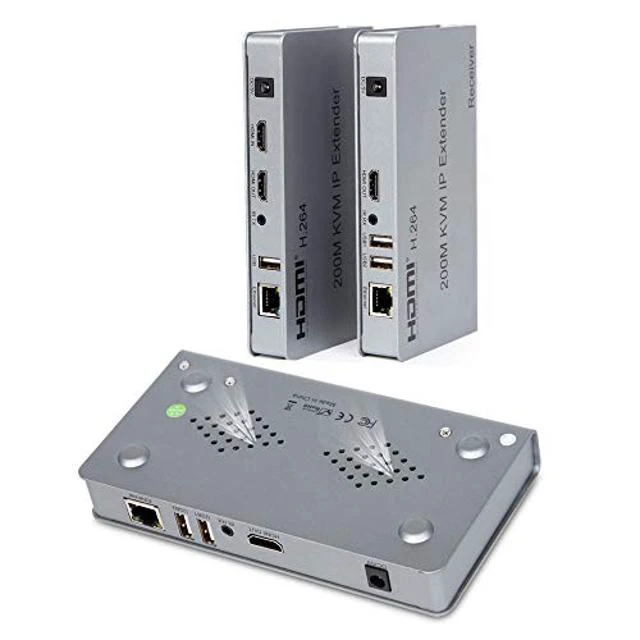
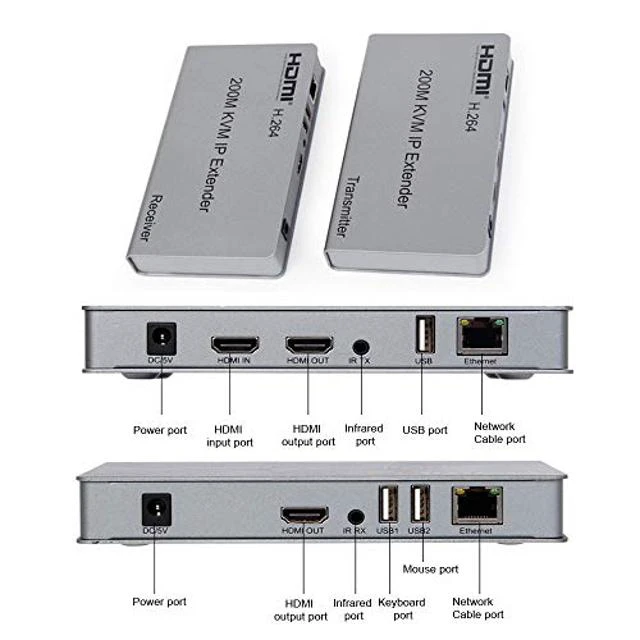
    1. Connect the HDMI source (such as DVD, PS3, STB ) to the "HDMI IN" of transmitter by HDMI cable.
    2. Connect the "HDMI out" of Receiver to HDTV display by HDMI cable.
    3. Connect the Transmitter and Receiver with one cat5e/6 cable (recommend). the furthest distance is 200M.
    4. Connect the "IR receiver "into "IR-RX" port on receiver, and "IR transmitter"into the "IR-TX" on transmitter, and make sure the IR transmitter aim at IR port of the source.
    5. Plug the mouse and keyboard into the USB port of the receiver, and connect the USB port of the transmitter with the computer if you need the KVM control function.
    6. Connect two pieces of 5V power supply to the transmitter and receiver, and power on the HDTV display and HDMI source.
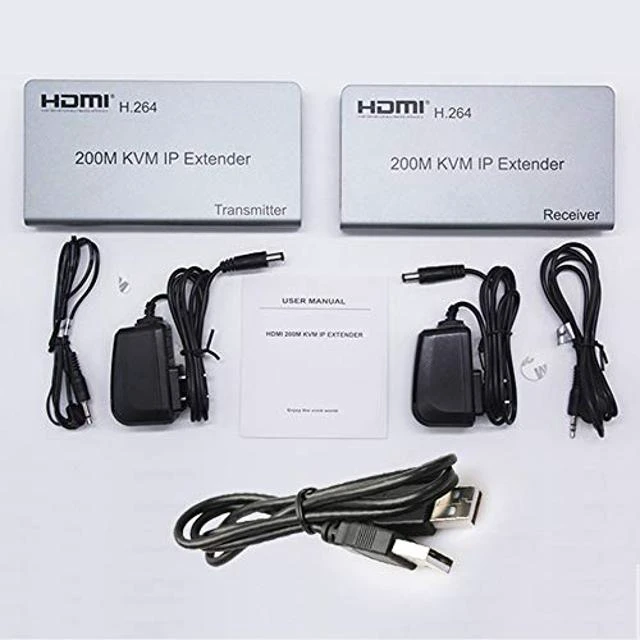
    Package Include:
    1 X Transsmiter
    1 X Receiver
    2 X 5V/1A Power Adapter (US)
    1 X IR transmitter
    1 X IR receiver
    1 X USB Cable
    1 X User Manual

    Warranty & Returns

    Warranty, Returns, And Additional Information

    Warranty

    • Please contact the Seller directly for warranty information. Warranty information may also be found on the Manufacturer's website.
    • CONTACT

    Return Policies

    • Return for refund within: 30 days
    • Return for replacement within: non-replaceable
    • This item is covered by Glovibe Tech Return Policy

    Manufacturer Contact Info

    LOADING...