

Your Browsing History

- Free 30-day Returns
$108.99

Meet Your Seller

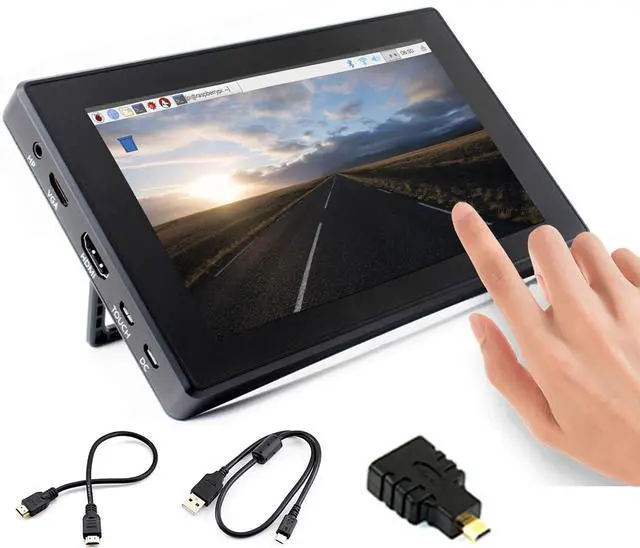
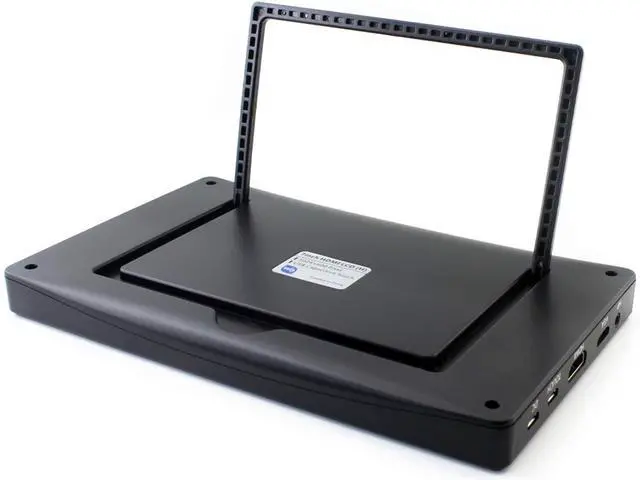


7inch HDMI LCD (H) (with case) Capacitive Touch Screen 1024x600 IPS Display Monitor Compatible with Raspberry Pi 5/4B/3B+/3B/Pi Zero W/Zero 2W/Pico/Pico W/Pico 2/Pico 2WJetson Nano/Win10/8/7
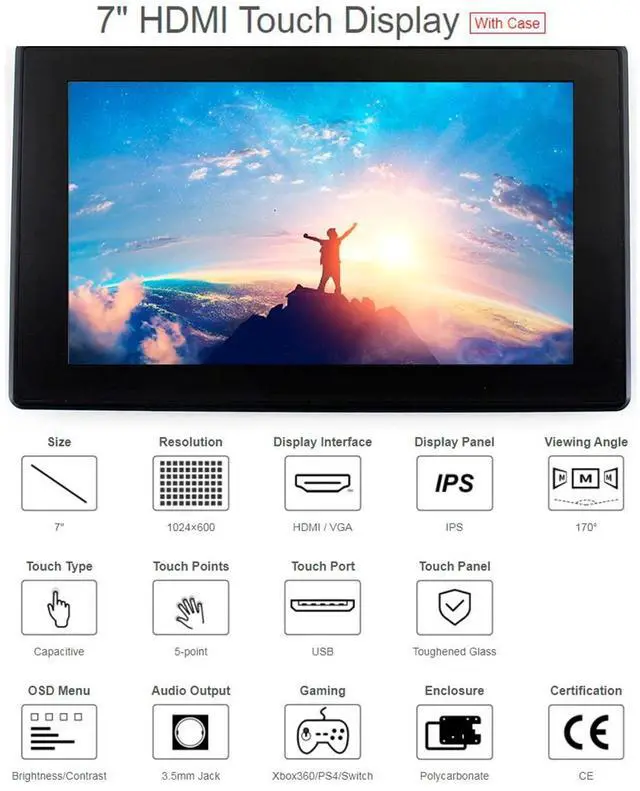
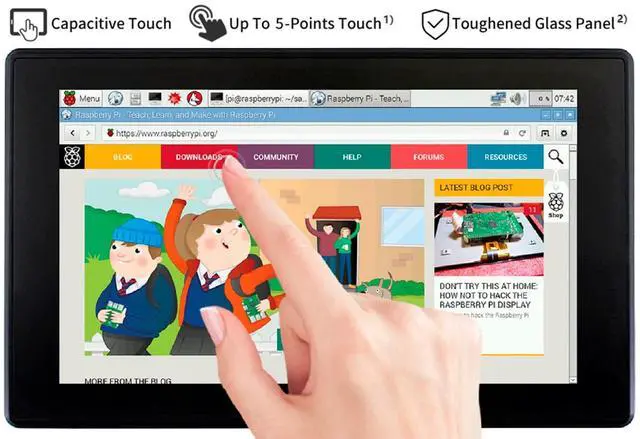
- 7" IPS screen,Capacitive Touch panel,with Toughened Glass Coverl, 6H hardness.1024x600 hardware resolution, configurable by software (up to 1920x1080).
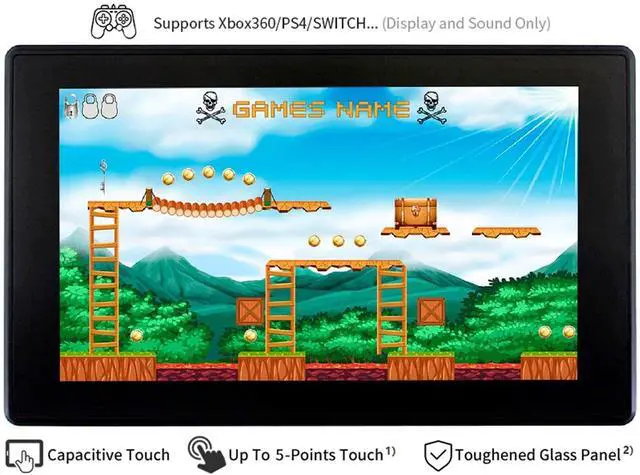
- Compatible with Raspberry Pi (All Versions) , Jetson Nano, BB Black, Banana Pi, as well as general desktop computers
- When works with Raspberry Pi, supports Raspbian/Ubuntu/Kali/Retropie/WIN10 IOT, driver free; When work as a computer monitor, supports Windows 10/8.1/8/7, five-points touch, and driver free
- Multi languages OSD menu, for power management, brightness/contrast adjustment, etc. 3.5mm audio jack, supports HDMI audio output.Also supports VGA input (specific cable is required and should be purchased separately).
- Supports VGA input (Note: specific cable is required and should be purchase separately).
+
+
Overview
Specs
Reviews

Any questions? Our AI beta will help you find out quickly.
Try me now
Overview
1024 x 600, 7-inch Capacitive Touch Screen LCD, HDMI interface, supports various systems. Toughened glass capacitive touch panel, 6H hardness (only the Case version has hardness glass). It is compatible with Raspberry Pi and can also be used as a computer monitor.
Features
7inch IPS screen, 1024 x 600 hardware resolution, configurable by software (up to 1920 x 1080).
Toughened glass capacitive touch panel, 6H hardness (case version only).
When used with RPi, supports RPi OS / Ubuntu / Kali and Retropie.
Use with Windows PC, support Windows 11 / 10 / 8.1 / 8 / 7, 5-points touch.
Multi-languages OSD menu, for power management, brightness/contrast adjustment, etc.
It has a 3.5 mm audio jack and supports HDMI audio output.
Supports VGA input (specific cable is required and should be purchase separately).
High-quality PC case,
optional tilt angle: 30deg/50deg (case version only).
Keys Introduction
Power: Open or Close LCD display
Menu: Open OSD menu (It can also work as "OK button" after entering the menu )
Up/Left: Direction button
Down/Right: Direction button
Exit: it can also work as Return after entering the menu
You can use the "Power" button to close the LCD display for reducing consumption if it will be idle for a long time.
Open the OSD menu by pressing the "Menu" button, then use the "OK button" and "Direction button" to change the configuration, and finally, use the "Return button" to exit.
Development Resource/ User Manual: //bit. ly/3MHaOjr
Package Content
7inch HDMI LCD (H) (with case) x1
HDMI cable x1
HDMI to Micro HDMI Adapter x1
USB type A plug to micro B plug cable x1
Quick start sheet x1
1024 x 600, 7-inch Capacitive Touch Screen LCD, HDMI interface, supports various systems. Toughened glass capacitive touch panel, 6H hardness (only the Case version has hardness glass). It is compatible with Raspberry Pi and can also be used as a computer monitor.
Features
7inch IPS screen, 1024 x 600 hardware resolution, configurable by software (up to 1920 x 1080).
Toughened glass capacitive touch panel, 6H hardness (case version only).
When used with RPi, supports RPi OS / Ubuntu / Kali and Retropie.
Use with Windows PC, support Windows 11 / 10 / 8.1 / 8 / 7, 5-points touch.
Multi-languages OSD menu, for power management, brightness/contrast adjustment, etc.
It has a 3.5 mm audio jack and supports HDMI audio output.
Supports VGA input (specific cable is required and should be purchase separately).
High-quality PC case,
optional tilt angle: 30deg/50deg (case version only).
Keys Introduction
Power: Open or Close LCD display
Menu: Open OSD menu (It can also work as "OK button" after entering the menu )
Up/Left: Direction button
Down/Right: Direction button
Exit: it can also work as Return after entering the menu
You can use the "Power" button to close the LCD display for reducing consumption if it will be idle for a long time.
Open the OSD menu by pressing the "Menu" button, then use the "OK button" and "Direction button" to change the configuration, and finally, use the "Return button" to exit.
Development Resource/ User Manual: //bit. ly/3MHaOjr
Package Content
7inch HDMI LCD (H) (with case) x1
HDMI cable x1
HDMI to Micro HDMI Adapter x1
USB type A plug to micro B plug cable x1
Quick start sheet x1
Warranty & Returns
Warranty, Returns, And Additional Information
Warranty
- Please contact the Seller directly for warranty information. Warranty information may also be found on the Manufacturer's website.
- CONTACT
Return Policies
- Return for refund within: 30 days
- Return for replacement within: 30 days
- This item is covered by HAIZHILANSTORE Return Policy
Manufacturer Contact Info
- For a directory of all our manufacturers, please click below.
- Manufacturers Directory
LOADING...