shipping Holiday Shipping Details & Extended Holiday Returns
Out of stock
  • $79.99
  • Free 30-day Returns
  • $5.99 Shipping ()
Most customers receive within 5-9 days.
Price alert
Shop it at NeweggBusiness.

Meet Your Seller

waveshare 7inch HDMI LCD IPS Capacitive Touch Screen 1024×600 Display Monitor Compatible with Raspberry Pi 5/4B/3B+/3B/Pi Zero W/Zero 2W/Pico/Pico W/Pico 2/Pico 2WJetson Nano/Win10/8/7,etc.

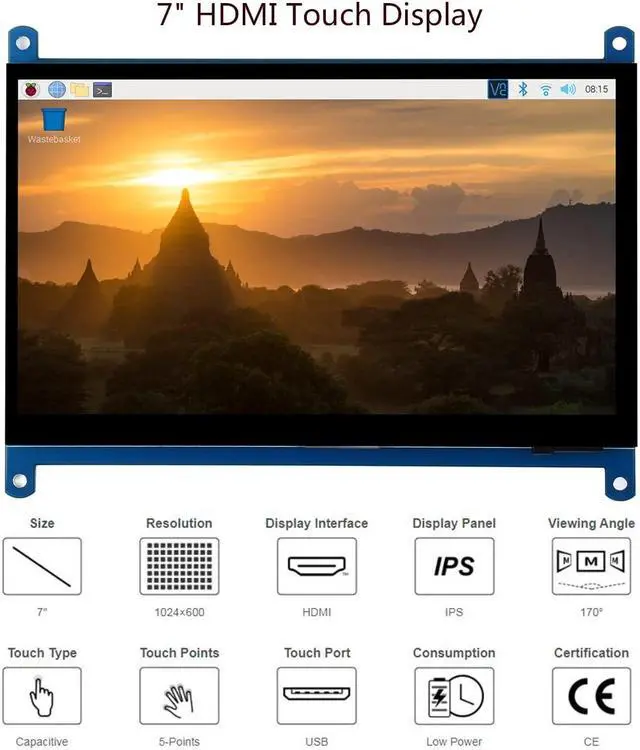
  • (The newest Rev4.1) 7inch HDMI LCD (C), IPS screen, Capacitive Touch Screen ,HDMI interface,1024x600 hardware resolution.HDMI Interface for displaying , USB Interface for touching. Backlight can be turned off to lower power consumption
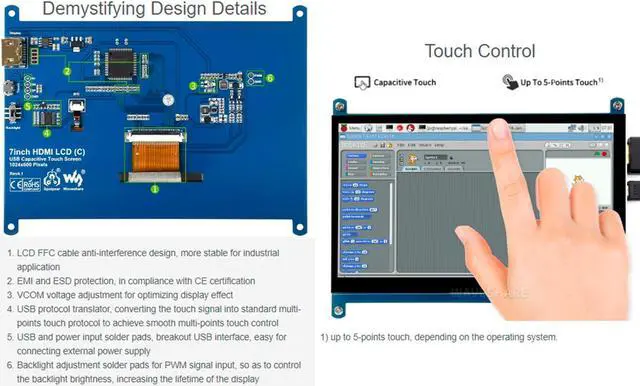
  • Supports popular mini PCs,Compatible with Raspberry Pi, BB Black, as well as general desktop computers: When works with Raspberry Pi, supports Raspbian/Ubuntu/Kali/Retropie/WIN10 IOT, driver free;When work as a computer monitor, supports Windows 10/8.1/8/7, five-points touch, and driver free
  • Note:Please set the config.txt file by addding [the hdmi_drive=1] into the end of code if you connect it with raspberry pi. (like manual in picture)Otherwise the LCD could not work properly.
  • Note:If the LCD work in abnormal states for long time, it may be broken if you don't set the config.txt file at the beginning.After setting config file,please power off the screen and put it aside for a few hours to avoid the flickers.
  • Note: to use the LCD w
+
+
Overview
Specs
Reviews
avatar

Any questions? Our AI beta will help you find out quickly.

Features
7inch IPS screen, 1024x600 hardware resolution, Capacitive touch control, Supports popular mini PCs, Compatible with Raspberry Pi, BB Black, as well as general desktop computers.
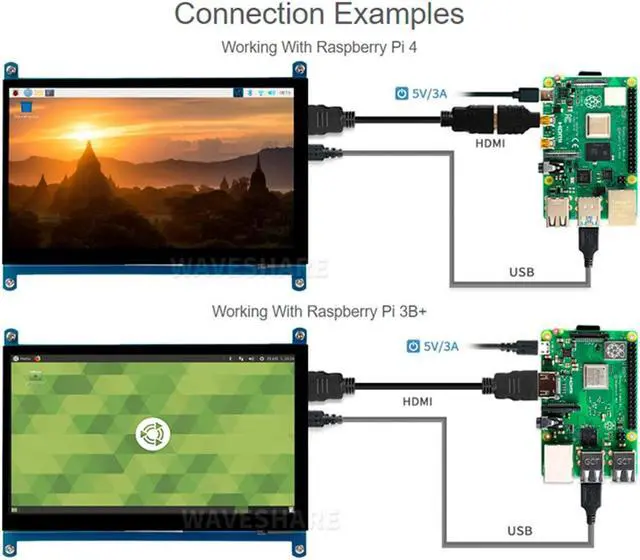
When works with Raspberry Pi, supports Raspbian/Ubuntu/Kali/Retropie/WIN10 IOT, driver free.
When work as a computer monitor, supports Windows 10/ 8.1 /8/7, five-points touch, and driver free.
Backlight can be turned off to lower power consumption.

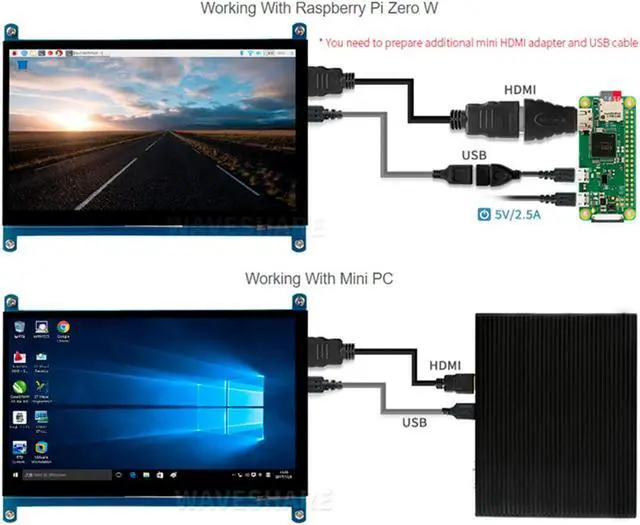
Note: to use the LCD with following mini-PCs, additional cables are required and should be purchased separately:
1.
RPi Zero: HDMI cable, USB-type-A-receptacle-to-Micro-B-plug-cable.
2.
BB Black: HDMI cable.

How-to-use document/User Manual: //bit. ly/3f7pwUA

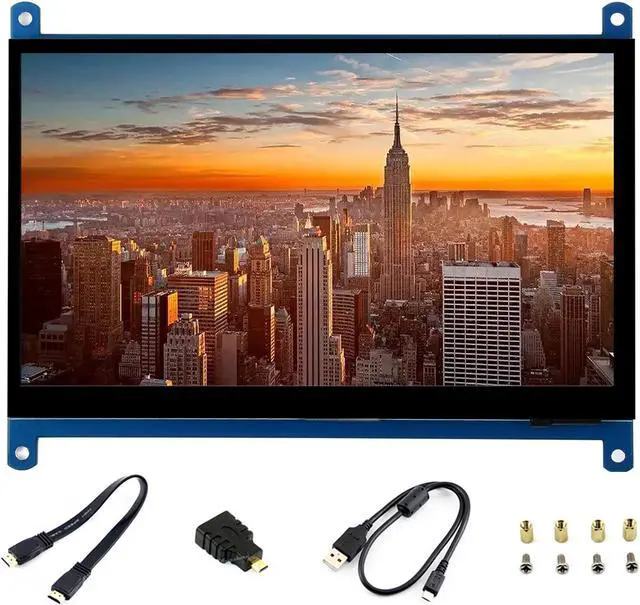
PACKAGE CONTENT
7inch HDMI LCD (C) x 1
HDMI cable x 1
HDMI to Micro HDMI Adapter x 1
USB type A plug to micro B plug cable x 1
RPi screws pack (4pcs) x 1
Quick start sheet x1

FAQ
1.
Question: How to remove the colored squares during GPU self-test on RPi boot-up?
Answer: Add the following command to /boot/config. txt: disable_splash=1


2.
Question: How to replace the R Pi startup logo image?
Answer: Replace the custom image with the image in this directory /usr/share/plymouth/themes/pix/splash. png.

3.
Question: What can I do if the thin red lines appear on the edge of the screen?
Answer: Edit the config. txt and add this line at the end of the config. txt file: hdmi_drive=1

Warranty & Returns

Warranty, Returns, And Additional Information

Warranty

  • Please contact the Seller directly for warranty information. Warranty information may also be found on the Manufacturer's website.
  • CONTACT

Return Policies

Manufacturer Contact Info

LOADING...