• $210.99
  • Free 30-day Returns
  • Price alert
    Sold by kaipuda
    Top Rated
    5 (1 seller ratings)

    Shipped by kaipuda

    Shop it at NeweggBusiness.

    Meet Your Seller

    waveshare 5inch Round LCD 1080 x 1080, IPS 10-Point Touch Screen for Raspberry Pi 4B/Raspberry Pi 3B+/Pi3B/Raspberry Pi Zero W/Zero WH/Raspberry Pi Zero 2W/Jetson Nano/PC, HDMI/USB Type-C Interface

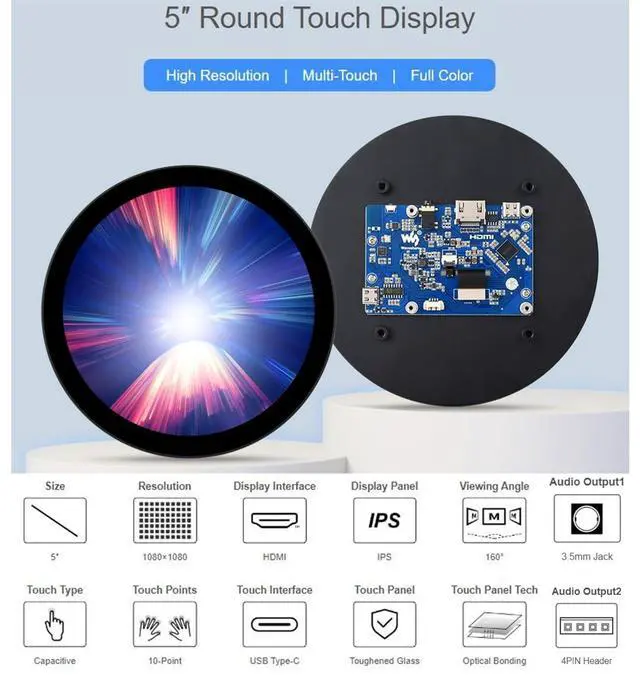
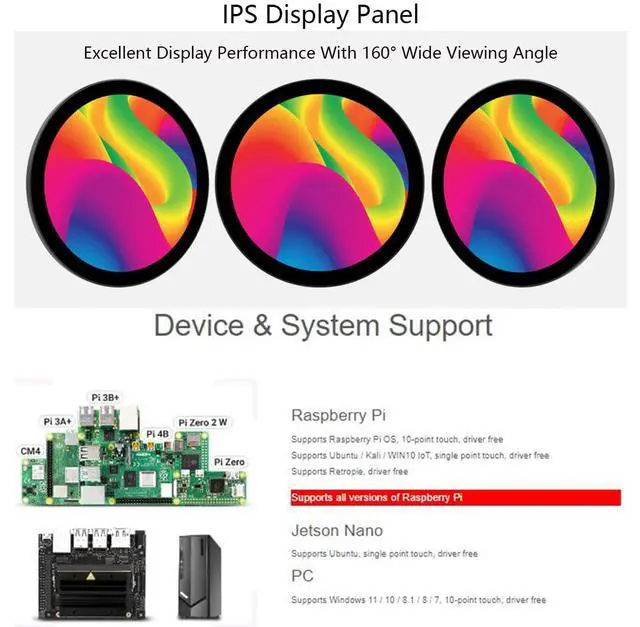
    • 5inch IPS round screen, 1080 x 1080 hardware resolution. IPS Display Panel, 160wide viewing angle. 10-point capacitive touch, with toughened glass panel, hardness up to 6H. Adopting optical bonding technology, the display effect is better.
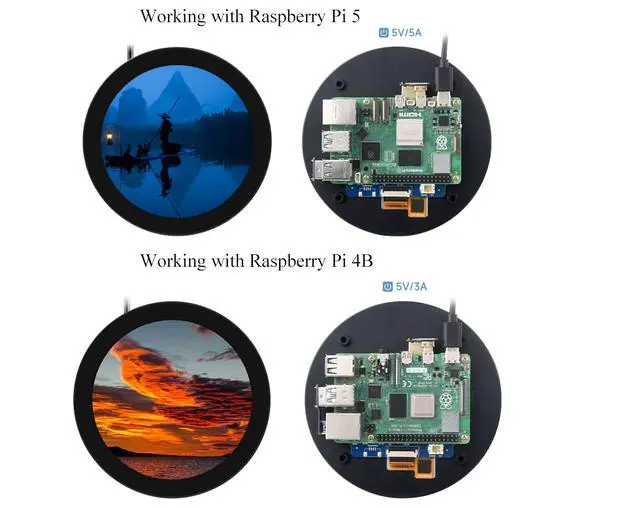
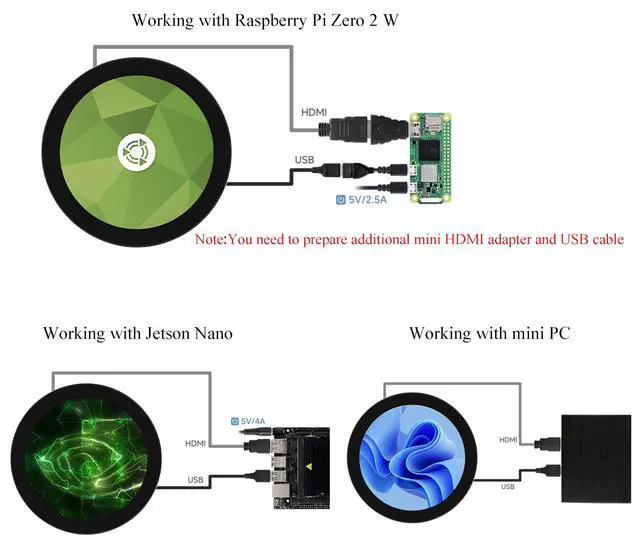
    • Compatible with Raspberry Pi--- Supports Raspberry Pi OS, 10-point touch, driver free. Supports Ubuntu / Kali / WIN10 IoT, single point touch, driver free. Supports Retropie, driver free.
    • Jetson Nano--- Supports Ubuntu, single point touch, driver free
    • PC--- Supports Windows 11 / 10 / 8.1 / 8 / 7 when used as a computer monitor, 10-point touch, driver free
    • Supports HDMI audio output with 3.5mm jack and 4PIN header.
    +
    +
    Overview
    Specs
    Reviews
    avatar

    Any questions? Our AI beta will help you find out quickly.

    Feature5inch IPS round screen, 1080 x 1080 hardware resolution. 10-point capacitive touch, with toughened glass panel, hardness up to 6H. Adopting optical bonding technology, the display effect is better. Supports Raspberry Pi OS / Ubuntu / Kali and Retropie when used with Raspberry Pi. Supports Windows 11 / 10 / 8.1 / 8 / 7 when used as a computer monitor. Supports HDMI audio output with 3.5 mm jack and 4PIN header. Software SettingPlease download the newest image from Raspberry Pi official website. 2. Download the compressed file to the PC and decompress it to get the.

    img file. 3. Connect the TF card to the PC, and use SDFormatter to format the TF card. 4. Open the Win32DiskImager software, select the system image prepared in step 1, and click write to burn the system image. 5. After the programming is completed, open the config. txt file in the root directory of the TF card, add the following code at the end of config. txt, save and eject the TF card safely. hdmi_group=2hdmi_mode=87hdmi_pixel_freq_limit=356000000hdmi_timings=1080 0 68 32 100 1080 0 12 4 16 0 0 0 60 0 85500000 06.

    Insert the TF card into the Raspberry Pi, power on the Raspberry Pi, and wait for a few seconds for a normal display. Due to the circular screen feature, it is recommended to use the Raspberry Pi remote login tutorial for power on setup.
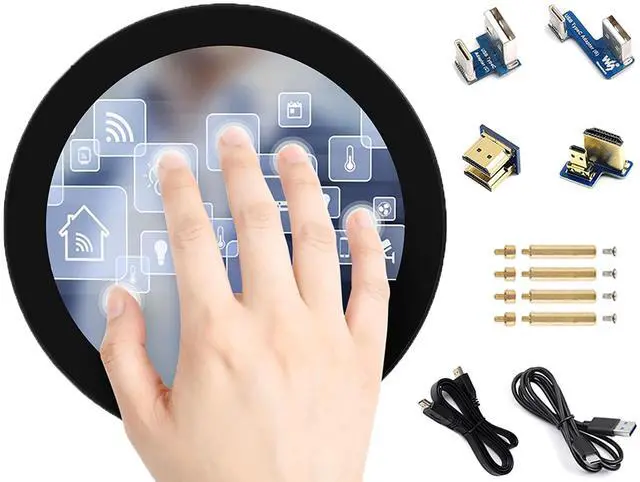
    How-to-use document/User Manual: //bit. ly/46c75TiPackage Content5inch 1080x1080 LCD 1HDMI flat cable ~1m 1USB-A to USB-C cable ~1m 1USB to Type-C adapter (B) 1USB to Type-C adapter (C) 1HDMI to Micro HDMI adapter 1HDMI adapter 1Screwspack 1

    Warranty & Returns

    Warranty, Returns, And Additional Information

    Warranty

    • Please contact the Seller directly for warranty information. Warranty information may also be found on the Manufacturer's website.
    • CONTACT

    Return Policies

    • Return for refund within: 30 days
    • Return for replacement within: 30 days
    • This item is covered by kaipuda Return Policy

    Manufacturer Contact Info

    LOADING...