Your Browsing History
- Free 30-day Returns
$59.99
Meet Your Seller
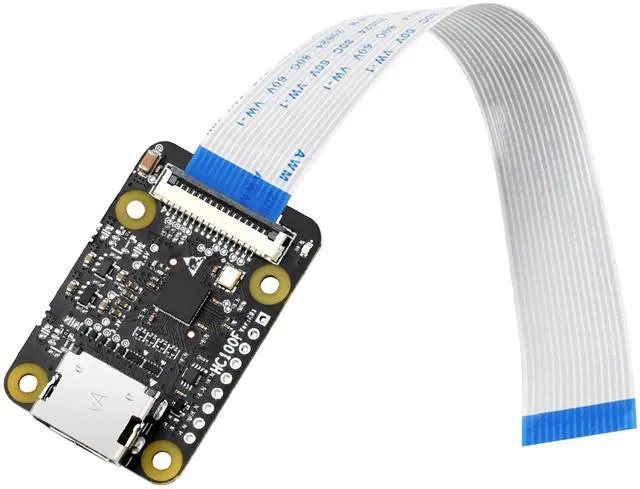
HDMI to CSI Camera Adapter, Support from HDMI Input up to 1080p 30fps, Compatible with Raspberry Pi 4 Model B/3B+/3B/2B/3A+/Pi Zero/Zero W/WH/Pi Zero 2W, Raspberry Pi CSI Cameras
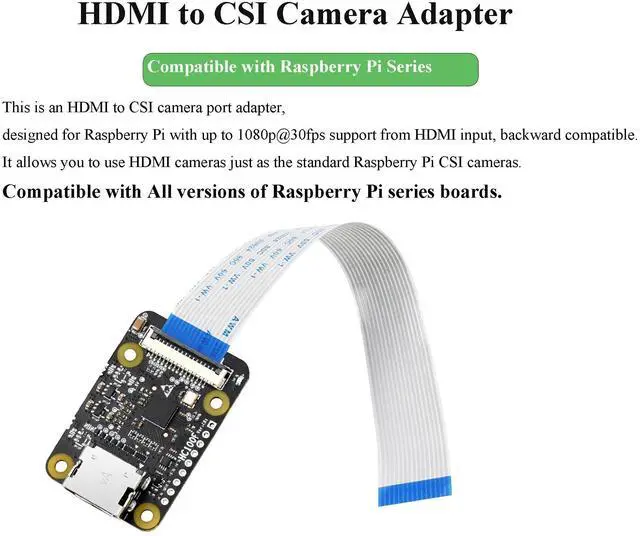
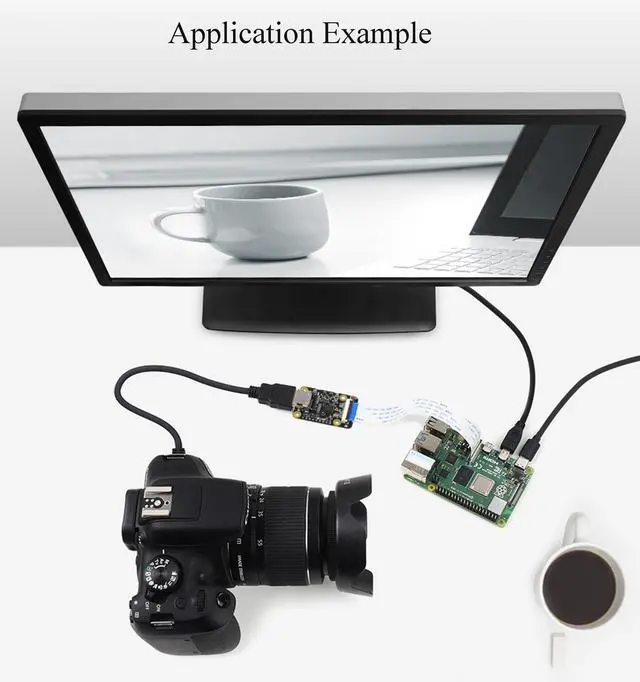
- This is an HDMI to CSI camera port adapter designed for Raspberry Pi with up to 1080p@30fps support from HDMI input, backward compatible.
- It allows you to use HDMI cameras just as the standard Raspberry Pi CSI cameras.
- It is compatible with all versions of Raspberry Pi series boards--compatible with Raspberry Pi 4B/3B+/3B/2B/3A+/Pi Zero/Zero W/Pi Zero WH
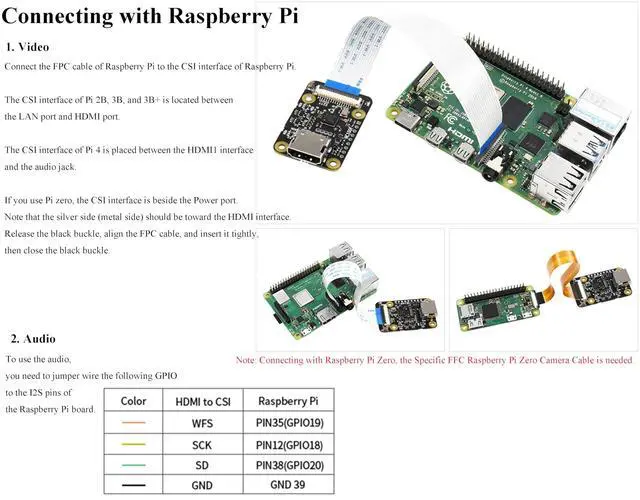
- Note:If you need to use it for Raspberry Pi Zero ,Pi Zero W, ,Pi Zero WH, extra FCC cable is required.(such as Raspberry Pi Zero V1.3 Camera Cable)
- Package Content, HDMI to CSI Adapter x1
+
+
Overview
Specs
Reviews
Any questions? Our AI beta will help you find out quickly.
Try me now
OverviewThis is HDMI to CSI Camera Adapter which is designed for Raspberry Pi with up to 1080p@30fps support from HDMI input, backward compatible. It allows you to use HDMI cameras just as the standard Raspberry Pi CSI cameras, and it is compatible with Raspberry Pi 4B/3B+/3B/2B/3A+/Pi Zero/Zero W/Pi Zero WH/Pi Zero 2W, etc.
SpecificationsChip: TC358743XBG
Input SignalVideo: HDMI 1.4, RGB888, up
to 1080p@30fps supportAudio: HDMI
Output SignalVideo: 2-lanes
MIPI CSI-2Audio: I2S audio output, LPCM audio stream formatOperating
System: Raspberry Pi OS 32bitOperating
Voltage: 3.3VO perating
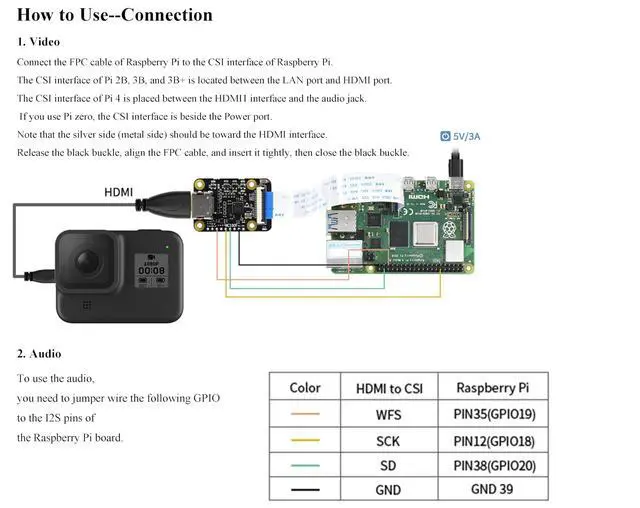
Temperature: -30 ~ 70CConnection1. VideoConnect the FPC cable of Raspberry Pi to the CSI interface of Raspberry Pi. The CSI interface of Pi 2B, 3B, and 3B+ is located between the LAN port and HDMI port. The CSI interface of Pi 4 is placed between the HDMI1 interface and the audio jack. If you use Pi zero, the CSI interface is beside the Power port. Note that the silver side (metal side) should be toward the HDMI interface. Release the black buckle, align the FPC cable, and insert it tightly, then close the black buckle. 2. AudioTo use the audio, you need to jumper wire the following GPIO to the I2S pins of the Raspberry Pi board. HDMI to CSI ---Raspberry PiWFS--- (PIN35) GPIO19SCK--- (PIN12) GPIO18SD --- (PIN38) GPIO20GND ---GND
Package ContentHDMI to CSI Adapter x1

SpecificationsChip: TC358743XBG
Input SignalVideo: HDMI 1.4, RGB888, up
to 1080p@30fps supportAudio: HDMI
Output SignalVideo: 2-lanes
MIPI CSI-2Audio: I2S audio output, LPCM audio stream formatOperating
System: Raspberry Pi OS 32bitOperating
Voltage: 3.3VO perating
Temperature: -30 ~ 70CConnection1. VideoConnect the FPC cable of Raspberry Pi to the CSI interface of Raspberry Pi. The CSI interface of Pi 2B, 3B, and 3B+ is located between the LAN port and HDMI port. The CSI interface of Pi 4 is placed between the HDMI1 interface and the audio jack. If you use Pi zero, the CSI interface is beside the Power port. Note that the silver side (metal side) should be toward the HDMI interface. Release the black buckle, align the FPC cable, and insert it tightly, then close the black buckle. 2. AudioTo use the audio, you need to jumper wire the following GPIO to the I2S pins of the Raspberry Pi board. HDMI to CSI ---Raspberry PiWFS--- (PIN35) GPIO19SCK--- (PIN12) GPIO18SD --- (PIN38) GPIO20GND ---GND
Package ContentHDMI to CSI Adapter x1
Warranty & Returns
Warranty, Returns, And Additional Information
Warranty
- Please contact the Seller directly for warranty information. Warranty information may also be found on the Manufacturer's website.
- CONTACT
Return Policies
- Return for refund within: 30 days
- Return for replacement within: 30 days
- This item is covered by Qiangsheng kuajing (Hong Kong) Co., Limi Return Policy
Manufacturer Contact Info
- For a directory of all our manufacturers, please click below.
- Manufacturers Directory
LOADING...