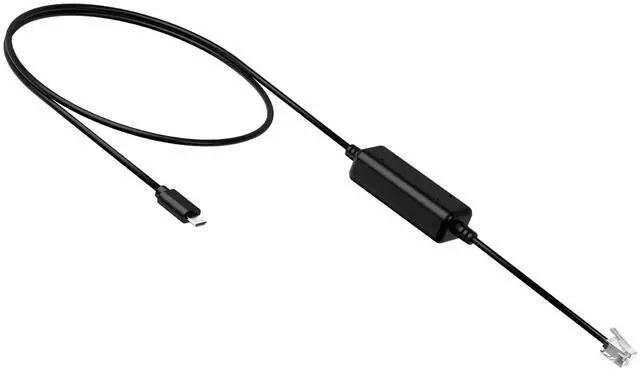
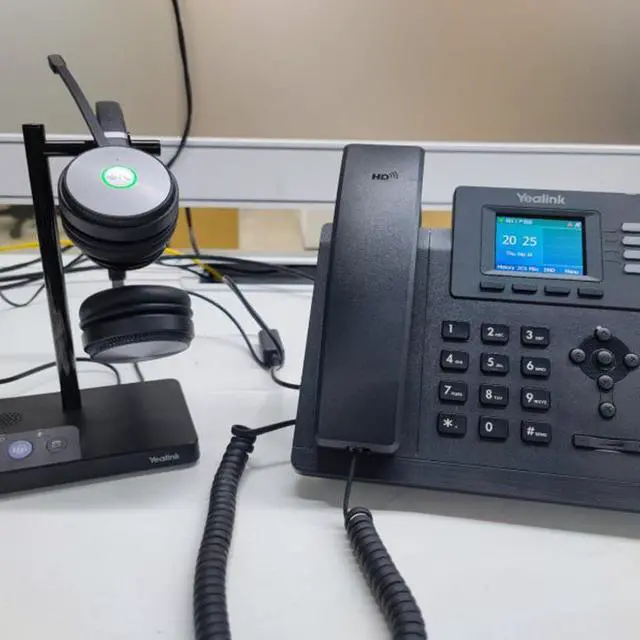
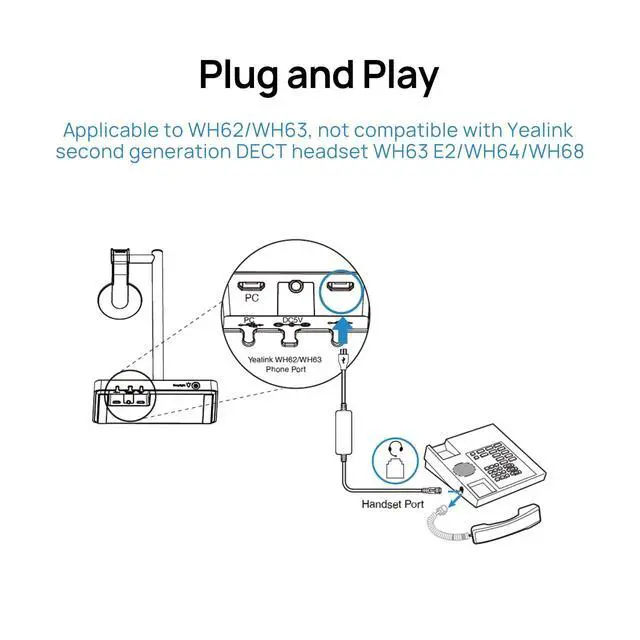
Seamless Connectivity: Easily connect your Yealink WH62/WH63 DECT headset to your IP phone with the Yealink EHS35 adapter, ensuring a smooth and hassle-free user experience
Remote Call Control: Enjoy full control over your calls with the ability to answer, reject, hold, mute, hang up, switch calls, and adjust volume directly from your wireless headset
Wide Compatibility: Compatible with a range of Yealink IP phones (T3X, T4X/T5X), making it a versatile choice for various office setupsPlease make sure your phone and headset are working properly. WH62/63 needs to upgrade the firmware to 104.434.0.15 or later.
Plug-and-Play Design: Experience effortless installation and use with the Yealink EHS35 adapter, simply connect the RJ9 cable to your headset and enjoy enhanced productivity
The EHS35 is not compatible with Yealink second-generation DECT headsets, such as the WH63 E2/WH64/WH68. If you are using these models to connect to Yealink IP phones (T3X, T4X/T5X), please use the T
+
+
Overview
Specs
Reviews
Any questions? Our AI beta will help you find out quickly.
Try me now
Wireless Headset Adapter for IP Phones T3X Series, Connect to WH62/WH63 DECT Headset, RJ9 to USB Cable
Learn more about the Detailed Specifications
Additional Information
First Listed on Newegg
January 14, 2026
There are no reviews yet.
Do you own this product?
Warranty & Returns
Warranty, Returns, And Additional Information
Warranty
Please contact the Seller directly for warranty information. Warranty information may also be found on the Manufacturer's website.