

Your Browsing History

Meet Your Seller

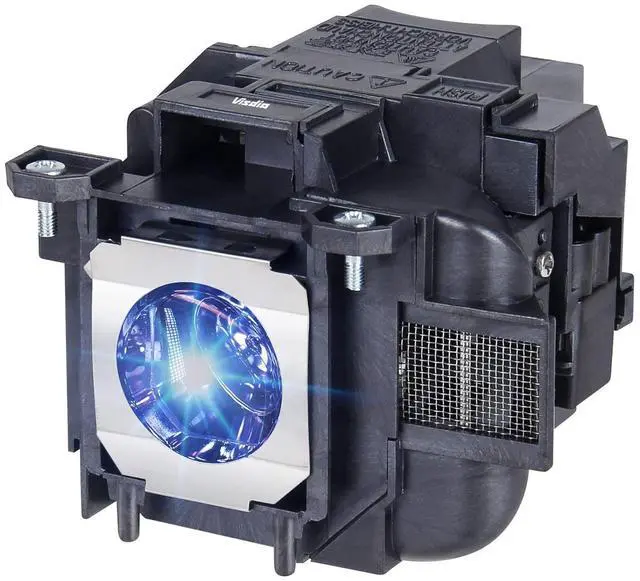



Woprolight ELP78/V13H010L78 Replacement Lamp for Epson ELPLP78 ELPLP88 PowerLite Home Cinema 2000 2030 2045 VS230 VS330 VS335W EX3220 EX6220 EX7220 EX7230 EX7235 EX5220 EX3240 Projector Light Bulb
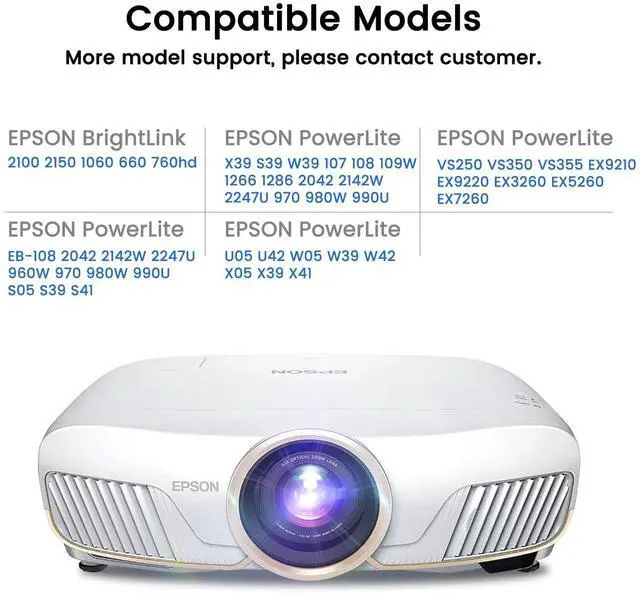
- Compatible Models:for ELPLP78/V13H010L78 ELPLP88/V13H010L88 PowerLite Home Cinema 2030 2040 2045 2000 1040 730HD 740HD 725HD 600 640, VS230, VS240, VS330, VS340, VS335W, VS345, EX3220, EX3240, EX6220, EX7220, EX7230, EX7235, EX7240, EX5220, EX5230, EX5240, EX5250, EX9200, EB-945, 955W, 965, S17, S18, SXW03, SXW18, W18, W22, X18, X20, X24, X25, EH-TW490, TW410, TW5100, TW570, TW5200, PowerLite 1222, 1262W, 1263W, 1284, 965, 97, 98, 99W, S17, S18+, W15+, W17, W18+, X17, X24+ Projectors
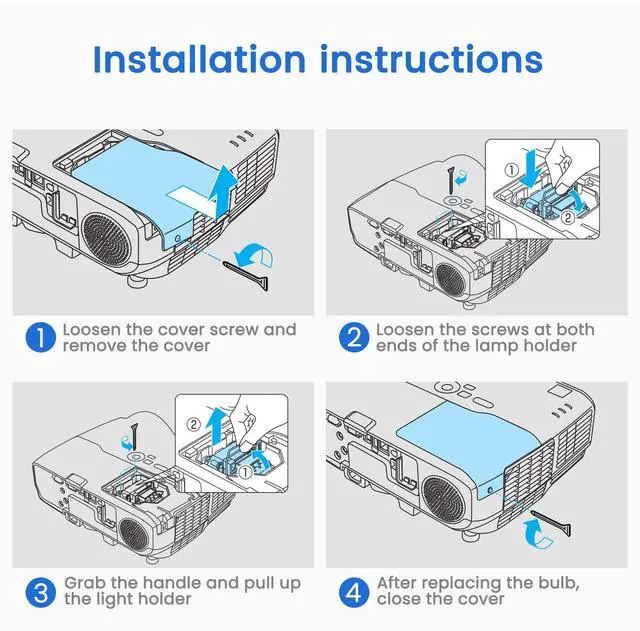
- *Easy Installation* Designed for hassle-free replacement with clear instructions, ensuring seamless setup in minutesno technical expertise required.
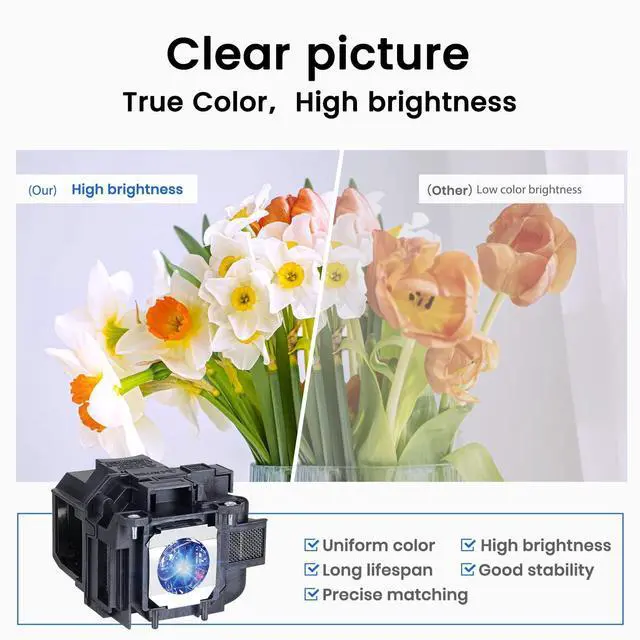
- *Factory-Direct Quality & Precision* Crafted in our own state-of-the-art facility, every bulb meets strict OEM standards for flawless compatibility and performance, ensuring your projector operates like new.
- *Long-Lasting Durability* Built with robust materials and advanced cooling technology to maximize bulb life (up to 5,039 hours), reducing frequ
+
+
Overview
Specs
Reviews

Any questions? Our AI mode will help you find out quickly.
Try me now
Woprolight Information: Woprolight has own factory and many experienced workers. Every lamp will be take strict quality test before leaving factory. So you don't need to doubt the quality.
Instructions sheetInstallation: 1. Turn off the projector and unplug the power cord. 2. Let the projector cool for at least an hour. The lamp is extremely hot immediately after use. 3. Loosen the lamp cover screw. Then slide the lamp cover off. 4. Loosen the two screws holding the lamp in place. 5. Hold the lamp as shown and pull it straight out. 6. Gently insert the new lamp. Then tighten its screws. 7. Replace the lamp cover, then tighten its screw.
Notes: 1. To avoid burns, allow the projector to cool for at least 60 minutes before replacing the lamp. 2. We provide excellent refund service with no any contidition with 62 hours feedback. If you have any questions, please contact us. We will try our best to sole your problem as soon as possible.
Specifications
: 1Instructions sheetInstallation: 1. Turn off the projector and unplug the power cord. 2. Let the projector cool for at least an hour. The lamp is extremely hot immediately after use. 3. Loosen the lamp cover screw. Then slide the lamp cover off. 4. Loosen the two screws holding the lamp in place. 5. Hold the lamp as shown and pull it straight out. 6. Gently insert the new lamp. Then tighten its screws. 7. Replace the lamp cover, then tighten its screw.
Notes: 1. To avoid burns, allow the projector to cool for at least 60 minutes before replacing the lamp. 2. We provide excellent refund service with no any contidition with 62 hours feedback. If you have any questions, please contact us. We will try our best to sole your problem as soon as possible.
Warranty & Returns
Warranty, Returns, And Additional Information
Warranty
- Please contact the Seller directly for warranty information. Warranty information may also be found on the Manufacturer's website.
- CONTACT
Return Policies
- Return for refund within: 30 days
- Return for replacement within: 30 days
- This item is covered by JMDesign Return Policy
Manufacturer Contact Info
- For a directory of all our manufacturers, please click below.
- Manufacturers Directory
LOADING...