

Your Browsing History

Meet Your Seller

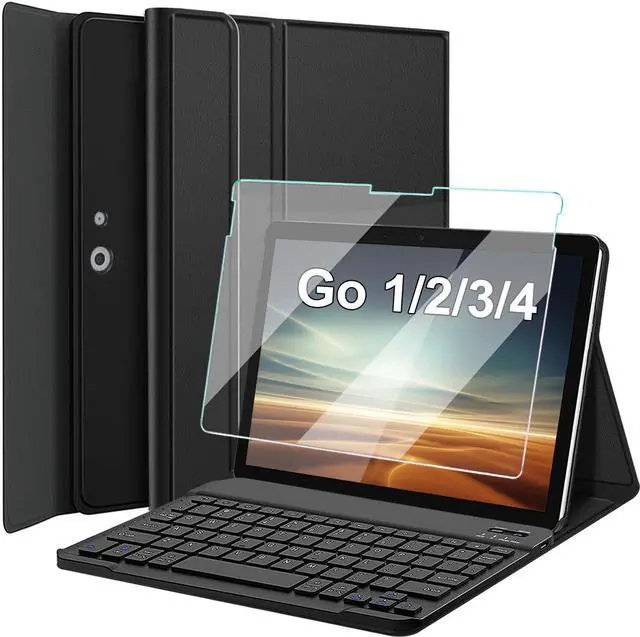
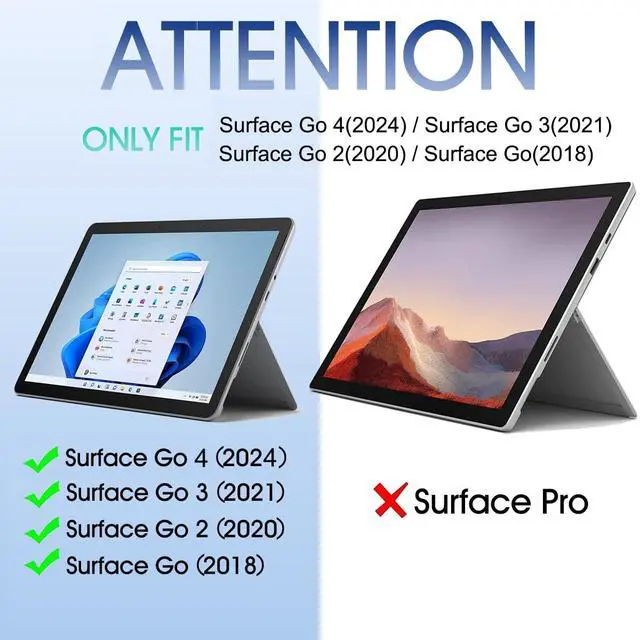


Nanhent Keyboard Case with Screen Protector for Surface Go 4 /Surface Go 3 / Surface Go 2 / Surface Go Tablet, Magnetic Detachable Wireless Keyboard with Premium PU Cover + Tempered Glass
+
+
Overview
Specs
Reviews

Any questions? Our AI mode will help you find out quickly.
Try me now
Nanhent 2024 Introduces this stunningly attractive and unique case
Keyboard and screen protector for: Surface Go 4 2023 10.5 -inch Surface Go 3 2021 10.5 -inchSurface Go 2 2020 10.5 -inchSurface Go 2018 10-inchHow to connect keyboard
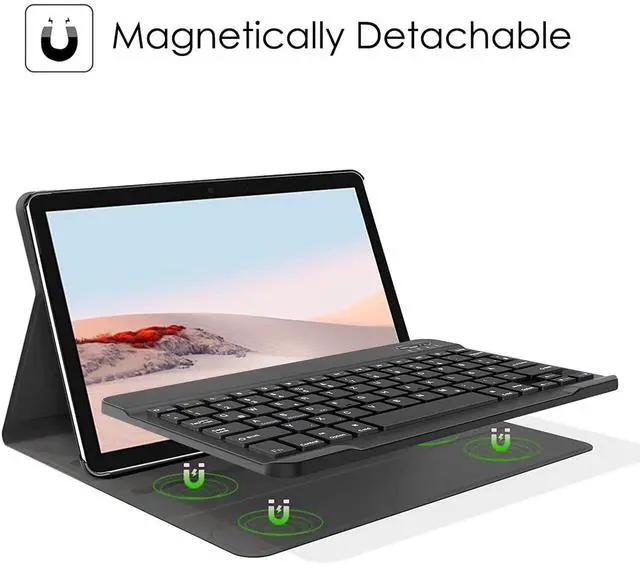
Bluetooth: 1. Full Charge and turn ON the keyboard. 2. Press "Connect" Button to turn on the Bluetooth of the keyboard. 3. Go to your Tablet Bluetooth setting, look for "Bluetooth Keyboard" via your tablet Bluetooth function and connect it. Protection from bumps scratches and spills360 full protection againstSlim Folio carefully envelopes your tablet for all-around protection against bumps scratches and spills On the inside a lightweight frame and keyboard module provide structural integrity. All-around Protection CasePrecise cut-outs and High-quality smart keyboard Surface Go / Go 2 / Go 3 /Go 4 with full access to all of the ports and features, which provides full protection to keep your tablet free from scratches, dust, wear and tear. Magnetic Detachable KeyboardDetachable Bluetooth keyboard with magnetic case that transforms your tablet into a laptop in less than a second; Built-in rechargeable battery for a long keyboard life and continuous use.
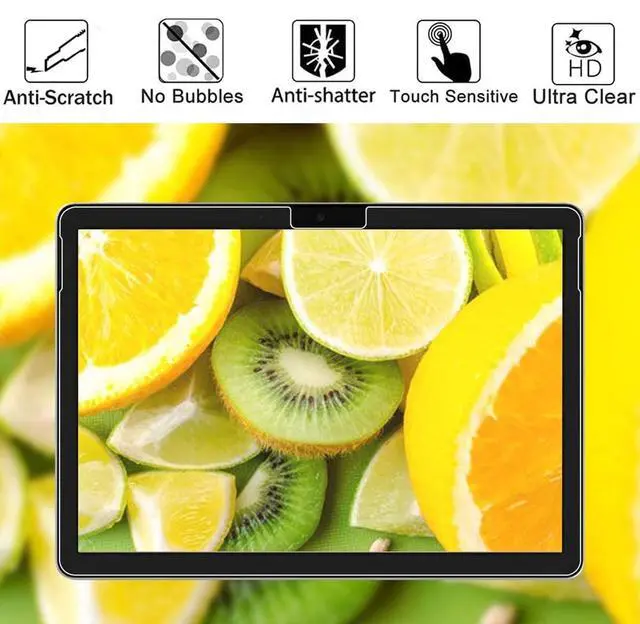
Screen Protector Tempered GlassHigh Transparency: 99.99 % transparency preserves the original screen brightness. You can enjoy a great viewing experience with more brightness and less glare.
Sensitive-touch: Highly sensitive touching performance maintains the original response sensitivity, which ensures quick and accurate typing, smooth games and video playing.
Keyboard and screen protector for: Surface Go 4 2023 10.5 -inch Surface Go 3 2021 10.5 -inchSurface Go 2 2020 10.5 -inchSurface Go 2018 10-inchHow to connect keyboard
Bluetooth: 1. Full Charge and turn ON the keyboard. 2. Press "Connect" Button to turn on the Bluetooth of the keyboard. 3. Go to your Tablet Bluetooth setting, look for "Bluetooth Keyboard" via your tablet Bluetooth function and connect it. Protection from bumps scratches and spills360 full protection againstSlim Folio carefully envelopes your tablet for all-around protection against bumps scratches and spills On the inside a lightweight frame and keyboard module provide structural integrity. All-around Protection CasePrecise cut-outs and High-quality smart keyboard Surface Go / Go 2 / Go 3 /Go 4 with full access to all of the ports and features, which provides full protection to keep your tablet free from scratches, dust, wear and tear. Magnetic Detachable KeyboardDetachable Bluetooth keyboard with magnetic case that transforms your tablet into a laptop in less than a second; Built-in rechargeable battery for a long keyboard life and continuous use.
Screen Protector Tempered GlassHigh Transparency: 99.99 % transparency preserves the original screen brightness. You can enjoy a great viewing experience with more brightness and less glare.
Sensitive-touch: Highly sensitive touching performance maintains the original response sensitivity, which ensures quick and accurate typing, smooth games and video playing.
Warranty & Returns
Warranty, Returns, And Additional Information
Warranty
- Please contact the Seller directly for warranty information. Warranty information may also be found on the Manufacturer's website.
- CONTACT
Return Policies
- Return for refund within: 30 days
- Return for replacement within: 30 days
- This item is covered by HyperCore Return Policy
Manufacturer Contact Info
- For a directory of all our manufacturers, please click below.
- Manufacturers Directory
LOADING...