Your Browsing History
Meet Your Seller
Sponsored Products
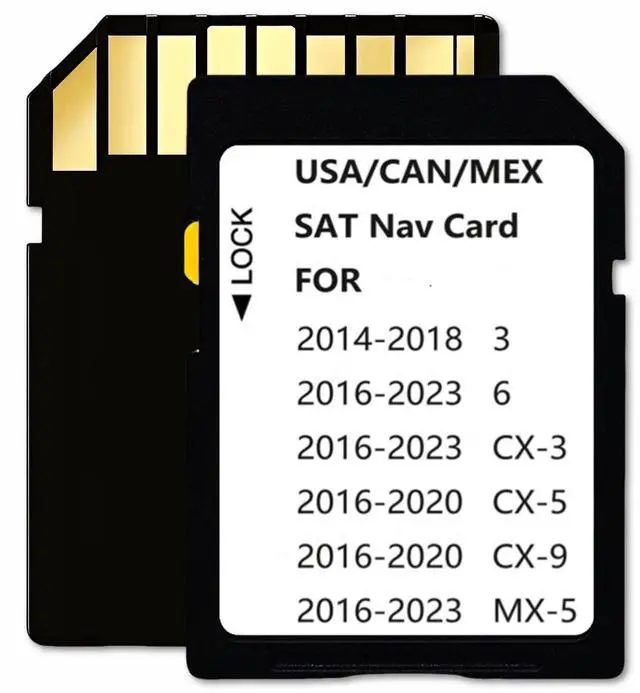
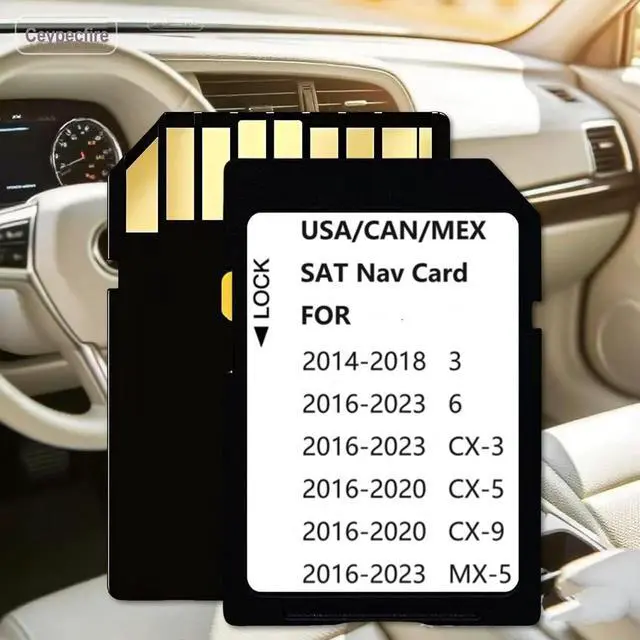
Latest Navigation SD Card Memory, Compatible with (2016-23)-Cx3(2016-20)-CX5(2016-20)-Cx9. (2016-23)-Mx5. (2014-18)-3,(2016-23)-6, Can/Mex/USA Maps (MZDSD1423)
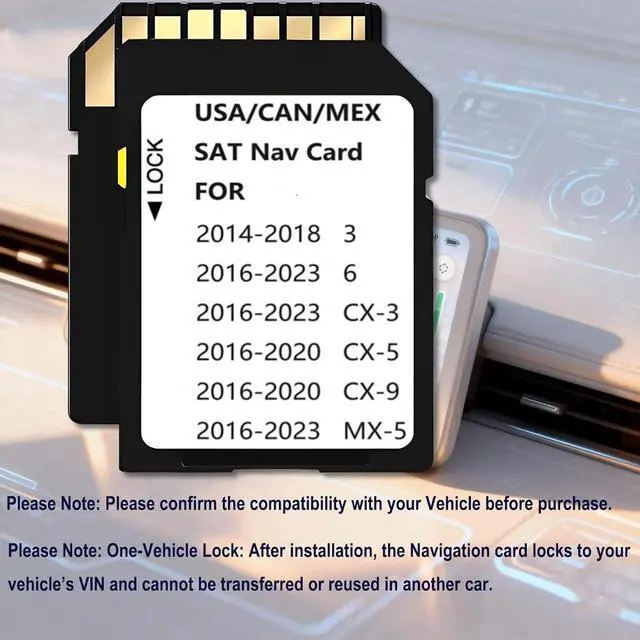
- Navigation sd card Compatible with below models Maz**da 3 2014-2018 ,Maz**da 6 2016-2023 ,Cx-3 2016-2023 ,Mx-5 2016-2023 ,Cx-5 2016-2020 ,Cx-9 2016-2020, --10 Year After-Sales Service
- Cx-5 2016-2020 (works only with 7.5-8.5 inches display with Connect System 1) , Cx-9 2016-2020 (works only with 7.5-8.5 inches display with Connect System 1)
- Not compatible with Any Connect System 2 with 10.25 inches display , Not compatible CX-5 (Any Connect System 2 with 10.25 inches display) , Not compatible CX-9 (Any Connect System 2 with 10.25 inches display)
- Please note:The Navigation memory card can be used only in one car,once it is installed to the navigation system for the first time,it will be locked with cars VIN. the cards cannot be used/switched from one vehicle to another.
- Please Note: When using a new card for the first time, it is necessary to load map data and configuration files. For some devices, the index construction needs to be completed in the background on the server.
+
+
Overview
Specs
Reviews
Any questions? Our AI beta will help you find out quickly.
Try me now
Navigation sd card Compatible with below models Maz**da 3 2014-2018, Maz**da 6 2016-2023, Cx-3 2016-2023, Mx-5 2016-2023, Cx-5 2016-2020, Cx-9 2016-2020, --10 Year After-Sales Service ^^ Cx-5 2016-2020 (works only with 7.5 - 8.5 inches display with Connect System 1), Cx-9 2016-2020 (works only with 7.5 - 8.5 inches display with Connect System 1) ^^ Not compatible with Any Connect System 2 with 10.25 inches display, Not compatible CX-5 (Any Connect System 2 with 10.25 inches display), Not compatible CX-9 (Any Connect System 2 with 10.25 inches display) ^^
Please note: The Navigation memory card can be used only in one car, once it is installed to the navigation system for the first time, it will be locked with cars VIN. the cards cannot be used/switched from one vehicle to another.
^^ Please Note: When using a new card for the first time, it is necessary to load map data and configuration files. For some devices, the index construction needs to be completed in the background on the server. Therefore, Sometimes, it is necessary to wait for 1-2 hours or restart the next day to allow the system to complete the initialization before the GPS signal synchronization can be achieved ^^
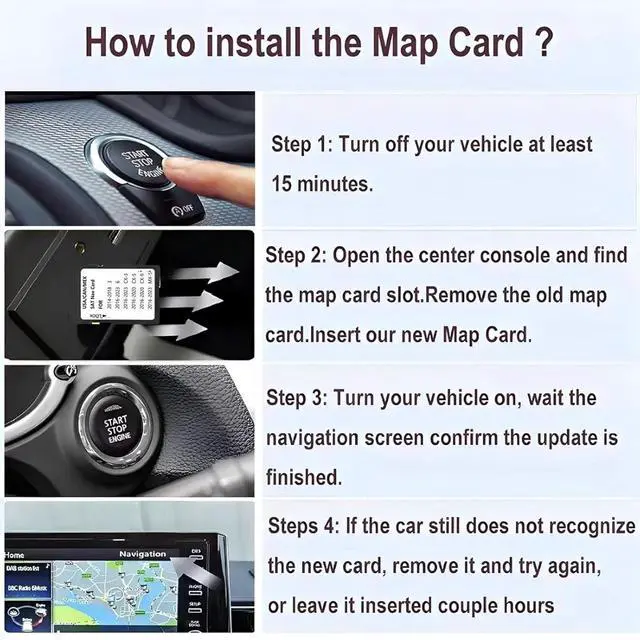
INSTALLATION INSTRUCTION Step 1: Turn vehicle off.
Step 2: Locate the card slot.
Step 3: Remove the old memory card.
Step 4: Insert the new Navigation memory Card into the slot until it clicks.
Step 5: Start the engine to ensure the new Navigation memory Card is functioning. The word "Navigation" should appear in the upper right hand corner ^^
Please Note: Support Original in-car Multimedia only, Don`t support Modified or Portable car multimedia

Please note: The Navigation memory card can be used only in one car, once it is installed to the navigation system for the first time, it will be locked with cars VIN. the cards cannot be used/switched from one vehicle to another.
^^ Please Note: When using a new card for the first time, it is necessary to load map data and configuration files. For some devices, the index construction needs to be completed in the background on the server. Therefore, Sometimes, it is necessary to wait for 1-2 hours or restart the next day to allow the system to complete the initialization before the GPS signal synchronization can be achieved ^^
INSTALLATION INSTRUCTION Step 1: Turn vehicle off.
Step 2: Locate the card slot.
Step 3: Remove the old memory card.
Step 4: Insert the new Navigation memory Card into the slot until it clicks.
Step 5: Start the engine to ensure the new Navigation memory Card is functioning. The word "Navigation" should appear in the upper right hand corner ^^
Please Note: Support Original in-car Multimedia only, Don`t support Modified or Portable car multimedia
Warranty & Returns
Warranty, Returns, And Additional Information
Warranty
- Please contact the Seller directly for warranty information. Warranty information may also be found on the Manufacturer's website.
- CONTACT
Return Policies
- Return for refund within: 30 days
- Return for replacement within: 30 days
- This item is covered by UsaLogic Return Policy
Manufacturer Contact Info
- For a directory of all our manufacturers, please click below.
- Manufacturers Directory
LOADING...