

Your Browsing History
- Free 30-day Returns
$96.99


Meet Your Seller

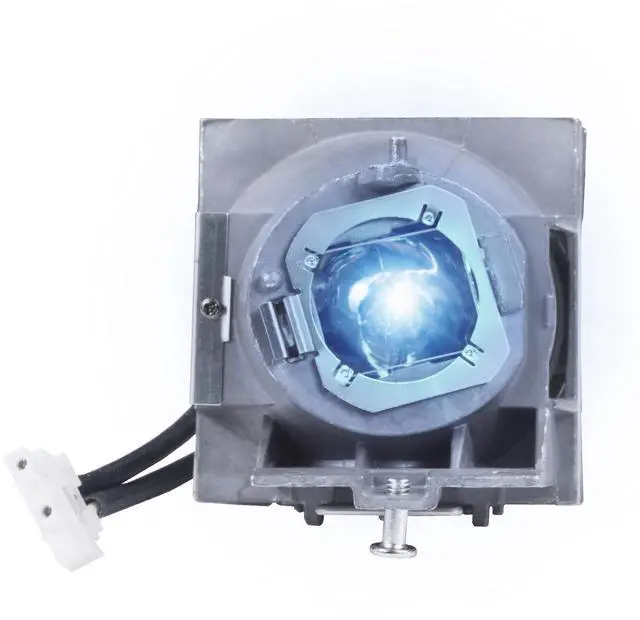
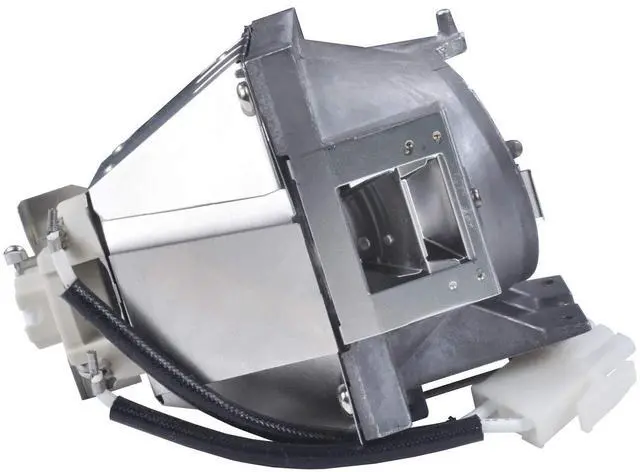




RLC-108 Replacement Lamp Bulb with Housing Fits for VIEWSONIC PA503S PA503X PA500S PA500X PA502ES PA502XE PA503SP PA503XP PG603X PS501X PS600X VS16909 VS16905 Projector Lamp (RLC-108 Module Lamp)
- RANETLIO RLC-108 Replacement Lamp Bulb with Housing Fits for VIEWSONIC PA503S PA503X PA500S PA500X PA502ES PA502XE PA503SP PA503XP PG603X PS501X PS600X VS16909 VS16905 Projector Lamp
- This replacement lamp RLC-108, compatible with VIEWSONIC PA503S PA503X assembled with high quality lamp bulb inside to Generate Higher Brightness and premium image quality
- RANETLIO Provides 180- Day Long Warranty for the Replacement lamp fits for VIEWSONIC PA503S PA503X PA500S PA500X PA502ES PA502XE PA503SP PA503XP PG603X PS501X PS600X VS16909 VS16905 Projector Lamp
- Excellent Customer Service, All the Inquires will be responded within 12 hours, Please feel free to contact us.
- RANETLIO's Replacement Lamps will be strictly checked before shipping, and will be well packaged to protect the lamp from shake and water
+
+
Overview
Specs
Reviews

Any questions? Our AI mode will help you find out quickly.
Try me now
RANETLIO RLC-108 Replacement Lamp Bulb with Housing Fits for VIEWSONIC PA503S PA503X PA500S PA500X PA502ES PA502XE PA503SP PA503XP PG603X PS501X PS600X VS16909 VS16905 Projector LampProjector
Lamp Part Number:
RLC-108Type: Replacement Lamp bulb with
HousingCondition: Brand
NewWarranty: All the lamps are tested before shipment, and
under 180 days warrantyPackage: Waterproof and
Shake proof solid boxApplication: For Home/School/Business PresentationThis replacement projector lamp is suitable for following LCD projectors for BENQ TK800 HT2550 W1700 W1720 TK800M HT2550M Projector LampSteps to
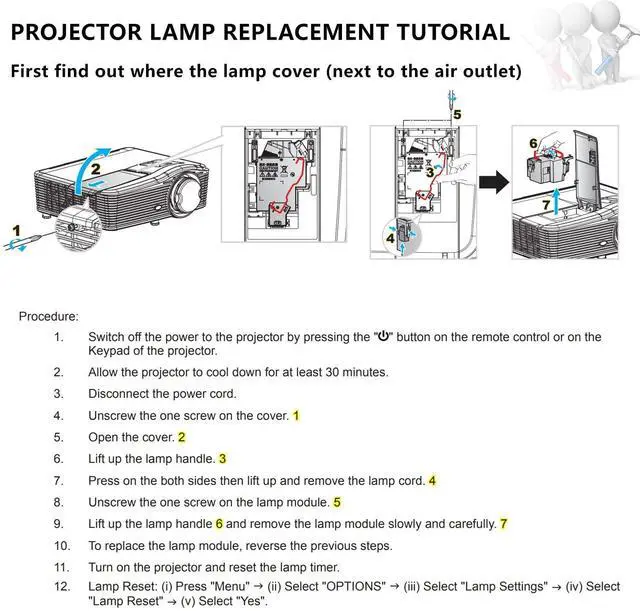
Install Your Projector Lamps: To install a projector lamp with the housing, just follow the easy steps below:; 1. Make sure the projector is unplugged and sitting on a flat surface2. Loosen the screw holding the projector lamp module cover in place and remove the panel3. Unplug the old projector lamp and remove it from the projector4. Plug the new projector lamp securely into place5. Attach the panel back onto the projector and tighten the screw
Lamp Part Number:
RLC-108Type: Replacement Lamp bulb with
HousingCondition: Brand
NewWarranty: All the lamps are tested before shipment, and
under 180 days warrantyPackage: Waterproof and
Shake proof solid boxApplication: For Home/School/Business PresentationThis replacement projector lamp is suitable for following LCD projectors for BENQ TK800 HT2550 W1700 W1720 TK800M HT2550M Projector LampSteps to
Install Your Projector Lamps: To install a projector lamp with the housing, just follow the easy steps below:; 1. Make sure the projector is unplugged and sitting on a flat surface2. Loosen the screw holding the projector lamp module cover in place and remove the panel3. Unplug the old projector lamp and remove it from the projector4. Plug the new projector lamp securely into place5. Attach the panel back onto the projector and tighten the screw
Warranty & Returns
Warranty, Returns, And Additional Information
Warranty
- Please contact the Seller directly for warranty information. Warranty information may also be found on the Manufacturer's website.
- CONTACT
Return Policies
- Return for refund within: 30 days
- Return for replacement within: 30 days
- This item is covered by FortressTek Return Policy
Manufacturer Contact Info
- For a directory of all our manufacturers, please click below.
- Manufacturers Directory
LOADING...