

Your Browsing History

Meet Your Seller


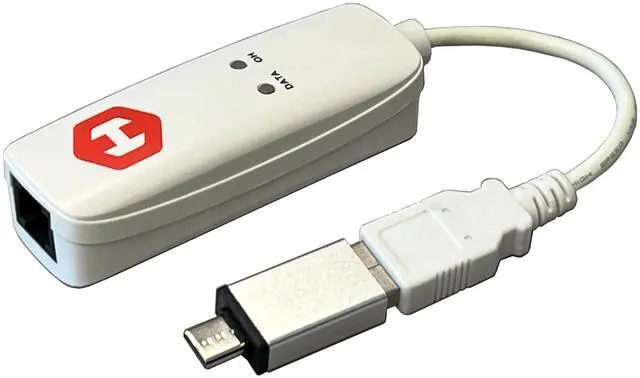
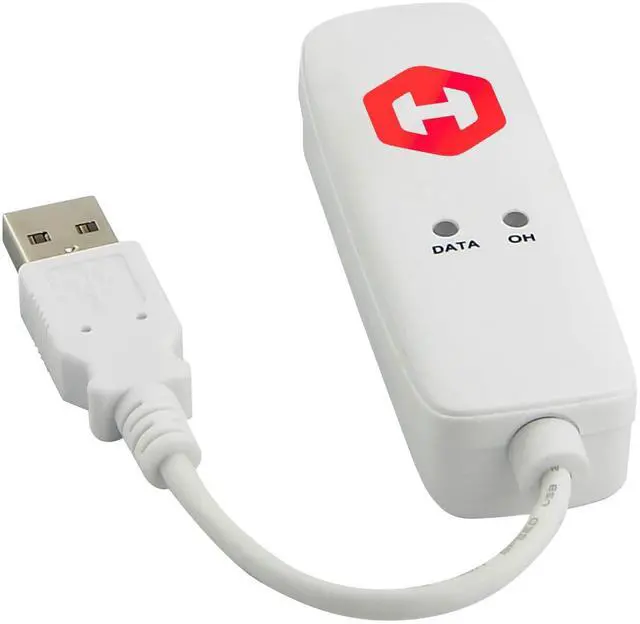
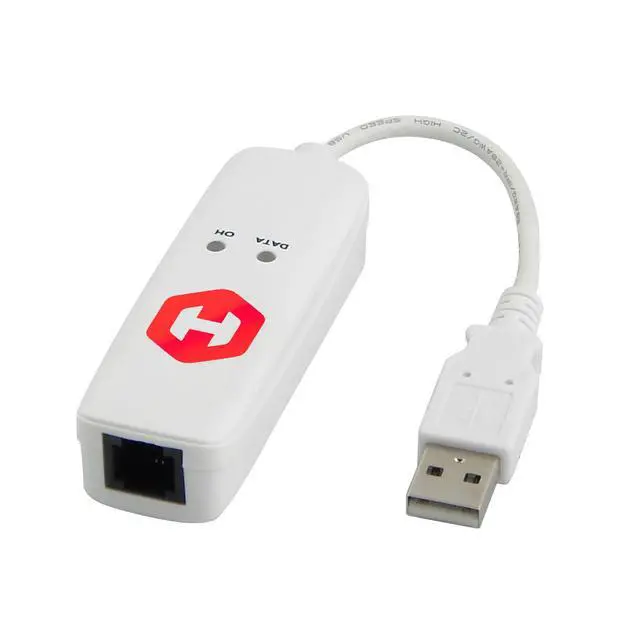
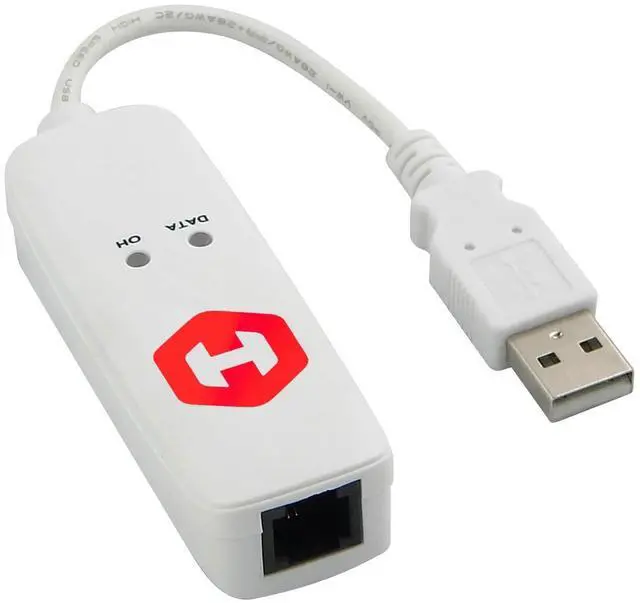
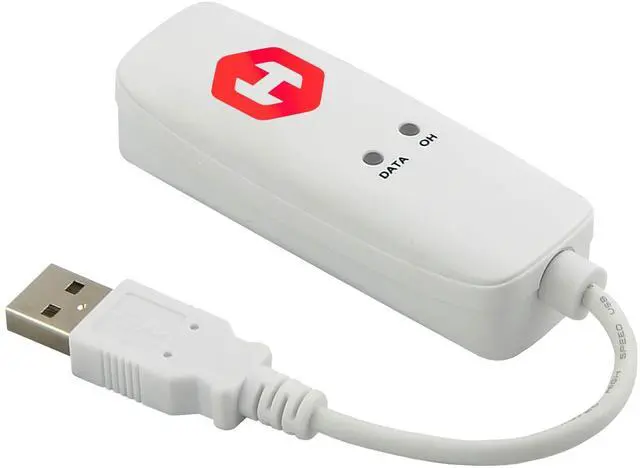


HIRO H50363 V92 56K EXTERNAL DUAL INTERFACE USB USB-C TYPE-C TYPE C DATA FAX DIAL-UP INTERNET MODEM SINGLE PORT TRULY PLUG N PLAY DRIVERLESS INSTALLATION BUILT-IN DRIVER WINDOWS FAX AND SCAN 11 10 8.1
+
+
Overview
Specs
Reviews

Any questions? Our AI mode will help you find out quickly.
Try me now
HiRO H50353 V92 56K External USB Data Fax Dial-Up Internet Modem is a Truly Plug and Play device. With Windows built-in driver, users could simply plug it into any USB 2.0 port and the driver will be automatically installed. It is compatible for use w/ Windows Fax and Scan to send and receive faxes. It is also suitable for Dial-Up Internet Connection, compatible w/ Major ISPs including Netzero, AOL, Earthlink, PeoplePC, Verizon, AT&T, etc. It provides single RJ-11 Phone Jack. Simply plug in your traditional phone line and get connected.
HiRO - Your Reliable Connection!! Features and BenefitsWindows 11 10 Compatible -Fully Compatible with the latest Windows OS -Driverless Installation for Windows 11 10Tested on DELL 3847 Windows 11 -Send/Receive Fax successfully -Dial-Up connection connected to Netzero at 46.6 kbpsUSB 2.0 Plug and Play -Fast & Easy hardware and driver installation -USB Powered, No power adapter neededLatest V. 92 Standard Protocol -PCM Upstream - Max. Data Upload up to 48 kbps -MOH - Receive Phone Call During Active Internet Connection -Quick Connect - Connect to Your ISP Faster -V. 44 Compression - Allows for between 10% and 120% better compressionSpecificationInterface
Standards: USB 2.0F ax
Compatibility ITU-T: Send & Receive Rates up to 14.4 kbps. -V. 17, V. 29, V. 27 ter & V. 21 Channel 2 -EIA/TIA 578 Class 1 & T. 31 Class 1.0 and
Class 2Data Transmission: Receive Rates up to 56 kbps & Send Rates up to 48 kbps (V. 92 Mode) or up to 33.6 kbps (V. 90 Mode) -ITU-T V. 92, V. 90, V. 34, V. 32bis, V. 32, V. 22bis, V. 22, V. 23 & V. 21; Bell 212A & Bell 103 -PCM Upstream (V. 92 Mode) -Quick Connect (V. 92 Mode) -Modem-on-hold (V. 92 Mode) -V. 250 and V.
251 CommandsError Correction: V. 42 LAPM & MNP 2-4Data Compression -V. 44 Data Compression for Optimal Downloading of Internet Web Pages & Files (V. 92 Mode) -V. 42bis & MNP 5 Data CompressionLED
Indicator -OH: Modem is
Off-Hook (OH) -Data: Data
transmission when blinkPackage content: HiRO H50353 V92 56K External USB ModemRJ-11 Phone CableQIG**Doesn't support multi modems**Do not connect to a docking station or hubs. Connect directly to Computer's USB port.
Test Video: HiRO USB Modem Driver Installation Windows 11 "s: //youtu.
be/E0Pvo65gW2g"> "s: //youtu.
be/VaN3uvz9ckQ">s: //youtu. be/VaN3uvz9ckQHiRO USB Modem Windows Fax and Scan Setup Account Windows 11 "s: //youtu.
be/Fc4HYcy4gG8">s: //youtu. be/Fc4HYcy4gG8HiRO USB Modem Fax Sent OK Windows 11 "s: //youtu.
be/ZBil-UwK2Oc">s: //youtu. be/ZBil-UwK2OcHiRO USB Modem Fax Received OK Windows 11 "s: //youtu. be/YQ5GrJZG
NgM">s: //youtu. be/YQ5GrJZG
NgMHiRO USB Modem Dial Up Network Netzero 42.6 kbps
Connected Windows 11 "s: //youtu.
be/VYmgLyoq2nM">s: //youtu. be/VYmgLyoq2nMHiRO
USB Modem Fax Received "s: //youtu.
be/veYNwbyZEY8">s: //youtu. be/veYNwbyZEY8HiRO
USB Modem Fax Sent "s: //youtu.
be/ICOhpCIBv_0">s: //youtu. be/ICOhpCIBv_0HiRO USB Modem Windows Fax and
Scan Setup Account "s: //youtu.
be/b33VjPzy9ZQ">s: //youtu. be/b33VjPzy9ZQHiRO USB
Modem Connected "s: //youtu.
be/YOk7alnrCcE">s: //youtu. be/YOk7alnrCcEHiRO USB Modem Phone Tray Pro Enable TAPI mode to allow sharing the modem with other programs "s: //youtu.
be/nE7_CPh4E2w">s: //youtu. be/nE7_CPh4E2wHiRO USB Modem Phone Tray Pro Caller ID "s: //youtu.
be/h2jIRLp4zwA">s: //youtu. be/h2jIRLp4zwAHiRO USB Modem
Manual Installation "s: //youtu.
be/0MxvPQE5nyk">s: //youtu. be/0MxvPQE5nykHiRO
USB Modem Hyper Terminal "s: //youtu.
be/ZsHXeq3ogwo">s: //youtu. be/ZsHXeq3ogwoHiRO USB Modem
Driver Installation "s: //youtu.
be/zkEtGwrxSkA">s: //youtu.
be/zkEtGwrxSkAWarranty Policy: Please contact your reseller within 30 days of original invoice date for refund or replacement. Beyond 30 days, please contact Hiro Inc. within one year of original invoice date for a replacement. Should an item require repair or replacement after a year, please contact Hiro Inc. for information regarding parts availability and cost. Physically damaged items cannot be returned.
For service or support: service@hiroinc
NoteUnit weight: 1.75 oz / 0.1 lbUnit
Dimension: 8*1*1 inPackage w
HiRO - Your Reliable Connection!! Features and BenefitsWindows 11 10 Compatible -Fully Compatible with the latest Windows OS -Driverless Installation for Windows 11 10Tested on DELL 3847 Windows 11 -Send/Receive Fax successfully -Dial-Up connection connected to Netzero at 46.6 kbpsUSB 2.0 Plug and Play -Fast & Easy hardware and driver installation -USB Powered, No power adapter neededLatest V. 92 Standard Protocol -PCM Upstream - Max. Data Upload up to 48 kbps -MOH - Receive Phone Call During Active Internet Connection -Quick Connect - Connect to Your ISP Faster -V. 44 Compression - Allows for between 10% and 120% better compressionSpecificationInterface
Standards: USB 2.0F ax
Compatibility ITU-T: Send & Receive Rates up to 14.4 kbps. -V. 17, V. 29, V. 27 ter & V. 21 Channel 2 -EIA/TIA 578 Class 1 & T. 31 Class 1.0 and
Class 2Data Transmission: Receive Rates up to 56 kbps & Send Rates up to 48 kbps (V. 92 Mode) or up to 33.6 kbps (V. 90 Mode) -ITU-T V. 92, V. 90, V. 34, V. 32bis, V. 32, V. 22bis, V. 22, V. 23 & V. 21; Bell 212A & Bell 103 -PCM Upstream (V. 92 Mode) -Quick Connect (V. 92 Mode) -Modem-on-hold (V. 92 Mode) -V. 250 and V.
251 CommandsError Correction: V. 42 LAPM & MNP 2-4Data Compression -V. 44 Data Compression for Optimal Downloading of Internet Web Pages & Files (V. 92 Mode) -V. 42bis & MNP 5 Data CompressionLED
Indicator -OH: Modem is
Off-Hook (OH) -Data: Data
transmission when blinkPackage content: HiRO H50353 V92 56K External USB ModemRJ-11 Phone CableQIG**Doesn't support multi modems**Do not connect to a docking station or hubs. Connect directly to Computer's USB port.
Test Video: HiRO USB Modem Driver Installation Windows 11 "s: //youtu.
be/E0Pvo65gW2g"> "s: //youtu.
be/VaN3uvz9ckQ">s: //youtu. be/VaN3uvz9ckQHiRO USB Modem Windows Fax and Scan Setup Account Windows 11 "s: //youtu.
be/Fc4HYcy4gG8">s: //youtu. be/Fc4HYcy4gG8HiRO USB Modem Fax Sent OK Windows 11 "s: //youtu.
be/ZBil-UwK2Oc">s: //youtu. be/ZBil-UwK2OcHiRO USB Modem Fax Received OK Windows 11 "s: //youtu. be/YQ5GrJZG
NgM">s: //youtu. be/YQ5GrJZG
NgMHiRO USB Modem Dial Up Network Netzero 42.6 kbps
Connected Windows 11 "s: //youtu.
be/VYmgLyoq2nM">s: //youtu. be/VYmgLyoq2nMHiRO
USB Modem Fax Received "s: //youtu.
be/veYNwbyZEY8">s: //youtu. be/veYNwbyZEY8HiRO
USB Modem Fax Sent "s: //youtu.
be/ICOhpCIBv_0">s: //youtu. be/ICOhpCIBv_0HiRO USB Modem Windows Fax and
Scan Setup Account "s: //youtu.
be/b33VjPzy9ZQ">s: //youtu. be/b33VjPzy9ZQHiRO USB
Modem Connected "s: //youtu.
be/YOk7alnrCcE">s: //youtu. be/YOk7alnrCcEHiRO USB Modem Phone Tray Pro Enable TAPI mode to allow sharing the modem with other programs "s: //youtu.
be/nE7_CPh4E2w">s: //youtu. be/nE7_CPh4E2wHiRO USB Modem Phone Tray Pro Caller ID "s: //youtu.
be/h2jIRLp4zwA">s: //youtu. be/h2jIRLp4zwAHiRO USB Modem
Manual Installation "s: //youtu.
be/0MxvPQE5nyk">s: //youtu. be/0MxvPQE5nykHiRO
USB Modem Hyper Terminal "s: //youtu.
be/ZsHXeq3ogwo">s: //youtu. be/ZsHXeq3ogwoHiRO USB Modem
Driver Installation "s: //youtu.
be/zkEtGwrxSkA">s: //youtu.
be/zkEtGwrxSkAWarranty Policy: Please contact your reseller within 30 days of original invoice date for refund or replacement. Beyond 30 days, please contact Hiro Inc. within one year of original invoice date for a replacement. Should an item require repair or replacement after a year, please contact Hiro Inc. for information regarding parts availability and cost. Physically damaged items cannot be returned.
For service or support: service@hiroinc
NoteUnit weight: 1.75 oz / 0.1 lbUnit
Dimension: 8*1*1 inPackage w
Warranty & Returns
Warranty, Returns, And Additional Information
Warranty
- Please contact the Seller directly for warranty information. Warranty information may also be found on the Manufacturer's website.
- CONTACT
Return Policies
- Return for refund within: 30 days
- Return for replacement within: 30 days
- This item is covered by ApexDash Return Policy
Manufacturer Contact Info
- For a directory of all our manufacturers, please click below.
- Manufacturers Directory
LOADING...