Your Browsing History
- Free 30-day Returns
$109.99
Meet Your Seller
A-MIND OEM Original for iPad 7/8 / 9 (10.2-inch) Screen Replacement LCD Display A2197 A2200 A2198 A2603 A2604 - Non-Touch Screen Assembly Repair Kit (2021/2020/2019 Models) LCD Only
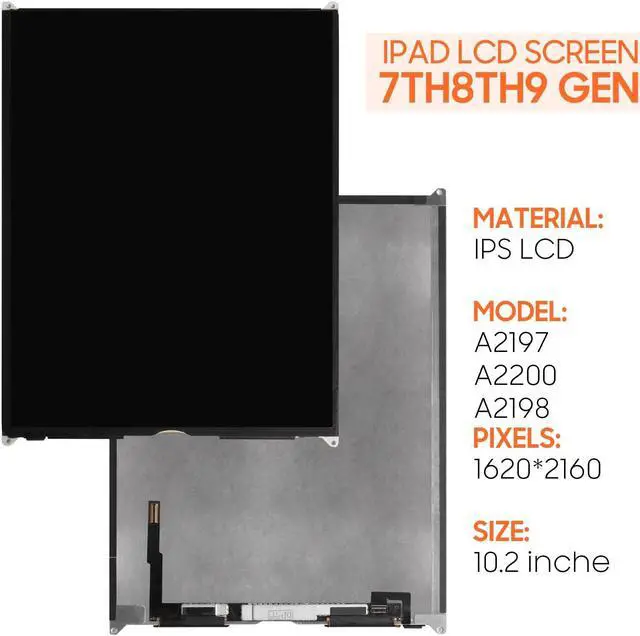
- [(Compatible Models)] For iPad 7 (A2197, A2200, A2198), iPad 8 (A2270, A2428, A2429, A2430), and iPad 9 (A2602, A2603, A2604, A2605) - all 10.2-inch models.. Please ensure your device's model number matches before purchasing. Ideal for replacing a damaged or broken LCD in your iPad without replacing the touch screen. This product does not include touch functionality and will not resolve issues related to the touch panel.
- [(High-Quality Display Replacement)] Our iPad 7/8/9 LCD replacement meets stringent quality standards to provide clear visuals and restore the display to its original brightness and color depth. Each unit undergoes extensive testing to ensure it is free from dead pixels, spots, and other defects. For iPad LCD replacement without the touch component.
- [(Ideal for Specific Repairs)] Designed for repairs where only the LCD panel is damaged, such as broken displays, color distortion, or backlight issues. This product is best for users who experience display probl
+
+
Overview
Specs
Reviews
Any questions? Our AI beta will help you find out quickly.
Try me now
Product Description Installation Precautions
Battery Flex Cable:
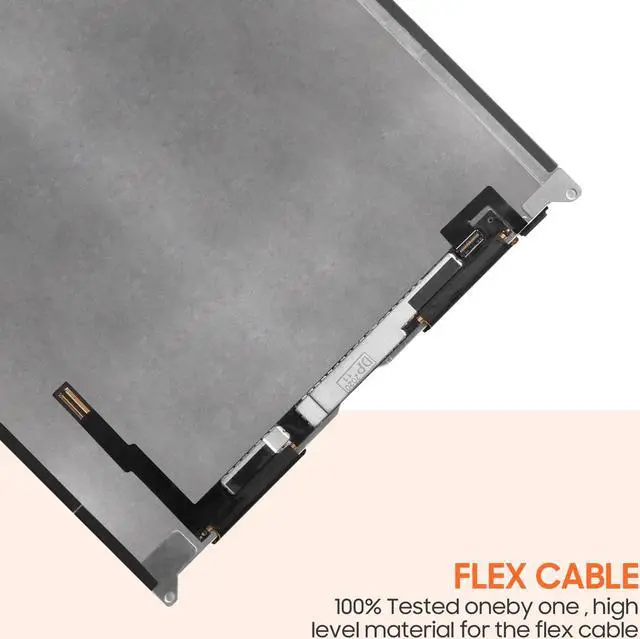
After removing the damaged LCD, make sure to disconnect the battery's flex cable from the device's motherboard before installing the new LCD for iPad 7/8/9. Connecting the battery last helps prevent static electricity that may interfere with the new LCD's functionality.
Package Contents:
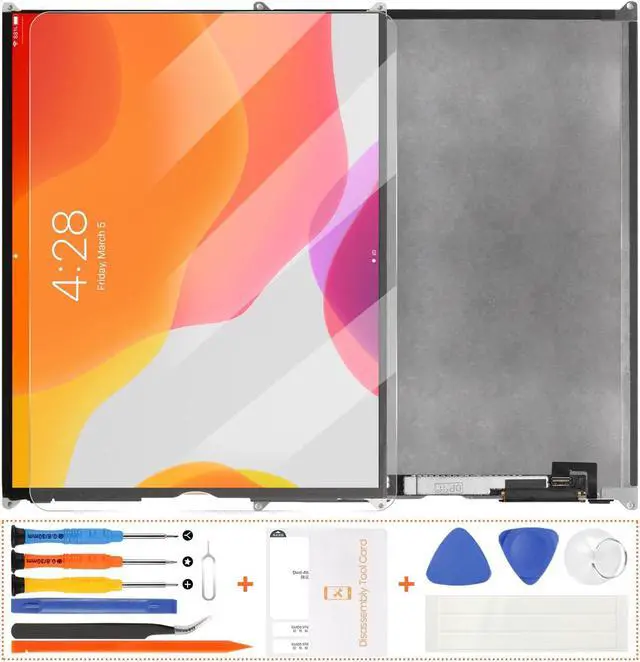
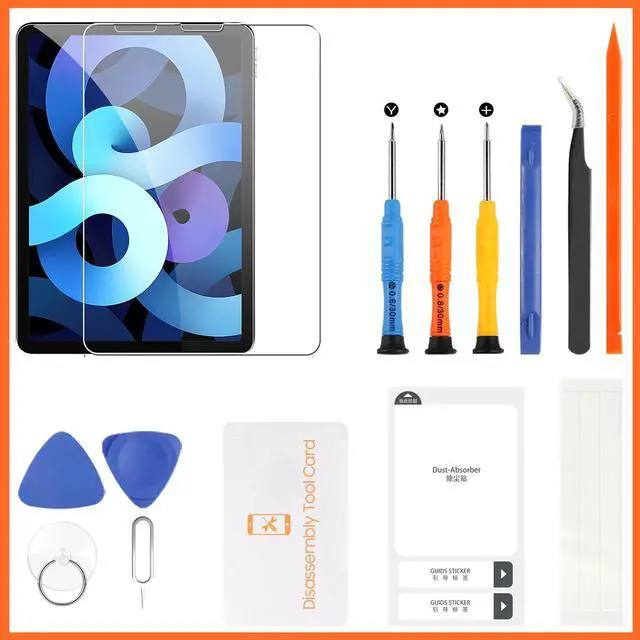
1x LCD Panel for iPad 7, 8, and 9 ( 10.2 -inch, No Touch Function)
Basic Repair Tool Kit (Tools may vary)
Installation Tips:
Ensure the device is powered off and the battery is disconnected during installation.
Carefully attach the LCD connector to the device's motherboard.
Avoid bending the flex cables to prevent damage.
After installation, restart the device and check for display clarity and brightness.
After-Sales Support:
If there are any issues related to installation or product quality, feel free to contact us through. We aim to provide a positive repair experience and are here to support you with any questions about the iPad 10.2 -inch LCD replacement.

Battery Flex Cable:
After removing the damaged LCD, make sure to disconnect the battery's flex cable from the device's motherboard before installing the new LCD for iPad 7/8/9. Connecting the battery last helps prevent static electricity that may interfere with the new LCD's functionality.
Package Contents:
1x LCD Panel for iPad 7, 8, and 9 ( 10.2 -inch, No Touch Function)
Basic Repair Tool Kit (Tools may vary)
Installation Tips:
Ensure the device is powered off and the battery is disconnected during installation.
Carefully attach the LCD connector to the device's motherboard.
Avoid bending the flex cables to prevent damage.
After installation, restart the device and check for display clarity and brightness.
After-Sales Support:
If there are any issues related to installation or product quality, feel free to contact us through. We aim to provide a positive repair experience and are here to support you with any questions about the iPad 10.2 -inch LCD replacement.
Warranty & Returns
Warranty, Returns, And Additional Information
Warranty
- Please contact the Seller directly for warranty information. Warranty information may also be found on the Manufacturer's website.
- CONTACT
Return Policies
- Return for refund within: 30 days
- Return for replacement within: 30 days
- This item is covered by Detail Driven Return Policy
Manufacturer Contact Info
- For a directory of all our manufacturers, please click below.
- Manufacturers Directory
LOADING...