• $89.99
  • Free 30-day Returns
  • Price alert
    Shop it at NeweggBusiness.

    Meet Your Seller

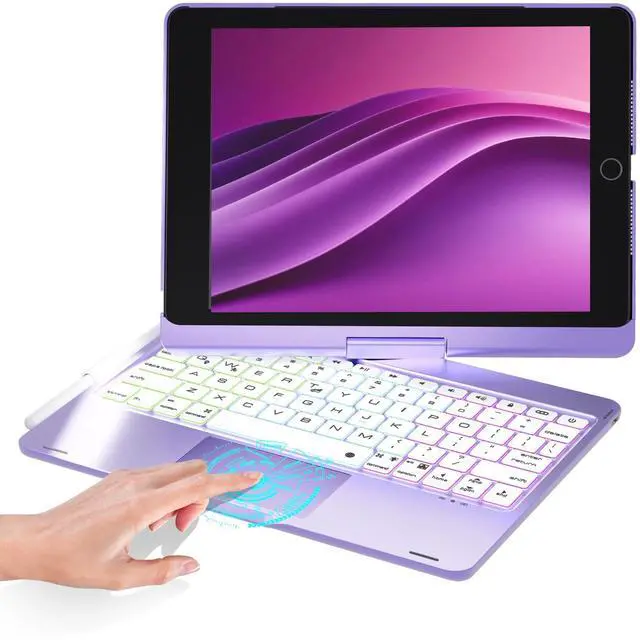
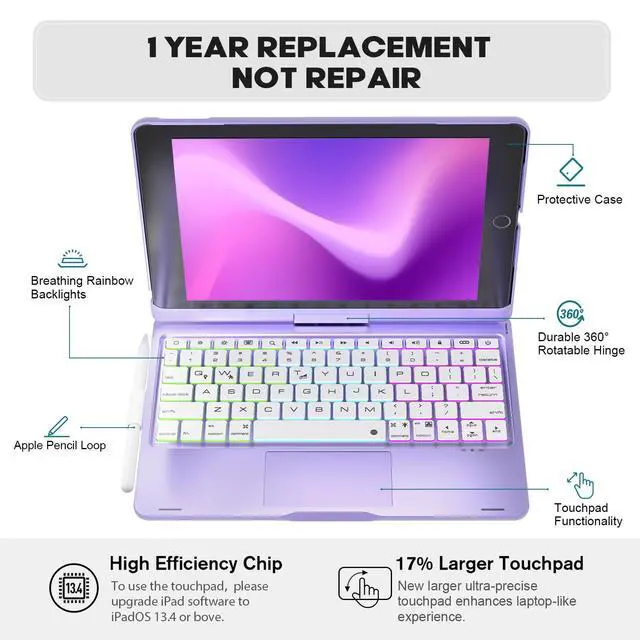
    BABG Keyboard Case for iPad 9th Generation, 360° Rotatable Backlit Keyboard with Pencil Holder for 10.2 inch iPad 9th Gen 2021/ 8th Gen 2020/ 7th Gen 2019 and iPad Air 3 / Pro 10.5" - Light Purple

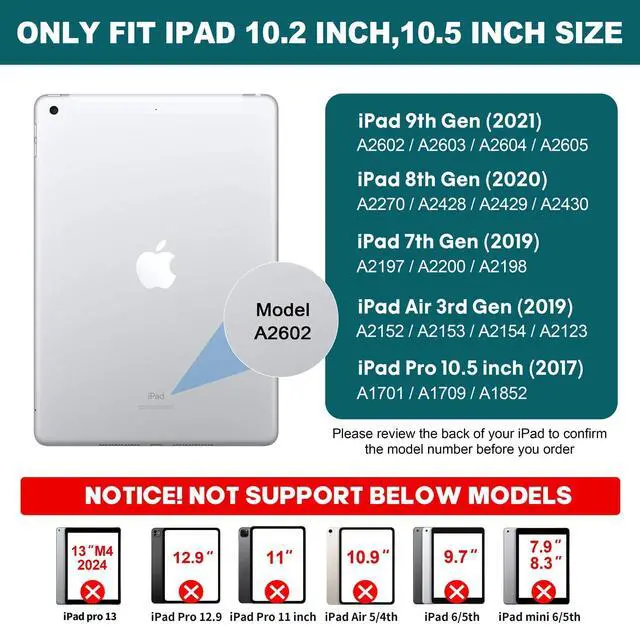
    • iPad Keyboard case for 10.2inch/10.5inch ONLYCompatible with iPad 9th Generation 10.2-inch 2021 - A2602/A2603/A2604/A2605,iPad 8th Gen 10.2-inch 2020 - A2430/A2270/A2428/A2429 , iPad 7th Gen 10.2-inch 2019 - A2197/A2198/A2200 ,iPad Air 3rd gen 10.5-inch 2019 - A2154/A2152/A2153/A2123 , iPad Pro 10.5-inch 2017 - A1701/A1709/A1852. Note: Please check the Model Number with AXXX on the bottom of the back for your iPad which you can find from aboves before purchasing to prevent size errors (iPad and pen are not included)
    • Incompatible with iPad 10th(10.9inch). Not fit for All ipad pro 11inch/12.9inch size
    • Multiple Viewing Angles - iPad keyboard case 9th generation with 360 swivel & 180 flip case, your iPad screen will have multiple viewing angles. Easily adjusts to whatever comfortable angle suits you best. You can display your work presentation, watch your favorite show or read a new book. Its also a great helper to do homework. Practical and lightweight to carry
    +
    +
    Overview
    Specs
    Reviews
    avatar

    Any questions? Our AI beta will help you find out quickly.

    Compitable Model:

    2019 iPad 7 (A2197-MW752LL/A & A2200-MW752LL/A & A2198-MW6C2B/A)

    2019 iPad Air 3 (A2152-MUUK2LL/Az & A2153-MV162LL/A & A2123-MV0E2B/A)

    2017 iPad Pro 10.5 (A1701-MQDW2LL/A & A1709-MQF02LL/A).

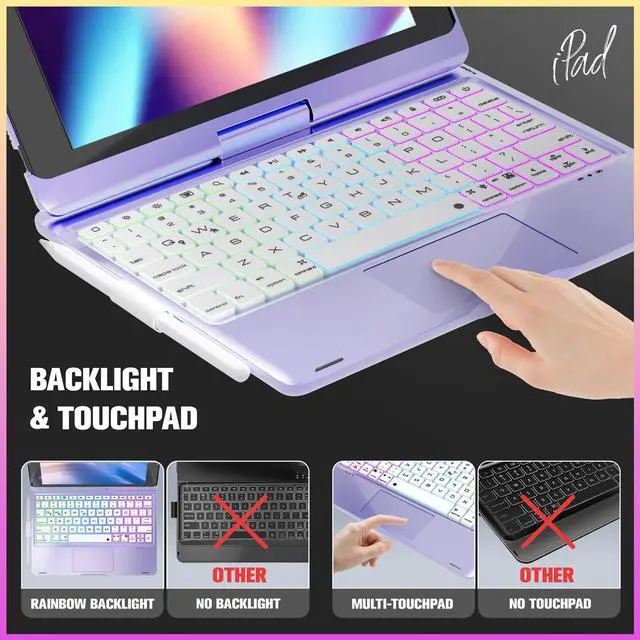
    How to use trackpad?

    Be sure that touchpad can be used on your iPad, you need to complete below steps:

    Open your Generation Setting-Go to Accessibility-Go to Touch, under the Physical and Motor section, turn on the AssistiveTouch toggle. And you can adjust the cursor speed by open iPad Setting-Go to Accessibility- Go to Touch-Go to AssistiveTouch-Choose the Mouse Key to adjust the tracking speed.

    By the way, make sure your iPad Software Version is on 13.2. 2 or above.

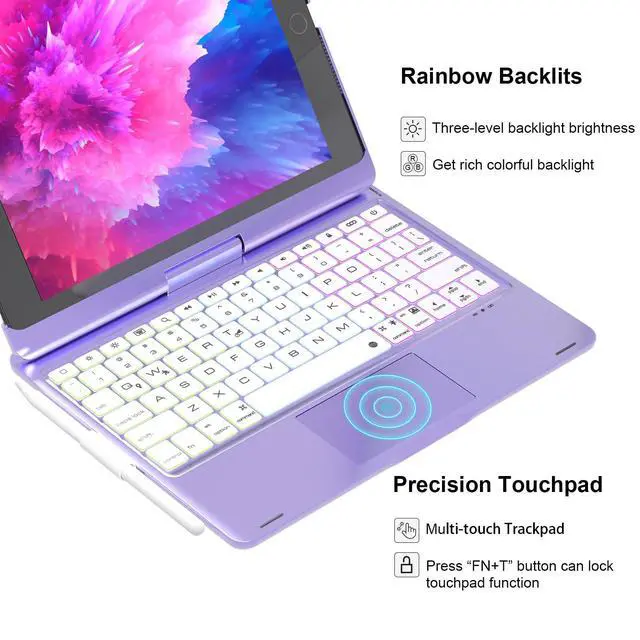
    If you dont use trackpad, you can press fn and T together to lock the trackpad.

    How to turn on rainbow backlight and change its colors?

    Press fn+lightbub (right side of space bar) to turn on the backlight. By pressing them again, you can adjust the brightness of backlight. There are 3 modes brightness, by pressing 4th time, you will turn the backlight off.

    Press fn+RGB (next to lightbub) to change different rainbow colors. There are various colors for you to choose.

    Press fn+ Q to turn on the breathing backlight, backlight will flash at a rate. By pressing fn+W, you can change the rate of backlight breathing.

    By the way, pressing fn+ Q also can turn on the backlight, and pressing them again will turn the backlight off.

    NOTICE

    Backlight will automatically turn off if there is no movement on keyboard over 5 sec, while it will light up again when you press any key.

    Warranty & Returns

    Warranty, Returns, And Additional Information

    Warranty

    • Please contact the Seller directly for warranty information. Warranty information may also be found on the Manufacturer's website.
    • CONTACT

    Return Policies

    • Return for refund within: 30 days
    • Return for replacement within: 30 days
    • This item is covered by kaipuda Return Policy

    Manufacturer Contact Info

    LOADING...