

Your Browsing History
- Free 30-day Returns
$201.99


Meet Your Seller

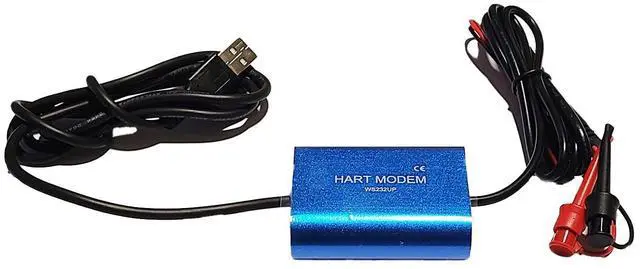
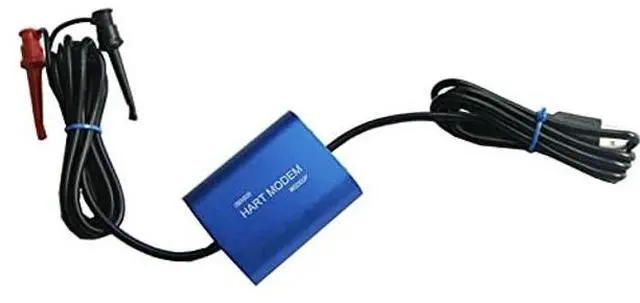


Full Version USB Hart Modem WS232UP Hart -USB Modem Hart Transmitter With Built-in 24VDC & Loop Resistor For All HART Device
- The Latest Full Version USB HART MODEM WS232UP, With Built-in 24V DC & Loop Resistor, Windows XP/7/8/10 Support, Suitable For All Devices Which Support HART Protocol, etc.
- The WS232UP USB-HART Modem provides a complete and flexible PC communication link to HART networks and power kit and loop resistor, for commissioning, servicing, calibrating, or acquiring data from any HART instrument or transmitter. The WS232UP is developed based on BELL202 modem standard, this external interface is rugged and compact and ideal choice for field service, commissioning, engineering, training, table top shows, lunch and learns and demo cases.
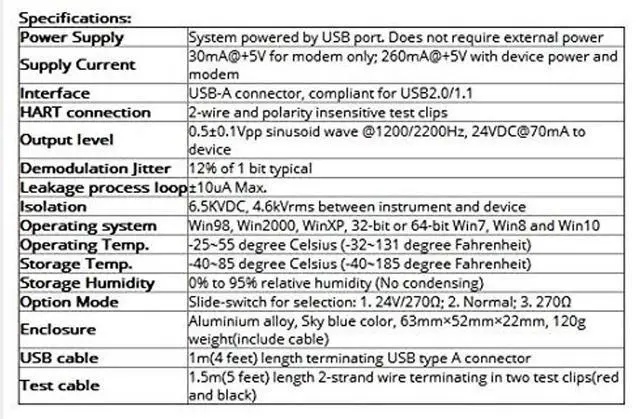
- Fully HART compliant for communication with any HART instrument and error-free slave testing * DC-DC isolation power draws from USB port and needs no external power supply
- * Three modes: 1) 24VDC/270. 2) Normal. 3) 270. The mode is easily slide-switch selected so youll always have a power supply or loop resistor with you * Easy installation and use, this
+
+
Overview
Specs
Reviews

Any questions? Our AI mode will help you find out quickly.
Try me now
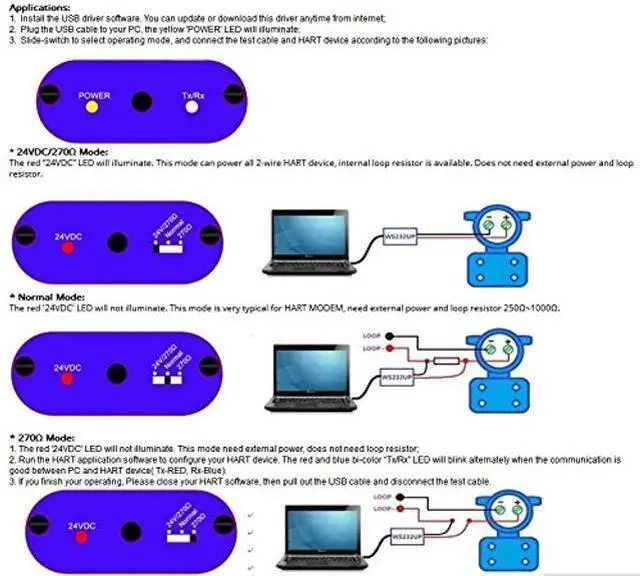
Applications: 1. Install the USB driver software. You can update or download this driver anytime from internet; 2. Plug the USB cable to your PC, the yellow 'POWER' LED will illuminate; 3. Slide-switch to select operating mode, and connect the test cable and HART device according to the following pictures: 11* 24VDC/270
Mode: The red 24VDC LED will illuminate. This mode can power all 2-wire HART device, internal loop resistor is available. Does not need external power and loop resistor.
22* Normal Mode: The red '24VDC' LED will not illuminate. This mode is very typical for HART MODEM, need external power and loop resistor 250~ 1000.33 * 270
Mode: 1. The red '24VDC' LED will not illuminate. This mode need external power, does not need loop resistor; 2. Run the HART application software to configure your HART device. The red and blue bi-color Tx/Rx LED will blink alternately when the communication is good between PC and HART device( Tx-RED, Rx-Blue). 3. If you finish your operating, Please close your HART software, then pull out the USB cable and disconnect the test cable.
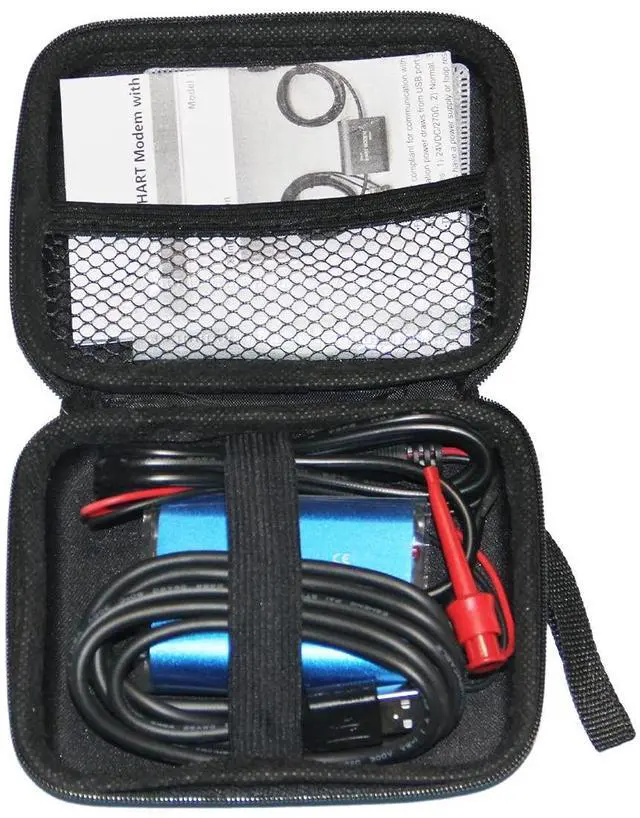
44Packing Lists: 1 x WS232UP Unit; 1 x USB Date Cable; 1 x Carry Pouch; 1 x CD Driver.
Mode: The red 24VDC LED will illuminate. This mode can power all 2-wire HART device, internal loop resistor is available. Does not need external power and loop resistor.
22* Normal Mode: The red '24VDC' LED will not illuminate. This mode is very typical for HART MODEM, need external power and loop resistor 250~ 1000.33 * 270
Mode: 1. The red '24VDC' LED will not illuminate. This mode need external power, does not need loop resistor; 2. Run the HART application software to configure your HART device. The red and blue bi-color Tx/Rx LED will blink alternately when the communication is good between PC and HART device( Tx-RED, Rx-Blue). 3. If you finish your operating, Please close your HART software, then pull out the USB cable and disconnect the test cable.
44Packing Lists: 1 x WS232UP Unit; 1 x USB Date Cable; 1 x Carry Pouch; 1 x CD Driver.
Warranty & Returns
Warranty, Returns, And Additional Information
Warranty
- Please contact the Seller directly for warranty information. Warranty information may also be found on the Manufacturer's website.
- CONTACT
Return Policies
- Return for refund within: 30 days
- Return for replacement within: 30 days
- This item is covered by GoBeRotie Return Policy
Manufacturer Contact Info
- For a directory of all our manufacturers, please click below.
- Manufacturers Directory
LOADING...