

Your Browsing History

Meet Your Seller

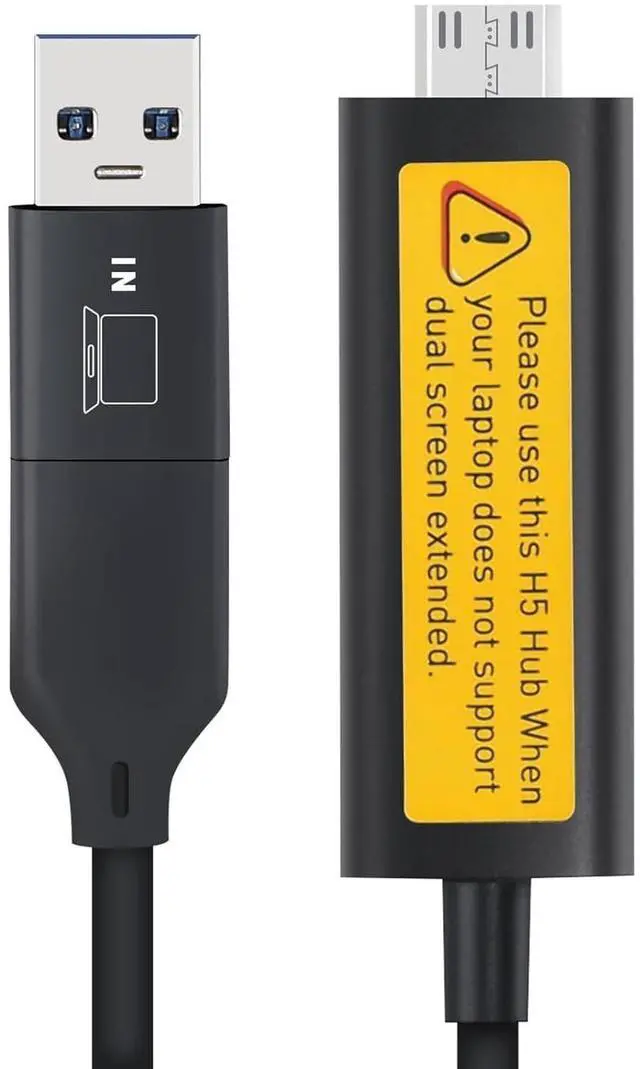

2-in-1 USB-C/A to Mini-HDMI Video Signal Conversion Adapter (Allowing The MacBook M1~M4 to Extend Two Additional Synchronization or Differential displays) Lack of full-featured Type-C laptop use
- 1. Solving the issue of extending two additional synchronization or differential displays for the MacBook series
- 2. Solving the issue of extending two additional synchronization or differential displays for laptops that do not have enough HDMI+USB A/C ports
- 3. Solving the issue of extending two additional synchronization or differential displays for laptops that do not have full-featured Type-C port
- 4.Driver Installation Required After connection, install the driver (no optical drive needed) via the removable disk. Follow simple steps: download install restart to enable video transmission.
- 5.Plug & Play After Setup Once the driver is installed, enjoy for presentations, gaming, or office work. **Ideal for professionals needing extra screen space!
+
+
Overview
Specs
Reviews

Any questions? Our AI mode will help you find out quickly.
Try me now
**
Laptop Port Introduction: **To extend your screen, your
laptop must provide: 1 **Video Data Transmission** (via **full-featured USB-C** or **HDMI port**)2 **Power Supply** (via **USB-A** or **non-full-featured USB-C**) **Full-featured USB-C** = Video + Power **HDMI** = Video only **USB-A** =
Power only **Solution: ** **H5-M Special Cable** converts a **USB-A power port** into an **HDMI video port**, enabling dual-screen setups even without full-featured USB-C.
--- ### **Key Points: ** **Full USB-C** Video + Power (ideal) **HDMI + USB-A** Video + Power (alternative) **Non-full USB-C** Power only (needs H5-M cable for video)
Laptop Port Introduction: **To extend your screen, your
laptop must provide: 1 **Video Data Transmission** (via **full-featured USB-C** or **HDMI port**)2 **Power Supply** (via **USB-A** or **non-full-featured USB-C**) **Full-featured USB-C** = Video + Power **HDMI** = Video only **USB-A** =
Power only **Solution: ** **H5-M Special Cable** converts a **USB-A power port** into an **HDMI video port**, enabling dual-screen setups even without full-featured USB-C.
--- ### **Key Points: ** **Full USB-C** Video + Power (ideal) **HDMI + USB-A** Video + Power (alternative) **Non-full USB-C** Power only (needs H5-M cable for video)
Warranty & Returns
Warranty, Returns, And Additional Information
Warranty
- Please contact the Seller directly for warranty information. Warranty information may also be found on the Manufacturer's website.
- CONTACT
Return Policies
- Return for refund within: 30 days
- Return for replacement within: non-replaceable
- This item is covered by VersaCom Return Policy
Manufacturer Contact Info
- For a directory of all our manufacturers, please click below.
- Manufacturers Directory
LOADING...