• $72.99
  • Free 30-day Returns
  • Sold by GoBeRotie
    Hot Seller
    4.4 (18 seller ratings)

    Shipped by GoBeRotie

    Price alert
    Shop it at NeweggBusiness.

    Meet Your Seller

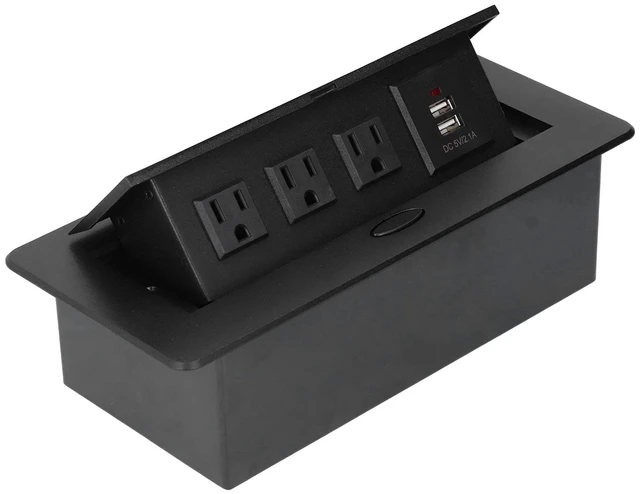
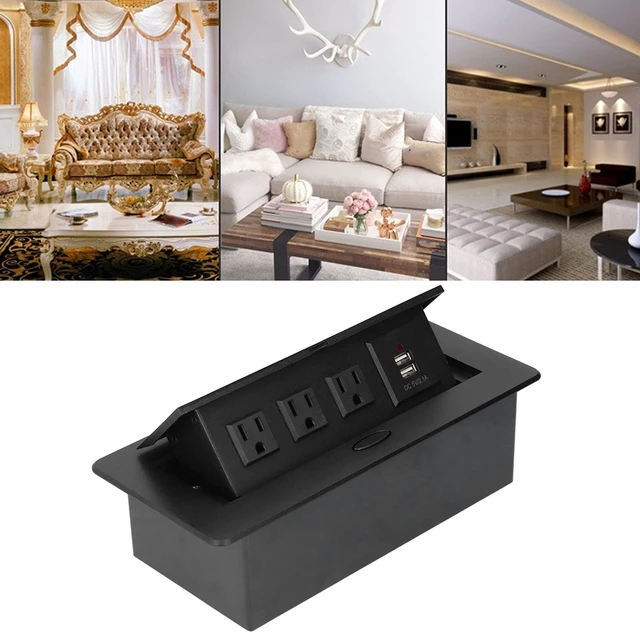
    Desktop Pop Up Outlet, Hidden Slow-Rise Recessed Power Grommet with USB Charger, 3 AC Outlets & 2 USB Ports for Conference Room, Countertop, Office Desk

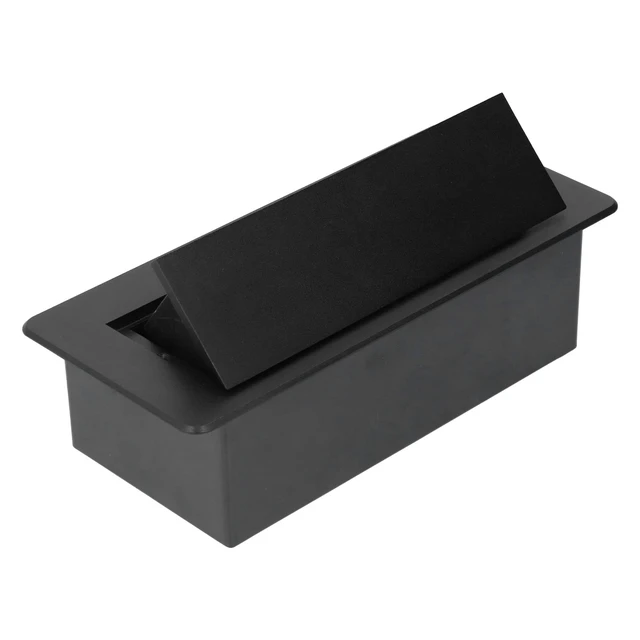
    • Concealed Slow-Rise Pop Up Design: The Spring-Loaded Pop Up Mechanism Rises Smoothly With A Slow Bounce Damping Action, Keeping The Outlet Hidden When Not In Use And Creating A Clean, Clutter-Free Desktop Surface.
    • 3 Ac Outlets And 2 Usb Charging Ports: Built With 3 Standard Grounded Ac Outlets And 2 Usb-A Ports, This Pop Up Outlet Allows You To Power Laptops, Phones, And Other Devices Directly From Your Desk Or Countertop.
    • Easy 2.5-Inch Hole Installation: Requires Only A Standard 2.5-Inch (60Mm) Cutout. Simply Insert The Unit Into The Hole And Tighten The Ring For A Secure Flush-Mount Fit On Conference Tables, Kitchen Islands, Or Workbenches.
    • Durable High-Temperature Construction: Made With Heat-Resistant Materials To Maintain Structural Integrity Under Regular Use, Ensuring Long-Term Reliability In Home Or Office Environments.
    • Versatile For Multiple Settings: Ideal For Conference Rooms, Kitchen Countertops, Reception Desks, And Study Tables, Offering Convenient Access To P
    +
    +
    Overview
    Specs
    Reviews

    Any questions? Ask CelesteSM will help you find out quickly.

    Spec: Item
    Type: Desktop
    SocketRated Current:
    10AColour: BlackUSB Port
    Rated Current: 2.1AP anel
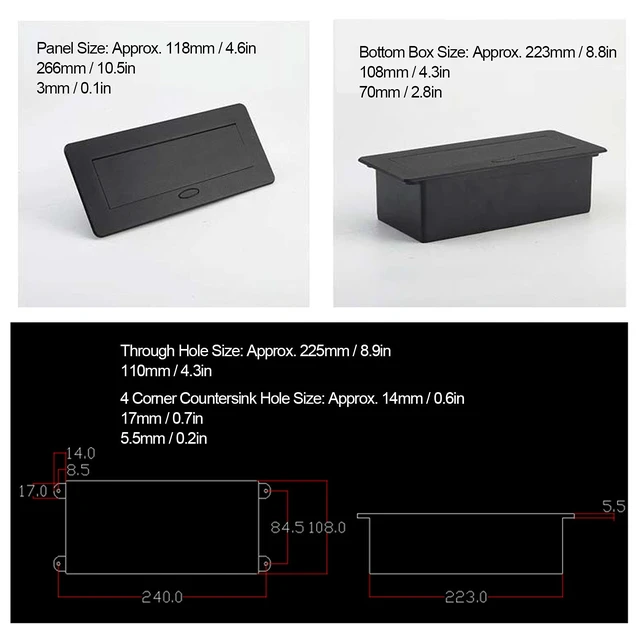
    Size: Approx. 118 x 266 x 3mm / 4.6 x 10.5 x 0.1 inBottom
    Box Size: Approx. 223 x 108 x 70mm / 8.8 x 4.3 x 2.8 inThrough
    Hole Size: Approx. 225 x 110mm / 8.9 x 4.3 in (1) 4 Corner Countersink
    Hole Size: Approx. 14 x 17 x 5.5 mm / 0.6 x 0.7 x 0.2 in (2)
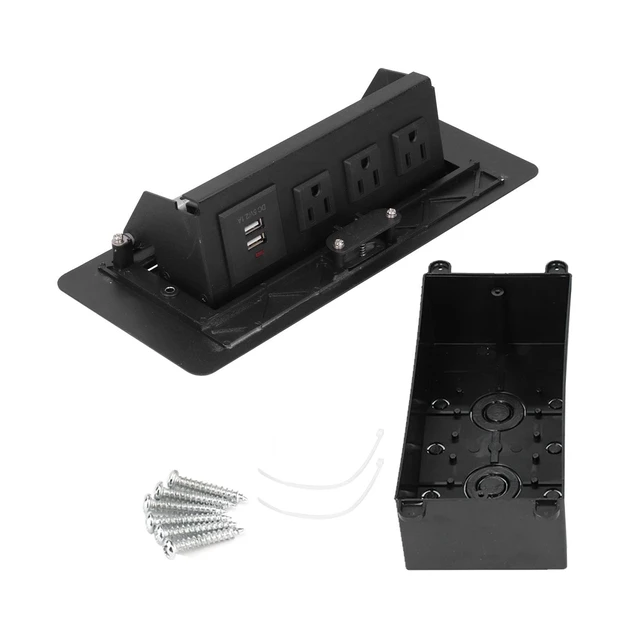
    Package List: 1 x Bottom Shell1 x Socket Panel2 x Cable Tie6 x
    Mounting ScrewNote: 1. Be careful not to allow water to enter during installation, try to keep the desktop socket dry and clean to avoid potential safety hazards when using it in the future. 2. Be sure to ground the wire when installing the desktop socket, so as to better protect the safety and service life issues. 3. When installing the desktop socket, you must pay attention to the position, and it should not affect the normal use of the table. It is best to install in a relatively concealed place or a location that is not frequently used. 4. After the desktop sockets are installed, be sure to test them one by one to see if they can be used normally. At the same time, pay attention to and proof measures to avoid affecting future use.

    Warranty & Returns

    Warranty, Returns, And Additional Information

    Warranty

    • Please contact the Seller directly for warranty information. Warranty information may also be found on the Manufacturer's website.
    • CONTACT

    Return Policies

    • Return for refund within: 30 days
    • Return for replacement within: 30 days
    • This item is covered by GoBeRotie Return Policy

    Manufacturer Contact Info

    LOADING...