• $118.99
  • Free 30-day Returns
  • Shipped by FoundationSurge

    Price alert
    Shop it at NeweggBusiness.

    Meet Your Seller

    UeeKKoo 4inch HDMI LCD Square Capacitive Touch Screen Compatible with Raspberry Pi 5/4B/3B+/3B/2B/Zero/Zero W//Zero 2W/Jetson Nano/Windows 11/10/8.1/8/7, 720x720 Resolution, IPS Display, USB-C Port

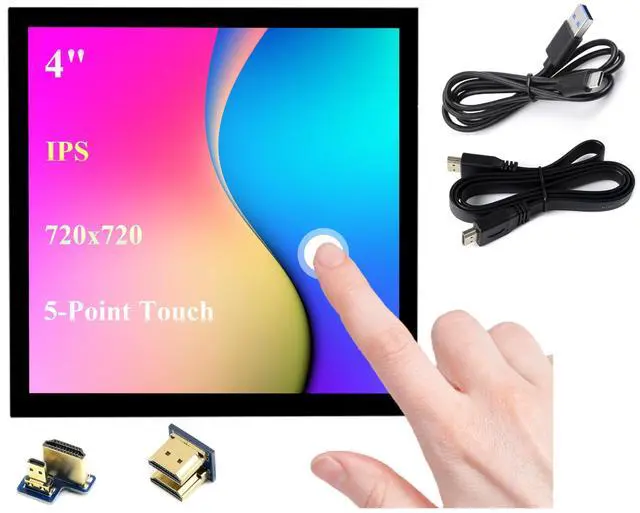
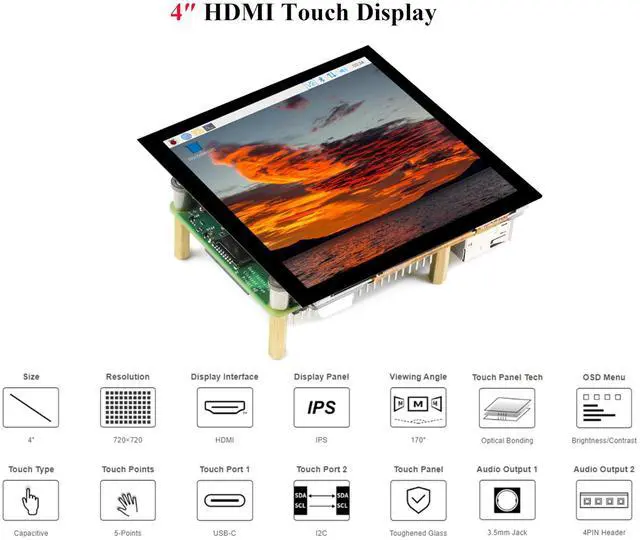
    • 4inch HDMI LCD IPS screen, hardware resolution is 720 x 720. 5-point capacitive touch, toughened glass panel, hardness up to 6H.
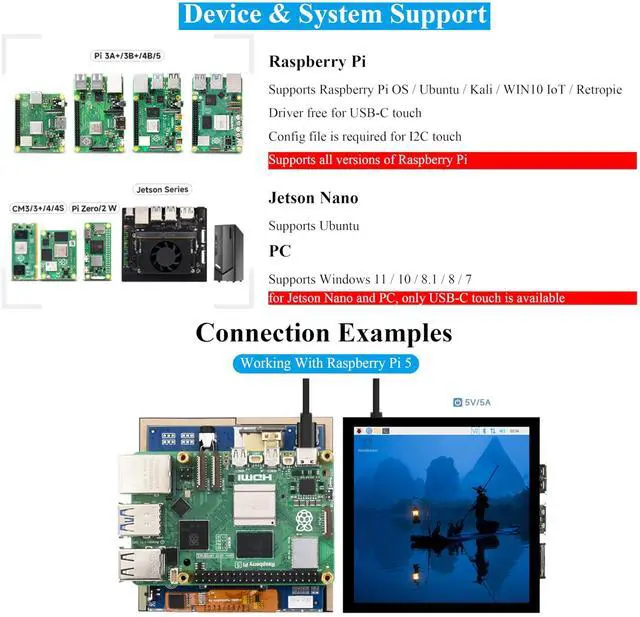
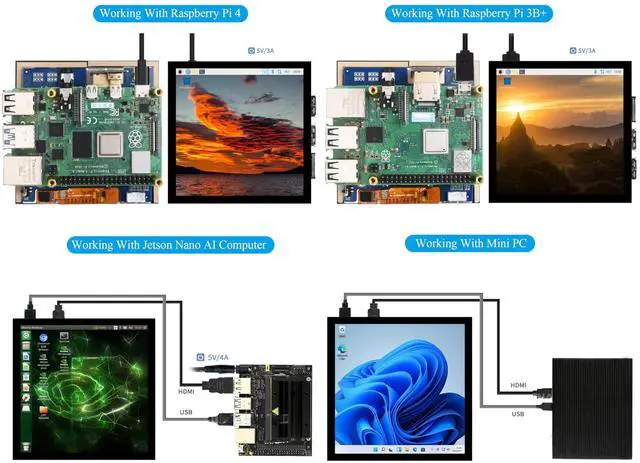
    • Compatible with Raspberry Pi 5/4B/3B+/3B/2B/Zero/Zero W//Zero 2W/Jetson Nano/ Windows 11/10/8.1/8/7, etc.
    • When working with RPi, it supports RPi OS / Ubuntu / Kali and Retropie. No Driver required for USB-C touch. Config file is required for I2C touch.
    • When working with Jetson Nano, it supports Ubuntu. 1) Switch the touch interface selector switch to "USB". 2) Connect the Power&Touch interface of the LCD to the USB interface of the Jetson Nano. 3) Connect the Display port of the LCD to the HDMI port of the Jetson Nano.
    • When working with PC, it supports Windows 11 / 10 / 8.1 / 8 / 7. for Jetson Nano and PC, only USB-C touch is available.
    • Onboard dual touch circuit, optional USB Type-C or I2C touch, it has more application scenarios. With 3.5mm audio and speaker interface, it supports HDMI audio output.
    • Comes with Online Development Resources
    +
    +
    Overview
    Specs
    Reviews
    avatar

    Any questions? Our AI beta will help you find out quickly.

    4inch HDMI LCD IPS screen, hardware resolution is 720 x 720. 5-point capacitive touch, toughened glass panel, hardness up to 6H. ^^ Compatible with Raspberry Pi 5/4B/3B+/3B/2B/Zero/Zero W//Zero 2W/Jetson Nano/ Windows 11/10/ 8.1 /8/7, etc. ^^ When working with RPi, it supports RPi OS / Ubuntu / Kali and Retropie. No Driver required for USB-C touch. Config file is required for I2C touch. ^^ When working with Jetson Nano, it supports Ubuntu. 1) Switch the touch interface selector switch to "USB". 2) Connect the Power&Touch interface of the LCD to the USB interface of the Jetson Nano.

    3) Connect the Display port of the LCD to the HDMI port of the Jetson Nano. ^^ When working with PC, it supports Windows 11 / 10 / 8.1 / 8 / 7. for Jetson Nano and PC, only USB-C touch is available. ^^ Onboard dual touch circuit, optional USB Type-C or I2C touch, it has more application scenarios. With 3.5 mm audio and speaker interface, it supports HDMI audio output. ^^ Comes with Online Development Resources /User Manual, please
    follow here: bit. ly/3DjvHAX

    Warranty & Returns

    Warranty, Returns, And Additional Information

    Warranty

    • Please contact the Seller directly for warranty information. Warranty information may also be found on the Manufacturer's website.
    • CONTACT

    Return Policies

    Manufacturer Contact Info

    LOADING...