Your Browsing History
- Free 30-day Returns
$54.99
Meet Your Seller
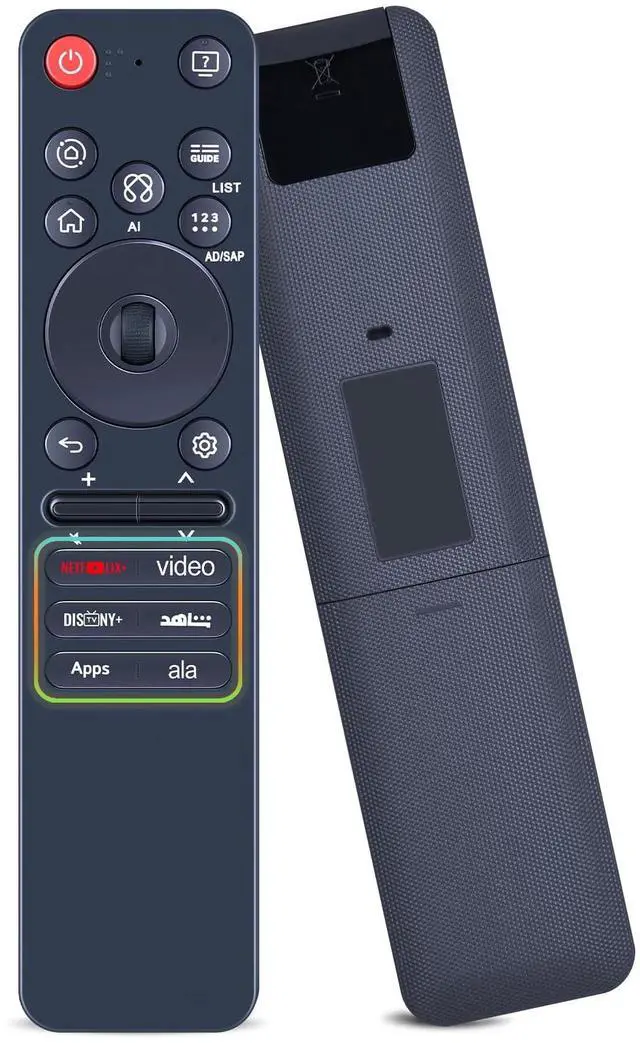
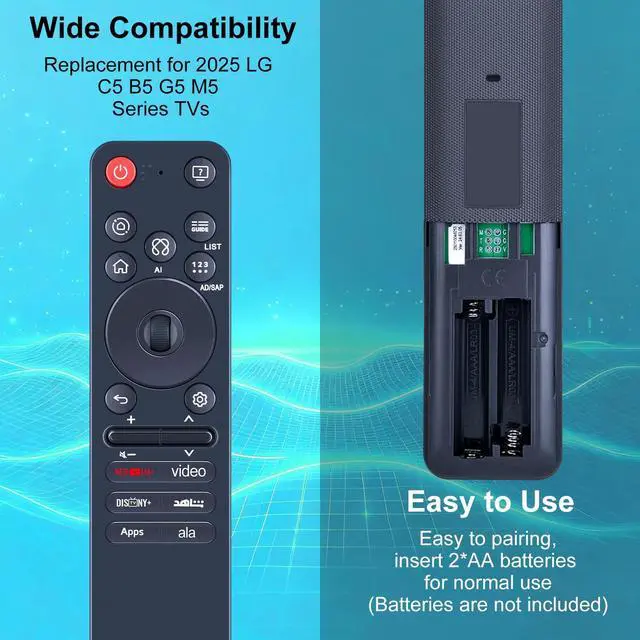
RETROSUN MR25GA AKB76046607 Magic Remote Control Replacement, Compatible with LG C5 B5 G5 M5 2025 Series TV, Include AI, Pointer Voice Control
- AI Voice Search - Powered by an AI-powered intelligent engine, Sensitive voice commands, simply press and speak to instantly jump to your favorite channels - no more tedious typing! and Select menus by long-pressing the Wheel(OK) button in the center of the remote
- How to Register the Magic Remote - 1) Put batteries into the Magic remote and turn the TV on. 2) Point the Magic remote at your TV and press the [Wheel(OK)] on the remote. (* If the tv fails to register the Magic remote, try again after turning the TV off and back on.)
- How to Deregister the Magic Remote - Press the [Back] and [Home] buttons at the same time for 5 seconds, to unpair the Magic remote with your TV. Press and hold the [Home] and [Setting] buttons for more than 5 seconds. to disconnect and re-register the Magic remote at the same time
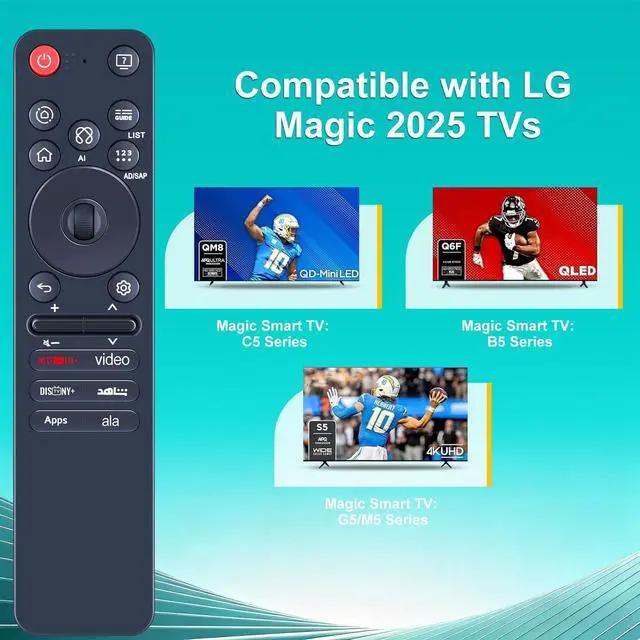
- Compatible Models - the new upgrade remote control compatible with LG G5 C5 B5 2025 Magic Series TVTips: Please refer to the A+ long description section for compatible TV mo
+
+
Overview
Specs
Reviews
Any questions? Our AI beta will help you find out quickly.
Try me now
AI Voice Search - Powered by an AI-powered intelligent engine, Sensitive voice commands, simply press and speak to instantly jump to your favorite channels - no more tedious typing! and Select menus by long-pressing the Wheel (OK) button in the center of the remote ^^ How to Register the Magic Remote - 1) Put batteries into the Magic remote and turn the TV on. 2) Point the Magic remote at your TV and press the [Wheel (OK) ] on the remote. (* If the tv fails to register the Magic remote, try again after turning the TV off and back on.
) ^^ How to Deregister the Magic Remote - Press the [Back] and [Home] buttons at the same time for 5 seconds, to unpair the Magic remote with your TV. Press and hold the [Home] and [Setting] buttons for more than 5 seconds. to disconnect and re-register the Magic remote at the same time ^^ Compatible Models - the new upgrade remote control compatible with LG G5 C5 B5 2025 Magic
Series TVTips: Please refer to the A+ long description section for compatible TV models. ^^ Package List - 1 * Remote Control Instruction ( 2pcs AAA battery Not Included. ) If you have any questions, please contact us through AMZ tools and we will help you within 12 hours

) ^^ How to Deregister the Magic Remote - Press the [Back] and [Home] buttons at the same time for 5 seconds, to unpair the Magic remote with your TV. Press and hold the [Home] and [Setting] buttons for more than 5 seconds. to disconnect and re-register the Magic remote at the same time ^^ Compatible Models - the new upgrade remote control compatible with LG G5 C5 B5 2025 Magic
Series TVTips: Please refer to the A+ long description section for compatible TV models. ^^ Package List - 1 * Remote Control Instruction ( 2pcs AAA battery Not Included. ) If you have any questions, please contact us through AMZ tools and we will help you within 12 hours
Warranty & Returns
Warranty, Returns, And Additional Information
Warranty
- Please contact the Seller directly for warranty information. Warranty information may also be found on the Manufacturer's website.
- CONTACT
Return Policies
- Return for refund within: 30 days
- Return for replacement within: 30 days
- This item is covered by GoBeRotie Return Policy
Manufacturer Contact Info
- For a directory of all our manufacturers, please click below.
- Manufacturers Directory
LOADING...