

Your Browsing History
- Free 30-day Returns
$67.99

Meet Your Seller


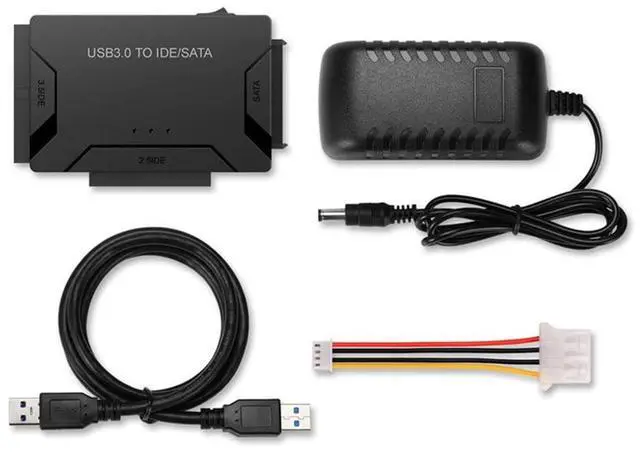
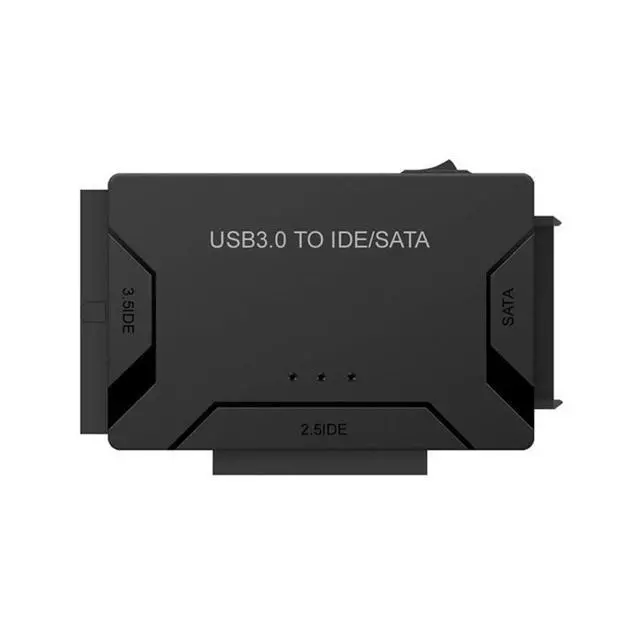
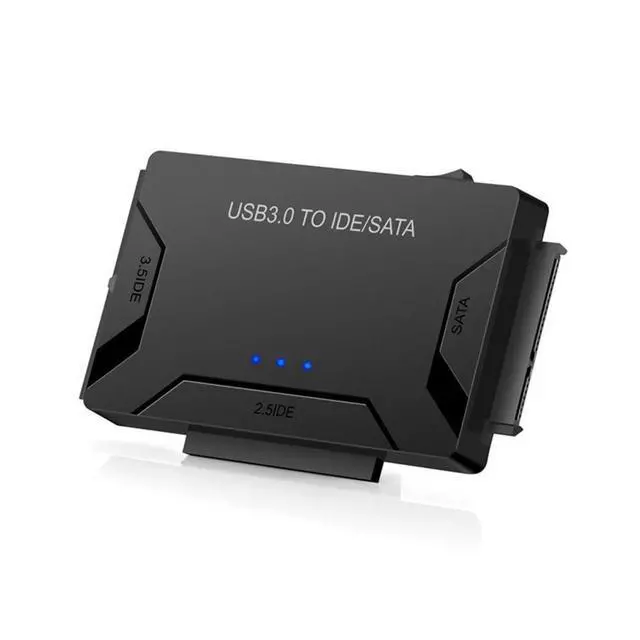
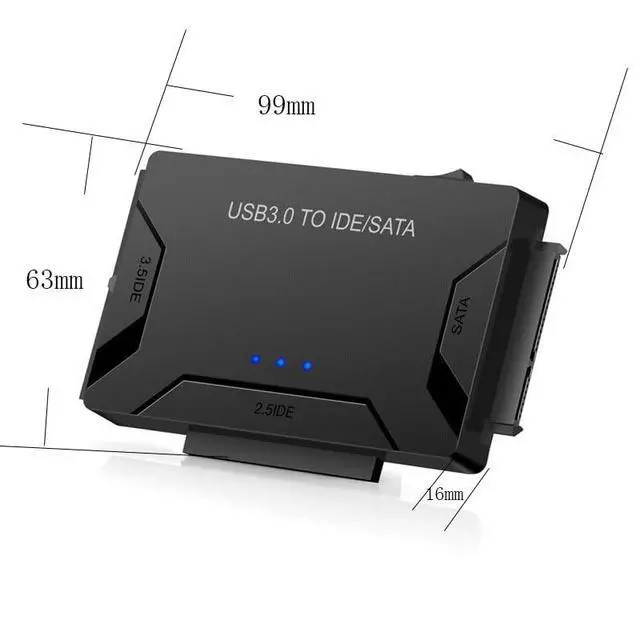
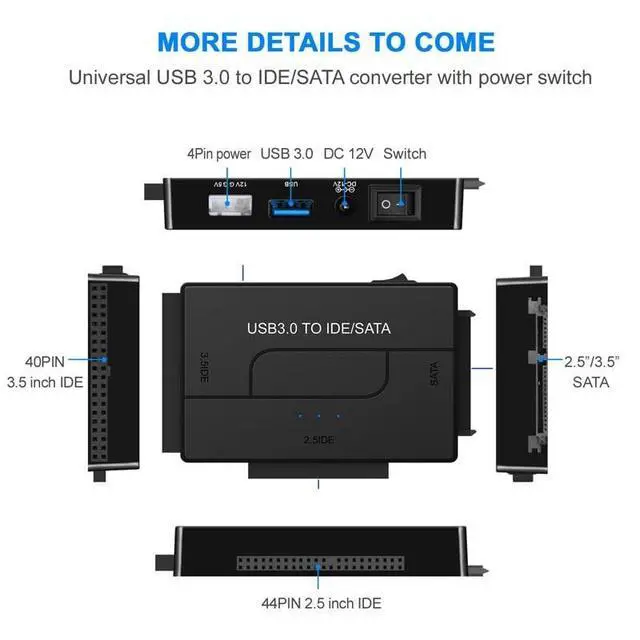


HCUSR USB 3.0 to SATA or IDE Adapter, Hard Drive Adapter Cable for 2.5"/3.5" SATA HDD/SSD Drive Data Transfer with Power Supply
- USB to SATA/IDE adapter cablePower Input: AC 90V264V, 4763Hz
- Transmission Interface: USB 3.0 (backward compatible with USB 2.0/1.1)
- Supported Storage Media: 2.5"/3.5" hard drives, standard CD-ROM (DVD-ROM), CD-RW, COMBO
- Supported Storage Device Interfaces: SATA interface, 44-pin IDE interface, 80-pin IDE cable interface (backward compatible with 40-pin IDE interface)
- Transfer Speed: Maximum peak 5Gb/s, supports high-speed burners
+
+
Overview
Specs
Reviews

Any questions? Our AI mode will help you find out quickly.
Try me now
Product
Type: USB 3.0 high-speed interface (backward compatible with USB 2.0 / 1.1 )Transfer
Speed: 5GbpsSupported
Storage Device Interfaces: SATA interface, 44-pin IDE interface, 80-pin IDE cable interface (backward compatible with 40-pin IDE interface)Power
Supply: 100-240V globally compatible 2A power adapterPackage
Contents: 3-in-1 adapter main unit1-meter USB 3.0 data cable 0.15 -meter large 4P to small 4P power cableSupported
Hard Drive Types: SATA 3.0G /s and SATA 2 5.0G /s hard drives 2.5" 44-pin IDE laptop hard drives 3.5" 40-pin or 80-pin IDE desktop hard drivesProduct
Parameters: USB
3.0 high-speed interface: 5GbpsSATA 1.5G bpsSATA 2 3.0G bpsATA/ATAPI PIO modes 0 to 4ATA/ATAPI
Ultra DMA transfer rates: 16.7, 25, 33, 48, 66, 100, 133, and 150MB/sATA/ATAPI LBA48 48-bit addressing (supports hard drives over 2TB/2000GB)Technical
Name: USB to SATA/IDE adapter cablePower
Input: AC 90V264V, 4763HzTransmission
Interface: USB 3.0 (backward compatible with USB 2.0 / 1.1 )Supported
Storage Media: 2.5" / 3.5" hard drives, standard CD-ROM (DVD-ROM), CD-RW, COMBO
Transfer Speed: Maximum peak 5Gb/s, supports high-speed burnersUsage
Instructions: Ensure the device is set to Master mode. Connect the SATA/IDE adapter cable to the device. Connect the power supply to the device. With the computer powered on, finally connect the USB interface.
Specifications
: InterfaceType: USB 3.0 high-speed interface (backward compatible with USB 2.0 / 1.1 )Transfer
Speed: 5GbpsSupported
Storage Device Interfaces: SATA interface, 44-pin IDE interface, 80-pin IDE cable interface (backward compatible with 40-pin IDE interface)Power
Supply: 100-240V globally compatible 2A power adapterPackage
Contents: 3-in-1 adapter main unit1-meter USB 3.0 data cable 0.15 -meter large 4P to small 4P power cableSupported
Hard Drive Types: SATA 3.0G /s and SATA 2 5.0G /s hard drives 2.5" 44-pin IDE laptop hard drives 3.5" 40-pin or 80-pin IDE desktop hard drivesProduct
Parameters: USB
3.0 high-speed interface: 5GbpsSATA 1.5G bpsSATA 2 3.0G bpsATA/ATAPI PIO modes 0 to 4ATA/ATAPI
Ultra DMA transfer rates: 16.7, 25, 33, 48, 66, 100, 133, and 150MB/sATA/ATAPI LBA48 48-bit addressing (supports hard drives over 2TB/2000GB)Technical
Specifications
:Name: USB to SATA/IDE adapter cablePower
Input: AC 90V264V, 4763HzTransmission
Interface: USB 3.0 (backward compatible with USB 2.0 / 1.1 )Supported
Storage Media: 2.5" / 3.5" hard drives, standard CD-ROM (DVD-ROM), CD-RW, COMBO
Transfer Speed: Maximum peak 5Gb/s, supports high-speed burnersUsage
Instructions: Ensure the device is set to Master mode. Connect the SATA/IDE adapter cable to the device. Connect the power supply to the device. With the computer powered on, finally connect the USB interface.
Warranty & Returns
Warranty, Returns, And Additional Information
Warranty
- Please contact the Seller directly for warranty information. Warranty information may also be found on the Manufacturer's website.
- CONTACT
Return Policies
- Return for refund within: 30 days
- Return for replacement within: 30 days
- This item is covered by Riveira Store Return Policy
Manufacturer Contact Info
- For a directory of all our manufacturers, please click below.
- Manufacturers Directory
LOADING...