Your Browsing History
- Free 30-day Returns
$77.99
Meet Your Seller
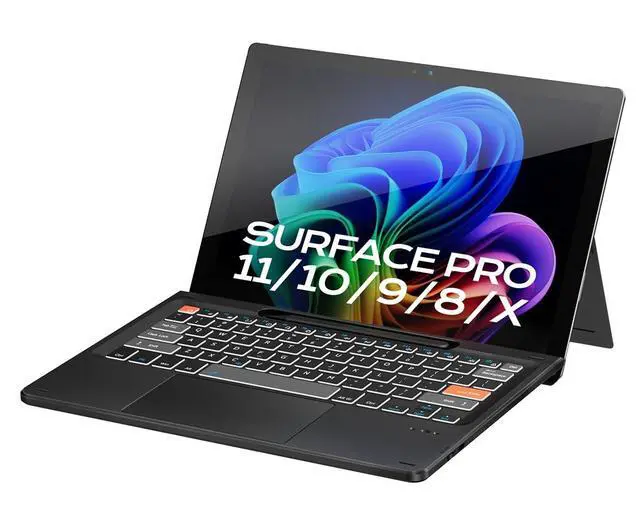
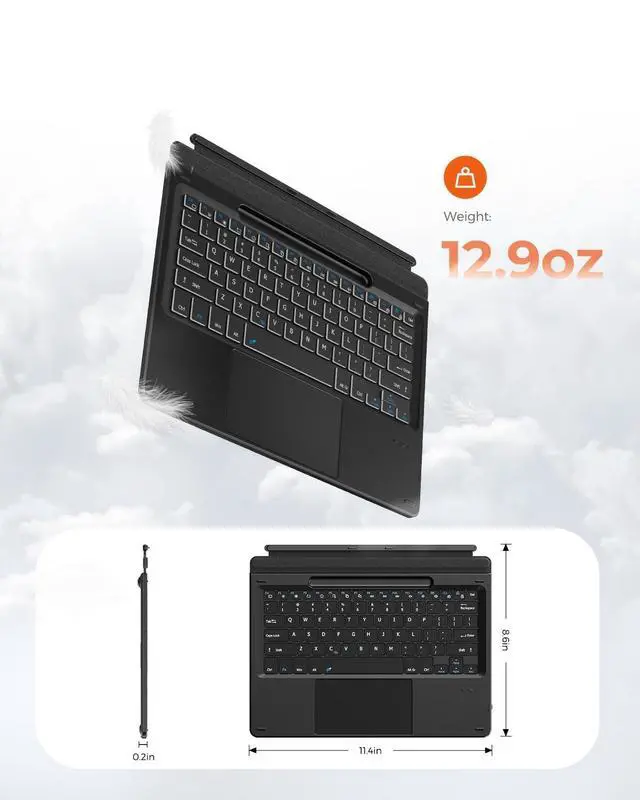
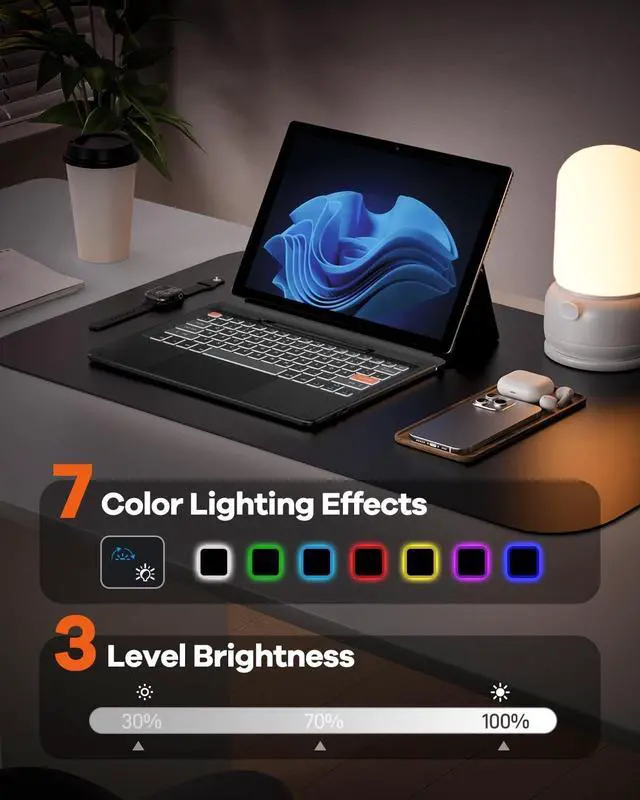
Doohoeek Surface Pro 11/10/9/X 13 Inch Keyboard, Bluetooth Keyboard with Touch Pad & Lighting Keys Compatible with Surface Pro 13" Copilot+, Pen & Tablets NOT Included, Rechargeable via USB-C Cable
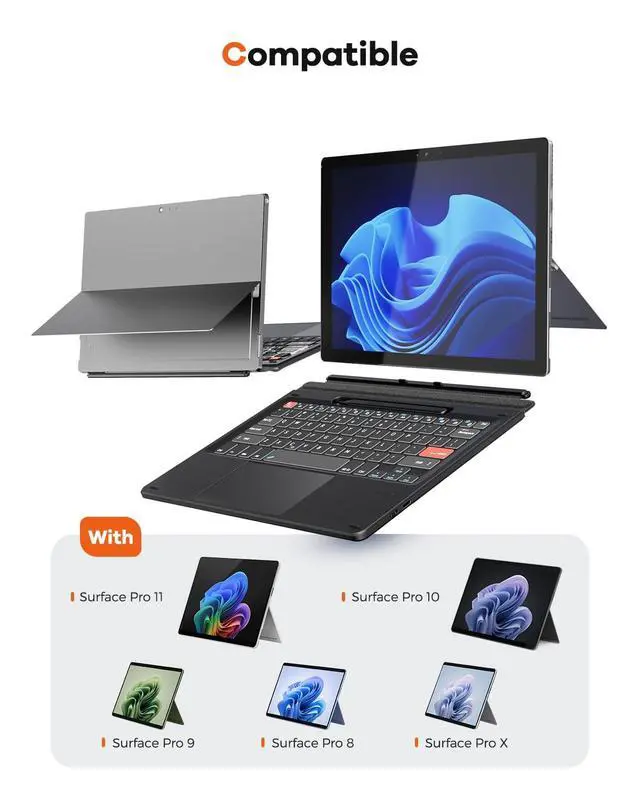
- Watch Before Buy: Surface Pro 8 has 12.3-inch version, this keyboard dose NOT fit Surface Pro 8 12.3", ONLY fit surface pro 8 13". The keyboard CAN'T charge pens. This keyboard ONLY works on surface pro 13-inch devices. WRONG models will cause magnet issue. The keyboard is charged via USB-C Cable, NOT supports official smart charge to tablet.
- Can't Connect the Bluetooth? Please reset the keyboard and then reconnect the Bluetooth: 1. Turn on the keyboard; 2. Press and hold the first and the last key at the top row of the keyboard until all indicators flash; 3.Press fn and C to enter Bluetooth pairing mode; 4. Search and find "Wireless keyboard".
- Surface Pro Exclusive Precision: Smart magnetic alignment snaps to 13-inch Pro 11 / Pro 10 / Pro 9 / Pro X /Pro 8 13" edges. No bulky cases or tools needed just attach and type.
- Stable Bluetooth Connection: Advanced chip and latest Bluetooth 5.3 reduces latency and stays connected even in crowded cafes.
- Win 11-Ready Touch Pad: Swipe
+
+
Overview
Specs
Reviews
Any questions? Our AI beta will help you find out quickly.
Try me now
Watch Before Buy: Surface Pro 8 has 12.3 -inch version, this keyboard dose NOT fit Surface Pro 8 12.3", ONLY fit surface pro 8 13". The keyboard CAN'T charge pens. This keyboard ONLY works on surface pro 13-inch devices. WRONG models will cause magnet issue. The keyboard is charged via USB-C Cable, NOT supports official smart charge to tablet. ^^ Can't Connect the Bluetooth? Please reset the keyboard and then reconnect the
Bluetooth:
1. Turn on the keyboard;
2. Press and hold the first and the last key at the top row of the keyboard until all indicators flash; 3. Press fn and C to enter Bluetooth pairing mode;
4. Search and find "Wireless keyboard". ^^
Surface Pro Exclusive Precision: Smart magnetic alignment snaps to 13-inch Pro 11 / Pro 10 / Pro 9 / Pro X /Pro 8 13" edges. No bulky cases or tools needed just attach and type.
^^ Stable Bluetooth Connection: Advanced chip and latest Bluetooth 5.3 reduces latency and stays connected even in crowded cafes. ^^ Win 11-Ready
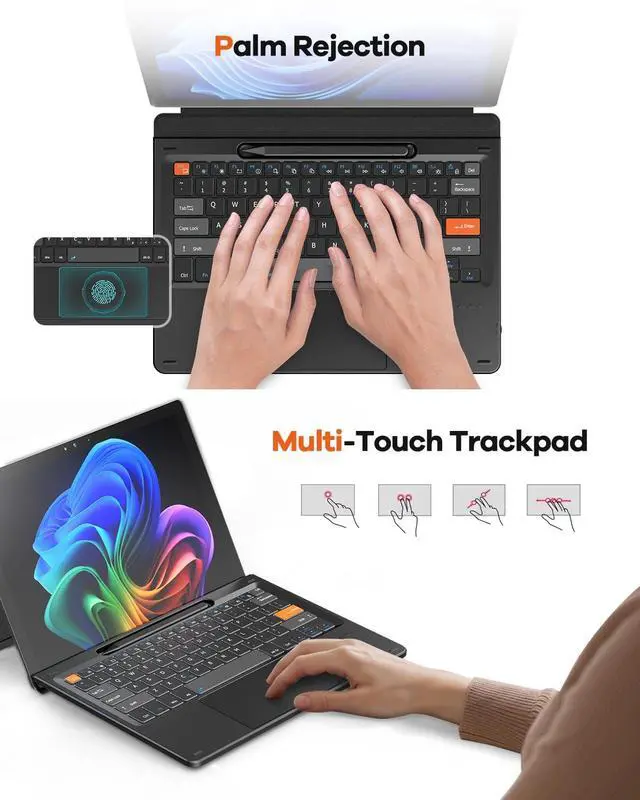
Touch Pad: Swipe apps instantly, activate virtual desktop control, all Windows 11 gestures are supported. The trackpad also detects accidental touches - cursor stays solid while typing.
Note: You could go settings -touchpad to adjust trackpad sensitivity.

Bluetooth:
1. Turn on the keyboard;
2. Press and hold the first and the last key at the top row of the keyboard until all indicators flash; 3. Press fn and C to enter Bluetooth pairing mode;
4. Search and find "Wireless keyboard". ^^
Surface Pro Exclusive Precision: Smart magnetic alignment snaps to 13-inch Pro 11 / Pro 10 / Pro 9 / Pro X /Pro 8 13" edges. No bulky cases or tools needed just attach and type.
^^ Stable Bluetooth Connection: Advanced chip and latest Bluetooth 5.3 reduces latency and stays connected even in crowded cafes. ^^ Win 11-Ready
Touch Pad: Swipe apps instantly, activate virtual desktop control, all Windows 11 gestures are supported. The trackpad also detects accidental touches - cursor stays solid while typing.
Note: You could go settings -touchpad to adjust trackpad sensitivity.
Warranty & Returns
Warranty, Returns, And Additional Information
Warranty
- Please contact the Seller directly for warranty information. Warranty information may also be found on the Manufacturer's website.
- CONTACT
Return Policies
- Return for refund within: 30 days
- Return for replacement within: 30 days
- This item is covered by To the Internet media Return Policy
Manufacturer Contact Info
- For a directory of all our manufacturers, please click below.
- Manufacturers Directory
LOADING...