Your Browsing History
Meet Your Seller
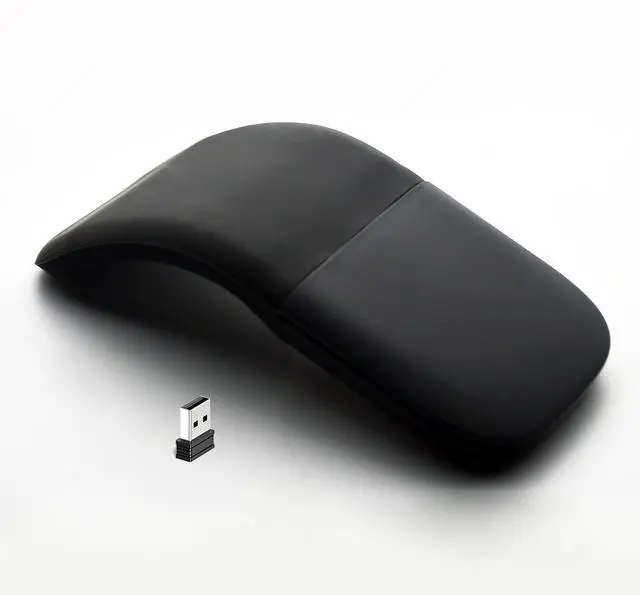
Wireless Foldable Mouse Folding Touch Mice (2.4G Wireless with USB Receiver)-Black
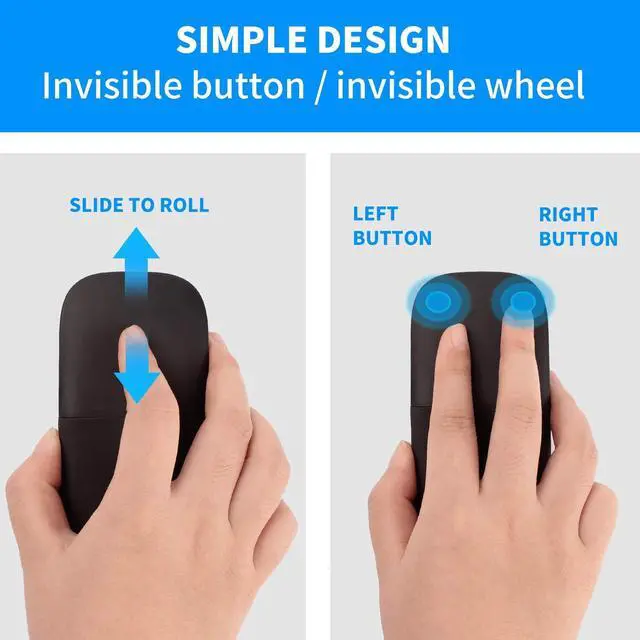
- Innovative full scroll planeThe full touch plane let you scroll both vertically. Wireless range: 32.8 feet (10 meters) in open area, and 16.4 feet (5 meters) in office environment. Note: This is not original Microsoft mouse .
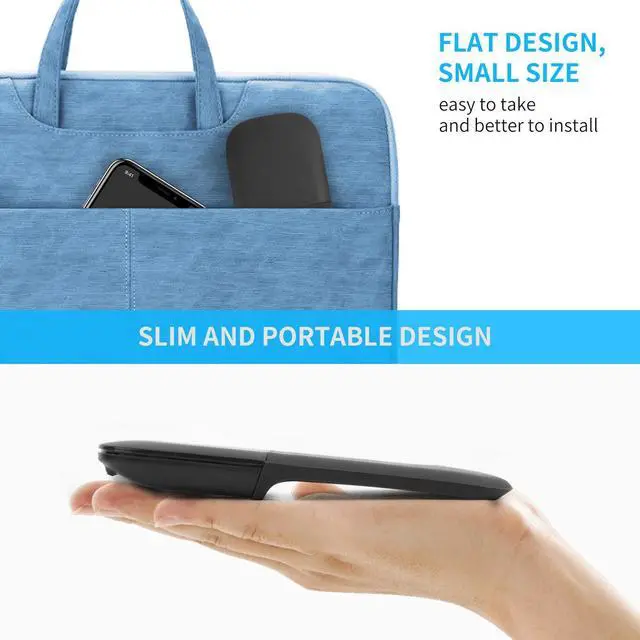
- Ultra slim and lightweightUltra thin design and very light weight, you can carry the mouse anywhere.
- 2.4G wireless connectionYou just need insert our USB receiver to your computer, then the mouse can work directly. You can press the button (on the buttom of the mouse) to adjust the speed. (800-1200-1600 )
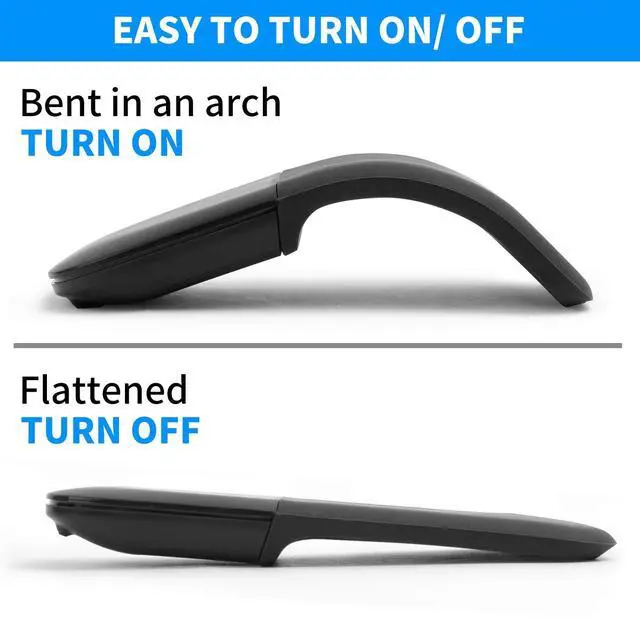
- Foldable designThe mouse is turned on when bent in an arch, and turned off when flattened.
- Wide CompatibleWorks with devices which run Windows VISTA, 8 ,10,Android and IOS sysmtem.
+
+
Overview
Specs
Reviews
Any questions? Our AI beta will help you find out quickly.
Try me now
Product Spec: Wireless
technology: 2.4G Wireless with
USB receiverWireless distance: 10-15mProduct
Size:
133*55*12mmWeight:
755gResolution: 800-1200-1600Operating
cycles: 1, 000, 000
cyclesBattery: 2*AAA dry battery (Not included)
Material: ABS
Plastic and siliconSystem requirement: Windows 2000/ 2003/ ME/ XP/ Vista/ Win 8/ 10/ MAC OS/ LinuxHow to use it? 1. Insert the battery into the mouse. 2. Bent the mouse, when you hear a sound, it means the mouse is bent into correct position. The blue light will shake, and the mouse is turned on. 3. Insert the USB receiver to your computer, then the mouse will work directly.
Note: 1. This is 2.4G wireless mouse, need connect via USB receiver. 2. This mouse can not be used on Win7 and XP system. 3. The mouse must be bent to the right position, otherwise it can not turn on.

technology: 2.4G Wireless with
USB receiverWireless distance: 10-15mProduct
Size:
133*55*12mmWeight:
755gResolution: 800-1200-1600Operating
cycles: 1, 000, 000
cyclesBattery: 2*AAA dry battery (Not included)
Material: ABS
Plastic and siliconSystem requirement: Windows 2000/ 2003/ ME/ XP/ Vista/ Win 8/ 10/ MAC OS/ LinuxHow to use it? 1. Insert the battery into the mouse. 2. Bent the mouse, when you hear a sound, it means the mouse is bent into correct position. The blue light will shake, and the mouse is turned on. 3. Insert the USB receiver to your computer, then the mouse will work directly.
Note: 1. This is 2.4G wireless mouse, need connect via USB receiver. 2. This mouse can not be used on Win7 and XP system. 3. The mouse must be bent to the right position, otherwise it can not turn on.
Warranty & Returns
Warranty, Returns, And Additional Information
Warranty
- Please contact the Seller directly for warranty information. Warranty information may also be found on the Manufacturer's website.
- CONTACT
Return Policies
- Return for refund within: 30 days
- Return for replacement within: 30 days
- This item is covered by Qiangsheng kuajing (Hong Kong) Co., Limi Return Policy
Manufacturer Contact Info
- For a directory of all our manufacturers, please click below.
- Manufacturers Directory
LOADING...