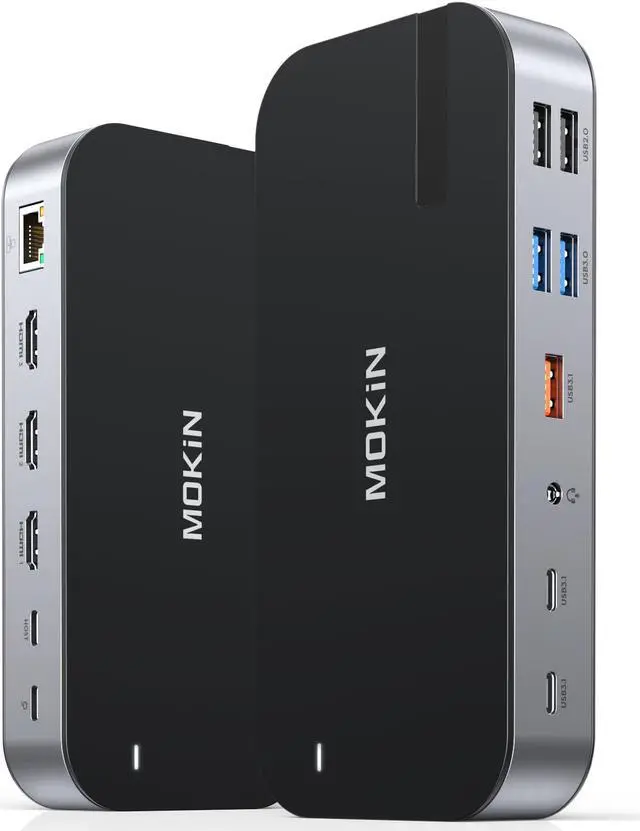
MOKiN Laptop Docking Station,16 in 1 Dock Triple Monitor,USB C Docking Station with 3 HDMI,PD 100W, USB 3.1/3.0/2.0,RJ 45 Ethernet,SD/TF,Audio for Dell/HP/Lenovo,Matte Black
Limited time offer, ends 04/19 By Dazan Technology
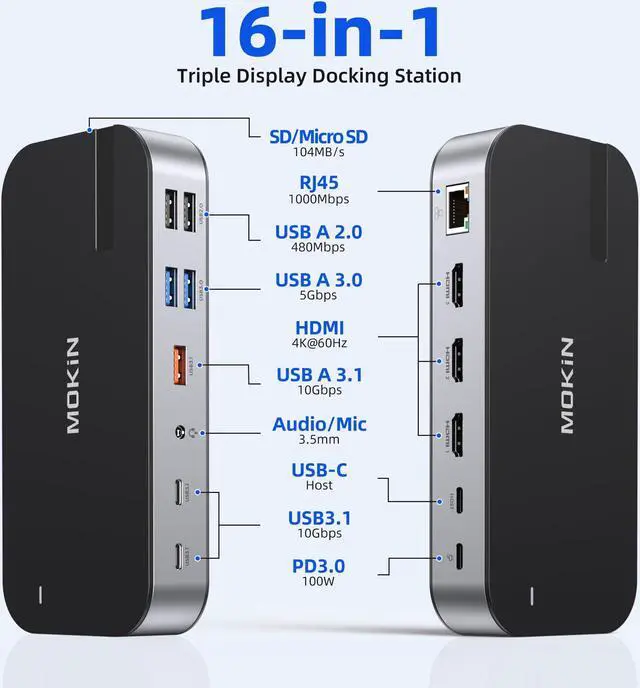
16 in 1 USB C Docking StationUSB C Docking Station 3 monitor with a PD100W port (charging only), Gigabit RJ45 port, 3* 4K HDMI ports, SD and TF card slot, 3 * USB 3. 1 ports, 2* USB 3. 0 ports and 2* USB 2.0 ports, 3.5mm audio port equipped. With a simple plug-and-play connection, the USB C hub turns any Windows system laptop into a mobile workstation. Meet all your needs with a versatile 16 in 1 Laptop Docking Station.
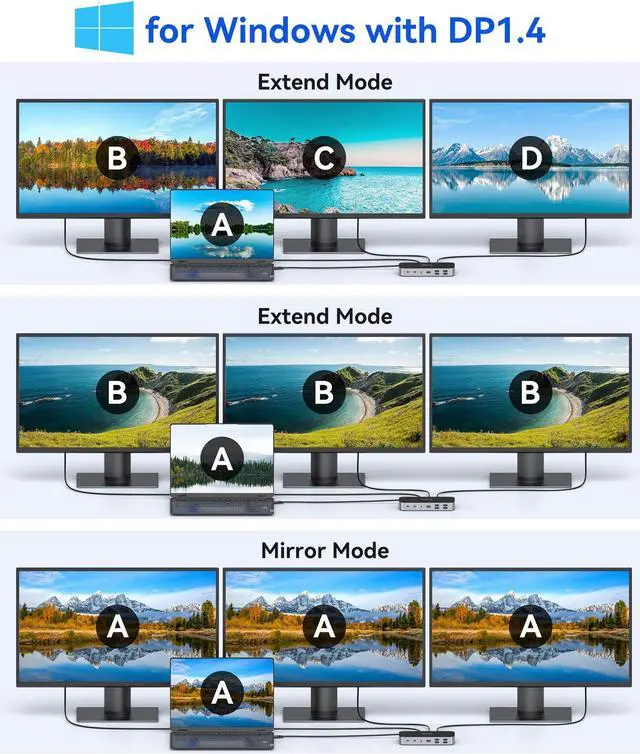
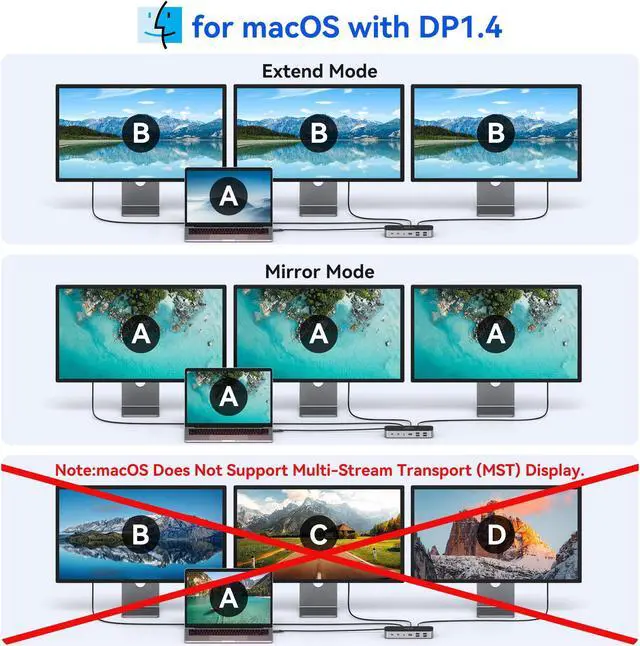
Ultra 4K HD 3 HDMI DockMOKiN Laptop Docking Station for easy 4K HDMI, triple monitors on Windows OS. Using HDMI 1 only, up to 4K@60Hz, when connecting dual monitors, the 2 HDMI resolutions will be 4K@30Hz(Follow Your computer desktop resolution). Please Note: MacOS system laptops only support SST mode, the screen of the external monitor is the same, whether it is mirror or extend.
Super-Speed Data TransfersMOKiN Docking Station features USB-C 3.1 and USB-A 3.1 data ports provide file transfer at speeds up to 10 Gbps, 2X faster than USB 3.0. and t
+
+
Overview
Specs
Reviews
Any questions? Our AI beta will help you find out quickly.
Try me now
MOKiN Laptop Docking Station, 16 in 1 Dock Triple Monitor, USB C Docking Station with 3 HDMI, PD 100W, USB 3.1 / 3.0 / 2.0, RJ 45 Ethernet, SD/TF, Audio for Dell/HP/Lenovo, Matte Black
Learn more about the Detailed Specifications
Additional Information
First Listed on Newegg
January 28, 2026
There are no reviews yet.
Do you own this product?
Warranty & Returns
Warranty, Returns, And Additional Information
Warranty
Please contact the Seller directly for warranty information. Warranty information may also be found on the Manufacturer's website.