

Your Browsing History
- Free 30-day Returns
$70.99


Meet Your Seller


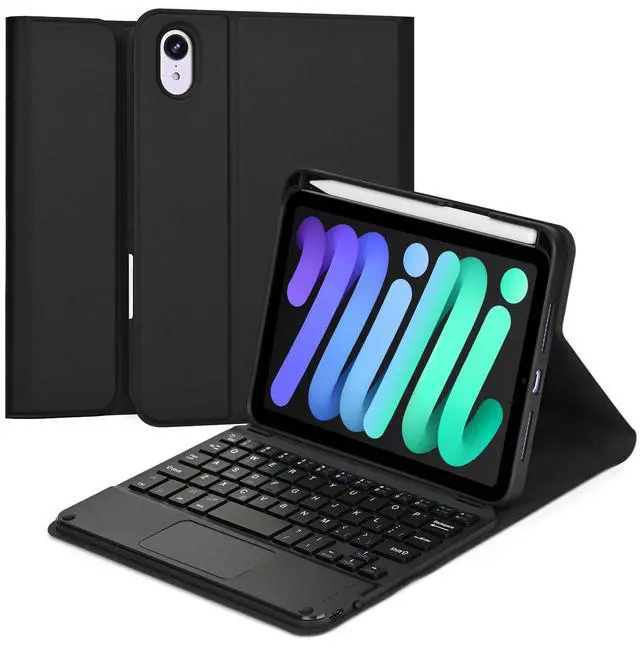


Eisuiyi Keyboard Case for iPad Mini 7(2024) & Mini 6(2021) 8.3", Detachable Touchpad BT Keyboard, Magentic Protective Cover with Pencil Holder, Full Protection, Black
- [(Compatibility)] This bluetooth keyboard case is compatible with iPad mini 7th generation 2024 released A17 Pro 8.3inch (Model: A2995/A2996) and iPad mini 6th generation 2021 released 8.3inch (Model: A2567/A2568/A2569).
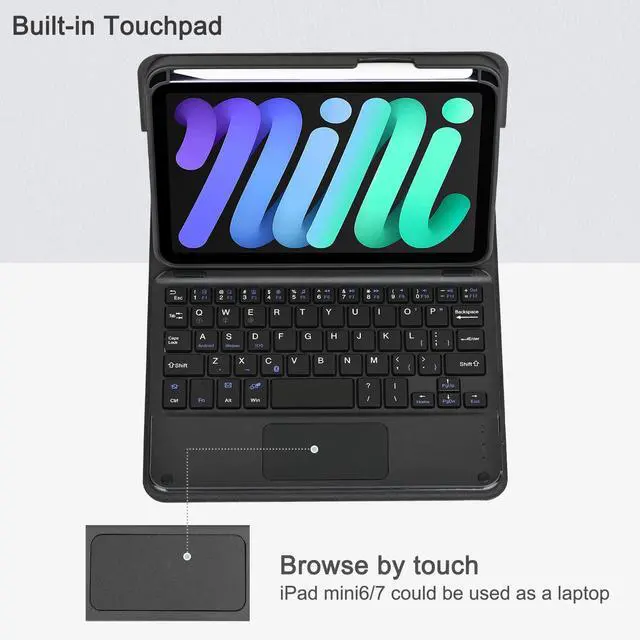
- [(Multi-Gesture Trackpad)] This keyboard with touchpad for iPad mini6/mini7 is often more compact and lightweight, making it easier to transport and use with a laptop or tablet. The touchpad features anti-touch technology and supports multi-functional gestures, that makes you more efficient and relaxed when using it.
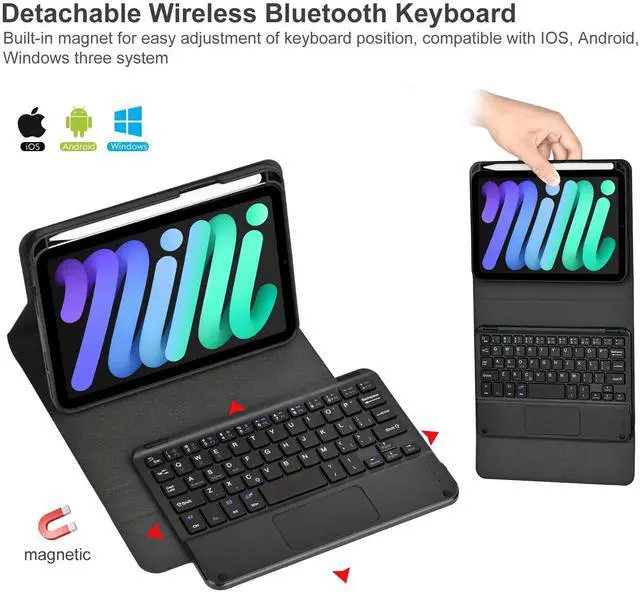
- [(Removeable Magnetic Keyboard)] Keyboard is removable and the bluetooth connectivity is easy. The smart folio keyboard and magnetic case allow you to adjust screen vision and typing position. And you could use ipad mini6/mini7 case only if you don't need keyboard.
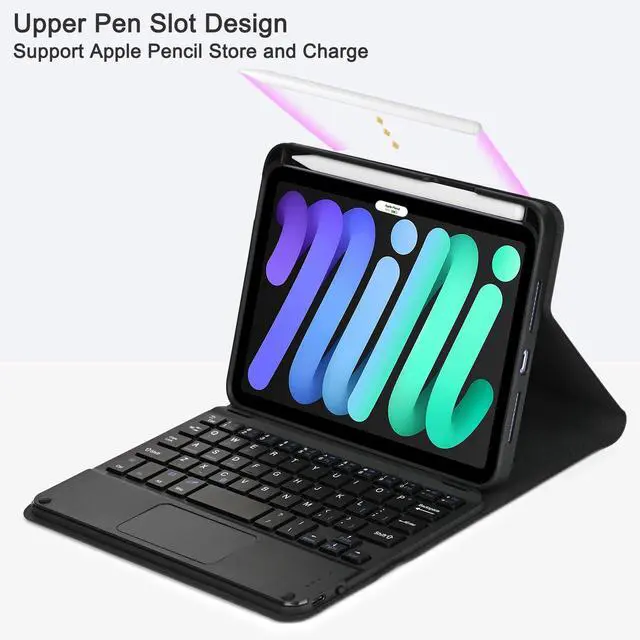
- [(Upper Pencil Slot)] The pencil holder is located at the top of case, specific upper pencil slot to place and take the pen easier, and supports wireless charging for Apple Pen. Please no
+
+
Overview
Specs
Reviews

Any questions? Our AI mode will help you find out quickly.
Try me now
How to get the keyboard sync with your iPad mini6/7:
1. Push the power switch button to ON position to turn on the keyboard.
2. Press "Fn" and "C" at the same time to turn on bluetooth, bluetooth indicator will flash blue.
3. Turn on the bluetooth of your iPad.
4. Choose"Bluetooth Keyboard" option in the searching page to adapt, bluetooth indicator turn off.
IMPORTANT:
No. 1: Please press "Fn" and "C" together to open the bluetooth.
No. 2: The keyboard automatically enters sleep mode when it doesn't work for over 15 minutes. Click any key to activate the keyboard.
No. 3: The Bluetooth pairing is automatically interrupted when the tablet is in sleep mode.
ABOUT OUR PROMISED
please check the instruction carefully, if you still have other question, please email to us, if the keyboard case had quality problem, you don't need return the keyboard case, we refund or replace at once. We promise that we let you satisfied!!!
Thank you
1. Push the power switch button to ON position to turn on the keyboard.
2. Press "Fn" and "C" at the same time to turn on bluetooth, bluetooth indicator will flash blue.
3. Turn on the bluetooth of your iPad.
4. Choose"Bluetooth Keyboard" option in the searching page to adapt, bluetooth indicator turn off.
IMPORTANT:
No. 1: Please press "Fn" and "C" together to open the bluetooth.
No. 2: The keyboard automatically enters sleep mode when it doesn't work for over 15 minutes. Click any key to activate the keyboard.
No. 3: The Bluetooth pairing is automatically interrupted when the tablet is in sleep mode.
ABOUT OUR PROMISED
please check the instruction carefully, if you still have other question, please email to us, if the keyboard case had quality problem, you don't need return the keyboard case, we refund or replace at once. We promise that we let you satisfied!!!
Thank you
Warranty & Returns
Warranty, Returns, And Additional Information
Warranty
- Please contact the Seller directly for warranty information. Warranty information may also be found on the Manufacturer's website.
- CONTACT
Return Policies
- Return for refund within: 30 days
- Return for replacement within: 30 days
- This item is covered by HAIZHILANSTORE Return Policy
Manufacturer Contact Info
- For a directory of all our manufacturers, please click below.
- Manufacturers Directory
LOADING...